Japan's AI Development: Current State and Future Outlook – Policy, Corporate Cases, and the Path to Competitiveness
swiftwand swiftwand.ai

Until recently, connecting AI agents to external tools required writing custom integration code for each tool. Model Context Protocol (MCP) is an open protocol published by Anthropic in 2024 to solve this problem. Often described as “the USB-C for AI and tools,” MCP was donated to the Agentic AI Foundation (AAIF) under the Linux Foundation by the end of 2025, evolving into a true open standard.
The AI agent market reached approximately $7.6–7.8 billion in 2025 and is projected to surge to $52.6 billion by 2030 (CAGR 46.3%). Gartner predicts that by 2026, 40% of enterprise applications will embed task-specific AI agents. MCP is gaining attention as the foundational technology supporting this explosive growth.
This article comprehensively covers MCP’s core architecture, transport layer evolution, security, ecosystem status, and a practical implementation guide—all based on the official specification (2025-11-25 edition).
Model Context Protocol (MCP) is an open protocol for connecting AI applications to external data sources and tools in a standardized way. It is now managed by the Agentic AI Foundation (AAIF), co-founded by Anthropic, OpenAI, and Block, with support from Google, Microsoft, AWS, Cloudflare, and Bloomberg.
The MCP ecosystem is expanding rapidly. By late 2025, the Smithery registry listed over 2,880 MCP servers, MCP.so indexed over 3,000 tools, over 300 client apps support MCP, and SDK monthly downloads exceeded 97 million. Claude Desktop, VS Code, Cursor, Gemini CLI, and GitHub Copilot—virtually all major AI development tools—now support MCP.
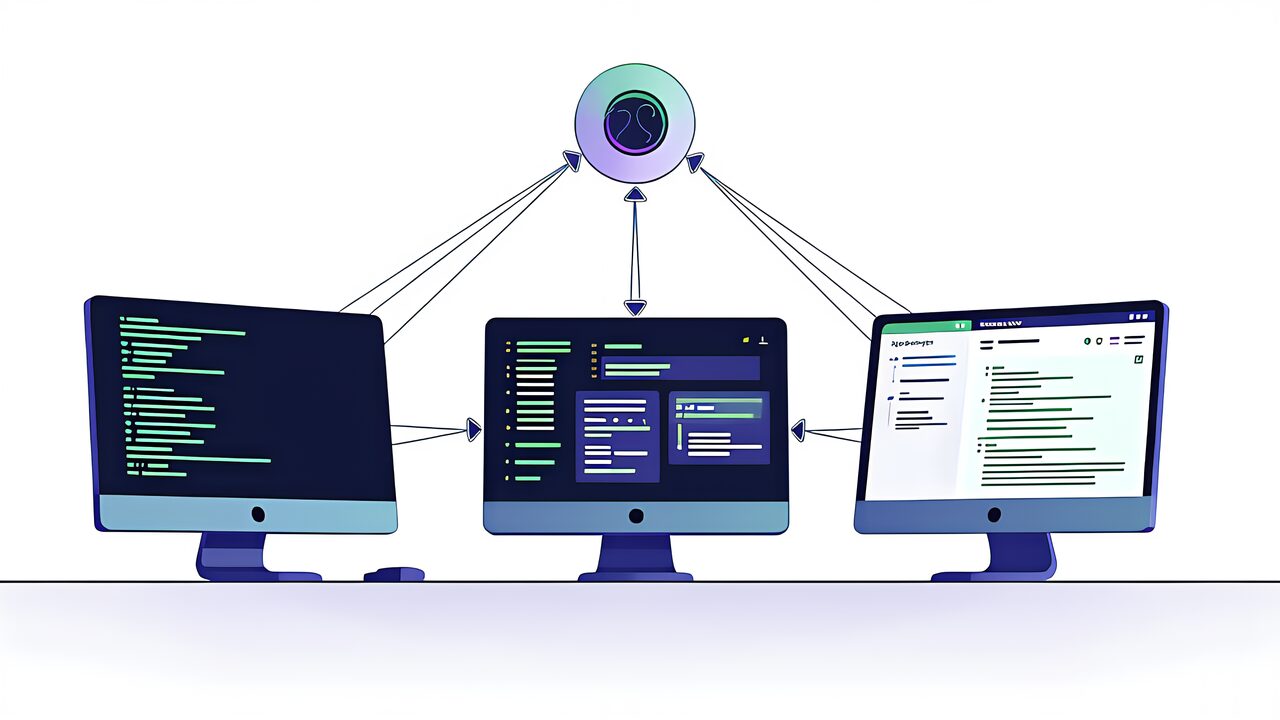
MCP uses a client-server architecture. An AI application (host) connects to one or more MCP servers, and each connection is managed by a dedicated MCP client.
OpenAI’s Function Calling embeds tool definitions directly into LLM requests. It’s simple and immediately usable but vendor-specific. MCP’s client-server separation allows a server built once to be reused across different clients—Claude Desktop, Cursor, VS Code, etc. Function Calling suits low-latency in-app automation; MCP excels at cross-runtime portability and shared integrations.
Google’s A2A (Agent-to-Agent) protocol enables direct communication and task delegation between agents. While MCP standardizes “agent-to-tool connections,” A2A standardizes “agent-to-agent coordination.” They’re complementary, not competing: use MCP for tool access and A2A for inter-agent collaboration.
stdio is the simplest transport—it launches the MCP server as a local process and exchanges JSON-RPC messages via standard I/O. Easy to set up and ideal for local clients like Claude Desktop and Cursor. However, it’s limited to same-machine communication and cannot connect to remote services.
Introduced in late 2025, Streamable HTTP replaces the legacy SSE (Server-Sent Events) transport. It enables bidirectional communication over a single HTTP connection with chunked transfer encoding and progressive message delivery. Enhanced connection stability and error recovery make it suitable for enterprise remote MCP server deployments.
The June 2025 MCP spec update requires OAuth 2.1 implementation for MCP servers. PKCE (Proof Key for Code Exchange) applies to all authorization code flows, and short-lived access tokens are recommended. JIT (Just-In-Time) access tokens auto-expire after task completion, minimizing unauthorized access risk.
In multi-server environments, malicious MCP servers can manipulate tool manifests and descriptions to trick AI agents into executing harmful commands—a “tool poisoning” attack creating a “Confused Deputy” problem. Countermeasures include running MCP server commands in sandboxed environments with minimal default permissions, deploying untrusted servers in Docker containers with restricted filesystem and network access, and requiring explicit user approval for tool execution—a fundamental MCP security principle.
Official MCP SDKs are available for TypeScript, Python, Java, Kotlin, C#, plus expanding support for Go, PHP, Ruby, Rust, and Swift. TypeScript and Python SDKs have the most maturity with abundant documentation and sample code. Use stdio transport for local environments and Streamable HTTP for remote—that’s the basic decision rule.
The MCP specification includes draft-stage features. Tasks enables management of long-running operations with polling and deferred result retrieval. Elicitation allows MCP servers to request user input during tool execution—enabling confirmation dialogs, forms, and multi-step workflows. When formally adopted, these features will significantly expand MCP’s expressiveness.
Building MCP servers requires development knowledge, but if you’re just using existing servers, you can get started by simply adding server information to Claude Desktop or Cursor’s configuration file.
The MCP specification requires OAuth 2.1 authentication/authorization with PKCE and short-lived tokens recommended. However, security implementation is the server developer’s responsibility—only use trusted servers.
MCP and LangChain are complementary, not competing. LangChain is an agent orchestration framework; MCP is a tool connection protocol. A hybrid approach connecting LangChain/LangGraph to MCP servers via adapters is common.
stdio is best for local CLI tools and IDE integration. Streamable HTTP is the choice for web applications and cloud service integration. stdio offers easy setup; Streamable HTTP provides superior scalability.
Absolutely. Just connect official MCP servers (Filesystem, GitHub, SQLite, etc.) to Claude Desktop and you can delegate file operations and Git operations to your AI agent. It’s widely used as a tool to dramatically boost individual developer productivity.
Thousands of servers are registered on registries like Smithery and MCP.so. The official GitHub repository also publishes reference implementations of major servers. Search for a server matching your needs and start using it immediately.
All major AI companies—Anthropic, OpenAI, Google, and Microsoft—support MCP, and it’s managed under the Linux Foundation. Cross-vendor adoption has progressed at unprecedented speed compared to standards like OpenAPI, OAuth 2.0, and HTML. MCP is highly likely to become the de facto standard for AI agent integration.
MCP is rapidly becoming the “common language” for AI agents to interact with the outside world. Just one year after Anthropic’s announcement in late 2024, the entire industry—including OpenAI, Google, and Microsoft—has adopted it, growing into an ecosystem with over 5,800 servers and 300+ client apps.
With Streamable HTTP transport, OAuth 2.1 security enhancements, and proposed features like Elicitation and Tasks, the specification is steadily maturing. While still a relatively new protocol, it will undoubtedly become foundational technology for AI agent development. Start by connecting an official MCP server to Claude Desktop and experience it firsthand.
For more information, visit All3DP.