AI Automation Complete Beginner's Guide | Zapier, Make, n8n Comparison, No-Code Workflows, ROI Data & 30-Day Roadmap [2026 Edition]
swiftwand swiftwand.ai
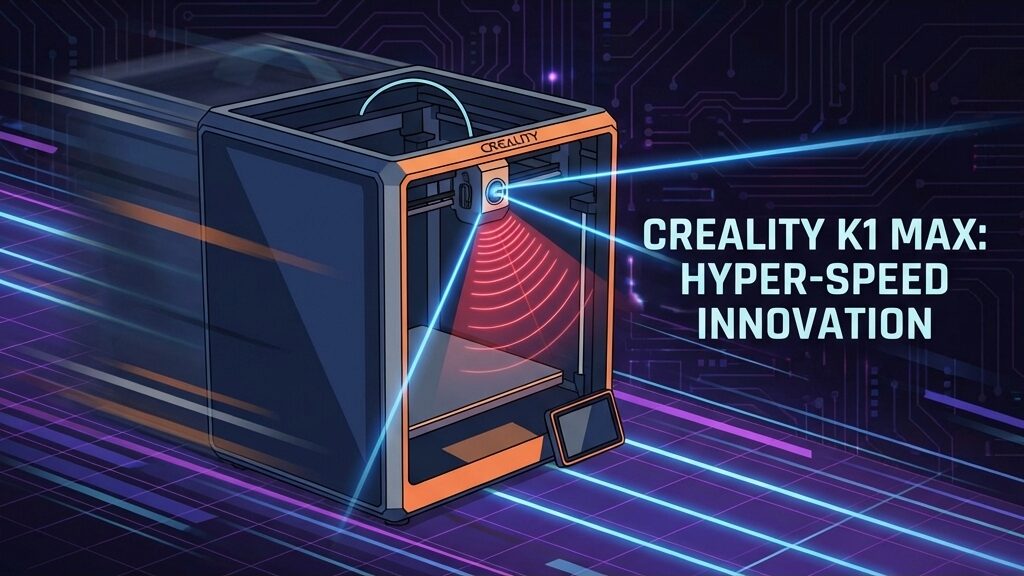
The 3D printer speed race has reached a milestone: 600mm/s. But simply moving the print head faster is not enough. Filament extrusion cannot keep up, vibrations ripple across surfaces, and print quality collapses. Achieving “fast and beautiful” prints requires control beyond human senses.
Two weapons tackle this challenge: AI Lidar and Klipper firmware. Calibration is no longer a ritual performed by humans. The machine itself now thinks and adjusts. The era of autonomous printing has arrived.
The biggest obstacle has always been tuning Pressure Advance — a parameter that compensates for nozzle pressure lag during speed changes, requiring meticulous testing.
AI Lidar (laser radar) scans test lines with 1μm precision. It automatically prints a calibration pattern, reads its shape with the laser, and calculates the optimal flow compensation value — all before your print even begins. You just press a button in the slicer. The AI adapts to that day’s temperature, humidity, and filament condition, always defining the best possible extrusion.
To understand how revolutionary AI Lidar is, compare it against traditional contact probes like BLTouch and CR-Touch.
Traditional BLTouch uses a physical metal pin to touch the bed and measure height. While the official spec claims ~5μm (0.005mm) repeatability, real-world accuracy is often several tens of micrometers due to frame rigidity and assembly quality. Scanning a 5×5 grid (25 points) takes 2–3 minutes. As a mechanical component, it wears over time and calibration drifts.
AI Lidar uses non-contact measurement via infrared laser reflection, achieving 1μm precision — vastly superior resolution compared to contact probes. It can scan a full 300×300mm bed on a 20×20 grid (400+ points) in under one minute. With no physical contact, there is zero wear, and it operates stably even on heated beds above 100°C.
That said, Lidar has weaknesses. Mirror-finish and chrome surfaces can scatter reflections and degrade accuracy. Dust on the lens and direct sunlight can also interfere. PEI sheets and textured plates work perfectly fine.
At 600mm/s with 20,000 mm/s² acceleration — almost violent speeds — physical vibration is inevitable. These vibrations leave “ghosting” (ripple patterns) on your prints.
The K1 Max uses a G-sensor mounted on the print head to measure resonant frequencies. An algorithm then sends counter-phase signals to the motors, canceling out the vibrations — just like noise-canceling headphones, but for physical motion.
Input shaping is a core Klipper firmware feature that uses software to cancel printer vibration (ghosting/ringing). Like noise-canceling headphones, it sends counter-phase signals to the motors. Klipper offers five shaper types:
To determine the optimal shaper and parameters, you need to measure your printer’s resonant frequencies with an ADXL345 accelerometer. Typical 3D printer resonant frequencies fall in the 30–100Hz range.
The procedure is straightforward: mount the ADXL345 on the toolhead and run Klipper’s SHAPER_CALIBRATE command. It measures resonant frequencies for X and Y axes separately, then displays vibration residuals, smoothing amounts, and recommended max accelerations for each shaper type. Just pick the one that suits your needs.
For example, the ZV shaper at 57.8Hz recommends a max acceleration of 13,000mm/s². MZV at 34.8Hz caps at 3,600mm/s². Choose ZV or MZV for speed priority, or 2HUMP_EI for quality priority.
For high-speed printing, Klipper is effectively the only choice. Marlin offers excellent stability, and versions 2.1.2+ include input shaping. However, it lacks Klipper’s flexibility — five shaper types, auto-calibration, and extensive configuration freedom.
Klipper’s advantage lies in its architecture: a two-layer structure with a Raspberry Pi (host) and MCU (microcontroller), where the Pi handles heavy computation. This enables advanced real-time corrections like input shaping and Pressure Advance. Marlin runs on a single MCU, which is sufficient below 200mm/s but lacks computational power above 400mm/s.
If your printer runs Marlin, migrating to Klipper is worth considering. Many models including the Ender-3 series and Voron support Klipper installation.
Cooling performance is often overlooked in high-speed printing. At 600mm/s, molten filament is deposited 3–5× faster than normal. If cooling cannot keep up, layers deform before they bond.
The K1 Max’s dual-fan system (2× 5015 radial blowers) delivers 40+ CFM of airflow for part cooling. This is sufficient for PLA and PETG, but complex shapes with heavy overhangs require 100% fan speed.
The other bottleneck is flow rate. The K1 Max hotend can extrude up to 32mm³/s, but at 600mm/s with 0.2mm layers and a 0.4mm nozzle, the required flow rate is approximately 48mm³/s — exceeding the theoretical maximum. This means 600mm/s is a peak speed for infill (internal fill) and straight sections; outer walls realistically cap at 300–400mm/s.
Do not take “max 600mm/s” at face value. Understanding the balance between effective speed and print quality is crucial.
AI Lidar and the built-in camera also monitor for failures:
The Creality K1 Max with AI Lidar is not your only option. The best machine depends on your goals:
Under $700, the Bambu Lab P1S or Qidi Plus4 are top picks. For large builds, choose the Creality K1 Max. For multi-color, the Bambu Lab X1C is your best bet.
The biggest reason corners look messy in high-speed printing is pressure lag inside the nozzle. When the head accelerates, internal pressure cannot keep up, causing under-extrusion. When decelerating, excess pressure pushes out too much filament. This is what causes blobs at corners and stringing.
Pressure Advance (PA) predictively adjusts filament feed based on head acceleration. In Klipper, the PRESSURE_ADVANCE value is set between 0.01–0.10 for direct-drive extruders (0.3–0.8 for Bowden setups).
Traditionally, you had to print test patterns and visually judge the optimal value. With AI Lidar, the laser automatically measures test line widths and calculates the optimal value. What used to take 10–15 minutes of calibration after every filament change is now done with a single button press.
Direct-drive extruders have small PA values (0.01–0.05) with fast response. Bowden setups have larger PA values (0.3–0.8) due to tube elasticity, making control difficult at high speeds. For 600mm/s and above, direct drive is effectively mandatory.
Currently, AI Lidar is provided as a built-in sensor integrated into the printer. No official aftermarket retrofit kit exists. However, within the Klipper ecosystem, combining an ADXL345 accelerometer with Bed Mesh functionality can create an auto-calibration environment approaching Lidar capabilities. While you will not achieve Lidar-level 1μm precision, it is a massive improvement over manual BLTouch calibration.
Infill (internal fill) is unaffected at 600mm/s. The challenge is outer walls and fine details. Keep outer wall speed at 300–400mm/s, properly configure input shaping and Pressure Advance, and you can achieve finishes comparable to the 100mm/s era. Overall print time drops to 1/3–1/2 of conventional speeds.
Yes. The Ender-3 series is one of the best-supported models in the Klipper community. Adding a Raspberry Pi (or CB1 board) and ADXL345 gives you the benefits of input shaping and Pressure Advance. However, the Ender-3’s frame rigidity limits practical speeds to around 300mm/s.
Bambu Lab uses proprietary firmware (Bambu OS) and is not officially Klipper. However, it is believed to incorporate technology elements derived from Klipper. Bambu Lab has its own input shaping and vibration compensation implementation, requiring no user configuration.
PLA is the easiest to work with — its low melting point and fast cooling make it highly compatible with high-speed printing. PETG cools slowly, causing stringing and overhang quality issues above 400mm/s. ABS/ASA require an enclosed chamber, making cooling and heat-retention balance tricky. Start by dialing in your settings with PLA, then transition to other materials once comfortable.
It often decreases them. Print time drops to 1/2–1/3, reducing heater and motor run time. The K1 Max peaks at about 1,000W (during bed and hotend heating) but settles to 200–400W during steady printing. Since print time is cut by half to two-thirds, total energy consumption per print is comparable to conventional machines.
With input shaping properly configured, motor and belt stress is kept in check. However, if you regularly run at 20,000mm/s² acceleration, belt tension management matters. Check belt tension every 3–6 months, replace GT2 belts annually, and regularly grease linear rails.
The world of “ultra-fast, high-quality” printing that was once exclusive to DIY communities like Voron is now available out of the box — just plug in and power on.
AI Lidar for automatic calibration, input shaping for vibration control, and AI cameras for failure detection. This trinity of technologies has dramatically lowered the barrier to high-speed printing.
What you need to do is clear: get a high-speed machine, understand Klipper’s settings, and learn your printer’s resonant frequency. The 600mm/s world is no longer special — it is the new standard, open to every maker.
さらに詳しい情報はAll3DPでご覧いただけます。