Take the First Step! How to Get Started with 3D Printing and Practical Applications
swiftwand swiftwand.ai
You bought a 3D printer. You did market analysis with AI tools. You learned cost calculation methods. You automated product photography, launched a Shopify store, and even built a custom order system. If you have been reading along this far, you already have all the “weapons.” Only one question remains: “In what order, what, and when should I do it?”
In the previous article “AI Custom Orders for 3D Print Personalization,” we covered automating one-of-a-kind manufacturing tailored to customer requests. Custom orders are a powerful weapon with high profit margins that generate repeat customers. However, starting with custom orders from day one is risky. If your foundational operations are not stable, the burden of individual customization will crush you.
This article is the final installment in the 7-part “AI × 3D Print Business” series. It integrates all the technologies and tools covered so far, presenting a concrete roadmap for growing your business step by step, starting from a ¥100,000/month ($667/month) “desktop maker.” The AI 3D print business growth strategy is achieved not by “going big all at once” but by “building up reliably.”

When discussing AI 3D print business growth strategy, the first thing to understand is the growth stages of the business. Many makers fail because they take actions that do not match their current stage. The biggest mistake of all is trying to invest in equipment and expand when still at Stage 1.
Stage 1: Hobby Maker (¥0-¥10,000/month, $0-$67). One printer, selling a few items per month on Etsy or Mercari. The goal at this stage is to accumulate “selling experience,” not to pursue profit. Initial investment is a Bambu Lab A1 mini (¥29,999-¥48,800, approximately $200-$325) plus a few rolls of filament, totaling ¥50,000-¥80,000 ($333-$533). What matters here is identifying “what sells” through market research and cost calculation.
Stage 2: Side-Hustle Maker (¥10,000-¥50,000/month, $67-$333). The stage where 20-50 units start selling consistently each month. What becomes necessary here is systematizing cost calculations and product photography. Automating repetitive tasks frees up time for product development and customer engagement.
Stage 3: Micro-Business (¥50,000-¥150,000/month, $333-$1,000). The stage where the “desktop maker” earning ¥100,000/month becomes reality. Expand to a 2-3 printer setup and introduce a print farm management system. FDM Monster or Obico centralize job management across multiple printers. At the same time, open a Shopify store and run it in parallel with Etsy.
Stage 4: Small Business (¥150,000-¥500,000/month, $1,000-$3,333). A “one-person factory” setup with 5 or more printers. Add custom orders to your product line to increase average unit price. Engraving, size customization, and color customization are the three pillars that differentiate from standard products. B2B opportunities also begin to emerge.
Stage 5: Scale Business (¥500,000+/month, $3,333+). A printer farm of 10+ machines, multiple sales channels, and partnerships with external contractors. At this point, the AI 3D print business has grown beyond a side hustle into a full-fledged small enterprise. From here, options include launching your own brand, wholesale, and licensing.

Here we present a concrete action plan for each month of the first six months. Each month has a clear investment budget, specific action items, and measurable KPIs.
Investment: ¥50,000-¥80,000 ($333-$533) for printer + 3 filament rolls + photography supplies.
In the first week, purchase a Bambu Lab A1 mini and learn basic operation. Print 5-10 test objects (Benchy, calibration cubes, etc.) to understand your printer’s characteristics. Simultaneously, install EverBee (free plan) and begin Etsy market research. Identify 3 product categories that combine high demand with manageable competition.
In weeks 2-3, print prototypes of 5-10 candidate products and evaluate them from the perspective of print quality, time, and material cost. Use a spreadsheet to calculate the cost per unit and verify that you can achieve a 60% or higher profit margin at a selling price of ¥1,500 ($10) or above.
By month-end, narrow down to 3 “products to sell.” For each candidate, perform cost calculations and confirm that a profit margin of 60% or higher can be secured at a selling price of ¥1,500 ($10) or above. Products with profit margins below 60% should be eliminated at this stage.
Investment: ¥5,000-¥10,000 ($33-$67) for additional filament + packaging materials.
Print 5-10 units of each of the 3 candidate products and list them on Etsy. Mercari is also an option initially, but Etsy is preferable given the potential for international sales. Take product photos with a smartphone and use Photoroom’s free plan to replace the background with white.
What matters is data analysis after listing. Which products are being viewed? What is the click-through rate? How many favorites have been registered? Continuously monitor competitor trends with EverBee and optimize titles and descriptions with AI (Claude, etc.). Even if nothing sells in the first 1-2 weeks, there is no need to panic. Etsy’s search algorithm reportedly gives new sellers a temporary “new seller boost,” but the effect may take several days to a week to appear.
Month-end KPI: 500+ monthly views, 10+ favorites, first sale achieved. Even with zero sales, viewing data reveals which products have demand and which do not. The courage to swap out products based on data is the most important thing at this stage.
Investment: ¥5,000-¥15,000 ($33-$100) for additional filament + Photoroom upgrade consideration.
Based on the data from the first 2 months, boldly eliminate products that are not selling and reinvest resources into those that are. At this stage, concentrating on “the few products that sell” is more important than listing many different products. Ideally, identify 2-3 “core products” that generate stable orders, and create variations around them (size differences, color differences, complementary products) to expand the product line.
Focus on customer review management. The first 5-10 positive reviews are the most powerful marketing tool on Etsy. Include thank-you cards in packages encouraging review submissions. If any quality issues arise, respond immediately and offer replacements to prevent negative reviews.
Month-end KPI: ¥10,000-¥30,000 ($67-$200) in monthly revenue, review rating of 4.5 or higher, product line narrowed to 5 or fewer types.
Investment: ¥10,000-¥20,000 ($67-$133) for packaging improvements + additional filament colors.
With sales stabilizing, shift focus from “selling products” to “building a brand.” Standardize packaging design, insert shop cards, and create a consistent visual identity. A logo, color scheme, and brand voice become important differentiators as competition grows.
Implement customer retention strategies. Add discount codes for repeat purchases in packaging, launch a newsletter for new product announcements, and create social media content showcasing your making process. Building in public—sharing your journey, revenue, and challenges transparently—is itself a marketing strategy.
At this stage, consider upgrading Photoroom to Pro ($12.99/month, approximately ¥2,065). If your pace of adding new products exceeds 5 per month, the ROI from batch processing is more than sufficient.
Month-end KPI: ¥30,000-¥50,000 ($200-$333) monthly revenue, 15%+ repeat rate, 20+ total reviews.
Investment: ¥30,000-¥60,000 ($200-$400) for second printer + Shopify Basic launch.
Revenue growth approaching a ceiling on a single channel signals the need for multi-channel expansion. Adding a second printer ensures production capacity can meet growing demand.
In parallel, open a Shopify Basic store ($39/month, approximately ¥6,201). While Etsy excels at SEO-driven customer acquisition, fees reach about 10% of revenue. Shopify charges only a fixed monthly fee plus 3.4% payment processing, making it increasingly cost-effective as revenue grows. Migrate bestsellers from Etsy to Shopify first, running both channels in parallel.
For managing a 2-printer setup, we recommend introducing FDM Monster. It runs on a Raspberry Pi 5 (approximately ¥12,000/$80) and centralizes job management across multiple printers. While manual management still works at the 2-printer stage, building the infrastructure now prepares you for Stage 3.
Month-end KPI: ¥50,000-¥80,000 ($333-$533) monthly revenue, Shopify store launched, stable operation of 2 printers.
Investment: ¥10,000-¥20,000 ($67-$133) for EverBee paid plan upgrade + marketing budget.
The final month focuses on expanding the product line based on deeper market analysis and introducing premium options. Upselling strategies include size variations (larger versions at higher prices), material upgrades (PETG, carbon-fiber PLA for functional parts), and bundle deals.
Upgrade EverBee to the Growth Plan ($29.99/month, approximately ¥4,769, or $19.99/month with annual billing, approximately ¥3,178/month) for deeper market analysis to improve new product development accuracy. Within selling categories, find sub-niches where competition is still low.
Begin laying the groundwork for custom orders. Start by adding simple customization options—name engraving or color selection—to your bestselling products. This tests customer appetite for personalization without the full infrastructure investment. If demand confirms, build out the full custom order pipeline described in the previous article.
Month-end KPI: ¥100,000 ($667) monthly revenue achieved, 60%+ profit margin maintained, 10%+ custom order ratio.

In an AI 3D print business growth strategy, running on “gut feeling” will keep ¥100,000/month far out of reach. A habit of speaking in numbers and making decisions based on numbers is essential. Track the following 4 indicators on a weekly basis.
KPI 1: Revenue and Profit Margin. Looking at revenue alone is dangerous. Even at ¥100,000/month, if the profit margin is 30%, your take-home is only ¥30,000 ($200). Calculate the “true profit margin” after deducting filament, electricity, platform fees, shipping, packaging, and printer depreciation. The target is 60% or above. If the margin drops below 50%, it is a signal to review your product mix.
Here is a concrete calculation example. For a board game organizer selling at ¥2,500 ($17): filament ¥150 (approximately 60g), electricity ¥26 (120W x 8 hours x ¥27/kWh ÷ 1000), printer depreciation ¥64 (¥40,000 ÷ 5,000 hours x 8 hours), packaging ¥100, Etsy fees ¥275 (6.5% + payment 3% + $0.20 listing ≈ 11% total), shipping ¥200 (Japan Post packet). Total cost: ¥815. Profit: ¥1,685. Profit margin: 67.4%. Maintaining this level, selling 67 units per month yields ¥167,500 ($1,117) in revenue and ¥112,895 ($753) in profit.
KPI 2: Orders per Day. Breaking down ¥100,000/month into daily figures: an average of ¥3,333 ($22) per day. With an average unit price of ¥2,000, that is 1.7 orders per day. With ¥3,000 average, 1.1 orders per day. Decomposed this way, ¥100,000/month reduces to the problem of “consistently securing 1-2 orders per day.” Since one printer can produce 2-3 small items per day, production capacity is sufficient even with a single printer.
KPI 3: Conversion Rate. On Etsy, a healthy conversion rate for 3D printed products is 2-4%. If your conversion rate falls below 1%, either the product photos, pricing, or product descriptions need improvement. Test one element at a time—change only the main photo for 2 weeks to compare before and after, then adjust the price, then rewrite the description. AI tools like Claude can generate multiple description variations for A/B testing.
KPI 4: Print Success Rate. Failed prints are direct profit losses. If your print success rate falls below 90%, there is an issue with either the printer, filament, or model design. Aim for 95% or higher. Introduce AI visual inspection to detect failures early and automatically reprint. Tracking failure patterns (which model, which time of day, which filament) reveals the root cause and enables systematic improvement.

Over 7 articles, we have built a comprehensive AI-powered 3D print business system. Let us review how each component connects to form a cohesive whole.
Article 1: Why 90% Fail at AI 3D Print Side Businesses. The starting point of all business decisions. EverBee for market research and Claude for demand analysis. Without understanding what sells, everything else is wasted effort.
Article 2: AI Cost Calculation and Optimal Pricing. The foundation of profitability. Spreadsheet automation for per-unit cost analysis. Pricing decisions backed by data, not gut feeling.
Article 3: AI Product Photography for 3D Print Sales. The bridge between product and customer. Photoroom for background removal and enhancement. Professional-looking photos that convert browsers into buyers.
Article 4: 5 Printers, 1 Human: AI Print Farm Management. The scaling engine. FDM Monster and Obico for multi-printer management. Automated job distribution and failure detection.
Article 5: Never Wonder “How Much Should I Charge?”. Advanced pricing strategies. Dynamic pricing based on demand, competitor analysis, and seasonal trends. AI-driven pricing optimization.
Article 6: AI × Shopify On-Demand Store. The automation backbone. Webhook-triggered print queues, automated order processing, and fulfillment workflows.
Article 7: AI Custom Order Personalization. The differentiation weapon. Parametric design with OpenSCAD, AI model generation, and automated customization pipelines.
These 7 tools are not independent—they form an integrated system. Market research identifies what to make. Cost calculation determines if it is profitable. Photography sells it. The print farm produces it. Pricing optimizes revenue. The on-demand store automates fulfillment. Custom orders differentiate from competitors. When all 7 components work together, the result is a business that runs largely on autopilot.

Each stage of business growth has common failure patterns. Most can be avoided if you know about them in advance.
The trap hobby makers fall into most easily is perfectionism. Layer lines are slightly visible, the color is slightly off, support marks remain. They delay listing because of these “flaws.” However, customers buying 3D printed products are not expecting injection-molded quality. Rather, they value the “handmade feel” and “custom feel.”
How to avoid it: “80% quality” is sufficient for your first listings. Improve quality based on market feedback. Continuing to refine quality for over a month without listing anything is the most reliable path to failure.
At the side-hustle stage, trying to handle product development, printing, quality control, photography, listing, shipping, and customer support all by yourself. The result is working 14-16 hours a day including your day job, leading to physical collapse.
How to avoid it: What you should automate at this stage is “repetitive tasks that do not require judgment.” Product photo background removal (Photoroom), cost calculation (spreadsheet automation), order notifications (Etsy app notifications). Automating just these saves 1-2 hours per day.
As you approach ¥100,000/month, you start thinking “batch printing would be more efficient.” However, keeping inventory of 3D printed products carries significant risk. Trends change, new competing products appear, and your own design improvements make old inventory obsolete. Print-on-demand is the fundamental principle of 3D print business. Maintain only 2-3 days of inventory buffer at most.
When growth slows, the temptation to lower prices to increase volume is strong. However, price reductions in 3D printing directly erode profit margins. Once you lower prices, customers anchor to the new price and resist future increases.
How to avoid it: Instead of discounting, increase revenue through “higher unit prices.” Custom orders (engraving +$3-7), premium materials (PETG, ASA, wood-fill filament +$2-5), and bundle deals (3-piece set with 10% off). Raising the average price while maintaining margins is the sustainable growth strategy.
Rapid growth creates the temptation to invest heavily in high-end equipment—resin printers, multi-material systems, industrial machines. However, equipment investment is the highest-risk decision in this business. A ¥300,000 ($2,000) resin printer that sits idle 80% of the time is a guaranteed path to cash flow problems.
How to avoid it: Apply the “utilization rate rule.” Only invest in new equipment when existing equipment runs at 70%+ utilization for 3 consecutive months. Before buying, verify that the new equipment will also achieve 70%+ utilization based on current order trends. When in doubt, outsource to a printing service rather than buying equipment.
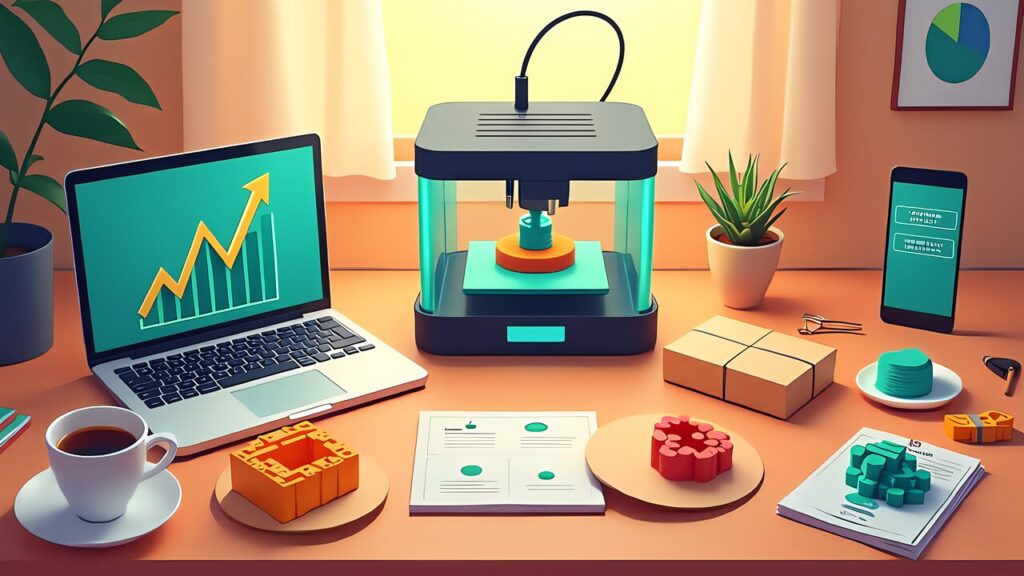
The ¥100,000/month “desktop maker” is not a fantasy—it is a concrete, achievable goal built on a foundation of AI tools and systematic execution. The key insight from this entire series is that 3D printing alone is not a business. It is the combination of 3D printing with AI-powered market research, automated operations, and strategic decision-making that creates a viable business.
The beauty of this model is its scalability with minimal additional human effort. At ¥100,000/month, you are working a few hours per day alongside your main job. The AI tools handle market research, cost calculation, photography, and print management. Your role shifts from “doing everything” to “making strategic decisions”—which products to develop, which markets to enter, and when to scale.
Start today. Not next week, not when the “perfect” product is ready. Print something, list it, and learn from the market’s response. 95% of the products you list may not become hits. That is fine. The systematic approach outlined in this series ensures that when you do find a winner, you have the infrastructure to scale it efficiently.
The 7-part “AI × 3D Print Business” series is now complete. Every tool, every strategy, and every workflow described in these articles is available today, most of them for free or at minimal cost. The only thing between you and your ¥100,000/month desktop maker business is execution. Ship fast, iterate, and let the data guide your decisions.