3D Generative AI Foundation Models 2026: How Shape-Understanding AI Is Changing 3D Printing
swiftwand swiftwand.ai

Additionally, “Review conservatively.” You add this single instruction to the system prompt, hoping false positives will decrease. But the results don’t change. The code review tool still flags variable naming preferences, and developers start ignoring review results entirely. If you properly understand CCA exam prompt engineering and structured output, this failure pattern could have been avoided from the start.
In our previous article “CCA Exam D3: Claude Code Configuration & Workflows,” we covered CLAUDE.md hierarchy and custom slash commands. This article moves to Domain 4, covering specific prompt design techniques through structured output, batch processing, and multi-instance review. This domain accounts for 20% of the total score, testing implementation-focused design decisions.

For example, the first concept to grasp in the CCA exam prompt engineering and structured output domain is the difference between ambiguous instructions and explicit criteria.
Therefore, abstract instructions like “be conservative” or “review carefully” don’t improve model precision. The model has no definition of “conservative.” Without unambiguous criteria for what to report and what to ignore, interpretations will vary.
Explicit criteria concretely separate what to report from what to skip:
You are a code review assistant. Follow these criteria:

【Report (always flag)】
- Security vulnerabilities (SQL injection, XSS, auth bypass)
- Bugs that could cause production crashes
- Logic errors with data loss risk

【Ignore (do not flag)】
- Variable naming or formatting preferences
- Suggestions to add/remove comments
- Patterns consistently used in the existing codebase

【When uncertain】
- Set confidence field to "medium" and include reasoningWhen a code review tool has a 40% false positive rate, developers learn to ignore all results—including genuine security issues. This “cry wolf” effect is more dangerous than missing a few issues. The solution isn’t adjusting temperature; it’s defining explicit boundaries between reportable and ignorable items.

messages = [
    {
        "role": "user",
        "content": "Extract data from this document: [Invoice A - standard format]"
    },
    {
        "role": "assistant",
        "content": '{"vendor": "ABC Corp", "total": 15000, "currency": "JPY", "confidence": "high"}'
    },
    {
        "role": "user",
        "content": "Extract data from this document: [Invoice B - handwritten scan, partially illegible]"
    },
    {
        "role": "assistant",
        "content": '{"vendor": "XYZ Ltd", "total": null, "currency": "USD", "confidence": "low", "note": "Amount field illegible"}'
    },
    {
        "role": "user",
        "content": "Extract data from this document: [actual document to process]"
    }
]
In conclusion, the second example is critically important. It explicitly shows the pattern “when unreadable, set to null and explain in note.” This structurally reduces the risk of the model fabricating values. Showing the “null when unknown” pattern in few-shot examples is a practical hallucination reduction technique tested in exams.
Key Point

| Method | Syntax Error Elimination | Schema Enforcement | Implementation Cost |
|---|---|---|---|
| Prompt instruction (“return JSON”) | No guarantee | None | Low |
| Few-shot examples | Improved but not guaranteed | Weak | Medium |
| tool_use + JSON Schema | 100% guaranteed | Strict | Medium |
| Mode | Behavior | Use Case |
|---|---|---|
auto | Model decides whether to call tools | General conversation with optional tools |
any | Must call a tool (eliminates text-only responses) | Guaranteed structured output |
tool | Must call a specific named tool | Fixed pipeline steps |
tools = [{
    "name": "extract_invoice",
    "description": "Extract structured data from an invoice",
    "input_schema": {
        "type": "object",
        "properties": {
            "vendor_name": {"type": "string"},
            "total_amount": {"type": "number"},
            "currency": {
                "type": "string",
                "enum": ["USD", "EUR", "JPY", "other"]
            },
            "currency_detail": {
                "type": "string",
                "description": "Currency code when currency is 'other'"
            },
            "line_items": {
                "type": "array",
                "items": {
                    "type": "object",
                    "properties": {
                        "description": {"type": "string"},
                        "amount": {"type": ["number", "null"]},
                        "confidence": {
                            "type": "string",
                            "enum": ["high", "medium", "low", "unclear"]
                        }
                    }
                }
            }
        },
        "required": ["vendor_name", "total_amount", "currency", "line_items"]
    }
}]
Key Point

When validation fails, feed the specific error back to the model for correction rather than silently retrying.
for attempt in range(max_retries):
    result = call_model(messages)
    errors = validate(result)
    if not errors:
        return result
    messages.append({
        "role": "user",
        "content": f"The following validation errors were detected:\n{errors}\nPlease fix and re-extract."
    })
Key Point
| Case | Retry Effective | Reason |
|---|---|---|
| JSON format mismatch | Yes | Model can correct format |
| Missing required field extraction | Yes | Attention prompt improves extraction |
| Information doesn’t exist in source | No | Information won’t appear no matter how many retries |
| Facts outside model’s knowledge | No | Hallucination risk increases |
Specifically, if the same error persists after 3 retries, the most likely cause is “the information doesn’t exist in the source document.” It’s not a retry count problem.
Syntactically correct JSON can still be semantically wrong. When calculated_total (sum of line items) and stated_total (document total) don’t match, rather than auto-selecting one, the correct approach is to flag the discrepancy, preserve both values, and route to human review.
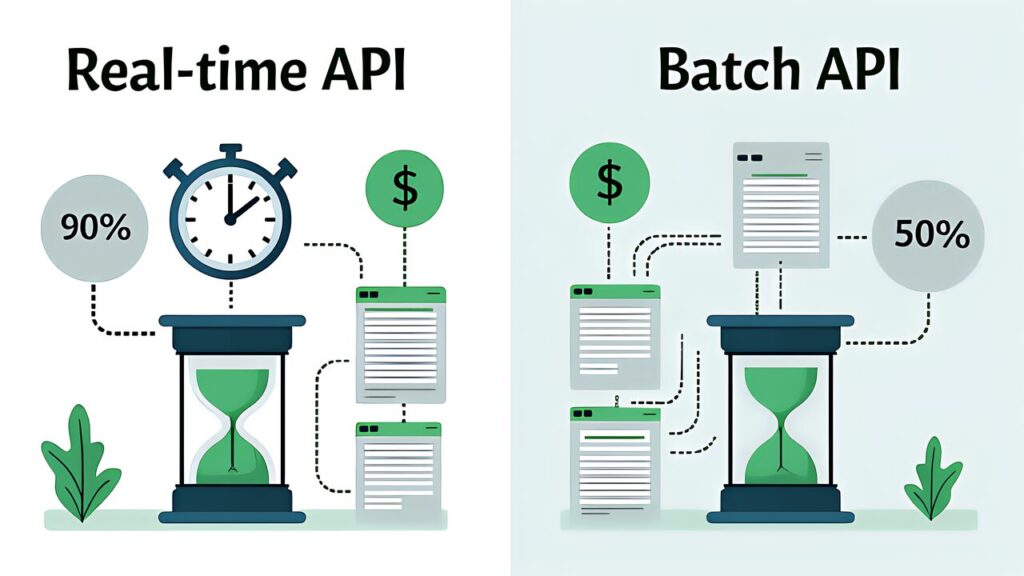
| Item | Detail |
|---|---|
| Cost reduction | 50% discount from standard pricing |
| Processing time | Up to 24 hours (no latency SLA) |
| Constraint | Multi-turn tool calls not supported |
| Identification | Match requests and responses via custom_id |
Specifically, a frequently tested exam scenario is “which of two workloads should be batched?” The criterion boils down to “does it block developers or users?”
| Use Case | Batch Suitable | Reason |
|---|---|---|
| Nightly report generation | Yes | No latency requirement, scheduled processing |
| Weekly audit reports | Yes | No latency requirement, bulk processing |
| Pre-merge PR checks | No | Blocks developers |
| Real-time chat responses | No | Immediate response required |
Key Point

Reviewing output in the same session that generated it creates confirmation bias. The prior reasoning context makes the model unlikely to question its own decisions. This is why CI/CD code reviews should run in independent instances.
On the other hand, when a 14-file PR reviewed in a single pass misses inter-file dependency errors, the improvement is to “split into file-level local analysis + cross-file integration pass.”
Similarly, an orchestrator aggregates and judges review results. Instance A handles local analysis of files 1–5, Instance B handles files 6–14, and Instance C handles cross-file integration analysis. Each instance operates in an independent context without prior reasoning. Local analysis runs in parallel for throughput, while integration analysis receives all local results as input.

In particular, the CCA exam prompt engineering and structured output domain tests the ability to identify “designs that look correct but are actually inappropriate.” Here we organize common Domain 4 design mistakes and their mitigations.
In conclusion, the intuition that “more examples = better accuracy” is wrong. Injecting 15 few-shot examples not only consumes the context window but introduces noise from subtle contradictions between examples. The recommendation is 2–4 targeted examples focusing on boundary cases.
| Example Count | Effect | Risk |
|---|---|---|
| 0 | Unstable formatting | Low output consistency |
| 2–4 | Optimal accuracy and consistency | Requires careful example selection |
| 10+ | No improvement or decline | Context pressure, increased noise |
tool_use + JSON Schema’s Strict mode eliminates JSON syntax errors. However, it doesn’t guarantee the correctness of field values. Whether an amount field contains 12800 or 128000 cannot be determined by schema alone. The mitigation is implementing semantic validation separately.
Furthermore, retries are effective for format errors and extraction omissions. But when the source document lacks the information, retrying increases hallucination risk. After 3 failed retries, escalate to human review rather than continuing.
Self-review within the same session is structurally weak due to confirmation bias. Code review should run in independent instances via CI/CD integration.
The Batch API has no latency SLA and can take up to 24 hours. Using it for developer-blocking or user-facing processes is inappropriate.
Temperature controls randomness, not precision. If the model is flagging variable naming preferences, lowering temperature won’t help. The fix is explicit criteria defining what to report and what to ignore.
| Checkpoint | Mistake | Correct Approach |
|---|---|---|
| Are few-shot examples boundary-focused and minimal? | Bulk injection | 2–4 carefully selected boundary cases |
| Is semantic validation implemented? | Schema-only confidence | Two-layer: syntax + semantic validation |
| Are retry preconditions checked? | Unconditional retry | Verify source data existence first |
| Are reviews run in independent instances? | Self-review | CI/CD-integrated independent review |
| Is batch API suitability assessed? | Batch everything | Sort by blocking criteria |
| Are output stabilization methods correct? | Temperature adjustment | Explicit criteria or few-shot |
Therefore, here are mock questions to verify understanding of CCA exam prompt engineering and structured output.
Q1: A code review tool has a 40% false positive rate. What is the most effective first step?
A) Fine-tune the model B) Identify high false-positive categories and add explicit criteria C) Lower temperature D) Limit output tokens
Correct: B — Adding explicit criteria is the most direct and cost-effective improvement.
Q2: Despite detailed prompt instructions, output format varies between requests. Most effective fix?
A) Lengthen system prompt B) Add 2–3 few-shot examples C) Set temperature to 0 D) Increase max_tokens
Correct: B — Few-shot is most effective for format consistency.
Key Point
Q3: You want to completely eliminate JSON syntax errors in structured output. Most appropriate method?
A) Prompt instruction for JSON format B) tool_use + JSON Schema C) Parse output with regex D) Show JSON examples via few-shot
Correct: B — Only tool_use + JSON Schema structurally eliminates syntax errors.
Q4: Primary reason for setting tool_choice to “any”?
A) Cost reduction B) Faster response C) Guaranteed structured output D) Simplified error handling
Correct: C — “any” eliminates text-only responses and guarantees tool calls.
Q5: Same error persists after 3 retries. Most likely cause?
A) Insufficient retry count B) Information doesn’t exist in source document C) Model version is outdated D) Temperature is too high
Correct: B — Persistent errors typically indicate missing source data, not a retry count issue.
Key Point: This article covers CCA exam prompt engineering and structured output design patterns. For practical preparation, combine hands-on learning through the Anthropic Academy official course with practice on mock exam sites. Also refer to our Complete Guide (Day 1) for the recommended “three-pillar” study strategy.
For more information, visit Anthropic Prompt Engineering.