AI Slicer Revolution 2026: When Neural Networks Rewrite Your G-code
swiftwand swiftwand.ai
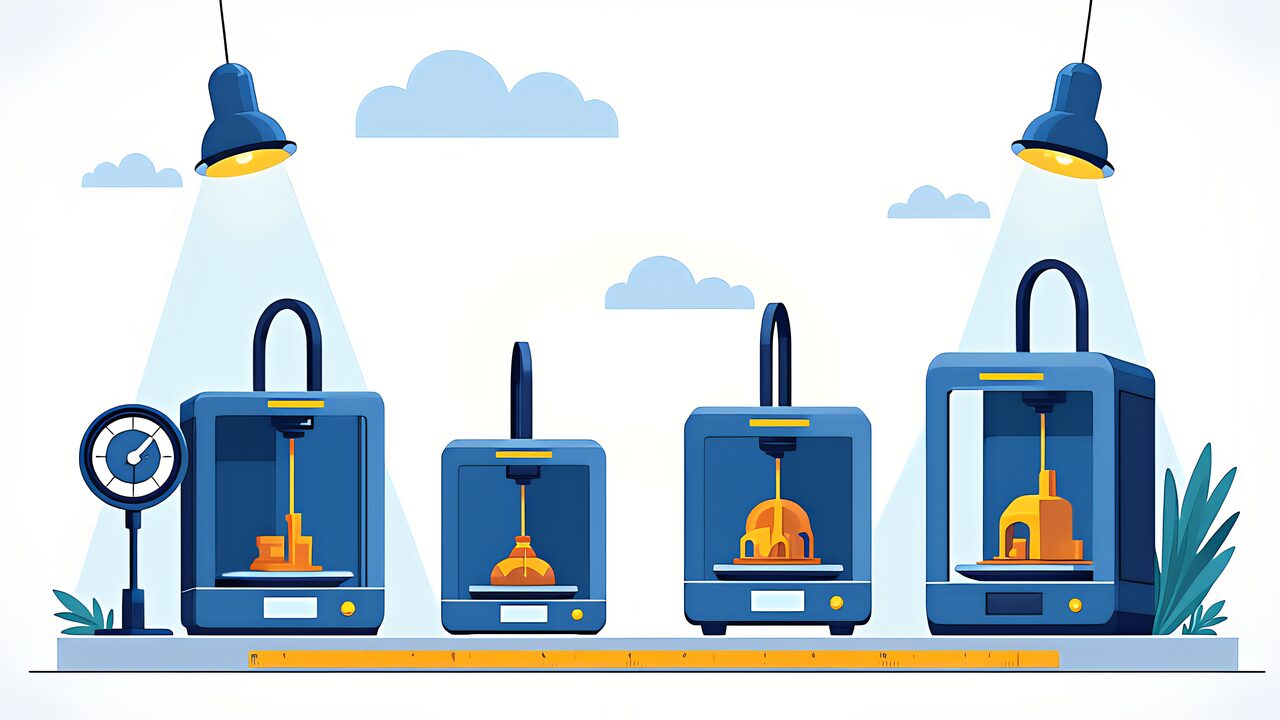
The range of resin 3D printer options has exploded in 2026. From flagship machines with 16K resolution to entry-level models, manufacturers are competing to launch new products. However, as choices have multiplied, the difficulty of selecting your first printer has also increased. This article, “Best Resin 3D Printer 2026,” compares four major models focusing on three key axes: resolution, print speed, and build size. The goal is to help you select the right machine for your needs based on data-driven analysis.
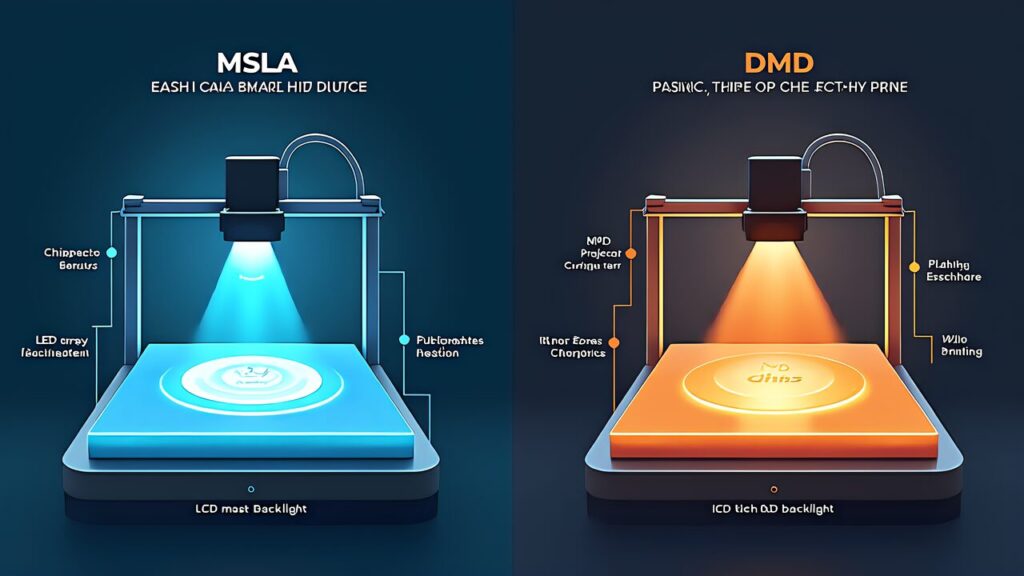
To understand how to choose the best resin printer in 2026, you first need to understand printing technologies. As of 2026, for consumer use, there are two main options: MSLA and DLP.
MSLA (Masked Stereolithography) uses a monochrome LCD panel as a mask, with LED backlight UV light exposing each layer all at once. The resolution of the LCD panel directly determines the print resolution, so as panel technology advances, the detail level increases every year. In 2026’s flagship models, 16K resolution (15360×8520 pixels) has been achieved, with pixel pitch as fine as 18μm. It offers excellent cost-performance and is the dominant technology for entry to mid-range machines.
DLP (Digital Light Processing) uses a projector equipped with a DMD (Digital Micromirror Device) chip to project each layer. Like MSLA, it uses area exposure, but the different optical system can achieve very high resolution in small build areas. However, scaling up the build area causes a tradeoff in pixel density. DLP maintains strong support in professional and dental applications, but MSLA has a price advantage for consumer machines. As a 2026 guideline, except in cases where a specific professional application (dental, jewelry precision casting) has established DLP expertise, MSLA is the rational choice. It has advantages in cost, variety of options, and community support.
The most confusing aspect of choosing a resin printer in 2026 is understanding what “resolution” really means. Resin printers have two types of resolution: XY and Z, determined by different factors.
XY resolution refers to the minimum feature size on the horizontal plane of the build plate. In MSLA, the physical size of one LCD pixel (pixel pitch) directly determines XY resolution. For example, the Elegoo Saturn 4 Ultra 16K has a 15360×8520 pixel LCD arranged over a 10.1-inch area, resulting in a pixel pitch of about 18μm. The “16K resolution” designation refers to the horizontal pixel count; pixel pitch (in μm) must be evaluated alongside it. The critical point is that the same “8K” resolution on different screen sizes will have different pixel pitches. A 6-inch 8K panel has smaller pixel pitch than a 10-inch 8K panel, meaning higher effective XY resolution. Don’t judge by “○K” alone in spec sheets; always verify pixel pitch (μm).
Z resolution is determined by the thickness of each layer in the vertical direction. This is unrelated to the LCD panel and depends on Z-axis mechanical precision (linear rails, ball screws, etc.). Most MSLA machines have a minimum Z-layer thickness of 10μm (0.01mm). In practice, 30–50μm (0.03–0.05mm) layer thickness provides the most stable print quality with standard resins.
| Resolution Type | Determining Factor | Evaluation Metric | Typical Range |
| XY Resolution | LCD Panel Physical Pixels | Pixel Pitch (μm) | 18-50μm |
| Z Resolution | Z-Axis Drive Mechanism Precision | Minimum Layer Thickness (μm) | 10-50μm |
The core of choosing the best resin printer in 2026 lies in specific model comparison. Here’s an analysis of four major models worth attention as of April 2026, evaluated on both specs and practical utility.
Elegoo Saturn 4 Ultra 16K
This is the most attention-grabbing model in the 2026 resin printer market. At 16K resolution (15360×8520 pixels) with 18μm pixel pitch, it boasts top-class XY precision for consumer MSLA machines. The build size is 218.88×122.904×220mm with a 10.1-inch LCD panel. The tilt-release mechanism reduces peel force, balancing reliability and speed. At approximately $607 on Amazon.co.jp (April 2026), it’s the best value for users prioritizing resolution.
Anycubic Photon Mono M7 Pro
This is for users emphasizing print speed and stability. It features a 14K monochrome LCD and includes a heated vat (with built-in heater) as standard. Automatic resin temperature management eliminates room temperature dependency for consistent prints. With a maximum print speed of 170mm/h, it’s efficient even for near-production use. The integration with Anycubic’s native slicer is excellent. If winter printing stability is important, this is a strong candidate.
Phrozen Sonic Mega 8K S
This machine is designed for users needing large-format prints. It features a 15-inch-class large LCD panel with a build size significantly larger than standard machines. Though 8K resolution has less fine pixel pitch than the Saturn 4 Ultra 16K, it excels at large parts and batch printing (multiple parts simultaneously). Ideal for cosplay large components, architectural models, and batch miniature production. Phrozen, a Taiwan manufacturer, is well-regarded for quality control.
Creality HALOT-MAGE 8K Pro
This targets budget-conscious entry-level users. It features a 10.3-inch 8K LCD with a standard 228×128×230mm build size appropriate for typical applications. Creality is well-known as an FDM printer manufacturer, providing brand confidence for users transitioning from FDM. The price is reasonable and offers good balance as an entry machine. Wi-Fi connectivity enables remote operation.
| Model | Resolution | Pixel Pitch | Build Size (mm) | Features |
| Elegoo Saturn 4 Ultra 16K | 16K | 18μm | 218.88×122.9×220 | Highest resolution, tilt-release |
| Anycubic Photon Mono M7 Pro | 14K | — | — | Heated vat, high speed |
| Phrozen Sonic Mega 8K S | 8K | — | Large (15-inch class) | Large build area |
| Creality HALOT-MAGE 8K Pro | 8K | — | 228×128×230 | Value, Wi-Fi capable |
Choosing the best resin printer in 2026 depends heavily on intended use. Here are recommendations for major applications.
Miniatures & Figures (28–75mm scale): The Elegoo Saturn 4 Ultra 16K is recommended. The 18μm pixel pitch faithfully reproduces fine details like facial expressions, armor engravings, and weapon edges. For TRPG and wargame miniature painters, this resolution difference directly impacts painting results.
Jewelry (Lost-wax casting originals): High resolution is equally critical. The Saturn 4 Ultra 16K is appropriate. Combined with castable resin, it can be used directly as original models for lost-wax casting. Ring interior engravings and delicate pave stone settings require precision where quality depends on resolution.
Dental & Medical: Beyond accuracy, certified resins are prerequisites. Professional DLP machines remain dominant in this segment, but consumer machines like the Saturn 4 Ultra 16K increasingly meet dental model standards. However, actual clinical use requires medical device certification compliance and appropriate resins/workflows—consumer machine use should be limited to models and study casts.
Functional Parts & Prototypes: The approach depends on use case. Mechanical parts requiring precise fit benefit from the Saturn 4 Ultra 16K’s resolution. Large exterior parts or cases favor the Phrozen Sonic Mega 8K S’s large build area. For functional parts, resin material selection (ABS-Like, tough resin, etc.) is equally or more important than resolution.
Batch Printing & Production: For efficiency-focused operations, the Anycubic Photon Mono M7 Pro’s high speed and heated vat stability shine. When running multiple parts in parallel, faster layer printing directly improves productivity.
Understanding total initial investment including peripherals and consumables—not just the printer itself—is crucial.
Budget Up to $333 (Entry-level): This bracket offers small 4K–6K resolution machines. It’s sufficient to experience resin printing and learn the workflow (washing, curing, safety). However, resolution and build size constraints mean serious operations should consider mid-range or better.
Budget $533–$800 (Mid-range): The Elegoo Saturn 4 Ultra 16K (approximately $607) anchors this segment. Including a wash/cure station ($100–167), 1–2 bottles of resin ($20–53), and supplies like nitrile gloves and ventilation ($33), total initial investment reaches about $667–$800. For most users, this offers the best balance of performance and cost.
Budget $1,000+ (High-end): Large machines (Phrozen Sonic Mega 8K S) and near-professional models come into view. At this price tier, resin consumption and post-processing equipment upgrades become the investment focus rather than the printer itself.
| Price Segment | Printer Cost | Peripherals Est. | Total Initial Investment |
| Entry-level | ~$333 | $100– | $433– |
| Mid-range | $400– | $167– | $567– |
| High-end | $667– | $267– | $933– |
To avoid regrets choosing a resin printer in 2026, you must properly read manufacturer spec sheets. Marketing numbers and real-world performance don’t always align.
Print Speed Specifications: Manufacturer claims of “maximum print speed ○○mm/h” usually represent theoretical maximums including Z-axis lift/retract operations. Actual print speed depends on multiple parameters: layer thickness, exposure time, lift height, lift speed, retract speed, and rest time. Even the same printer prints 50μm layers significantly faster than 30μm layers. Treat published speeds as reference values and compare across identical conditions.
Build Size Practicality: Catalog build sizes (e.g., 218.88×122.904×220mm) represent theoretical maximum areas. FEP film edges and build platform fixtures reduce usable area slightly. The Z-axis (height) is particularly constrained by build plate thickness and vat depth. For large parts, verify real build dimensions through community reports.
Light Source Uniformity: Often unspecified in data sheets but greatly impacts print quality. LED backlights in MSLA printers may have brightness variations between center and edges. Uneven illumination causes exposure differences across the platform, leaving weak corner prints. Premium models use diffusion plates or lens arrays; entry-level models may omit these.
Monochrome LCD Lifespan: Manufacturers measure lifespan differently, making direct comparison difficult. “2,000 hours” may mean continuous operation or actual printing cycles (repeated on/off). With weekly 20–30-hour use, assume 1–2 years as practical LCD lifespan.
In 2026, Wi-Fi connectivity for remote management is standardizing on resin printers. Previously, USB memory physically transferred sliced data; Wi-Fi models enable wireless data transfer and print management from PC or smartphone.
Data Transfer Convenience: Wireless file transfer from your computer directly to the printer eliminates USB stick swapping, improving daily workflow efficiency. This is especially valuable if the printer is in another room or enclosed.
Print Monitoring: Some models include built-in cameras for real-time smartphone app monitoring. This enables early failure detection and peace of mind during long print jobs. However, since resin printer interiors are UV-lit environments, camera image clarity typically doesn’t match FDM printer monitoring.
App Quality: App completeness varies by maker. Elegoo Smart, Anycubic App, Creality Cloud, and similar offerings differ in feature richness and UI usability. Check app store reviews before purchase to assess remote management practicality.
After narrowing down models, verify these five items before purchase to prevent regrets:
1. FEP Film & LCD Panel Availability: Check if replacement consumables are readily available domestically. Major brands (Elegoo, Anycubic, Phrozen, Creality) are available via official stores and Amazon, but obscure brands may have long procurement delays.
2. Slicer Software Compatibility: Verify that your preferred slicer (Chitubox, Lychee Slicer, etc.) supports your target model. Leading machines support both major slicers, but some new models have delayed support.
3. Community Size: Check the user community size on Reddit, Facebook groups, and forums. Active communities offer invaluable troubleshooting and resin setting sharing, especially for beginners.
4. Installation Space & Ventilation: Beyond printer size, consider wash/cure station space and ventilation setup. Verify whether you can dedicate a room or build an enclosure for VOC management.
5. Running Cost Estimation: Calculate monthly consumables: resin ($20–53/bottle), FEP replacement (hundreds of yen per sheet), LCD panel replacement (thousands to ~$67), and IPA consumption. Understanding monthly running costs prevents budget surprises.
Many evaluating resin printers already own FDM machines. Understanding how to leverage an FDM + resin two-machine setup is important when adding a resin printer.
Workload Division: FDM excels at large parts, structural components, heat-resistant parts, and flexible components. Resin excels at fine detail, smooth finishes, and high-precision fits. For robot prototypes, print large exterior panels on FDM and precise gears/connectors on resin—rational division of labor.
Material Complementarity: Combining FDM TPU (flexible) with resin ABS-Like (rigid) creates composite parts impossible with either alone. Cyanoacrylate adhesives work well bonding both materials.
Efficiency Optimization: Running FDM and resin in parallel compresses project timeline. While FDM prints a large case over 8 hours, resin can finish internal miniparts in 2–3 hours—especially valuable for prototyping.
Environment Separation: FDM can sit in living/office spaces; resin requires dedicated ventilated areas. If colocating, enclose the resin printer and manage exhaust. Prevent resin contamination on FDM filament through separate storage.
Maintenance Load Awareness: FDM mainly needs nozzle cleaning and bed leveling. Resin requires FEP replacement, vat cleaning, LCD monitoring, and wash-fluid management—more maintenance tasks. Establish weekend maintenance routines to keep both machines healthy.
Unified Data Management: Managing CAD files centrally with format-specific exports (high-density mesh for resin, standard for FDM) prevents duplication and confusion.
Cost Management: Pre-calculate resin-related consumables (resin, FEP, IPA, gloves) against current FDM costs. Hobby use (few monthly prints) typically adds $13–33/month in resin expenses.
Once you’ve narrowed down models in this article, advance to material selection. The “Resin Material Selection Complete Guide 2026” explains detailed resin choices by purpose: water-washable, ABS-Like, transparent resin, and more. If you haven’t grasped the complete resin printing landscape, start with “Resin 3D Print Beginner’s Guide 2026” for fundamentals.
As official resources, manufacturer product pages publish the latest specs, firmware updates, and compatible resin lists—strongly recommended for final pre-purchase verification.
Elegoo Official Store: Detailed specs and user reviews for Saturn 4 Ultra 16K
Anycubic Official Site: Technical specifications and official slicer for Photon Mono M7 Pro
Phrozen Official Site: Build size details and compatible resin info for Sonic Mega 8K S
Creality Official Site: Product specs and Wi-Fi setup guide for HALOT-MAGE 8K Pro
Choosing a resin printer in 2026 isn’t “highest specs = best fit.” The highest-resolution machine isn’t always optimal for your needs, and speed-focused machines don’t suit beginners. Holistically evaluate your use case, budget, installation environment, and future expansion plans to select a machine you’ll use long-term. This foundation enables a rewarding resin printing journey.
Use this article’s comparative data, verify latest specs and pricing on manufacturer sites, and make a confident decision.