Complete Guide to 3D Printer Filaments: Types, Selection & Storage Tips for Beginners (2026)
swiftwand swiftwand.ai
3D print custom orders make it possible to adjust dimensions for each individual customer—something that was absolutely impossible in traditional manufacturing. There is no need to remake molds or retool production lines. By combining parametric CAD with AI, when a customer says “I want it 5mm wider,” the model regenerates in seconds and goes straight to printing. This article provides a thorough guide on how to implement this ultimate personalization technically and how to make it viable as a business.
In the previous article “AI x Shopify: Building a 3D Print On-Demand Store,” we built an automated on-demand production system for standard products. However, on-demand production of standard items ultimately gets dragged into the same price competition as off-the-shelf products. Custom orders are a structural weapon for escaping this competition. Products with different dimensions, shapes, and functions for each customer simply cannot be compared on price. The amount customers pay for “a product made just for you” is typically 20-50% above the standard price. Leveraging AI-powered 3D print custom order optimization is the only strategy that allows makers to differentiate from mass-produced goods.

For makers selling 3D printed products, the biggest threat is “competitors appearing who sell the same thing.” If you publish your design on Thingiverse, it gets downloaded for free. If a bestseller appears on Etsy, similar products line up the following week. Commoditization of standard products is inevitable, and price competition leads only to a war of attrition.
Custom orders fundamentally overturn this structure. A monitor stand tailored to a customer’s desk width, a game controller grip sized for their hands, a cable holder optimized for specific cable diameters—these products are offered to customers whose problems cannot be solved by “standard sizes.” Therefore, they are not drawn into price competition.
Let us look at specific numbers. When selling 3D printed products on Etsy, a standard phone stand goes for about $10-17. Meanwhile, a custom stand that “fits your exact phone model perfectly” sells for $20-33, even though the material cost and print time are nearly identical. The only difference is “the effort to modify the design,” but when you combine parametric CAD with AI, this effort approaches zero.
Furthermore, what is even more important is the repeat rate. A customer who bought a standard product is unlikely to repurchase the same item. However, a customer satisfied with a product customized just for them is highly likely to order other products custom as well. “The cable holder from last time was perfect, so I want a pen holder with the same finish.” 3D print custom orders are also a mechanism for converting one-time transactions into ongoing customer relationships.
In terms of differentiation from mass-produced goods via injection molding, custom orders hold a decisive advantage. Injection molding requires hundreds of thousands to millions of yen (thousands to tens of thousands of dollars) for mold creation, with minimum lots of several thousand units. The option to remake a mold for a request to “make it 5mm longer” simply does not exist. With 3D printing, you can accommodate it by changing just one parameter. This flexibility is structurally impossible to replicate in mass production.
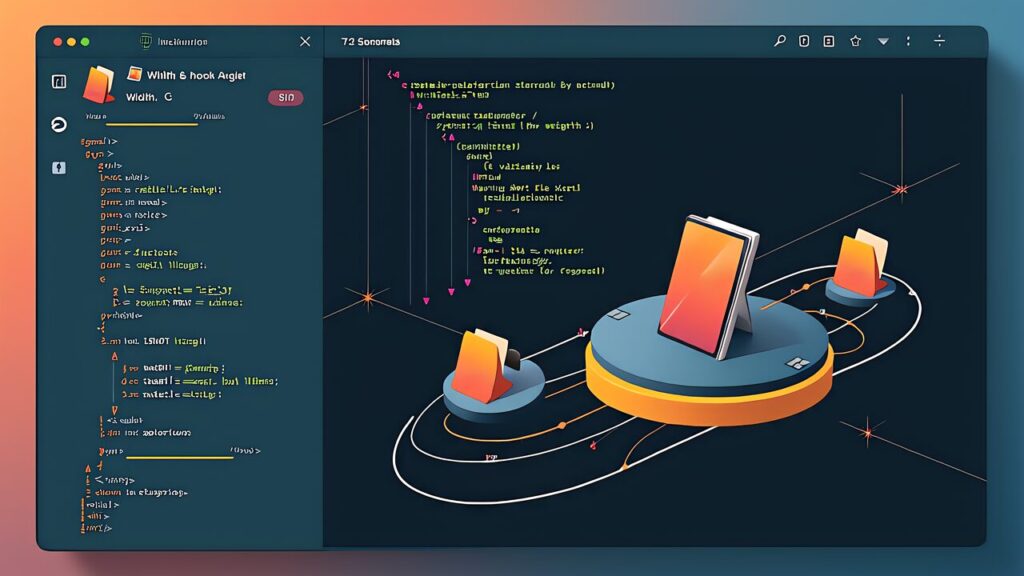
The technical foundation of custom orders is parametric CAD. OpenSCAD is a free, open-source CAD tool that takes a unique approach of “describing 3D models with code.” Rather than modeling with a mouse like Blender or Fusion 360, you define all dimensions as variables, and the entire model automatically recalculates simply by changing those variables.
The strength of OpenSCAD lies in this “variable-driven” design philosophy. For example, when designing a phone stand, you define parameters like device width (device_width), device thickness (device_thickness), stand angle (stand_angle), and base depth (base_depth). By changing these variables, the entire model regenerates automatically. In contrast, traditional CAD software requires manually fixing dependent faces and fillets with every dimension change, but in OpenSCAD, simply rewriting the variables completes the process.
OpenSCAD has a feature called the Customizer panel, which displays code variables as GUI sliders and dropdowns. This allows people who cannot write code to visually adjust parameters. In the context of custom orders, this Customizer panel can serve as the foundation for a customer-facing ordering interface. When a customer changes “width from 60mm to 65mm,” the preview updates in real-time and an STL file is immediately generated.
What is particularly important in parametric design is setting “constraints.” Although customers can freely change dimensions, physically impossible combinations must be eliminated. FDM printers cannot achieve stable printing when wall thickness falls below 0.8mm. Overhang angles exceeding 45 degrees require support material, degrading surface quality. By using OpenSCAD’s assert statements and min/max functions to enforce valid parameter ranges, you prevent the situation of “ordered but cannot print.”
As a concrete implementation example, consider a parametric cable clip model. The parameters are cable diameter (cable_diameter, range: 3mm-15mm), clip count (clip_count, range: 1-6), mounting screw hole diameter (screw_hole, range: 3mm-5mm), and wall thickness (wall_thickness, minimum: 1.2mm). With just these four parameters, a single script can generate every variation from a simple clip for one USB-C cable to a large holder for bundling six LAN cables in a server room. Customers get a product that perfectly matches their use case, and makers can offer infinite product variations from a single design.
Additionally, OpenSCAD integrates with Thingiverse Customizer. Thingiverse Customizer is a tool that lets you adjust OpenSCAD parameters with sliders in a web browser, enabling customers to generate and download customized STL files just by moving sliders—no coding knowledge required. Embedding this system into a Shopify product page creates a pipeline where custom STL files are automatically generated at the time of order.

OpenSCAD’s parametric design is powerful for “changes within predefined parameters,” but it cannot respond to requests for entirely new shapes. This is where AI-driven model generation comes in. Two key technologies are transforming custom orders: MechStyle, a style transfer framework from MIT CSAIL, and text-to-CAD platforms like Backflip AI.
MechStyle enables separating a 3D model into “function” and “appearance” and freely recombining them. For instance, you can take a cable holder that has already been structurally verified and apply the surface texture of a different design. The customer says “I want a cable holder with a wood-grain texture,” and MechStyle transfers the appearance while preserving structural integrity. The integrated FEA (Finite Element Analysis) automatically verifies that the post-transfer model maintains the required strength. This is an area where traditional parametric CAD simply cannot compete.
Backflip AI (freemium, Pro $29/month) takes a different approach. It generates 3D CAD models directly from text descriptions. When a customer inputs “L-shaped bracket, 50mm on each side, 3mm thick, with 5mm mounting holes at both ends,” Backflip AI generates a ready-to-print CAD model in seconds. This technology allows you to handle custom orders for shapes that are not covered by existing parametric models, dramatically expanding the range of customization you can offer.
The practical workflow for combining these technologies proceeds as follows. First, you check whether the customer’s request falls within the parametric range. If it does, OpenSCAD handles it automatically. If it does not, the request is routed to the AI model generation pipeline. For style changes, MechStyle handles it. For entirely new shapes, Backflip AI generates the base model. After that, AI automatically checks dimensional accuracy and printability, generates a preview, and sends it to the customer for approval.
By building a “triage system” that automatically determines which technology to use based on the content of the request, you can respond to a broad range of customer needs while keeping operational costs low. Simple parameter changes are processed automatically with zero human involvement. AI-generated models require human review, but the initial model generation itself takes only seconds. This creates a customer experience where even “requests you have never handled before” receive a draft proposal within minutes.
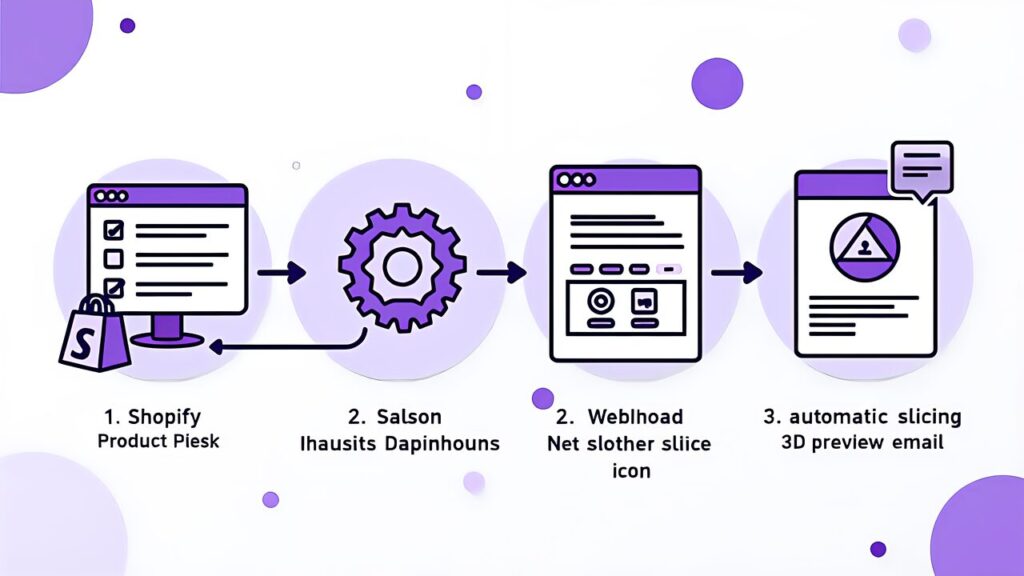
We will build an end-to-end workflow that accepts custom orders through a Shopify store and automatically generates 3D models and prints them. This extends the on-demand production pipeline built in the previous article by adding parameter input and automatic model generation capabilities.
Step 1: Add custom parameter input fields to the product page. Shopify product pages can add size and color options as “variants,” but free-text fields and sliders are not available as standard features. Using Shopify apps like “Product Customizer” or “Bold Product Options,” you can add numeric input fields (width: 40-100mm), dropdowns (material: PLA/PETG/TPU), and text inputs (engraving text) to product pages. These input values are stored in the Shopify API as line_item properties in the order data.
Step 2: Pass parameters to OpenSCAD via Webhook. When a customer confirms an order, a Shopify Webhook fires and sends order data (including custom parameters) to a middleware server. The middleware extracts parameters from the order data and calls OpenSCAD’s command-line interface to automatically generate an STL file. OpenSCAD is designed to accept parameters directly from the CLI—simply running “openscad -o output.stl -D \”width=65\” -D \”height=30\” model.scad” generates a custom-dimensioned STL.
Step 3: Automatic slicing and print queue submission. The generated STL file is automatically passed to a slicer (OrcaSlicer CLI or PrusaSlicer CLI) and converted to G-code. Slice profiles automatically switch based on material selection—210°C/60°C for PLA, 240°C/80°C for PETG, 230°C/50°C for TPU. The generated G-code is automatically submitted to the print queue of the print farm management system built previously.
Step 4: Send preview to the customer. Before printing, a 3D preview image of the generated model is sent to the customer by email. OpenSCAD’s CLI also supports PNG output, so rendered images can be generated simultaneously with STL creation. Printing begins only after the customer reviews and approves the preview. This prevents “it’s not what I expected” issues. While waiting for approval, the printer can be allocated to other orders, so production efficiency loss is minimized.
The entire workflow automation requires only three things running on a Raspberry Pi 5 (approximately $85-107) or cloud server: a Python script, OpenSCAD, and a CLI slicer. No expensive commercial software is needed—everything can be composed of open-source tools.

Pricing custom order products requires an entirely different logic from standard products. A cost-plus approach (material cost + print time + margin) alone cannot adequately reflect the value of customization.
Value-based pricing is the fundamental principle. What customers seek in custom orders is “a product made just for me,” and that value has nothing to do with material cost. The PLA material cost for a phone stand is roughly $0.33-0.67, yet the amount a customer will pay for a custom stand that perfectly fits their desk setup is $20-33. This entire price difference is the “value of design,” and even when design costs approach zero through parametric CAD and AI automation, the value delivered to the customer remains unchanged.
As a concrete pricing structure, we propose a three-tier model. The first tier is “Standard”—stock items in standard sizes and colors. This serves as the base price. The second tier is “Semi-custom”—dimension and color changes only. Add 20-30% on top of the base price. For example, if a standard cable holder is $17, a dimension-customized version would be $20-22. The third tier is “Full custom”—including shape changes and feature additions. Add 40-100% on top of the base price. Cases requiring AI model generation fall into this category.
The reason the semi-custom markup stays at 20-30% is that parametric CAD auto-generation results in virtually zero additional design labor. The markup covers the “added value of customization” and the “inefficiency of small quantities (inability to batch print).” The reason for the larger full-custom markup is that quality checking after AI model generation, possible manual corrections, and test printing labor are involved.
Pricing based on delivery time is also an effective strategy. Standard products can ship same-day if in stock, but custom orders require design, printing, and inspection processes. Setting three tiers—standard delivery (5-7 business days), rush delivery (2-3 business days, +30%), and express delivery (next business day, +80%)—turns delivery flexibility itself into a revenue source. Rush orders are handled simply by assigning priority to the printer over other print jobs. An AI scheduler automatically adjusts queue priorities and slots rush orders in without affecting existing order deadlines.
Repeat order discounts are also worth considering. Once design data (OpenSCAD parameters) is finalized with the first custom order, reorders of the same design skip the design process entirely. Passing this efficiency gain to customers in the form of a 10-15% discount on repeat orders improves the repeat rate and maximizes long-term customer lifetime value (LTV).
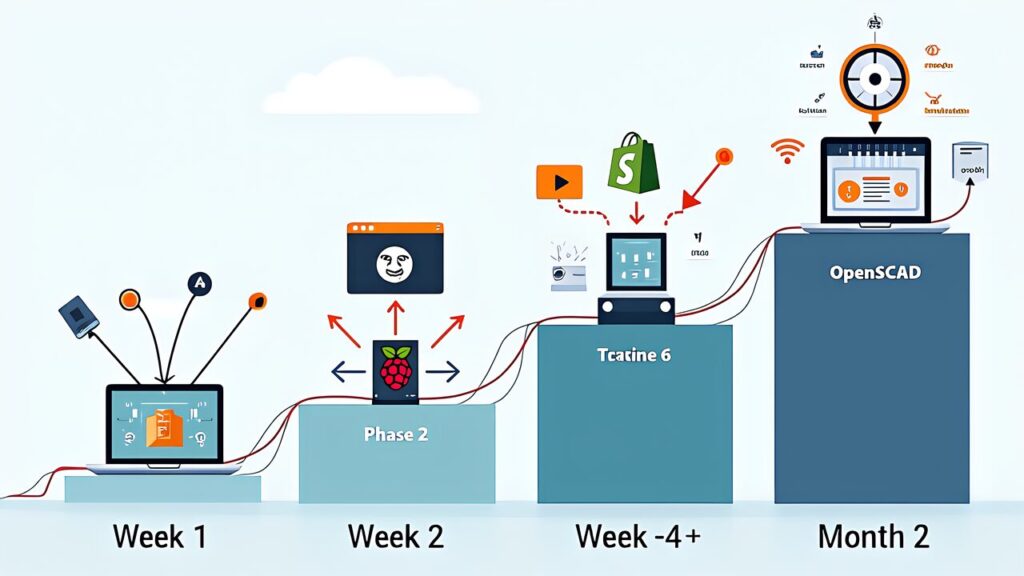
Here are the concrete steps for building a custom order-capable Shopify store in stages.
Phase 1 (Week 1): Designing parametric products. The first task is selecting product categories suited for custom orders. Choose products where customization parameters are clear, easy for customers to understand, and where parameter changes have minimal impact on print quality. Examples of suitable categories include cable management (cable diameter, count, and mounting method as parameters), desk accessories (device size and angle as parameters), storage and organization items (stored item size and count as parameters), and tool holders (tool shape and size as parameters). For selected products, create parametric models in OpenSCAD. At this stage, using AI coding tools like Claude Code to generate OpenSCAD scripts is efficient. The methods described in the “AI Coding Tool 3D Print Guide” apply directly.
Phase 2 (Week 2): Shopify store configuration. Open a store on Shopify Basic plan ($39/month) and install a Product Customizer app or Bold Product Options app to add custom parameter input fields. Clearly document the meaning and recommended range of each parameter in the product description. Include instructions like “Width: enter the measured width of your device plus 5mm” so customers do not get confused. Create product photos using the AI product photography workflow, and display photos of multiple size variations side by side to visually demonstrate “this is how much the size changes.”
Phase 3 (Weeks 3-4): Building the automation pipeline. Build a Python script connecting Shopify Webhooks to OpenSCAD CLI. The processing flow is: Webhook reception, parameter extraction, OpenSCAD execution (STL generation), wall thickness check (minimum 1.2mm), slicing (G-code generation), preview image generation, preview email to customer, print queue submission after approval. Include error handling at each step, with an automated system that sends a correction request email to customers when parameters fall outside valid ranges.
Phase 4 (Month 2 onward): AI expansion and scaling. As orders increase, introduce Backflip AI’s (freemium, Pro $29/month) text-to-CAD capability to handle custom orders for shapes not covered by existing parametric models. For inquiries like “I want a part shaped like this,” generate a base model from text descriptions using AI, finalize dimensions with the customer, then print—a full custom workflow. By incorporating MechStyle’s FEA analysis, you can also delegate strength verification of functional parts (hooks, brackets, mounts, etc.) to AI.
Let us organize the initial investment for setup. Shopify Basic $39/month, Product Customizer app (free to $19.99/month), OpenSCAD (free), Raspberry Pi 5 server (approximately $85-107). Assuming you already have a printer from the previous article, the additional initial investment is roughly $100-133. Monthly running costs also stay under $67. If the average custom order price is $22 (30% higher than standard), with 15 orders per month, monthly revenue reaches $325. After deducting material costs and monthly expenses, sufficient profit is secured.
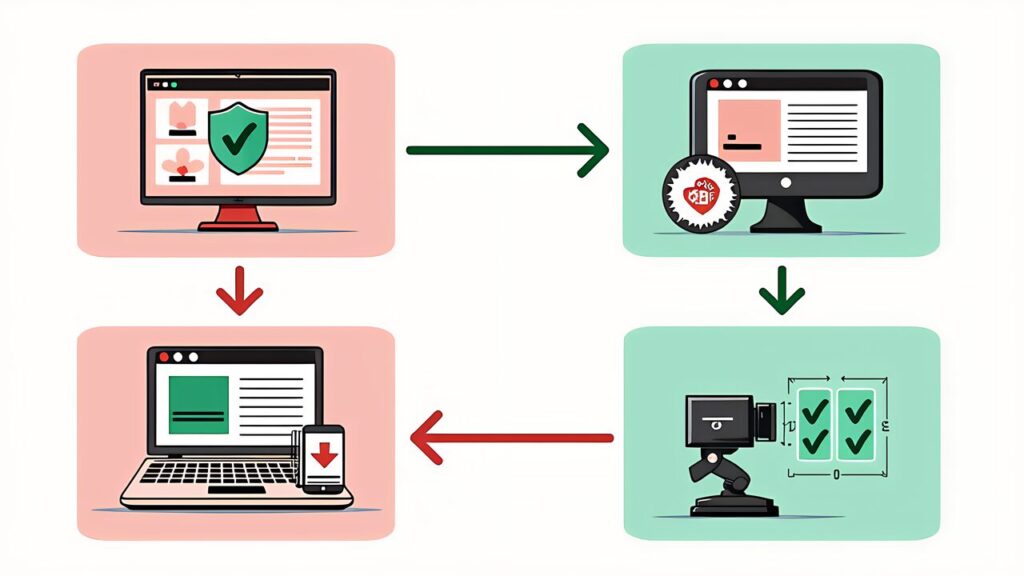
Operating custom orders involves more complex operations than standard on-demand production. Let us organize the anticipated challenges and their solutions in advance.
Challenge 1: Handling unreasonable parameter specifications. Cases where customers specify physically impossible parameters will inevitably occur—a cup with 0.3mm wall thickness, a nut holder with internal diameter smaller than the screw diameter. The solution is to strictly define upper and lower limits for parameters in the OpenSCAD script and display an immediate error message on the Shopify order page when values outside the range are entered. Returning specific feedback like “Minimum wall thickness of 1.2mm is required” promotes customer self-resolution.
Challenge 2: Gap between expectations and reality. A gap will occur between the “custom product” customers imagine and the product that actually arrives. This is especially true for full custom (AI-generated models), where text descriptions alone may not accurately convey intent. The solution is to thoroughly enforce the preview approval flow described earlier. In addition to 3D rendered images, automatically generate and send a dimensioned drawing PDF. Explicitly confirming “Are these dimensions correct?” prevents after-the-fact “this isn’t what I expected” issues.
Challenge 3: Designing returns and exchange policies. Custom order products are in principle non-returnable, but cases where “the product was manufactured exactly to the customer’s specified parameters, but does not fit when actually used” are unavoidable. The solution is to offer a “fit guarantee” for first-time orders only. If dimensions do not fit, provide one free reprint with corrected parameters. Include this reprint’s material cost and print time in the custom order price (effectively adding 5-10% to cost as insurance). This guarantee gives customers confidence to take the leap into custom orders. The fit guarantee utilization rate stays below 5% when the preview approval flow functions properly.
Challenge 4: Quality consistency. Even with the same parameters, finish quality varies subtly depending on printer condition, filament lot, and ambient temperature. Because custom order products have “clearly defined customer expectations,” they are more sensitive to quality variation than standard products. The solution is automated post-print quality checking through AI visual inspection. Automatically assess dimensional accuracy within ±0.3mm and surface quality above a certain threshold, and when standards are not met, automatically instruct a reprint.
The combination of 3D printing, custom orders, and AI rewrites the fundamental assumptions of manufacturing. In traditional manufacturing, the ironclad rule was “reduce costs by making the same thing in large quantities.” Custom orders establish a new rule: “the cost barely changes even when making something different for each person.”
OpenSCAD’s parametric design achieves “automation of dimension changes,” MechStyle’s FEA integration achieves “automation of strength verification,” and Backflip AI’s text-to-CAD achieves “automatic generation of new shapes.” By connecting these technologies to Shopify’s e-commerce platform, a fully automated custom manufacturing pipeline is complete—where “customers input parameters, AI generates the model, the printer prints automatically, and the product arrives at the customer’s door.”
What is important is that this system requires neither advanced technical skills nor large initial investments. OpenSCAD is free, Shopify is $39/month, and Backflip AI starts with a freemium tier. MechStyle is available for free as a research project from MIT CSAIL. What is needed is the design philosophy of “what to make customizable” and the pipeline construction to automate it.
In the next article, we will explore strategies and systems for expanding revenue—from single-item sales to subscription models and B2B corporate expansion—as growth strategies for 3D print businesses. How to convert the customer base acquired through custom orders into sustainable revenue. We will design the “growth strategy” of a 3D print business.