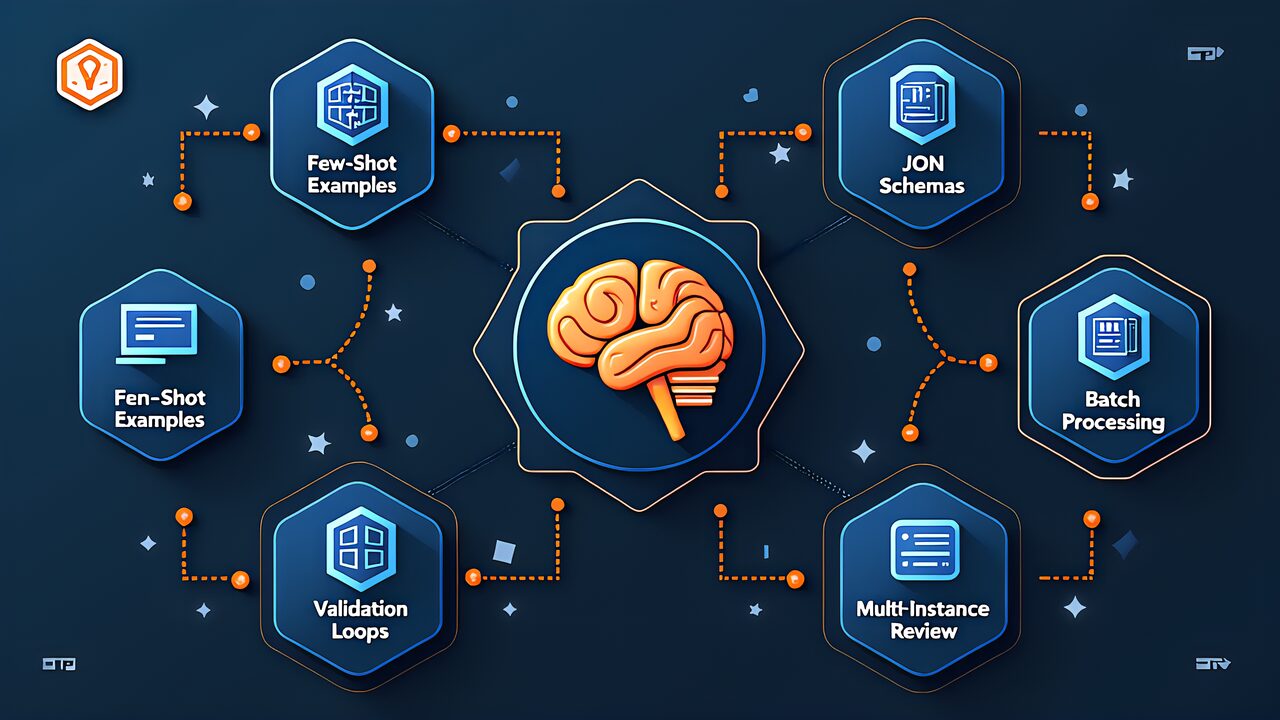
CCA Exam Prep D4: Prompt Engineering and Structured Output Design Patterns
swiftwand swiftwand.ai

Claude Agent Skills is an AI agent feature provided by Anthropic. It functions not as a simple text generation tool but as an intelligent system capable of automating business processes. Unlike conventional AI chatbots, it can execute multiple tasks in sequence and integrate with external systems.
For DX leaders, Claude Agent Skills is a compelling option — it’s a no-code/low-code solution that enables workflow automation without programming skills. It’s attracting attention as a practical tool that directly improves back-office efficiency.
Accounting, HR, and administrative staff spend significant time on routine tasks like data entry, aggregation, and report creation. For example, gathering information from multiple systems to create consolidated reports is extremely tedious when done manually.
Claude Agent Skills automates these repetitive tasks. Moreover, as the AI learns domain knowledge, it goes beyond simple automation to support tasks requiring judgment.
To implement Claude Agent Skills, start by accessing Anthropic’s official platform. Integration with your company systems is possible through the API. The basic flow:
Claude Agent Skills offers multiple skill types, each addressing different business challenges. The key is selecting skills that match your business processes — conduct thorough workflow analysis before deployment.
For Claude Agent Skills to move beyond simple automation and truly support business operations, domain knowledge training is essential. Company-specific rules, processes, and judgment criteria must be taught to the AI.
For example, training the accounting department’s journal entry rules, approval workflows, and tax judgment criteria enables more accurate, practical automation. This learning process must be ongoing, as business rules change over time.
Claude Pro suits business users who want to start quickly. The interface is intuitive and requires no programming knowledge, though it has limitations for large-scale automation.
API integration enables more flexible, scalable solutions and seamless integration with existing enterprise systems. For companies pursuing serious DX, API integration is recommended.
Even without programming skills, you can leverage Claude Agent Skills. Combining no-code platforms with Claude enables code-free workflow automation. For example, connecting Zapier with Claude creates sophisticated logic-driven workflows. Technical skill isn’t required — domain knowledge is enough.
A phased approach is critical. Start with a pilot project rather than company-wide deployment.
Post-deployment, quantitative measurement is essential. Track specific metrics: task time reduction rates, error rate decreases, processing speed improvements. User feedback is equally important — schedule regular review meetings for ongoing optimization.
SMBs arguably stand to gain the most from Claude Agent Skills. With labor shortages being a critical issue, maximizing efficiency with limited resources is a management imperative. AI agents enable small teams to handle large workloads — reducing existing staff burden while dramatically improving productivity, and strengthening competitiveness through DX.
To understand the practical impact of Claude Agent Skills, consider these real-world scenarios. A freelance marketer uses a custom agent skill to analyze competitor websites, extract key messaging patterns, and generate weekly competitive intelligence reports automatically. What previously required 4 hours of manual research now takes 15 minutes of review time. The agent handles data collection, pattern recognition, and report formatting while the marketer focuses on strategic interpretation.
An e-commerce business owner configured Claude Agent Skills to process customer support emails, categorize issues by urgency and type, draft personalized responses, and escalate complex cases. The system handles approximately 70% of routine inquiries without human intervention, reducing response time from 24 hours to under 30 minutes. For small teams with limited resources, this level of automation can be transformative.
Content creators benefit from agent skills that manage their entire publishing workflow. From generating topic ideas based on trending searches, to creating outlines, drafting articles, optimizing for SEO, and scheduling social media promotion, each step can be automated while maintaining the creator’s unique voice and style through careful prompt engineering and domain training.
The biggest mistake new users make is trying to automate everything at once. Start with a single, well-defined workflow and perfect it before expanding. Test your agent skills thoroughly with edge cases and unusual inputs before deploying them in production. Always include human checkpoints for critical decisions, especially those involving customer communications or financial transactions.
Another common issue is insufficient context in prompt design. Agent skills perform dramatically better when given specific examples of desired outputs, clear formatting guidelines, and explicit instructions about what not to do. Invest time in crafting detailed system prompts with multiple examples. The quality of your initial prompt engineering directly determines the reliability and usefulness of your automated workflows.
Claude Agent Skills is a powerful tool for accelerating enterprise DX. It enables no-code workflow automation without programming knowledge. The key is preparation: thorough workflow analysis and clear impact projections before deployment dramatically increase success rates. A phased approach minimizes risk.
From back-office efficiency to faster management decisions and improved customer satisfaction, the potential benefits are wide-ranging. Start small, measure results, and scale from there.
For more information, visit All3DP.