AI Coding Tools for 3D Printing: A Complete Guide to Creating Objects with Words
swiftwand swiftwand.ai
If you are still sliding paper under the nozzle to level your bed in 2026, you are already fighting on legacy hardware. The industry has fully transitioned to LiDAR-based auto-calibration, load cell probes, and input shaper vibration compensation, automating the two pillars of print quality: Z-offset and extrusion uniformity. Bambu Lab data shows auto-calibration machines achieve 95%+ print success rates — a different league from manual calibration’s 70–80%.
The micro-LiDAR in the Bambu Lab X1-Carbon and X1E scans the build plate at 7μm resolution. Compared to typical mechanical probes at ~0.2mm precision, this is orders of magnitude more precise.
LiDAR does more than generate bed height maps — it analyzes first-layer test line “texture” in real time. AI evaluates line width uniformity and filament adhesion, then auto-optimizes the K value (Pressure Advance). This Auto Flow Dynamics Calibration is revolutionary because it automatically absorbs filament-to-filament variation. Switch from dry PLA to slightly moist PETG, and the LiDAR detects the change in flow characteristics, applying corrections without user intervention.
During acceleration, extrusion volume increases to bring nozzle pressure to target instantly. During deceleration, mini-retractions release excess pressure. The result: dramatically improved corner accuracy and consistent extrusion.
The Prusa MK4 Nextruder integrates a strain gauge (load cell) in the heatsink. It directly measures pressure when the nozzle physically contacts the bed — a fundamentally different approach from LiDAR. Because it detects physical contact rather than optical distance, it delivers stable Z-offset calibration regardless of bed surface material. A major evolution from the MK3S+ SuperPINDA inductive proximity sensor.
The Creality K1/K2 Plus combines strain gauge technology with two independent Z-axis motors and optical sensors for active tilt correction. It auto-detects bed tilt and independently controls both motors to mechanically level the bed. A different approach from LiDAR, but final print quality reaches the same tier.
Even without buying a new machine, retrofit probes can add auto-leveling:
Mount an ADXL345 accelerometer on the print head to measure the printer’s natural resonant frequency (typically 30–80Hz for FDM). Apply shaper algorithms (EI, MZV, ZVD) to counteract vibrations during acceleration. This raises practical acceleration from 5,000mm/s² to 10,000mm/s²+ without ringing or ghosting. Bambu Lab ships factory-tuned, but Klipper lets you optimize for your specific printer.
Klipper’s Pressure Advance prints test patterns to calculate K values. PRESSURE_ADVANCE_SMOOTH_TIME stores optimal values per filament for automatic application on material change. OrcaSlicer has this calibration built into the slicer — test pattern generation through K-value configuration all completes within the GUI.
The latest Klipper adds ADAPTIVE_MESH. Traditional bed mesh probed the entire bed before printing; adaptive mesh scans only the actual print area. Printing a 50mm part on a 200mm bed dramatically reduces probe points and shortens start time.
OrcaSlicer’s Adaptive Variable Layer Height feature automatically analyzes a model’s geometry and dynamically adjusts layer height. It applies thin layers (0.1 mm) to curved surfaces and fine details while using thicker layers (0.2–0.3 mm) on vertical walls. The result is surface quality equivalent to printing every layer at 0.1 mm in less than half the print time. PrusaSlicer offers an equivalent feature, and Cura supports it via a plugin.
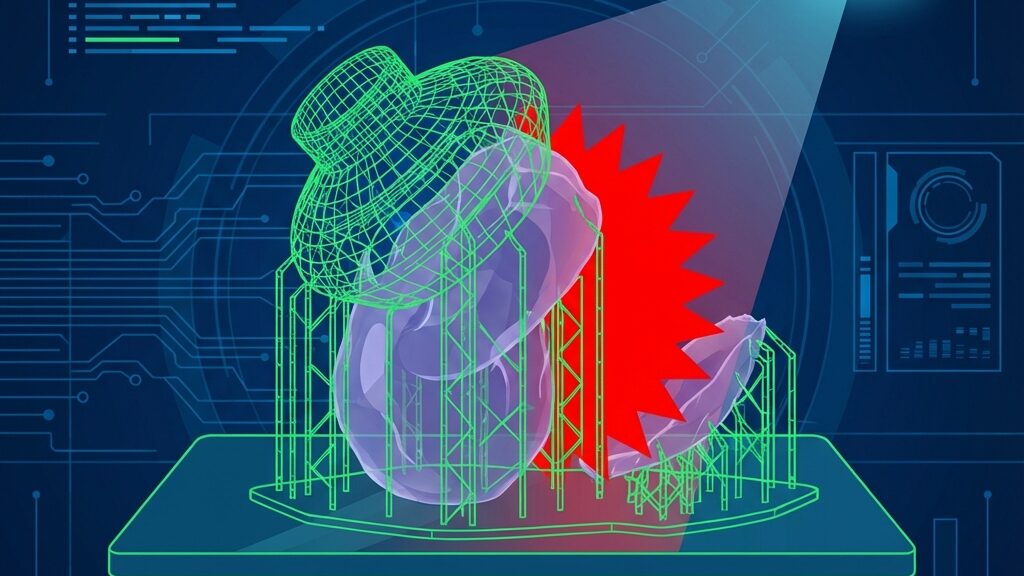
Obico (formerly The Spaghetti Detective) uses AI to analyze webcam footage in real time, detecting spaghettification, filament tangles, Z-axis shifts, and other anomalies. Bambu Lab’s built-in First Layer Inspection AI evaluates first-layer adhesion, line-width uniformity, and extrusion quality through a machine-learning model, automatically pausing the print if it finds issues. Detection accuracy reaches 85–95 % for common failure modes.
Bambu Lab’s AMS (Automatic Material System) handles up to 16 color changes in a single print. Flow rates, temperature profiles, and Pressure Advance values for each filament are pulled automatically from the AMS database. However, optimal PA values range widely—0.5 to 1.2 mm across PLA, PETG, and TPU—so calibration at every material-switch point is critical to quality in mixed-material prints.
Prusa MMU3 performs nozzle-level filament switching but requires manual flow-compensation settings between materials, making it more hands-on than AMS for calibration.
High-End: Bambu Lab X1-Carbon. LiDAR + AI first-layer inspection + Auto Flow Dynamics + AMS support. The cutting edge of auto-calibration with a 95 %+ success rate.
Mid-Range: Prusa MK4. Load-cell Z probe + Nextruder. A reliability-first, open-source machine. Combined with OrcaSlicer, calibration becomes fully automatic.
Best Value: Creality K2 Plus. Strain gauge + dual-motor tilt correction. Outstanding performance-to-price ratio. Runs Klipper for full expandability.
Legacy Rescue: Existing printer + Klicky/CR-Touch + Klipper. Input Shaper + Pressure Advance + Adaptive Bed Mesh bring aging hardware up to modern standards.
Current filament detection is limited to diameter sensing and color matching, but research into infrared spectroscopy and thermal analysis for real-time material-property identification is advancing rapidly. A world where you simply load a spool and the printer auto-configures temperature, flow, and retraction could arrive within a few years.
Volumetric calibration—automatic XY-axis accuracy correction across the entire build volume—and multi-axis vibration compensation are also under active development.
OrcaSlicer is the first slicer to integrate calibration workflows that previously required external tools. Its flow-rate calibration auto-generates a 20 × 20 mm cube test pattern and measures the gap between actual and target extrusion. Pressure Advance calibration prints a pattern stepping PA values from 0 to 0.1, letting you visually identify the optimum in the GUI. A nozzle-diameter verification pattern confirms your physical nozzle matches the configured size.
All calibration results feed directly into the material profile and are applied automatically to every subsequent print—”calibrate once, optimize every print.” Bambu Studio, PrusaSlicer, and Cura lack these built-in tools, previously forcing users to generate G-code manually or rely on external utilities. OrcaSlicer has democratized calibration in one stroke.
If you buy a latest-generation printer, migration is instant. The Bambu Lab X1C goes from unboxing to first successful print in under 30 minutes—LiDAR handles every calibration step automatically. Compare that to manual setups, where 30–60 minutes of tweaking often still left adjustments incomplete.
For upgrading an existing printer, follow this three-step roadmap:
These three steps bring a five-year-old budget printer up to modern auto-calibration standards. Total investment: roughly ¥10,000–20,000. Time required: one weekend.
On latest-generation machines, virtually yes. The Bambu Lab X1C runs from setup to print with zero manual adjustment. On legacy printers, however, initial setup after adding BLTouch/Klicky still requires hands-on work, and full automation demands Klipper configuration knowledge.
Bambu Lab’s published data puts auto-calibrated machines at 95 %+, compared to a 70–80 % baseline for manual calibration. Prusa MK4 users also report first-layer success rates above 90 % after switching to the load-cell probe.
If you only own Bambu Lab printers, Bambu Studio gives you full Auto Flow Dynamics benefits. For multi-brand setups or custom calibration workflows, OrcaSlicer is superior—flow-rate calibration, PA testing, and nozzle verification are all built in.
It requires mounting an ADXL345 accelerometer and configuring Klipper macros, so complete beginners may find it challenging. That said, auto-calibration can be run through the Mainsail/Fluidd Web UI with no command-line work, and YouTube tutorials are plentiful.
Absolutely. Install a CR-Touch or BLTouch, flash Klipper, and you unlock Input Shaper, Pressure Advance, and Adaptive Bed Mesh. The total investment—sensor plus Raspberry Pi—is around ¥10,000, and the improvement in print quality is dramatic.
On modern machines, almost never. Bambu Lab’s LiDAR automatically re-measures flow characteristics on every filament change. In a Klipper setup, per-filament profiles (PA value, temperature, flow rate) are saved and applied automatically at switch time. OrcaSlicer’s material-profile system works the same way.
With Input Shaper properly configured, you can dramatically increase acceleration while suppressing ringing and ghosting. Klipper users report a 30–40 % quality improvement at high speeds. There are limits, though—filament melt rate and cooling capacity create bottlenecks that calibration alone cannot fix. Hotend performance and part-cooling fan capacity ultimately set the speed ceiling.
The P1S has a micro-switch Z probe and built-in vibration compensation, providing automatic bed leveling and basic flow-rate auto-adjustment. Compared to the X1C, it lacks AI first-layer inspection and Auto Flow Dynamics Calibration, so its automatic correction range on filament changes is narrower. Still, pairing it with OrcaSlicer’s calibration tools delivers more than enough precision for practical use—leagues beyond manual calibration.
The era of manual calibration is over. LiDAR, load cells, strain gauges, Input Shaper, and AI first-layer inspection—these technologies have converged to transform the 3D printer from a “hobbyist kit” into a “reliable appliance.”
Whether you buy a latest-generation machine or upgrade legacy hardware with Klipper, investing in auto-calibration pays back with a dramatic leap in print success rates. Trust the algorithm.
For more information, visit All3DP.