Blender MCP AI Modeling: Real-Time MCP Control vs Script Generation Compared
swiftwand swiftwand.ai
“I watched three hours of Fusion 360 tutorials and all I managed to make was a rectangular box.” If that sounds familiar, here’s good news: that struggle is about to become a thing of the past.
In 2026, the 3D printing world has moved beyond the “print reliability” phase and into a new stage: the democratization of creation. You no longer need to master complex 3D CAD to be a “maker.” All you need is the “prompt craft” to articulate what you want to build and the right hardware to bring it into the physical world.
This article covers the latest Text-to-3D trends and the multi-tool 3D printers essential for turning AI-generated “impossibly organic shapes” into reality.
The biggest bottleneck in 3D printing has always been modeling. Memorizing Blender shortcuts and wrestling with polygon normals crushes creative passion fast. But generative AI tools like Luma AI (Genie) and Meshy have shattered that wall.
Type “cyberpunk prosthetic leg prototype” or “ergonomic mouse with organic curves” and a printable 3D mesh appears in seconds. These aren’t toys — the generated models instantly produce complex topology-optimized structures that would take weeks to design with traditional CAD.
Beyond Meshy and Luma AI, noteworthy tools are emerging. Choosing the right one for your use case matters.
Key shift: Since late 2025, “Text → 3D” and “Text → CAD” have clearly diverged. For creative sculpting, use Meshy/Tripo; for dimensionally precise functional parts, use Adam AI or Fusion 360’s Generative Design.
Here’s the new problem: AI-generated designs don’t look like the “stackable” shapes humans design. Gravity-defying overhangs, intertwined internal structures, mid-air floating parts — try printing these on a conventional single-nozzle printer (like an Ender 3) and you’ll need mountains of support material. Removing that support destroys the delicate AI-generated model. This is the “create with AI, despair in reality” pattern.
The headline says “ditch CAD,” but let’s be honest: in 2026, AI cannot fully replace CAD.
Realistic conclusion: AI has dramatically lowered the barrier to creating shapes from scratch. But for precise functional parts, you’ll still need Fusion 360 or Onshape for finishing. The ideal workflow is a hybrid: “AI for the 80 % rough shape, CAD for the 20 % refinement.”
It’s not “AI or CAD” — CAD software itself is absorbing AI.
The future isn’t “CAD disappears” — it’s “CAD embeds AI and becomes dramatically easier.” Natural-language-driven CAD becoming mainstream is only a matter of time.
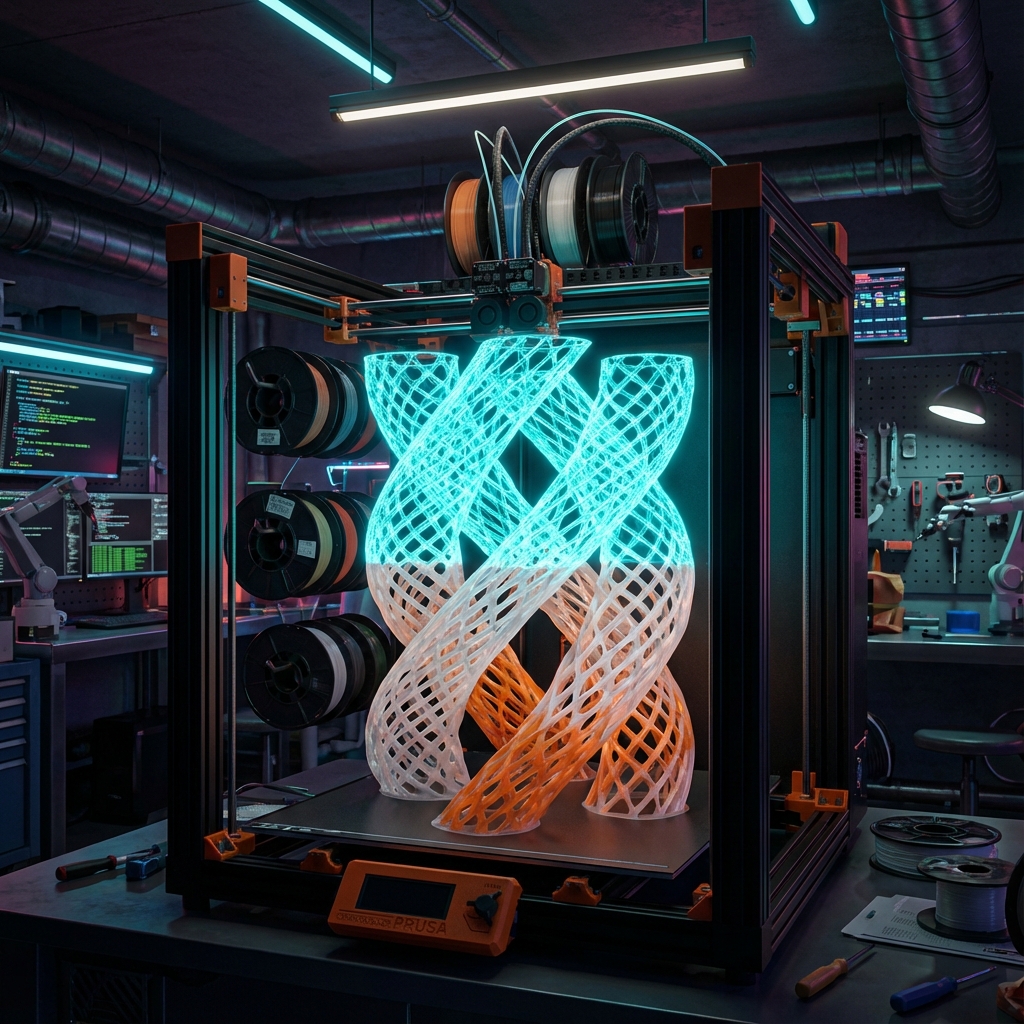
Physically realizing AI’s imagination demands a multi-tool (tool changer) 3D printer. Bambu Lab’s AMS (Automatic Material System) switches filament through a single nozzle — convenient for color changes but ill-suited for bonding dissimilar materials. Frequent switching between build material (PLA, PETG) and support material (PVA) causes nozzle clogs and massive purge waste.
This is where the Prusa XL shines. With five independent tool heads, it enables:
Making AI’s “bewilderingly complex yet beautiful shapes” retrievable by simply soaking in water — that’s why Prusa XL earns the title “standard machine of the AI era.”
Use Meshy’s “Text to 3D.” Including material texture in the prompt (Gold, Rusty metal, etc.) generates textured models, but for 3D printing, focus prompts on shape and structure. Tip: Always add “Watertight mesh for 3D printing” to your prompt.
Import the generated .obj or .stl into PrusaSlicer (latest version). Enable “Organic Supports” and assign PVA (water-soluble filament) only to the support interface layer. This conserves expensive PVA while ensuring clean separation.
Send the data and wait. Watching the Prusa XL’s tool changer swap heads with a satisfying click-clack as it layers AI’s imagination into reality feels like peering into the factory of the future.
Critical: Both materials are highly hygroscopic. Dry in a filament dryer (60–80 °C for 4+ hours) immediately before use. Left unsealed after opening, they become unusable within days.
Q: What should a complete beginner buy first for AI × 3D printing?
A: A $200–$300 entry-level machine (Ender-3 V3 or Bambu Lab A1 mini) is enough. Learn print basics and validate AI-generated model quality, then step up to a multi-tool machine when you’re ready. No need to jump straight to Prusa XL.
Q: Is there still a point in learning Fusion 360?
A: More than ever. “AI generates the rough, Fusion 360 finishes with precision” is the most efficient workflow. You no longer need to learn complex modeling from scratch, but basic operations — dimension adjustment, fillets, joins — remain essential. Hybrid AI + CAD skills are the maker’s ultimate weapon in 2026 and beyond.
Q: Do “AI slicers” actually exist?
A: No fully autonomous “AI slicer” exists in 2026. However, existing slicers (PrusaSlicer, OrcaSlicer, Cura) are integrating AI features: failure prediction, parameter auto-optimization, and support placement suggestions. The current reality is “AI-assisted slicers” where humans make the final call.
Q: Is it legal to sell products made from AI-generated models?
A: Most tools (Meshy Pro and above, Tripo AI, etc.) permit commercial use on paid plans. However, including copyrighted content (character names, brand names) in prompts risks infringement. Also, purely AI-generated models are difficult to copyright-protect, so adding your own modifications in Blender is recommended.
Q: Are there multi-tool printers besides Prusa XL?
A: Bambu Lab’s AMS is the leading cost-effective alternative, but it uses filament switching (not tool changing), resulting in more purge waste and less efficient water-soluble support use. For budget-conscious makers, a single-nozzle printer + manual support removal is a realistic workflow.
Enough theory. Here’s your concrete action plan starting today.
The important thing isn’t gathering perfect knowledge before starting. It’s generating your first model, experiencing your first failure, and spinning the learn-from-it cycle starting today.
“I can’t use CAD so there’s no point buying a 3D printer” — that excuse no longer holds. In fact, a brain uncorrupted by CAD conventions may be exactly what feeds AI the most innovative prompts.
Equip yourself with AI as “the ultimate designer” and Prusa XL as “the ultimate builder,” and your desktop instantly becomes an R&D center. The upfront investment isn’t cheap (Prusa XL starts at ~$3,999 assembled), but the ability to bring to life things you couldn’t design yourself is worth every penny.
Now it’s your turn to type the prompt.
For more information, visit All3DP.