Anthropic Academy Complete Guide 2026 — Master Claude with 15 Free Courses
swiftwand swiftwand.ai
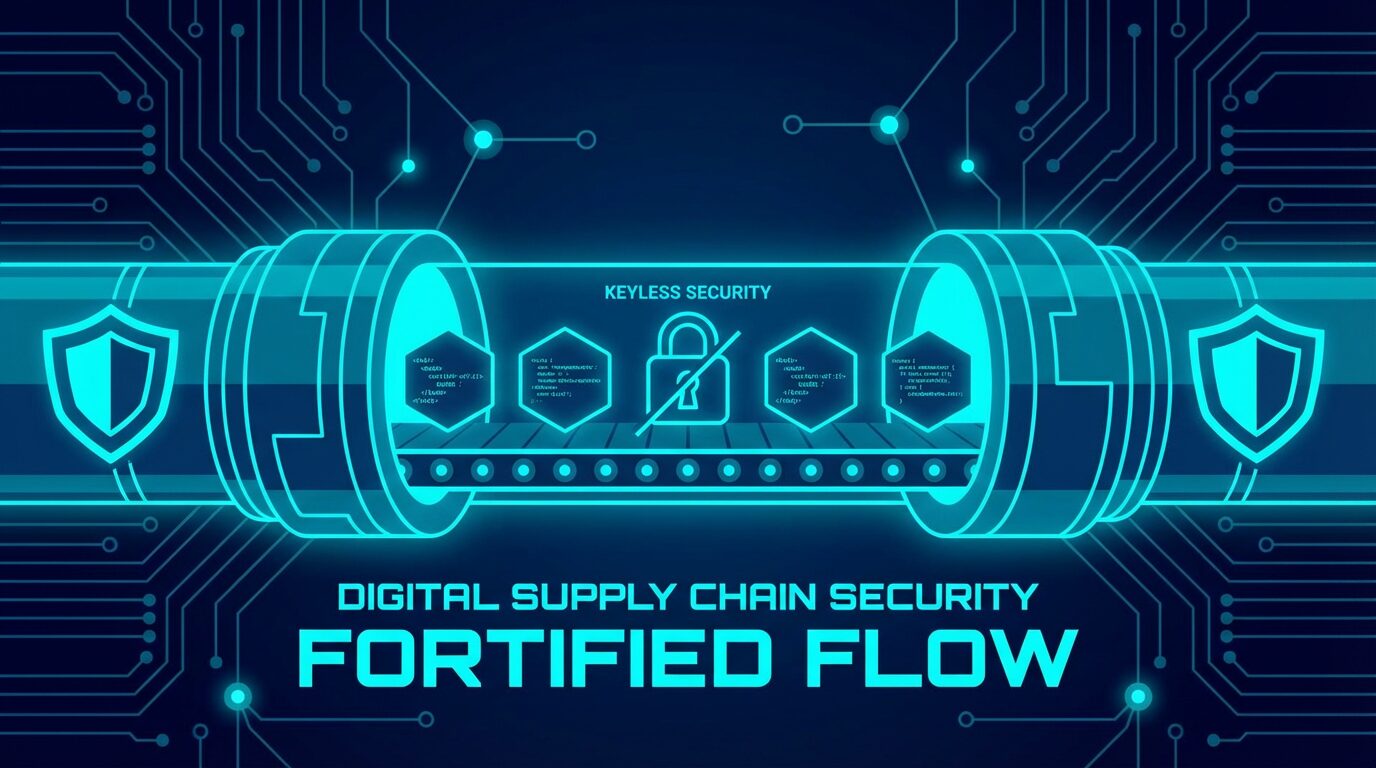
“A CI/CD pipeline is the ‘keys to the kingdom’ for attackers.” In 2026, supply chain attacks are no longer someone else’s problem. The lessons from SolarWinds and Codecov have forced us to migrate toward pipelines that trust nothing.
This article explains how to eliminate static API keys and build secure pipelines using OIDC and Sigstore—cryptographically proving who built what, and when.
Open your repository’s Secrets settings right now. If AWS_ACCESS_KEY_ID or GPG_PRIVATE_KEY is sitting there, that’s a security risk. The moment they leak, your infrastructure is compromised.
The 2026 standard is Keyless. Instead of holding static keys, you present an identity proof (OIDC Token) to cloud providers or signing authorities saying “I am this specific GitHub Actions workflow running right now,” and borrow only temporary credentials.
Let’s see how simple yet powerful OIDC setup is, using AWS deployment as an example. No IAM users (static keys) needed—just an IAM Role.
# .github/workflows/deploy.yml
name: Secure Deploy
on: [push]

permissions:
  id-token: write  # Required for OIDC token request
  contents: read

jobs:
  deploy:
    runs-on: ubuntu-latest
    steps:
      - name: Git Checkout
        uses: actions/checkout@v4

      - name: Configure AWS Credentials (OIDC)
        uses: aws-actions/configure-aws-credentials@v4
        with:
          role-to-assume: arn:aws:iam::123456789012:role/GitHubActionDeployRole
          aws-region: ap-northeast-1
          # No static Key/Secret anywhere!

      - name: Deploy to S3
        run: aws s3 sync ./build s3://my-secure-bucket
By adding token.actions.githubusercontent.com:sub as a verification condition in AWS’s trust policy, you can enforce a powerful guardrail: “Only deploys from a specific repository’s main branch are allowed.”
Next: tamper-proofing your build artifacts (container images). No key management needed here either. Sigstore (Cosign) uses OIDC tokens to issue ephemeral certificates and records signatures in the Rekor transparency log.
- name: Install Cosign
  uses: sigstore/cosign-installer@v3.5.0

- name: Build and Push Docker Image
  id: build-and-push
  uses: docker/build-push-action@v5
  with:
    push: true
    tags: ghcr.io/my-org/my-app:latest

- name: Sign the images with GitHub OIDC Token
  run: |
    cosign sign --yes ghcr.io/my-org/my-app@${{ steps.build-and-push.outputs.digest }}
    # --yes enables keyless signing (OIDC mode)
This attaches a signature to the image stating: “This image was built by GitHub Actions Run ID xxx.” No private keys to manage or rotate.
At deploy time (e.g., via a Kubernetes Admission Controller), verifying this signature lets you completely block “rogue images” that didn’t pass through an approved pipeline.
The flow works as follows: Developer pushes code → GitHub Actions requests an OIDC token → Sigstore CA issues an ephemeral certificate → Image is built, pushed, and signed → At deploy time, Kubernetes policy agent pulls the signature, verifies it against the OIDC issuer → Deploy succeeds only if verified; untrusted artifacts are blocked.
SLSA (Supply-chain Levels for Software Artifacts) is a framework for incrementally hardening software supply chain integrity. SLSA v1.1 (build track clarification) shipped in 2025, followed by v1.2 (source track addition) in November.
SLSA Level 1 requires only generating build provenance—but without signatures, you’re stuck at Level 1. Combining Sigstore keyless signing unlocks Level 2+ integrity guarantees. Specifically, use GitHub Actions’ artifact attestation to auto-generate SLSA provenance, then sign with Cosign. This makes “who built it, from which repo, via which workflow” cryptographically verifiable.
Pin third-party GitHub Actions to specific commit SHAs, not floating tags (v1, etc.). Tags can be overwritten—an attacker who hijacks a tag executes a supply chain attack. Enable Dependabot to automate SHA update PRs.
Set workflow permissions to minimum by default and explicitly grant only needed scopes. id-token: write is essential for OIDC, but add contents: write only when truly required.
Configure GitHub Environments’ deployment protection rules to require review approval for production deploys. Include the environment name in the OIDC trust policy’s sub condition to restrict access to specific environments only.
1. Security Consulting
Help enterprises implement zero-trust CI/CD pipelines. OIDC migration alone commands $2,000–$7,000 per engagement. Startups especially lack security talent, and demand is growing.
2. Technical Writing & Speaking
Share DevSecOps expertise through blogs and tech conferences. Paid articles and sponsored content on platforms can generate $500–$2,000/month in side income.
3. Audit & Certification Support
Help companies pursuing SOC2 or ISO 27001 build SLSA-compliant pipelines. Certification projects tend to be long-term contracts and stable revenue.
4. OSS Contributions → Career Opportunities
Contributing to Sigstore, Kyverno, or similar OSS projects builds visibility in the security space. Your GitHub profile becomes a portfolio that attracts high-value contracts.
OpenID Connect—an authentication protocol. CI/CD services like GitHub Actions use short-lived tokens to prove to cloud providers (AWS, GCP, etc.) that they’re a legitimate workflow. Eliminates the need for static API keys.
An open-source project for software signing and verification. Cosign signs container images with digital signatures and records them in the Rekor transparency log. Keyless signing eliminates private key management entirely.
GitHub Actions OIDC and Sigstore are free. AWS IAM role configuration incurs no additional charges. The main cost is learning time and migration effort—small projects can complete the transition in 1–2 days.
No. First set up OIDC authentication in parallel, test thoroughly, and confirm it works. Then remove the old keys. A phased migration is the safe approach.
Yes. GitLab CI/CD also supports OIDC token issuance and works with Cosign for keyless signing. Configuration differs from GitHub but the principles are identical.
Start with Level 1 (provenance generation) and aim for Level 2 with Sigstore signing. Level 3+ requires build environment isolation and is geared toward large organizations.
If you use container images, signature verification is valuable regardless of orchestrator. On ECS, Cloud Run, or similar platforms, simply add a cosign verify step before deployment.
From 2026 onward, SLSA adoption is accelerating. Major package managers (npm, PyPI, Maven Central) are moving toward native Sigstore signature support. Supply chain security is shifting from “nice to have” to “mandatory.”
Zero trust doesn’t mean “trust nobody”—it means “trust only what’s cryptographically proven.” Adopting OIDC and Sigstore dramatically improves security without degrading developer experience.
The recommended migration path: First, switch one workflow to OIDC authentication. Next, add container signing with Cosign. Then enforce verification policies with Kyverno or similar tools.
Your first step: delete the AWS access keys from your repository’s Secrets. That’s the real beginning of DevSecOps.
For more information, visit All3DP.