Xcode 26.3 Agent Anatomy: The Day Apple Welcomed a "Resident" Into Its IDE
swiftwand swiftwand.ai
AI coding assistants like GitHub Copilot have become commonplace, but what lies beyond? The answer is autonomous AI agents — systems that think, plan, use tools, and recover from errors on their own. This comprehensive guide walks you through designing production-grade agent architectures using LangGraph, the graph-based orchestration framework from LangChain.
Copilot-style tools are essentially auto-complete on steroids: they predict the next line of code. But they lack the ability to reason across multiple steps, call external APIs, or adapt their strategy when things go wrong.
Autonomous agents, by contrast, operate with a goal-oriented loop: perceive the environment, plan a sequence of actions, execute them with tools, and reflect on the results. This is the paradigm shift that LangGraph enables.
LangGraph is a library built on top of LangChain that models agent workflows as directed graphs. Each node represents a computation step (LLM call, tool invocation, human review), and edges define the control flow — including conditional branching and cycles.
Key concepts in LangGraph:
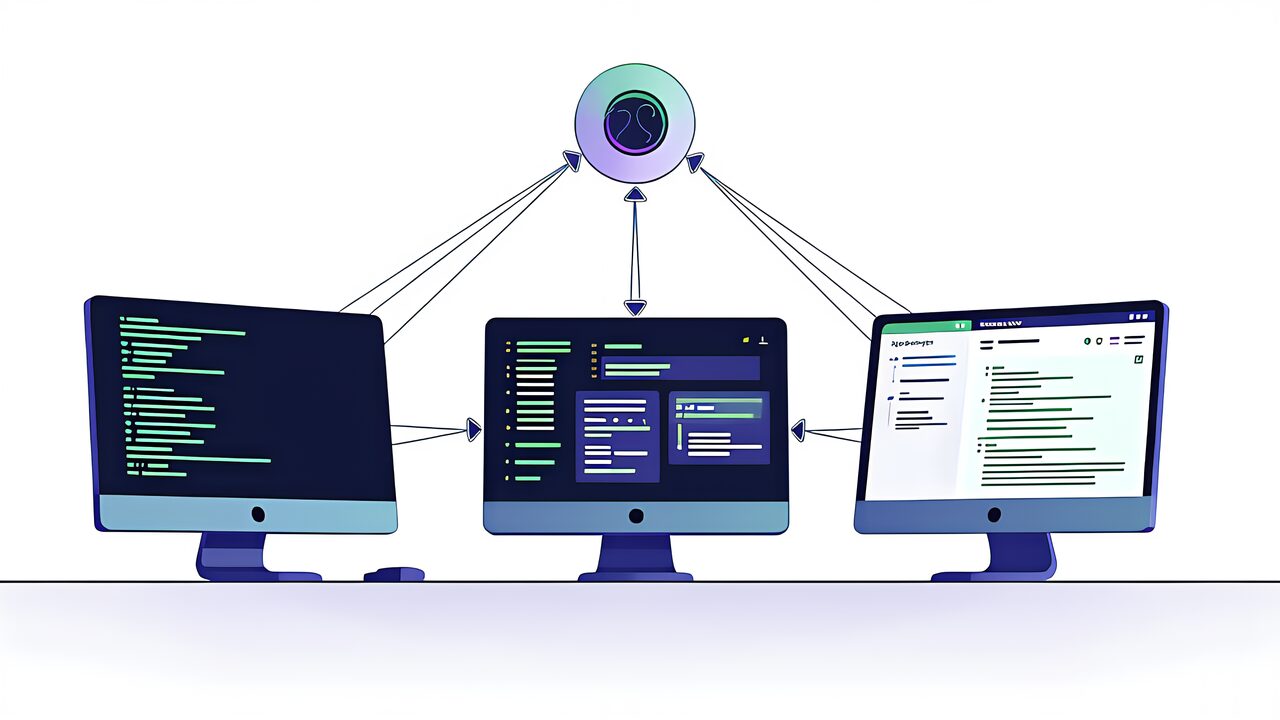
The most powerful pattern in LangGraph is Orchestrator-Workers. Instead of a single monolithic agent, you decompose the system into:
This pattern provides massive advantages: each worker can have its own system prompt, tool set, and even model choice. The orchestrator handles high-level reasoning while workers handle execution.
from langgraph.graph import StateGraph, END
from typing import TypedDict, Annotated
import operator

class AgentState(TypedDict):
    goal: str
    subtasks: list[str]
    results: Annotated[list[str], operator.add]
    final_answer: str

def orchestrator(state: AgentState) -> dict:
    """Break down the goal into subtasks"""
    response = llm.invoke(
        f"Break this goal into subtasks: {state['goal']}"
    )
    subtasks = parse_subtasks(response)
    return {"subtasks": subtasks}

def worker_code(state: AgentState) -> dict:
    """Handle code-related subtasks"""
    result = code_llm.invoke(state["subtasks"][0])
    return {"results": [result]}

def worker_research(state: AgentState) -> dict:
    """Handle research subtasks"""
    result = search_tool.invoke(state["subtasks"][1])
    return {"results": [result]}

def aggregator(state: AgentState) -> dict:
    """Synthesize all worker results"""
    combined = "\n".join(state["results"])
    final = llm.invoke(f"Synthesize: {combined}")
    return {"final_answer": final}

# Build the graph
graph = StateGraph(AgentState)
graph.add_node("orchestrator", orchestrator)
graph.add_node("worker_code", worker_code)
graph.add_node("worker_research", worker_research)
graph.add_node("aggregator", aggregator)

graph.set_entry_point("orchestrator")
graph.add_edge("orchestrator", "worker_code")
graph.add_edge("orchestrator", "worker_research")
graph.add_edge("worker_code", "aggregator")
graph.add_edge("worker_research", "aggregator")
graph.add_edge("aggregator", END)

app = graph.compile()Fully autonomous agents sound exciting, but production systems need guardrails. LangGraph’s Human-in-the-Loop (HITL) mechanism lets you insert approval gates at critical decision points.
Common HITL patterns include:
from langgraph.checkpoint.memory import MemorySaver

# Add a human review node
def human_review(state: AgentState) -> dict:
    """Pause for human approval"""
    # In production, this would trigger a webhook/notification
    # The graph pauses here until resumed
    return {"approved": True}

graph.add_node("human_review", human_review)

# Insert review before high-risk actions
graph.add_edge("orchestrator", "human_review")
graph.add_conditional_edges(
    "human_review",
    lambda state: "proceed" if state.get("approved") else "abort",
    {"proceed": "worker_code", "abort": END}
)

# Compile with checkpointing
checkpointer = MemorySaver()
app = graph.compile(checkpointer=checkpointer, interrupt_before=["human_review"])
State management is what separates toy demos from production agents. LangGraph treats state as a first-class citizen with typed state schemas, reducers for merging parallel updates, and persistent checkpointing.
Best practices for agent state design:
Production agents must handle failures gracefully. LangGraph enables several error recovery patterns:
def reflection_node(state: AgentState) -> dict:
    """Evaluate output quality and decide whether to retry"""
    evaluation = llm.invoke(
        f"Rate the quality of this output (1-10): {state['results']}"
    )
    score = parse_score(evaluation)
    return {"quality_score": score, "should_retry": score < 7}

graph.add_conditional_edges(
    "reflection",
    lambda state: "retry" if state["should_retry"] else "finish",
    {"retry": "orchestrator", "finish": "aggregator"}
)Agents are only as powerful as their tools. LangGraph integrates seamlessly with LangChain’s tool ecosystem, and you can define custom tools with ease:
from langchain_core.tools import tool

@tool
def search_web(query: str) -> str:
    """Search the web for information"""
    return tavily_client.search(query)

@tool
def execute_code(code: str) -> str:
    """Execute Python code in a sandboxed environment"""
    return sandbox.run(code)

@tool
def query_database(sql: str) -> str:
    """Execute a SQL query against the analytics database"""
    return db.execute(sql)

# Bind tools to the LLM
tools = [search_web, execute_code, query_database]
llm_with_tools = llm.bind_tools(tools)
In the Orchestrator-Workers pattern, each worker can have its own specialized tool set. The code worker gets code execution tools, the research worker gets search tools, and so on. This separation of concerns improves both security and performance.
One of LangGraph’s standout features is the ability to visualize your agent’s execution graph. This is invaluable for debugging complex workflows:
# Generate a visual representation of the graph
from IPython.display import Image, display

display(Image(app.get_graph().draw_mermaid_png()))

# Stream execution with full visibility
for event in app.stream({"goal": "Analyze Q4 sales data"}):
    print(f"Node: {event.keys()}")
    print(f"State: {event}")
LangGraph also integrates with LangSmith for production-grade observability: trace every LLM call, tool invocation, and state transition with full latency and cost metrics.
Deploying agents to production requires careful consideration of several factors:
If you’re building agent-powered products, monetization is a critical consideration. Here are proven strategies:
The key insight from the Pieter Levels playbook: ship a minimal agent quickly, charge from day one, and iterate based on real user behavior. Don’t wait for the “perfect” agent architecture.
Let’s put it all together with a practical example — a research agent that can investigate any topic:
from langgraph.graph import StateGraph, END
from langgraph.checkpoint.memory import MemorySaver
from typing import TypedDict, Annotated
import operator

class ResearchState(TypedDict):
    topic: str
    search_queries: list[str]
    sources: Annotated[list[dict], operator.add]
    draft: str
    feedback: str
    final_report: str
    iteration: int

def plan_research(state):
    queries = llm.invoke(
        f"Generate 3 search queries for: {state['topic']}"
    )
    return {"search_queries": parse_queries(queries)}

def gather_sources(state):
    all_sources = []
    for query in state["search_queries"]:
        results = search_tool.invoke(query)
        all_sources.extend(results)
    return {"sources": all_sources}

def write_draft(state):
    context = format_sources(state["sources"])
    draft = llm.invoke(
        f"Write a research report on {state['topic']}\n"
        f"Sources: {context}\n"
        f"Previous feedback: {state.get('feedback', 'None')}"
    )
    return {"draft": draft, "iteration": state.get("iteration", 0) + 1}

def review_draft(state):
    feedback = llm.invoke(
        f"Review this draft critically: {state['draft']}"
    )
    return {"feedback": feedback}

def should_revise(state):
    if state["iteration"] >= 3:
        return "finalize"
    if "satisfactory" in state["feedback"].lower():
        return "finalize"
    return "revise"

def finalize(state):
    return {"final_report": state["draft"]}

# Build the graph
graph = StateGraph(ResearchState)
graph.add_node("plan", plan_research)
graph.add_node("gather", gather_sources)
graph.add_node("write", write_draft)
graph.add_node("review", review_draft)
graph.add_node("finalize", finalize)

graph.set_entry_point("plan")
graph.add_edge("plan", "gather")
graph.add_edge("gather", "write")
graph.add_edge("write", "review")
graph.add_conditional_edges("review", should_revise, {
    "revise": "write",
    "finalize": "finalize"
})
graph.add_edge("finalize", END)

app = graph.compile(checkpointer=MemorySaver())LangChain provides the building blocks (LLM wrappers, tools, prompts), while LangGraph adds the orchestration layer. Think of LangChain as the parts and LangGraph as the assembly instructions. LangGraph specifically adds stateful, graph-based workflows with cycles, conditional branching, and built-in persistence.
Absolutely. LangGraph works with any LLM supported by LangChain — Claude (Anthropic), Gemini (Google), Llama (Meta), Mistral, and local models via Ollama. You can even use different models for different nodes in the same graph.
Yes. LangGraph is used in production by companies of all sizes. LangGraph Cloud provides managed deployment with built-in scaling, monitoring, and persistence. For self-hosted deployments, the checkpointing system supports PostgreSQL and other production-grade backends.
Use LangGraph’s async execution with checkpointing. The agent can be interrupted and resumed at any checkpoint, making it ideal for tasks that span minutes or hours. Combine with a task queue (Celery, Bull) for reliable background processing.
Implement token budgets at the graph level, use cheaper models (like Haiku) for simple routing decisions, cache tool results aggressively, and set maximum iteration limits on loops. Monitor costs per agent run with LangSmith.
The era of simple AI assistants is giving way to autonomous agents that can reason, plan, and execute multi-step workflows. LangGraph provides the production-grade framework to build these systems with proper state management, human oversight, and error recovery.
Key takeaways for builders:
The best time to start building agents was yesterday. The second best time is now. Pick a specific use case, build a minimal graph with LangGraph, and ship it.
For more information, visit All3DP.