Complete Guide to Blender for 3D Printing: Free Modeling Software from Basics to STL Export
swiftwand swiftwand.ai
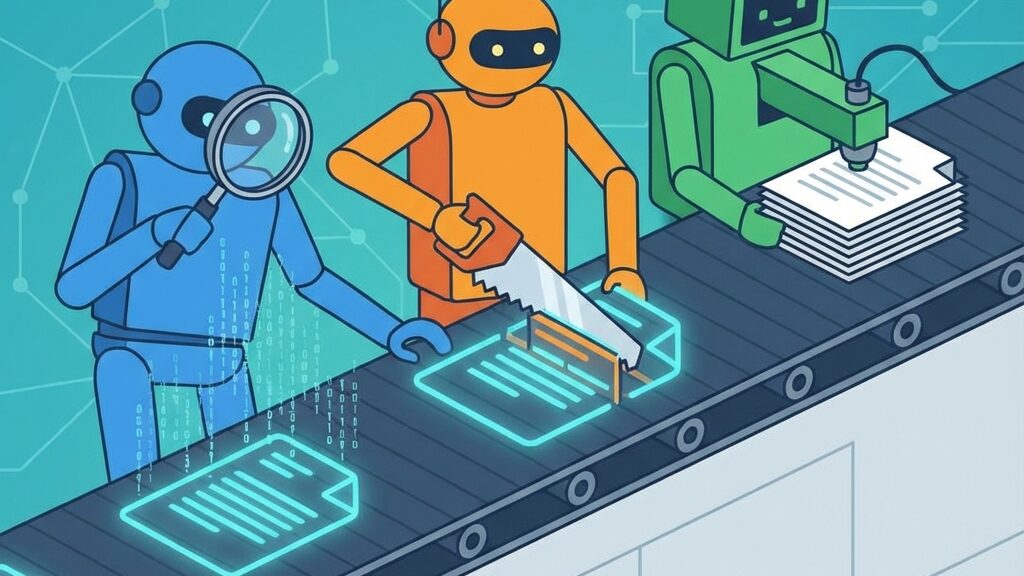
In the old world, a 3D printer was a dumb terminal—it received G-code and executed it blindly. It didn’t notice when room temperature dropped or when filament ran out, printing into thin air. In 2026, we are building multi-agent systems where printers, slicers, and material databases converse through bidirectional IoT protocols like MQTT.
The star protocol behind modern IoT 3D printer communication is MQTT (Message Queuing Telemetry Transport). It’s a lightweight Pub/Sub (publish/subscribe) messaging protocol that runs reliably even on bandwidth-limited connections.
Bambu Lab printers ship with a built-in MQTT broker, accessible on port 8883 (TLS-encrypted). The username is “bblp” and the password is retrieved from the printer’s touchscreen. The MQTT API is accessible even without enabling LAN mode.
The data you can pull is extensive: hotend temperature, bed temperature, AMS temperature and humidity, print progress, layer count, fan speed, estimated filament remaining, and more. Pipe this into Prometheus + Grafana and you have a real-time monitoring dashboard.
OctoPrint offers printer control and monitoring through a RESTful API. With roughly 400 plugins available, it supports remote access, AI failure detection, power management, timelapses, and more. In a Klipper environment, Moonraker (a Python-based web server) serves as the API layer, supporting both REST API and WebSocket connections. Frontends like Mainsail and Fluidd, as well as external tools, interact with the printer through Moonraker.
At the heart of IoT manufacturing is a printer that “feels” its environment in real time and makes decisions based on that data. Here are the sensors found in modern 3D printers:
When this sensor data flows to external systems via MQTT or REST API, an “isolated machine” becomes a “connected intelligent node.”
In February 2026, a research team at Carnegie Mellon University published a multi-agent 3D printing system that shows the next stage of IoT manufacturing. Comprising four AI agents plus one supervisor, the system autonomously optimizes quality during a print.
Notably, this system uses only the standard ChatGPT-4o model with zero custom training data. Structured prompt engineering alone creates a 3D-print-specialized AI agent. Today’s printers are still at the “watch with a camera and stop spaghetti” stage, but this research previews a future where AI autonomously fine-tunes parameters throughout a print.
One printer can be managed by hand, but once you scale to 5, 10, or 50 machines, farm management software becomes essential. Here are the leading options:
A tool that manages multiple OctoPrint instances from a single dashboard. Features real-time monitoring, job queue management, and a statistics dashboard. Deployable via Docker Compose with MongoDB as the backend.
A cloud-based farm management platform that integrates with OctoPrint. Supports iOS/Android apps for monitoring progress and receiving completion notifications on the go. Known for its intuitive UI.
A multi-printer server that runs on a PC. Control and monitor multiple printers in real time from a browser or smartphone over your local network. Works independently of OctoPrint.
A cloud-based integrated platform aimed at educational institutions and enterprises, providing user management, print queues, and reporting. Covers everything from slicing to print management in one place.
A digital twin builds a virtual replica of a physical 3D printer in software and synchronizes it with real-time sensor data. The essence is simulation and predictive analysis, not visual reproduction like VR.
For example, you can vary chamber temperature, filament feed rate, and layer height on the digital twin and simulate the impact on print quality. Validation that would take hours on a real machine finishes in minutes in virtual space. In industrial 3D printing, digital twins are reaching practical deployment for metal 3D printing process optimization.
While consumer printers use MQTT, industrial 3D printing environments adopt OPC-UA (OPC Unified Architecture) as the standard communication protocol. A mature standard dating back to the 2000s, it enables seamless data exchange between heterogeneous systems.
Switzerland’s Smart Factory Lighthouse project connects eight modularized 3D printer units, each with its own AAS (Asset Administration Shell), to the DIMOFAC platform via OPC-UA. Operating status and production data from every printer are shared through a standardized data model and used for factory-wide optimization.
OPC-UA may seem distant for hobbyists, but the trajectory of IoT manufacturing leads from “printers connected via MQTT” to “printers integrated into the factory via OPC-UA.”
Steps 1–3 can be done in a single day. The dashboard and automation are a fun weekend project you can expand over time.
Indonesia is developing IoT-connected 3D print farms to serve manufacturing demand spread across more than 17,000 islands. By combining GIS (Geographic Information System) demand-cluster visualization with real-time IoT sensor data, fleets of 30–200 printers are being transformed from “collections of independent machines” into “cooperating production organisms.”
Mining-equipment replacement parts in Kalimantan, agricultural machinery components in Sumatra, creative-industry products in Java—production is planned to match regional demand.
The challenges facing IoT print farms go beyond technology. DfAM (Design for Additive Manufacturing) expertise, GIS analysis skills, and IoT dashboard operations require specialized talent, making workforce development a major bottleneck. Heavy reliance on imported filament and metal powders adds supply-chain risk.
Connecting printers to a network means security cannot be ignored. Exposing OctoPrint or Moonraker ports directly to the internet lets anyone send G-code—including commands to set heaters to maximum temperature, creating a fire hazard. Implement the following safeguards:
MQTT is a Pub/Sub model where the printer publishes its state and subscribers receive it. REST API is a request/response model where the user sends a request and the printer replies. MQTT excels at real-time monitoring; REST API is better for sending control commands.
Not officially. Bambu Lab runs proprietary firmware, and direct OctoPrint/Klipper installation is not possible. However, integration with external monitoring tools through the MQTT API is supported.
Two or three printers can be handled with multiple OctoPrint browser tabs. Beyond five, OctoFarm or SimplyPrint is strongly recommended. At ten or more, an integrated platform like 3DPrinterOS is the most efficient choice.
Very much so. OctoPrint/Moonraker integration plugins display temperature, progress, and operational status on a Home Assistant dashboard. Smart plug integration and the Notify service let you set up print-completion notifications easily.
Exposing OctoPrint/Moonraker ports to the public internet is dangerous—anyone could send G-code, potentially commanding heaters to maximum and causing a fire. Use a VPN or a secure tunnel service like OctoEverywhere or Obico.
At minimum: hotend temperature, bed temperature, print progress, and uptime. If you have room, add filament consumption, failure rate, and power usage for cost analysis.
Temperature data at 5–10 second intervals and print progress at 30–60 second intervals is practical. Polling every second increases network load without meaningful gains in real-time responsiveness. Balance with storage capacity.
Technically yes, but OPC-UA is an industrial protocol and overkill for personal use. MQTT + REST API is more than enough for a home printer. OPC-UA shines in factory-level system integration. That said, Node-RED has an OPC-UA node, so it can be a fun learning exercise.
The 2026 3D printer is no longer a dumb terminal blindly executing G-code. It broadcasts sensor data over MQTT, AI monitors quality, and multi-agent systems autonomously optimize parameters.
Even with a single printer at home, combining OctoPrint + Obico + Grafana gives you a miniature IoT manufacturing environment. In industry, OPC-UA and digital twins are integrating 3D printers into factory-wide production networks.
Start by connecting your printer to the network and building your first dashboard. Once your printer starts talking, the entire 3D printing experience changes at the root.
さらに詳しい情報はAll3DPでご覧いただけます。