Never Wonder "How Much Should I Charge?" Again: AI-Optimized 3D Print Cost Calculation
swiftwand swiftwand.ai
In conclusion, Domain 2 of the CCA (Claude Certified Architect) Foundations exam covers CCA exam tool design and MCP integration, accounting for 18% of the total score. It tests design principles for LLMs to correctly select and execute tools, error handling, MCP server configuration, and built-in tool usage.
Furthermore, this article comprehensively covers Tasks 2.1–2.5 from the exam guide, systematically explaining the knowledge needed to pass with code examples, JSON Schema, and practice questions.
Building on the agent loop knowledge from our previous Domain 1 explanation, let’s advance to tool layer design.
LLMs read a tool’s description field to decide which tool to call. This is the most important concept in the CCA exam tool design and MCP integration domain. It’s not the internal logic of the code, but the quality of the description that determines tool usage accuracy.
Additionally, when descriptions are insufficient, the following problems occur:
get_customer and lookup_order, causing order search tools to be called for customer information queriesIn other words, let’s verify how critical description quality is with the following code examples.
Bad definition — Minimal description
tools = [{
    "name": "get_customer",
    "description": "Gets customer info",
    "input_schema": {
        "type": "object",
        "properties": {
            "id": {"type": "string"}
        }
    }
}]
Good definition — Comprehensive description
tools = [{
    "name": "get_customer",
    "description": (
        "Retrieves customer profile by ID (format: CUST-XXXXX). "
        "Returns name, email, account status, order history summary. "
        "Use this when you need customer details for support cases. "
        "Do NOT use for order lookups - use lookup_order instead."
    ),
    "input_schema": {
        "type": "object",
        "properties": {
            "customer_id": {
                "type": "string",
                "description": "Customer ID in format CUST-XXXXX (e.g., CUST-12345)"
            }
        },
        "required": ["customer_id"]
    }
}]
A good description contains four elements:
| Element | Description |
|---|---|
| Input format | Explicitly state customer_id format (e.g., CUST-XXXXX) |
| Query example | “Use when you need customer info for support cases” |
| Edge cases | “Do NOT use for order lookups” |
| Boundary clarification | Describe role separation from other tools within the description |
Key Point
Splitting a single generic tool (e.g., search_database) into purpose-specific tools improves LLM selection accuracy.
search_database → lookup_customer_by_email + lookup_order_by_id + search_products_by_keywordEach tool’s responsibilities become clear, reducing the LLM’s decision burden.
Q: In a system with both get_customer and lookup_order, customer inquiries are being routed to the wrong tool. What is the most effective fix?
A) Add routing examples with few-shot prompts
B) Add boundary clarification and usage context to each tool’s description
C) Merge into a single tool
D) Increase the system prompt’s routing instructions
Correct: B — Improving tool descriptions is the most direct and effective approach. Few-shot examples (A) are supplementary, not a root fix.

When a tool returns an error, simply setting isError: true doesn’t give the LLM enough information to decide the next action. Structured error responses with category classification are essential.
| Category | Examples | Retryable | Recommended Action |
|---|---|---|---|
| transient | Timeout, rate limit | Yes | Retry with backoff |
| business | Policy violation, invalid input | No | Escalation |
| not_found | Resource doesn’t exist | No | Inform user, suggest alternatives |
| permission | Insufficient privileges, expired auth | No (usually) | Verify permissions, re-authenticate |
Business rule violation (not retryable)
{
    "type": "tool_result",
    "tool_use_id": "toolu_abc123",
    "is_error": True,
    "content": json.dumps({
        "errorCategory": "business",
        "isRetryable": False,
        "message": "Refund amount $750 exceeds policy limit of $500",
        "suggestedAction": "escalate_to_supervisor",
        "context": {
            "requested_amount": 750,
            "policy_limit": 500
        }
    })
}
Transient error (retryable)
{
    "type": "tool_result",
    "tool_use_id": "toolu_def456",
    "is_error": True,
    "content": json.dumps({
        "errorCategory": "transient",
        "isRetryable": True,
        "message": "Database connection timed out after 30s",
        "suggestedAction": "retry_with_backoff",
        "retryAfterMs": 5000
    })
}
Key Point
Three principles for multi-agent configurations:
Q: A sub-agent encounters a “rate limit exceeded” error from an external API. What should it do?
A) Silently retry indefinitely
B) Return a structured error with isRetryable: true and retryAfterMs to the coordinator
C) Abort the entire workflow
D) Switch to a different API
Correct: B — Structured error propagation lets the coordinator make an informed decision about retry strategy.
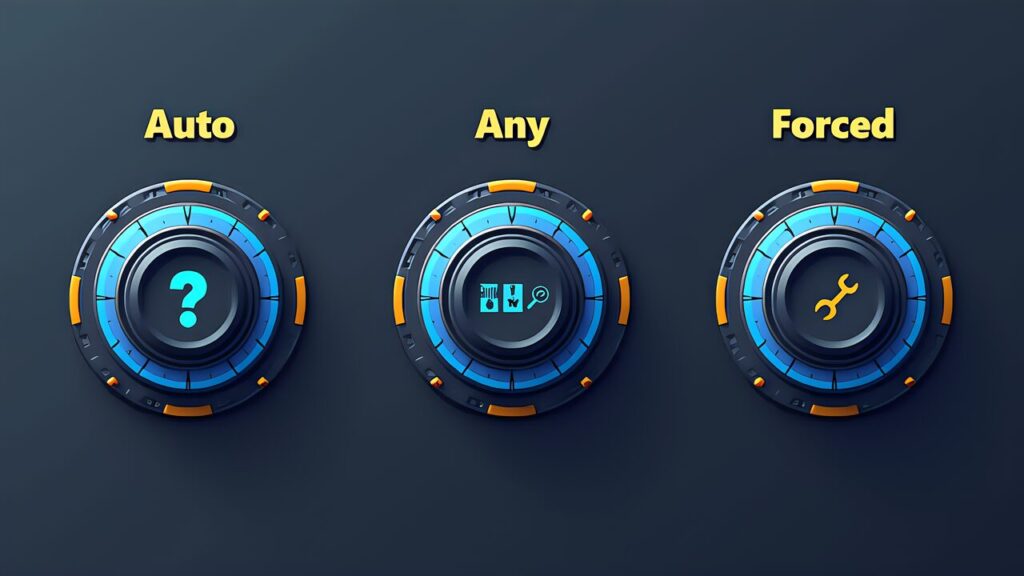
As the number of available tools increases, LLM selection accuracy decreases. This is because more tools mean more similar descriptions to distinguish between, increasing the cognitive load on the model.
| Mode | Behavior | Use Case |
|---|---|---|
auto | Model decides whether and which tool to call (default) | General conversation with optional tool use |
any | Must call a tool, but model chooses which one | When tool use is required but selection is flexible |
tool (forced) | Must call a specific named tool | Fixed pipeline steps |
# auto: Model decides (default)
response = client.messages.create(
    model="claude-sonnet-4-6",
    tools=tools,
    tool_choice={"type": "auto"},
    messages=messages
)

# any: Must call a tool, model chooses which
response = client.messages.create(
    model="claude-sonnet-4-6",
    tools=tools,
    tool_choice={"type": "any"},
    messages=messages
)

# forced: Call a specific tool
response = client.messages.create(
    model="claude-sonnet-4-6",
    tools=tools,
    tool_choice={
        "type": "tool",
        "name": "lookup_order"
    },
    messages=messages
)
Key Point
Grant agents only the tools needed for their role.
get_customer, lookup_order, create_ticketcheck_inventory, update_stock, reorder_itemverify_fact for a synthesis agent)Replace unconstrained generic tools like fetch_url with purpose-constrained tools:
fetch_url → load_document(url, allowed_domains=["docs.example.com"])Q: A synthesis agent is routing through a coordinator for fact-checking. How can you improve latency?
A) Add a scoped verify_fact tool directly to the synthesis agent
B) Increase the coordinator’s iteration limit
C) Add fact-checking instructions to the synthesis agent’s prompt
D) Cache all previous fact-check results
Correct: A — Granting a scoped tool directly eliminates the coordinator round-trip while maintaining access control.
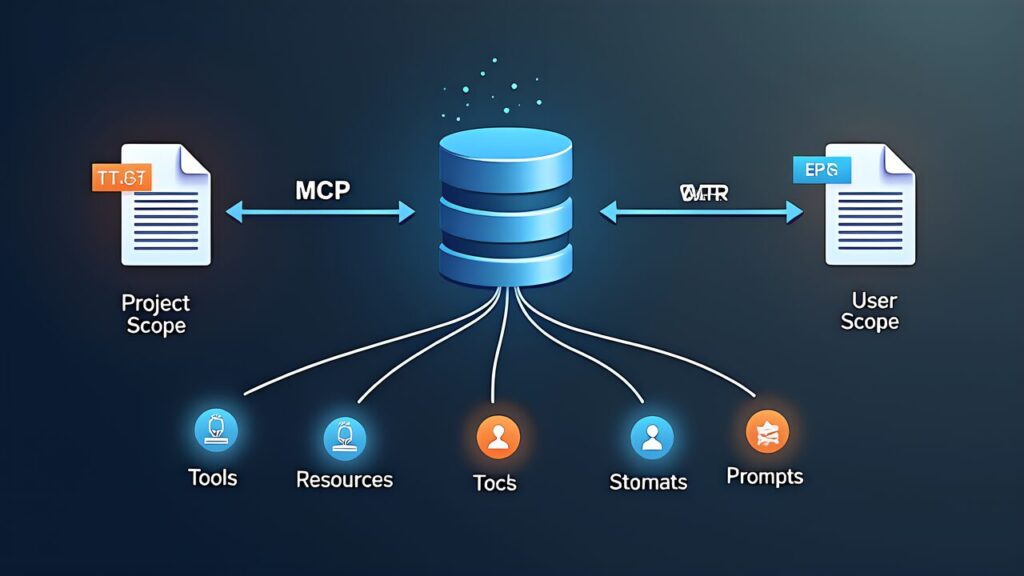
MCP (Model Context Protocol) servers connect LLMs to external tools via a standardized protocol. Configuration is defined in JSON files.
| File | Scope | Use Case |
|---|---|---|
.mcp.json | Project scope (shared within repository) | Team-shared tool configurations |
~/.claude.json | User scope (personal environment) | Individual credentials, personal preferences |
{
    "mcpServers": {
        "docs-server": {
            "command": "npx",
            "args": ["-y", "@company/mcp-docs-server"],
            "env": {
                "DOCS_API_URL": "${DOCS_API_URL}",
                "DOCS_API_KEY": "${DOCS_API_KEY}"
            }
        }
    }
}
API keys are expanded from environment variables. Hardcoding is a security risk. If personal credentials are needed, separate them into ~/.claude.json.
Key Point
Specifically, the CCA exam tests the distinction between three capabilities: Tools, Resources, and Prompts.
| Capability | Description | Effect |
|---|---|---|
| Tools | Executable operations provided by the server | LLM interacts with external systems |
| Resources | Content catalogs (issue lists, document hierarchies, DB schemas) | Reduces exploratory tool calls |
| Prompts | Reusable prompt templates | Provides consistent operation patterns |
Additionally, Resources are content catalogs published by the server, allowing the LLM to know “what’s available” in advance.
Q: What is the correct difference between .mcp.json and ~/.claude.json?
A) .mcp.json is user-specific, ~/.claude.json is project-specific
B) .mcp.json is project scope (shared within repository), ~/.claude.json is user scope (personal environment)
C) Both are the same scope and interchangeable
D) .mcp.json is CLI-only, ~/.claude.json is API-only
Correct: B — .mcp.json is placed at the repository root for team sharing. ~/.claude.json is for personal environment settings.
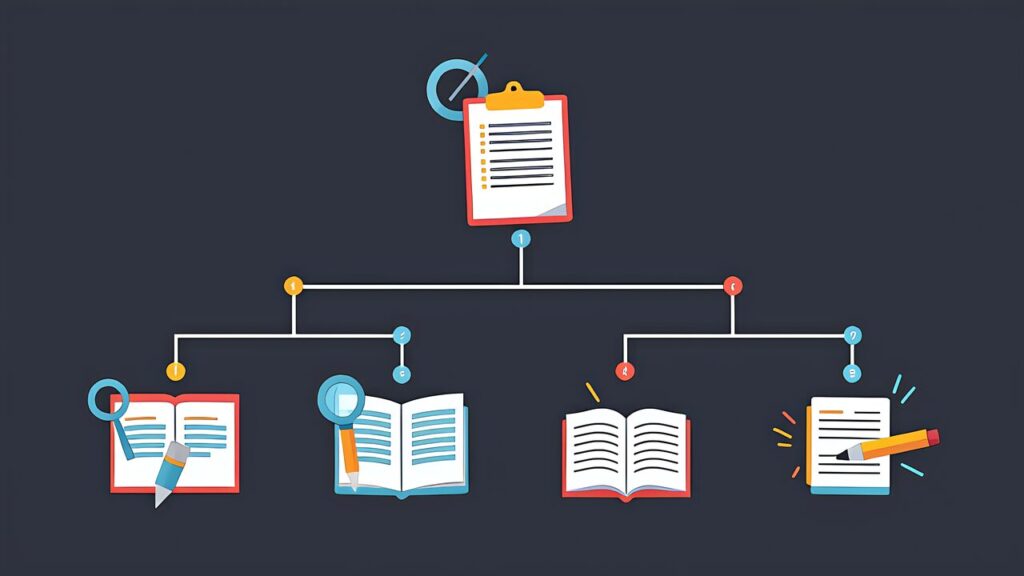
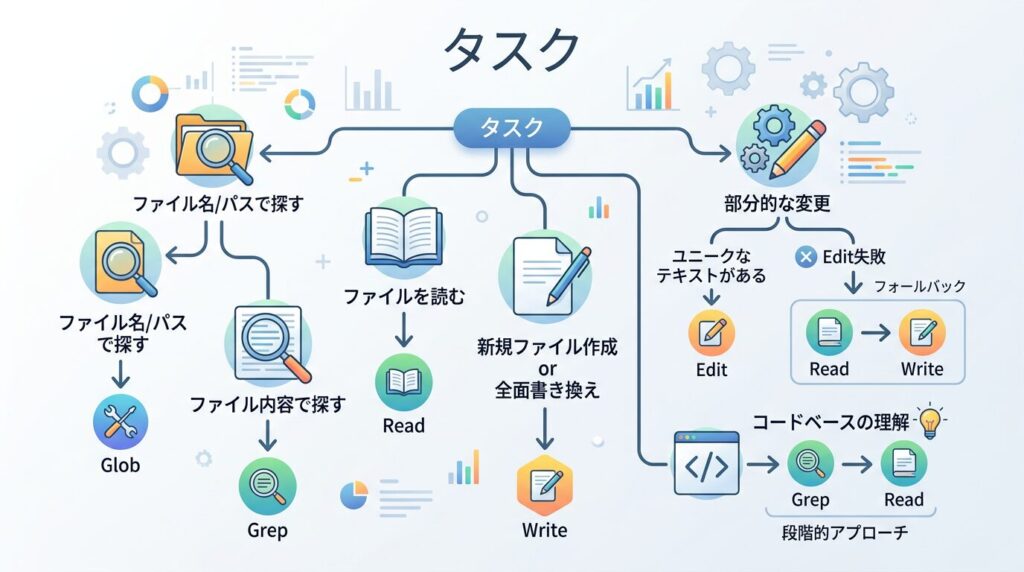
For example, tools built into environments like Claude Code each have distinct purposes.
| Tool | Purpose | Use Example |
|---|---|---|
| Grep | Content search (search within file contents) | Searching for function names, error messages, import statements |
| Glob | File path pattern matching | Finding files by name/extension (**/*.test.ts) |
| Read | Read entire file | Checking file contents, reading config files |
| Write | Write entire file | Creating new files, complete rewrites |
| Edit | Partial modification | Changing specific lines, find-and-replace |
| Bash | Shell command execution | Running tests, git operations, builds |
| Scenario | Correct Tool | Reason |
|---|---|---|
| “Find where handleAuth is defined” | Grep | Searching file contents |
| “Find all test files” | Glob (**/*.test.ts) | Searching file paths |
| “Find files importing Redis” | Grep | Searching file contents (import statements) |
When Edit fails (e.g., the target string doesn’t match), the fallback pattern is: Read the file → modify content → Write the entire file back.
When exploring an unfamiliar codebase, follow this progression:
Q: An Edit operation fails because the target string doesn’t match the actual file content. What is the correct recovery approach?
A) Retry Edit with a different string
B) Use Grep to find the correct string, then retry Edit
C) Read the file, modify the content, and write it back with Write
D) Use Grep to find the location, then retry Edit
Correct: C — Edit’s fallback is the “Read → modify → Write” pattern.
Similarly, let’s apply Domain 2 knowledge to an actual design challenge. Here, we design an MCP server for an internal document management system to sharpen CCA exam tool design and MCP integration judgment.
In particular, design an MCP server connecting to an internal Confluence-like document management system with three requirements:
First, split into purpose-specific tools rather than a single generic manage_document.
| Tool Name | Description (Key Points) | Reason for Splitting |
|---|---|---|
| search_docs | Search documents by keyword/tag. Returns title, summary, last updated. Use read_doc to get specific document content | Separate search from viewing |
| read_doc | Retrieve full text by document ID (format: DOC-XXXXX). Returns in Markdown format | Specialized for single document reading |
| create_doc | Create new document. title, content, tags, space are required | Separate creation from editing |
| update_doc | Update existing document content. doc_id and content required. Use rename_doc for title changes | Limited to partial updates |
| check_permissions | Check view/edit permissions for document or space. Cannot make changes | Read-only |
In conclusion, the key point is explicitly stating “what this tool cannot do” in each description. Writing “use read_doc to get specific document content” in search_docs prevents the LLM from attempting to retrieve content directly from search results.
Apply the four-category classification to each tool’s error responses.
# Permission error (not retryable)
{
    "is_error": True,
    "content": json.dumps({
        "errorCategory": "permission",
        "isRetryable": False,
        "message": "You don't have edit access to DOC-12345",
        "suggestedAction": "request_access_from_owner"
    })
}
Key Point
{
    "mcpServers": {
        "docs-server": {
            "command": "npx",
            "args": ["-y", "@company/mcp-docs-server"],
            "env": {
                "DOCS_API_URL": "${DOCS_API_URL}",
                "DOCS_API_KEY": "${DOCS_API_KEY}"
            }
        }
    }
}
API keys expand from environment variables. Hardcoding is a security risk. When personal credentials are needed, separate them into ~/.claude.json.
In other words, rather than granting all MCP server tools to every agent, allocate by role.
| Agent Role | Granted Tools | Reason for Exclusion |
|---|---|---|
| Research | search_docs, read_doc | Edit permissions unnecessary |
| Content Creator | search_docs, read_doc, create_doc, update_doc | Permission management handled by admin |
| Administrator | All tools | Full access required |
Not granting update_doc to research agents structurally prevents accidental edits during investigation. This follows the same principle of least privilege learned in Domain 1’s T1.3.
Specifically, implement Resources in the MCP server to reduce exploratory tool calls.
| Resource | Content | Reduction Effect |
|---|---|---|
| Space list | Available document spaces and descriptions | Eliminates “first search for spaces” step |
| Recent updates | Documents updated in the last 24 hours | Reduces tool calls during daily reviews |
| Template list | Available document templates | Reduces template search tool calls |
With Resources, the LLM knows “what’s available” in advance, shortening the “first get the list → then get details” two-step exploration to a single step.
| Checkpoint | Related Task |
|---|---|
| Does each tool’s description include purpose, format, and boundaries? | T2.1 |
| Do error responses include errorCategory and isRetryable? | T2.2 |
| Are tools scoped by agent role? | T2.3 |
| Is the MCP configuration correctly scoped (project vs user)? | T2.4 |
| Are Resources implemented to reduce exploratory calls? | T2.4 |
Domain 2 tests practical design skills rather than theoretical knowledge. Every question can be answered by asking: “Does this design help the LLM make better tool selections with less ambiguity?” When in doubt, choose the option that provides more structure, clearer boundaries, and deterministic behavior.
Key Point: This article covers CCA exam tool design and MCP integration patterns. For practical preparation, combine hands-on learning through the Anthropic Academy official course with practice on mock exam sites. Also refer to our Complete Guide (Day 1) for the recommended “three-pillar” study strategy.
For more information, visit Model Context Protocol.