

Plan Winter Indoor Growing with AI: Choose Plants from Window Light and Room Temperature
swiftwand swiftwand.ai
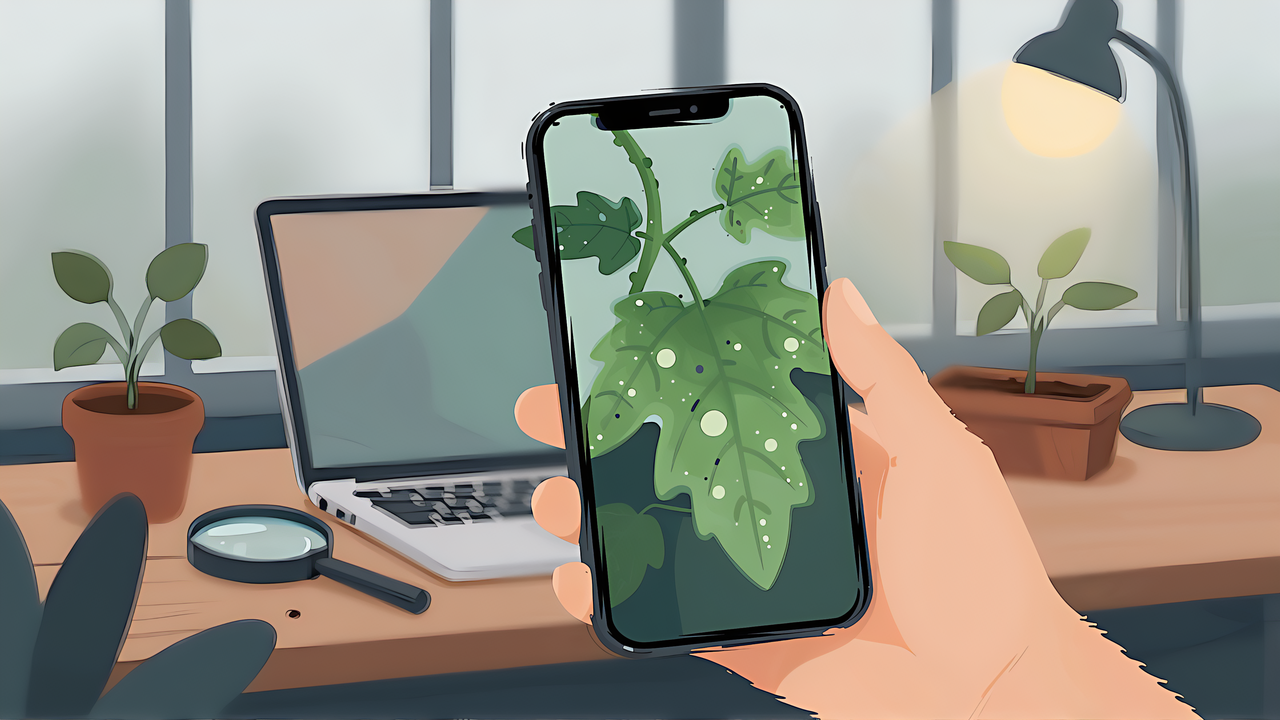
White spots on a leaf, lower leaves turning yellow. Snap a photo, show it to an AI and you get a plant diagnosis on the spot. What the reply does not tell you is how often that kind of answer is right. Papers report accuracy figures of 99%, yet nothing guarantees that the chat AI on your phone performs anywhere near that. If you want to use AI to diagnose plants, you first need to know what it gets right and what it gets wrong.
This article contains affiliate links. As an Amazon Associate, we earn from qualifying purchases.
For this article we gave 33 tomato leaf images with known labels from public datasets to AI models from two companies, Claude and OpenAI, and sorted every answer into four bins: identified, listed as a candidate, wrong, or confidently wrong. The short version: both models identified leaf miner damage in every case, and the only four “high confidence” answers were all correct. Nutrient deficiencies and spider mite damage photographed in the field were almost never identified by either. No answer was confidently wrong, but some said “healthy” and missed a deficiency. From these results we derive how to ask and how to verify.
The most cited study on image-based plant disease detection is the 2016 paper by Mohanty, Hughes and Salathé in Frontiers in Plant Science. It trained convolutional neural networks on PlantVillage, a dataset of 54,306 images in 38 classes (14 crops, 26 diseases plus healthy), and reached 99.35% accuracy on held-out test images.
That number comes with conditions. PlantVillage photos were taken by picking leaves from research plots and placing them on gray or black paper outdoors. Most of the background was cropped out and leaves were aligned. The paper itself calls these controlled conditions. When training and test images are shot the same way, accuracy above 99% is achievable.
The same paper reports another number: the best model tested on images collected from the web. Accuracy was 31.40% on one set of 121 images and 31.69% on another set of 119. That is far above the 2.63% of random guessing across 38 classes, but a drop from 99% to around 31%. According to the paper, the best setup differed between the two sets: a model trained on background-removed leaves for the 121 images and a model trained on color images for the 119 (both GoogLeNet with transfer learning). The takeaway is that accuracy falls sharply on images collected and shot differently from the training data, which is also the starting point of this article. It was not, however, an experiment that isolated shooting conditions alone.
A photo you take with a phone is not a single leaf on paper. Soil and pots appear in the background, light comes in at an angle from a window and the leaf is still on the plant, tilted. You cannot carry research numbers over to your own diagnosis.
Nearly every model that performs well in research was trained or fine-tuned for that task.
LLMI-CDP, published in Scientific Reports in 2025, fine-tuned VisualGLM-6B with LoRA and evaluated it on the authors’ own dataset of 2,498 images in 141 categories. It was compared with open-source vision models, and evaluation was done in Chinese. It was not compared with ChatGPT, Gemini or Claude. The authors themselves note as a limitation that relying on GPT-4 alone to grade answers does not guarantee the accuracy of control recommendations.
A study in Frontiers in Plant Science in September 2026 reports that the general vision model Qwen3-VL-8B used as is scored 53.87% on tomato and 47–67% across crops. Adding multi-agent search and self-training fine-tuning raised tomato to 94.67% and the others into the 90s. The authors state as a limitation that all experiments used lab-condition PlantVillage images.
A July 2026 review in the same journal lists, among the challenges of using large language models for plant protection, that a single general model is not reliable enough across diverse tasks, and discusses fine-tuning, knowledge graphs and multi-agent setups as remedies.
To summarize:
| Condition | Reported accuracy | Source |
|---|---|---|
| CNN trained for this classification, images shot the same way | 99.35% | Mohanty et al. 2016 |
| Same CNN (best setup per external set), images collected from the web | 31.40% / 31.69% | Mohanty et al. 2016 |
| General vision model (Qwen3-VL-8B) as is, lab images | 47–67% | Front. Plant Sci. 2026 |
| Same model plus a disease classification pipeline and fine-tuning, lab images | 94.7–99.7% | Front. Plant Sci. 2026 |
The chat AI most readers use sits closest to the third row. It was not fine-tuned for plant diagnosis, and your photos are not lab images. So how does it actually answer? That is what our own test set out to see.
If you want to understand how language and vision models handle images and text, and why a fine-tuned model behaves differently from a general one, this hands-on book covers the fundamentals.
We chose photos from public datasets with clear licenses. We could not find a public houseplant dataset whose distributor states a license, so we used vegetable leaves. We do not reproduce the photos here and link to the distributors instead. Section images in this article are illustrations, not the test photos.
| Item | Details |
|---|---|
| Photos A | PlantVillage (CC BY-SA 3.0), 5 tomato classes × 3 = 15 images, 256×256, shot on paper |
| Photos B | OLID I (CC BY 4.0), 6 tomato classes × 3 = 18 images, shot in fields in Bangladesh, resized from 3024×3024 to 1024×1024 with EXIF removed |
| Sampling | 3 random images per class, renamed P01–P15 and O01–O18, labels kept in a separate file |
| Claude | Claude Code CLI with claude -p, model claude-sonnet-5, no tools, MCP or project settings, system prompt set to one sentence: “You are a helpful assistant.” |
| OpenAI | Codex CLI with codex exec, model gpt-6-astra (medium reasoning), web search disabled (web_search=”disabled”) and MCP servers set to empty (mcp_servers={}), default system prompt. All 33 runs logged failed attempts to connect to MCP servers configured on our PC |
| Gemini | Not run. The Gemini CLI rejected authentication on a personal free tier |
We renamed the files because dataset folder and file names contain disease names. The OpenAI help page on image inputs says ChatGPT does not process image file names or metadata, but we could not find the same statement for the Codex CLI we used, nor for Claude, so we neutralized names for both. We turned off web search for OpenAI because with it enabled the model answers from search results, which would make the two setups unequal. The setups are still not perfectly equal: only Claude got a custom system prompt, and on the OpenAI side connection attempts were logged even with MCP set to empty. Our logs cannot tell whether those attempts led to any tool use.
The prompt told the model the crop was tomato but gave no symptom label:
This is a photo of a tomato leaf. Please diagnose the condition of this leaf.
Tell me whether it is healthy, and if there is a problem, what the likely cause is,
together with the evidence you can see in the photo.
End with these three lines:
Most likely:
Other candidates:
Confidence (high, medium, low):
Scoring was mechanical. If the correct label was the most likely answer, it counted as identified; if it appeared only among other candidates, listed as a candidate; if absent with medium or low confidence, wrong; if absent with high confidence, confidently wrong. For the class with both nitrogen and potassium deficiency, naming only one counted as partial. Terms were matched with regular expressions and all 66 answers were also checked by eye, which led to three corrections. One Claude answer whose top line was “no major abnormality,” with spider mites only mentioned as a possibility, was moved to listed as a candidate. One OpenAI answer where the regex had matched “mite” in broad mite (a different family, Tarsonemidae, from spider mites) was changed to wrong. One Claude answer had a broken confidence line that could not be parsed, but ended with “confidence (low),” so it was counted as low.
| AI | Photos | Identified | Candidate | Partial | Wrong | Confidently wrong |
|---|---|---|---|---|---|---|
| Claude | PlantVillage 15 | 8 | 2 | 0 | 5 | 0 |
| Claude | OLID I 18 | 6 | 1 | 3 | 8 | 0 |
| OpenAI | PlantVillage 15 | 4 | 3 | 0 | 8 | 0 |
| OpenAI | OLID I 18 | 6 | 2 | 2 | 8 | 0 |
By class, what the models got right and wrong splits cleanly.
| Source | True label | Claude (id / cand / partial / wrong) | OpenAI (id / cand / partial / wrong) |
|---|---|---|---|
| PlantVillage | Two-spotted spider mite | 1 / 1 / 0 / 1 | 1 / 0 / 0 / 2 |
| PlantVillage | Healthy | 3 / 0 / 0 / 0 | 1 / 1 / 0 / 1 |
| PlantVillage | Late blight | 1 / 0 / 0 / 2 | 1 / 0 / 0 / 2 |
| PlantVillage | Leaf mold | 0 / 1 / 0 / 2 | 0 / 0 / 0 / 3 |
| PlantVillage | Early blight | 3 / 0 / 0 / 0 | 1 / 2 / 0 / 0 |
| OLID I | Potassium deficiency | 0 / 0 / 0 / 3 | 0 / 0 / 0 / 3 |
| OLID I | Spider mite | 0 / 0 / 0 / 3 | 0 / 0 / 0 / 3 |
| OLID I | Leaf miner | 3 / 0 / 0 / 0 | 3 / 0 / 0 / 0 |
| OLID I | Healthy | 3 / 0 / 0 / 0 | 2 / 1 / 0 / 0 |
| OLID I | Nitrogen and potassium deficiency | 0 / 0 / 3 / 0 | 0 / 0 / 2 / 1 |
| OLID I | Nitrogen deficiency | 0 / 1 / 0 / 2 | 1 / 1 / 0 / 1 |
Out of 33 leaves, Claude identified 14 and OpenAI 10 as the most likely answer. With only three images per class and a single run, that gap does not show that Claude is better at plant diagnosis in general. All we can say is that this is what happened with these 33 leaves. Claude averaged 26.3 seconds per image and OpenAI 20.5 seconds, and Claude’s API-equivalent cost for all 33 images was 1.12 US dollars.
Leaf miner damage was the one class both models got right on all three images. As the answers explained, larvae tunnel inside the leaf and the trails show up as white lines on the surface. It is a distinctive symptom, and no answer confused it with another disease.
One Claude answer gave this evidence:
Several white, winding line-shaped trails are visible on the leaf surface.
It then named leaf miner as most likely with high confidence. Of all 66 answers, only four carried high confidence, all four were on leaf miner photos and all four were correct.
Healthy leaves also scored fairly well. Claude called all six healthy leaves healthy; OpenAI called three healthy as the top answer and listed healthy as a candidate for two more. For early blight photographed on paper, Claude named it as the top answer on all three, each time citing dark brown spots as evidence.
The common thread is that the feature is clearly visible in a single photo: linear tunnels, brown spots, an undamaged green leaf. Symptoms that can be judged from shape and color alone were easier for general chat AI.
Two symptoms were almost never identified by either model.
The first is nutrient deficiency. Both models got zero of three potassium deficiency images. Across the nine images of nitrogen deficiency, potassium deficiency or both, Claude gave “healthy” as the top answer for six. For one nitrogen deficiency photo, Claude’s top answer was:
Healthy leaf (no signs of disease or pests; presumably a normal leaf removed during pruning or training)
Early deficiency often shows only as slightly paler color, and a single leaf is hard to tell apart from a normally pale one. Several answers noticed the paleness but attributed it to lighting or natural aging of lower leaves. Both models also offered magnesium deficiency as the top answer several times, reading interveinal yellowing as a different element.
The second is spider mite damage photographed in the field. Both models got zero of three. Claude called a purplish leaf “phosphorus deficiency or temporary purpling from cold,” and OpenAI answered “physiological leaf curl from environmental stress” or “mild yellowing.” Yet on the PlantVillage spider mite images shot on paper, both identified one of three, and Claude listed it as a candidate on another. The same pest scored differently across datasets. The two datasets differ not only in how they were shot but also in the leaves and locations, so this is not a clean test of shooting conditions. It does point the same way as the drop Mohanty et al. saw on web images.
Both models identified zero PlantVillage leaf mold images, calling the mottling a viral mosaic or spider mite feeding damage. The photos showed one side of the leaf only, and some answers named not seeing the underside as a limit of their judgment.
The most important result is the shape of the misses. Confidently wrong answers, where the correct label was absent but confidence was high, numbered zero for both. Every miss came with medium or low confidence and named a different cause.
| Confidence | Claude (identified / answers) | OpenAI (identified / answers) |
|---|---|---|
| High | 2 / 2 | 2 / 2 |
| Medium | 6 / 11 | 5 / 11 |
| Low | 6 / 20 | 3 / 20 |
On these 33 leaves, high confidence was trustworthy. But the four high answers were the two providers responding to the same two leaf miner photos, so the same may not hold for other photos, prompts or models. Medium was right only about half the time: OpenAI gave medium confidence to spider mite damage on a healthy leaf and to leaf miner damage on a late blight leaf. For these results, read medium as “coin flip” rather than “probably right.” Low is best used as a list of candidates to check rather than as a clue.
The answers also contained hints for verification. Several named the limits of a photo unprompted. As information missing for its judgment, one Claude answer listed:
The state of the underside of the leaf (pest eggs, mites and powdery mildew tend to appear on the underside)
One OpenAI answer said to check the underside with a loupe first, and another closed with “avoid deciding on fertilizer or spraying based on this photo alone.” Both AIs admitted in their answers that one photo does not settle it. The real problem is a user who reads only the top line and stops.
From these results, it helps to fix three habits in how you ask.
First, always ask for candidates and a confidence level. Specifying the three lines (most likely, other candidates, confidence) as in our prompt tells you how to read the answer. Kindwise, which offers the plant disease API plant.health, notes in its FAQ that overwatering and nutrient deficiency can show at once and recommends presenting several possible causes. The company states, as its own figure, that the correct diagnosis is within the top three results in more than two-thirds of queries (73%). Even a dedicated plant health API is designed not to decide on the first result alone.
Second, describe the situation along with the photo: which leaves are affected (lower or new), when the symptom began and how it spread, and the light and watering at that spot. Some answers in our test said it would help to know whether symptoms start on older lower leaves. Give in words what a single photo cannot show. Our test deliberately sent only one leaf photo to keep conditions equal, but in real use, more context is better.
Third, do not stop after one exchange. The PlantInquiryVQA paper in Findings of ACL 2026 (posted to arXiv in April the same year) reports that asking questions step by step increased correct answers and reduced hallucinated output. Once you have candidates, ask back for the observation that separates them, such as “if the underside shows this feature it is A, otherwise B; is that right?”
Here is an example prompt for real use:
This is a photo of a tomato leaf from a plant I grow indoors.
The symptom started on older lower leaves and spread to three leaves in about a week.
The plant sits by a window and I water it every two days.
List up to three likely causes in order of likelihood,
with the evidence visible in the photo and a confidence level (high, medium, low) for each.
Also tell me where to look next to tell the candidates apart (underside of leaves, new leaves, etc.).
Do not name pesticides or explain how to use them.
The last line is there for legal reasons explained below.
If you want to evaluate model answers systematically rather than one chat at a time, this book covers how to design, test and evaluate applications built on foundation models.

 ポチップ
ポチップOnce you have an answer, verify it in this order.
On the last point, Japan has a plant protection office in each prefecture. The Ministry of Agriculture, Forestry and Fisheries asks people who find unfamiliar pest damage to report it to a local extension body, the prefectural plant protection office or a plant quarantine station, and publishes a list of those offices. Other countries have different systems, so look for your local public advisory service, such as a county Extension office in the United States.
Use AI answers as material for deciding the order of checks. The value of a general chat AI for plant diagnosis is that it tells you what to check, quickly.
After a diagnosis comes the question of what to do. It is better not to ask an AI for pesticide names or how to use them. In our test, one answer that named leaf miner went on, after suggesting removing affected leaves, to mention using a pesticide (while urging the reader to check the label). We excluded pesticide recommendations from scoring and do not cover them here either.
The reason is legal. In Japan, Article 24 of the Agricultural Chemicals Control Act prohibits using any pesticide other than registered pesticides bearing the legally required label and specified pesticides. Article 25 prohibits using pesticides in violation of the user standards set by the government, and Article 2 of the ministerial ordinance setting those standards requires users on food or feed crops to follow the crops, amounts, dilution, timing and total number of applications on the label. Separately, users of any plant must make an effort to use pesticides safely and properly according to the label.
The ministry explains that this also applies to home vegetable gardens and gardening, and that following the crops and usage on the label keeps both people and crops safe (proper use of pesticides). A chat AI may write general advice without knowing what a specific label says. Decide whether and what to use from the product label and your local public authority. Other countries have their own labeling rules; follow those. This section summarizes Japanese law and is not legal advice.
A chat AI is not the only place to show a plant photo.
| Type | Examples | Characteristics |
|---|---|---|
| Chat AI | Claude, ChatGPT, Gemini | You can add context in words and ask follow-ups. Not fine-tuned for plants |
| Plant app | PictureThis | The developer advertises automatic diagnosis and treatment of plant diseases. Free download with paid subscription plans |
| Plant API | Kindwise plant.id (species identification) and plant.health (548 symptom classes) | For developers. 100 free credits on sign-up; from 0.05 euros per call when buying 1,000 credits, with lower unit prices at volume (pricing). Credits bought in batches of 30,000 or more are valid for three months |
| Image search | Google Lens | Officially described for identifying plant names. It does not claim to diagnose disease |
Each chat AI has image input limits. The Claude Help Center lists JPEG, PNG, GIF and WebP, 500 MB per file and 20 files per chat, images up to 8000×8000 pixels, and recommends 1000×1000 or larger. ChatGPT supports PNG, JPEG and non-animated GIF, up to 20 MB per image, and free users are limited to three file uploads per day (file uploads FAQ). The Gemini Apps Help allows up to 10 files and 100 MB per prompt. The units differ: Claude’s 20 files are per chat and Gemini’s 10 are per prompt, not per day. Of the official pages we checked, only ChatGPT’s free plan listed a daily limit.
Plant-specific APIs and apps may do better than a chat AI in some cases because they are built for plants. But plant.health’s 73% is also the developer’s own figure, and the product page does not say how it was measured. Whatever the tool, the method stays the same: list candidates and verify.
Verifying AI answers against primary sources works the same way outside plants. In our test of AI-generated practice questions, correctness depended not on the wording of the AI but on whether we prepared something to check against. The minimal claude -p setup we used here, and how to think about its cost, is covered in our guide to Claude Code permissions and cost for unattended runs.
Even so, the pattern that high confidence was reliable while deficiencies and field spider mites were hard pointed the same way for both providers. As a guide to using AI for plant diagnosis, we consider it usable.
A single photo returns candidates in seconds. Use those candidates not as the final answer but as a reason to turn the leaf over.




