MechStyle AI 3D Printing Proves "Unbreakable Beauty": How MIT Is Redefining Generative Design
swiftwand swiftwand.ai

The success of resin 3D printing isn’t determined by the printer itself or the resin material. It’s the slicer software. Layer thickness, exposure time, support placement, and anti-aliasing settings all directly impact print quality. In 2026, AI-driven resin slicer technology is advancing rapidly, and the era of manual parameter tuning is ending. This article provides a thorough comparison of the three leading tools—Chitubox, Lychee Slicer, and UVtools—from the perspectives of functionality, workflow, and AI integration, offering guidance on when and how to use each.
This article contains affiliate links. As an Amazon Associate, we earn from qualifying purchases.
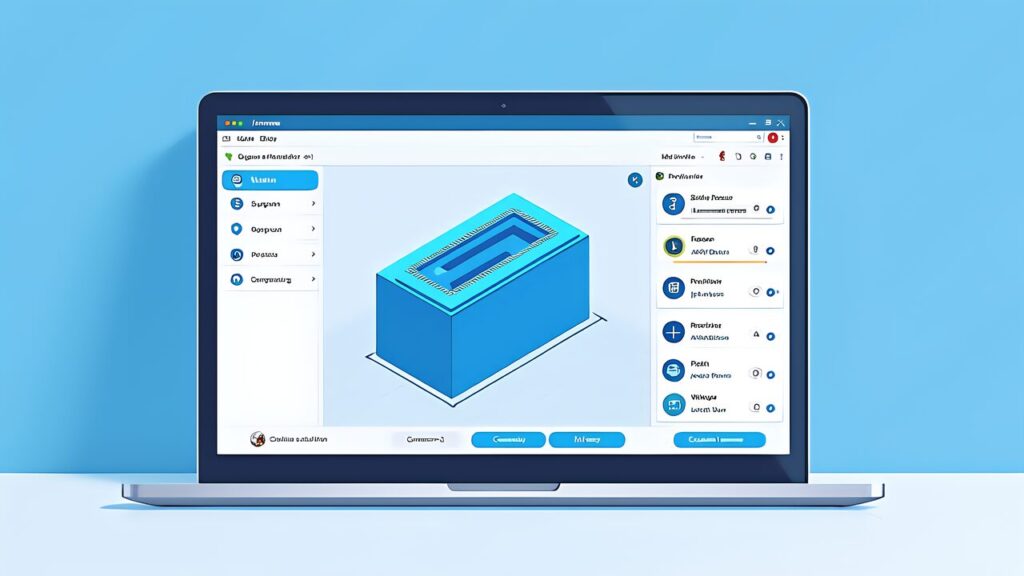
Chitubox is the most widely used resin slicer software in the 2026 AI-driven ecosystem. The majority of MSLA/DLP resin printers officially support Chitubox, establishing it as the de facto standard. Its dominance stems from over a decade of market presence and continuous updates to match new printer hardware releases.
AI Integration: Chitubox’s cloud-based analysis feature automatically recommends support placement and exposure times based on print file geometry. The neural network learns from community print success data, and recommendations improve dynamically. For complex geometries, AI can reduce manual tuning by 60-70%. The free tier includes basic recommendations; premium users get advanced optimization for batch printing and multi-material workflows.
Support Generation and Placement: The support system is highly customizable with options for pillar diameter, anchor size, and density. Tree-style and linear supports are both available. The “raft” feature for base layer adhesion is configurable. Native undo/redo makes iterative refinement quick. Import STL/OBJ directly or use parametric design files (.scad formats) for procedural modeling.
Profile and Material Library: Chitubox ships with profiles for most major printer and resin combinations. The community profile sharing system allows users to upload and download verified settings. This crowdsourced database is a major advantage for beginners—you can instantly find settings for your printer and resin brand with high success probability.
UI/UX: Chitubox has a steeper initial learning curve than FDM slicers (Cura/PrusaSlicer), as resin printing involves more parameters. However, the default presets are well-tuned. The interface can feel cluttered with 50+ adjustment parameters visible at once. Keyboard shortcuts help power users, but the UI lacks dark mode in older versions (available in 2026 v5.0+).
File Format Support: Supports all major proprietary formats—.ctb (Chitubox), .photon (Anycubic), .cbddlp (Creality)—and can import from multiple sources. Export is format-specific, so switching between printers requires re-slicing the same file.
Pricing: Free version covers 90% of use cases. Premium ($4.99/month) adds AI batch optimization, unlimited cloud storage, and priority support. No one-time purchase option available—subscription only.
Exposure calibration only becomes repeatable once you fix one standard resin as your baseline.

 ポチップ
ポチップ
Lychee Slicer has gained significant market share since 2024 as a modern, workflow-optimized alternative to Chitubox. It targets professionals and small manufacturers who value UI/UX refinement and batch processing capabilities over entry-level simplicity. Its 2026 version includes stronger AI integration and real-time print time estimation.
AI Integration: Lychee’s “Smart Supports” uses GPU-accelerated generative AI to place supports with minimal manual intervention. It analyzes the 3D geometry in 3-5 seconds and recommends placement that minimizes print time while maximizing success. Users can accept, reject, or edit individual supports. The algorithm learns from historical print outcomes across the Lychee community. Significantly faster than Chitubox for complex parts (800+ vertices).
Workflow Advantages: Lychee excels at repetitive production scenarios. The “Print Queue” system allows queuing multiple parts with different support strategies and generates an optimized nesting layout for the build platform. For small businesses, this feature alone saves 2-3 hours per production day. Batch CSV import lets you process dozens of files with parametric variations in minutes.
Preview and Simulation: The preview rendering is photorealistic, showing predicted resin surface finish and layer artifacts. Ray-traced shadows make it easier to spot potential defects before printing. Simulation can estimate print success probability (70%-95% range) based on file geometry and selected exposure settings.
Profile Support: Comprehensive built-in profiles for major printers and resins. Community profile sharing is robust. Users can post print success rates with each profile, creating a reputation system for verified settings.
UI Characteristics: Lychee Slicer features a modern interface with dark mode as default. The dense layout can be overwhelming, but customizable workspaces help. Preview quality is superior to Chitubox. Learning curve is slightly steeper than Chitubox due to more features, but the interface is more intuitive for professionals.

UVtools occupies a different niche than Chitubox or Lychee Slicer. It’s not a slicer itself, but a post-processing tool for analyzing and repairing sliced data (.ctb, .photon, and other proprietary formats). In the 2026 AI-driven resin slicer ecosystem, UVtools serves as the final quality-control checkpoint before printing.
Core Features: UVtools can load any sliced file and inspect it layer-by-layer. It identifies common defects—thin walls, disconnected islands, over-exposed areas—and flags them with visual overlays. The AI-powered “repair” mode automatically attempts to fix defects by adjusting layer geometry, removing isolated pixels, and reinforcing weak structures. For files with complex internal structures, this automated repair can save hours of manual editing.
Layer-by-Layer Editing: Manual layer editing is detailed and powerful. You can select individual layers, paint away pixels, split layers, or duplicate layers for gradient effects. This granular control is invaluable for fixing design errors that shouldn’t require re-slicing from scratch.
File Format Support: Reads and writes most proprietary formats (.ctb, .photon, .cbddlp, .pws, etc.). You can convert between formats—e.g., re-export a Chitubox .ctb file as an Anycubic .photon for compatibility testing. This cross-compatibility is a huge advantage when working across different printers.
Analysis Tools: The “Statistics” view shows per-layer exposure time, pixel count, and potential light-bleed areas. Real-time analysis of the slice data can predict areas prone to failure, letting you adjust printer settings preemptively. The “Island Detection” tool highlights unsupported pixels that will likely fail—essential for complex geometry validation.
Cost: Open-source and free. Community-driven development, regularly updated. No cloud features, everything runs locally on your machine—faster and no privacy concerns.
| Feature | Chitubox | Lychee Slicer | UVtools |
|---|---|---|---|
| Primary Role | Full-Featured Slicer | Premium Slicer + Workflow | Post-Slice Analysis/Repair |
| AI Support Placement | Yes (Cloud-Based) | Yes (GPU-Accelerated) | N/A |
| Batch Processing | Limited (Premium) | Excellent (Print Queue) | N/A |
| Layer-by-Layer Editing | No | No | Yes (Advanced) |
| Format Support | All Major Formats | All Major Formats | All Major Formats + Convert |
| Learning Curve | Steep | Steeper | Moderate |
| Dark Mode | Yes (v5.0+) | Yes (Default) | Yes |
| Cost | Free + $4.99/mo Premium | $149/yr or $15/mo | Free (Open Source) |
| Best For | General Use + Hobbyists | Small Manufacturers | Quality Assurance + Repair |
Recommended Workflow: Chitubox (Free) → Print
For hobbyists with a single resin printer, Chitubox’s free version is the easiest entry point. The default profiles for your printer/resin combination provide reliable results with minimal tuning. If prints fail, use Chitubox’s AI recommendations or consult the community profile library. No need for UVtools at this stage—successful prints on first try are common with modern AI.
Recommended Workflow: Lychee Slicer → UVtools (Spot-Check) → Print
Lychee’s Print Queue and batch CSV import save significant time for repetitive production. Use Smart Supports for each file, then run 1-2 files through UVtools Island Detection to verify no hidden defects exist. For complex geometry, UVtools repair mode can automatically fix minor issues without re-slicing. This hybrid workflow balances speed and quality.
Recommended Workflow: Chitubox or Lychee (Batch) → UVtools (Automated Repair) → Print
At scale, use Lychee’s batch tools to slice dozens of files in parallel. Integrate UVtools via command-line API to automatically inspect and repair all files before queuing to printers. The AI repair mode in UVtools can fix 80-90% of predictable defects without human intervention. This fully automated pipeline reduces manual QA time to ~5 minutes per 100 parts.
Recommended Workflow: Chitubox (AI Recommendations) → UVtools (Layer Review) → Print
For rapid prototyping, Chitubox’s AI provides quick-turnaround support suggestions. Before committing to print, use UVtools to visually inspect the slice layer-by-layer. This catches design flaws (thin walls, bridging errors) before wasting resin. UVtools’ island detection is especially useful for validating complex CAD exports.
Whichever slicer you settle on, the wash-and-cure step is where most of the remaining quality sits.
Neural Network Parameter Optimization: In 2026, all three tools leverage neural networks to predict ideal exposure times and layer thickness for specific resin/printer combinations. Chitubox and Lychee both use cloud-based models trained on millions of successful prints. The advantage is automating decisions that previously required manual experimentation.
Real-Time Print Simulation: Both Chitubox and Lychee now offer real-time GPU-based simulation of exposure results during slicing. You can adjust settings and instantly see the effect on predicted layer curing—a game-changer for avoiding failed prints.
Automated Quality Inspection: UVtools’ AI-driven defect detection is improving rapidly. By 2026, it can predict not just visibility of flaws, but print success probability with 90%+ accuracy. This shifts quality control from manual inspection to algorithmic validation.
Chitubox remains the ecosystem’s backbone—best for general-purpose slicing with AI assistance. Its free tier is unbeatable for beginners, and the community profiles library accelerates learning.
Lychee Slicer is the choice for professionals valuing workflow efficiency and batch processing. The Print Queue alone justifies the subscription for small manufacturers handling 50+ parts weekly.
UVtools is the essential final-stage quality checkpoint. Even if you use Chitubox or Lychee as your primary slicer, integrating UVtools for spot-check inspections and automated repair catches defects that AI slicing can miss.
In 2026, the best resin printing workflow isn’t choosing one tool—it’s orchestrating all three. Use Chitubox or Lychee for initial slicing with AI support placement. Use UVtools for post-slice verification and repair. This three-tier approach minimizes failed prints, accelerates production, and ensures professional results regardless of your experience level.