MLA-C01 Pass Strategy: Exam-Day Execution and the AWS Certification Roadmap
swiftwand swiftwand.ai

Claude Design 2026 how to use — this need is exploding. On April 17, 2026, Anthropic announced “Claude Design,” a new product powered by Claude Opus 4.7, as a Research Preview. This tool generates prototypes, slides, one-pagers, and mockups in seconds from natural language instructions alone, setting a new standard that “professional visuals can be created without a designer.” This article provides a thorough guide, from the basics of how to use Claude Design 2026 to practical applications for 3D printing businesses creating landing pages and package mockups, all based on primary sources.
This article contains affiliate links. As an Amazon Associate, we earn from qualifying purchases.

Many solo entrepreneurs and small businesses face a common problem: “The product is ready, but there are no materials to show customers.” “Hiring a designer takes too much time and budget.” “There’s no one on the team with design skills.” Especially for small teams like 3D printing businesses, where product development consumes most of the time, creating promotional materials becomes a chronic bottleneck.
Mastering Adobe Illustrator requires years of training, and while Figma excels as a collaboration tool, it doesn’t offer the ability to generate structured visuals from scratch. Template-based services (Canva, Notion AI, etc.) are convenient but haven’t reached the point where “just writing a prompt produces a consistent design system.” Learning how to use Claude Design 2026 has the potential to solve all these challenges at once.
Anthropic has been proving Claude products in enterprises like Decagon, Kayak, and Indeed since 2025. In that context, the decision to “bring the same philosophy to the design domain” led to this release. Understanding how to use Claude Design 2026 starts with grasping its positioning not as a mere image generation tool, but as an “integrated design engine that can create documents, prototypes, and slides across formats.”

The new paradigm Claude Design presents is a fundamental rewrite of the design process. The traditional workflow was “envision in your head → reproduce by hand using tools → adjust details.” Now it becomes “describe your vision in words → review the output → refine with words.”
The essence of how to use Claude Design 2026 lies in the shift to “convey your image in words → check the output → refine with words.” Claude Opus 4.7’s multi-step processing capability (+14% improvement) and visual accuracy (98.5%) make it possible to have a design conversation “as if you were chatting with a designer.”
For example, instructing “A landing page for a 3D printing business. Hero image in a printer side-view style. CTA in orange, main color navy. Three services in a grid layout” generates a structured HTML or PDF in seconds. The output isn’t a rough mockup—it’s immediately usable as a working prototype.
Prompt design becomes repeatable once you treat it as engineering rather than phrasing.

To understand how to use Claude Design 2026, it’s important to first grasp its coverage.
| Feature | Description | Use Cases |
|---|---|---|
| Prototype Generation | Interactive web prototypes | UI testing, client reviews |
| Slide Creation | Presentations (HTML/PPTX) | Investor pitches, internal proposals |
| One-Pager | Single-page documents | Sales materials, event handouts |
| Mockup | Product/web visual concepts | Product LPs, package designs |
| Reference Image Integration | Upload and reference images | Brand consistency with existing assets |
| Document Reference | Import PDFs/spreadsheets | Data-driven materials |
| Design System Application | Load company codebases and design files | Brand consistency |
The design system application feature is particularly noteworthy. When you load a company’s existing design guidelines (Figma files, Tailwind configs, website codebases, etc.), new generated outputs conform to that system. This also functions as a governance tool that automatically prevents “brand inconsistency.”
Claude Design is available on the following subscription plans.
As a Research Preview, monthly feature additions and improvements have been announced. Pricing is included in existing Claude plan subscriptions with no additional charges, lowering the adoption barrier.For details on Claude Opus 4.7 itself, refer to the Claude Opus 4.7 in-depth guide.
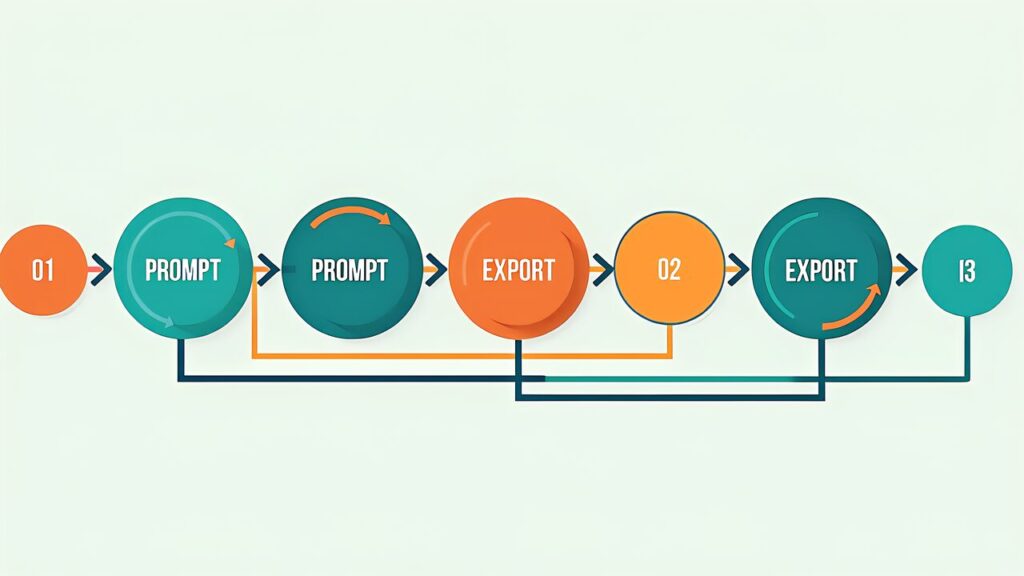
Here we walk through the actual operating procedure step by step.
Select “Design” from the Claude product sidebar. Enter a project name and specify the output format (here, “One-pager LP”).
Send an instruction like the following.
___CODE_0___
Drag and drop your existing company logo or screenshots of competitor LPs that match your vision. Claude Opus 4.7’s 98.5% visual accuracy precisely reads the color tones and layout tendencies from these references.
The initial output appears in seconds. An HTML preview renders, allowing you to review the structure of each section.
Refine with additional instructions like “Make the hero image slightly darker,” “Change the three service icons to line style,” or “Reduce FAQ from 5 to 3 questions.” Each revision reflects in about 5-10 seconds.
Pass your existing website’s CSS file or Tailwind config and instruct “match this design system.” Font families, color palettes, and spacing rules are automatically unified.
Once satisfied with the result, export in any of the following formats.
The Canva integration is particularly valuable in practice. The “hybrid workflow” of building the framework with Claude Design and then swapping images and team editing in Canva is positioned as the most realistic production flow for 2026.

Here are three practical applications of how to use Claude Design 2026 applied to specific 3D printing business tasks.
When launching a new product (e.g., a custom figurine creation service), work that traditionally required 2 weeks and ¥150,000-300,000 for a designer can be completed with Claude Design in 2 hours within your existing subscription. While the quality may not fully match a dedicated professional designer, it’s more than sufficient for MVP and validation phases.
The key implementation tip is to “define the structure before giving instructions.” To leverage Claude Opus 4.7’s multi-step processing capability, explicitly stating the framework of Hero → Problem → Solution → Results → CTA in the prompt significantly stabilizes output quality.
When mass-producing 3D printed products for sale, package design becomes necessary. Previously, this required commissioning a packaging company, but with Claude Design, instructing “A 6cm×8cm×4cm paper box package. Contents: custom figurine. Place Japanese product name and logo” generates a print-ready design.
What’s important here is leveraging reference images. Uploading competitor products or ideal packaging examples aligns the color scheme and typography direction.Perspectives on combining this with 3D printing business growth strategies are explored in detail in our 3D Printing Business Growth Strategy guide.
Cases where 3D printing businesses need presentation materials for fundraising or partnership negotiations are increasing. Claude Design can read business plans and financial data (Excel spreadsheets) and automatically generate slides with key metrics visualized as graphs.
The recommended instruction pattern is as follows.
Ask/CTA in 1 slide

Summarizing feedback from the tech community who tried the Research Preview, the following three tips have been reported as effective in practice.
“Like Apple’s Product page” produces more accurate output than “a modern design.” By verbalizing specific references, Claude Opus 4.7’s visual understanding capability is maximized.
Passing existing brand guides, color palettes, and font specifications before the initial generation halves the number of subsequent revisions. This is the most effective investment for reducing rework.
Even for the same LP, print-oriented output needs high resolution and CMYK, while screen-oriented output needs web fonts and low file size. Telling Claude Design whether the “final output destination is web or print” yields waste-free deliverables.

When operating how to use Claude Design 2026 at the enterprise level, the most critical feature is design system integration. This feature serves to “automatically prevent deviations from brand guidelines.” Here we outline the specific integration methods.
The design system files Claude Design can read are as follows.
tailwind.config.js, tailwind.config.ts:root custom propertiesWhen these are loaded, Claude Design automatically understands “available colors for this project,” “available fonts,” and “recommended spacing,” and reflects them in generated outputs.
Recommended procedures for leveraging design system integration, from SMBs to large enterprises, are as follows.
The key to how to use Claude Design 2026 lies in how to draw out Claude Opus 4.7’s visual understanding capability. The following techniques have proven effective in practice.
Claude Design delivers its true value when integrated into existing design and development workflows rather than used in isolation. Here are three representative integration patterns.
Rapidly try initial ideas and rough drafts with Claude Design, then move promising directions to Figma for detailed finishing. This pattern reduces the “blank canvas” problem and shortens the concept phase to one-third of the usual time.
Generate the framework with Claude Design, then swap images and fine-tune text in Canva. Combined with Canva’s asset library, this achieves professional-quality results in a short time.
Prepare blog articles or LP copy first, visualize with Claude Design, then deploy directly to the website using the HTML export feature. This enables content updates with minimal engineering resources.
Designing agents that stay reliable is its own discipline, and a build-along book shortens the learning curve.
On the other hand, there are failure patterns in how to use Claude Design 2026 as well. Knowing them in advance helps avoid risks.
“Make a cool LP” won’t produce good results. At minimum, specifying the target audience, tone, colors, and structural elements forms the foundation of output quality.
Completely original design is AI’s weakest area. Only by providing reference images and verbalized direction can you achieve a balance between originality and consistency.
There’s a non-zero chance that generated visuals closely resemble existing brands. For commercial use, you should at least include a step to compare against major competitors’ brands for similarity.
Claude Design is a designer’s support tool, not a complete replacement. Especially for decisions at the core of brand identity, complex interaction design, and print production preparation, collaboration with experienced designers remains essential.
To master how to use Claude Design 2026, it’s important to understand the fundamentals of prompt engineering. Here are instruction design techniques specialized for design generation.
High-quality design generation prompts often contain the following five elements.
Explicitly stating these five elements significantly improves Claude Opus 4.7’s comprehension accuracy.
The following patterns are efficient for revision instructions after initial generation.
For design types you create frequently, prompt templates are effective. Preparing templates for patterns like “product LP,” “investor deck,” and “internal proposal” prevents variation in instruction quality.
Beyond 3D printing businesses, there are many industries where how to use Claude Design 2026 is effective. Here are three representative examples.
MVP-stage SaaS startups need to rapidly create marketing sites, in-product UI, and presentation materials. By centering on Claude Design, professional-level visual operations become possible even before hiring a full-time designer.
With designer talent concentrated in urban areas, brand strengthening for regional SMBs has been a challenge. Claude Design eliminates geographical constraints, enabling regional businesses to achieve urban-level visual quality.
Product pages, banners, newsletter visuals, package design — the visual assets e-commerce operators need are enormous. Claude Design’s mockup and one-pager features become powerful tools for efficiently mass-producing these.
By mastering how to use Claude Design 2026, solo entrepreneurs and SMBs can achieve “design quality that doesn’t lose to enterprises.” The powerful engine of Claude Opus 4.7, the integrated UI spanning prototypes/slides/one-pagers/mockups, and seamless export to Canva and PDF — this combination transforms design work from a “war of attrition with time and money” to a “contest of verbalization skills.”
For 3D printing businesses, this change becomes a weapon that instantly addresses the “want to create but can’t get to it” areas like product LPs, packaging, presentations, and internal documents. Since further feature expansion has been announced from the Research Preview stage, getting familiar early means dramatically faster ramp-up when the full version is released.
Claude Code Spring 2026 provides a thorough guide to the Claude Code 2026 Spring Update. We’ll dive deep into practical uses of new commands like auto mode, xhigh effort, and /ultrareview.
For the latest features, supported file formats, and limitations of Claude Design, please refer to the official Anthropic documentation (https://docs.anthropic.com/). Release information and case studies are regularly updated on the Anthropic official news page (https://www.anthropic.com/news). Feedback is also being collected during the Research Preview stage, so sharing your real-world results through official channels is worthwhile.