Cursor Complete Guide 2026: Composer 2, Pricing Plans, GitHub Copilot vs Claude Code Comparison, and Monetization
swiftwand swiftwand.ai

💡 Compare with Codex / Cursor → 10-Q Quiz (Free) | 💰 Cost estimate → AI API Cost Calculator
| Feature | Plan | Status | Best For |
|---|---|---|---|
| auto mode | Max $100/$200 | GA | Long-running refactors / batch fixes |
| xhigh effort | All plans | Default | Hard reasoning / debugging |
| /ultrareview | All plans | GA | Pre-PR bug detection |
| /tui | All plans | GA | Full-screen terminal sessions |
| task budgets | All plans | Public Beta | Cost-capped autonomous work |
| Named sessions | All plans | GA | Multi-project switching |
Claude Code 2026 spring update isn’t just a feature addition — it’s arrived at a scale that rewrites the operational philosophy of CLI coding agents. Auto mode has been released to Max subscribers, xhigh effort level has been set as the default for all plans, and the /ultrareview command boosts bug detection accuracy. Individually these seem like small changes, but combined they hold the potential to “more than double the number of projects a single developer can handle.” This article dives deep into each major feature added in the Claude Code 2026 spring update, with concrete business scenarios for how to use each one.
This article contains affiliate links. As an Amazon Associate, we earn from qualifying purchases.

Claude Code is a terminal-based coding agent launched by Anthropic in 2025, taking a distinctly different approach from editor-integrated tools like Cursor. Its design philosophy of “an AI pair that keeps running alongside the developer’s terminal” is particularly strong for CI/CD integration, batch fixes, and cross-repository refactoring.
What’s significant about the spring 2026 update is that features previously reserved for enterprise have been released to individual developers (Max, Pro). This signals a transition from “the era of operating AI agents as teams” to “the era where individual developers also command agents.” By understanding the Claude Code 2026 spring update, individuals and small teams can wield the same weapons as large development organizations.
Simultaneously, with Claude Opus 4.7 integrated as the engine, the baseline improvements of SWE-bench Pro 64.3% and one-third reduction in tool errors directly benefit Claude Code.For details on Opus 4.7 itself, refer to the Claude Opus 4.7 in-depth guide.

What the Claude Code 2026 spring update embodies is a paradigm shift in the developer’s role. Previously, using Claude Code meant “keeping an eye on it and correcting when it goes wrong.” Now, with auto mode and task budgets, you can “delegate a task and check the results later.” This shift from supervisor to delegator is particularly profound for solo developers who must handle everything themselves.
The new features break this structure. Auto mode enables continuous execution without human approval, xhigh effort level raises thinking depth, and /ultrareview automatically runs three review passes at once. As a result, developers can shift to an operation style of “communicate the goal and constraints, then walk away.”
For 3D printing businesses outsourcing software development, this change makes real the world where “AI writes production code while you just check progress for a few hours a week.” Of course, delegation requires accumulated trust. That’s precisely why the simultaneous introduction of safety nets like /ultrareview is so significant.
Designing agents that stay reliable is its own discipline, and a build-along book shortens the learning curve.

Here we organize the features added and improved in the Claude Code 2026 spring update, in order of practical business impact.
Auto mode is an operation mode where Claude Code continuously executes multi-step tasks without human approval. Until spring 2026, it was limited to Teams/Enterprise/API users, but has now been released to Max subscribers. This is arguably one of the biggest pieces of news for individual developers.
| Item | Before | After Spring 2026 |
|---|---|---|
| Supported Plans | Teams/Enterprise/API | + Max |
| Approval Timing | Every step | At start only |
| Mid-task Interruption | Possible | Possible (at any time) |
| Use Case | Long-running task automation | Same |
The sweet spot is tasks where “the spec is clear but the workload is heavy.” For example, you can issue an instruction like “Fix all ESLint rule X violations across all files in this repo, update tests, and commit,” then check the results 30 minutes later.
Claude Code has a concept called effort level that controls thinking depth. Previously, the options were low, medium, high, max. In spring 2026, xhigh was added and promoted to the default for all plans. Positioned between high and max, it targets the balance of “thinking deeply without consuming as much time and cost as max.”
Based on practical benchmarks, the following usage guidelines are recommended.
The significance of xhigh becoming the default is substantial. Since “thinking reasonably deeply without specifying anything” becomes the baseline, output quality gets a foundational boost. Users concerned about cost increases retain the flexibility to explicitly switch to medium.
/ultrareview is a dedicated command that reviews code from multiple perspectives to identify bug risks. Pro/Max plan users can use it up to 3 times per month for free.
Internally, Claude Opus 4.7 runs reviews in parallel from the following perspectives.
These five review perspectives are integrated and reported with priority rankings. The accuracy is clearly higher than attempting the same thing with a single prompt. It excels in pre-implementation code reviews, pull request review assistance, and final checks before production deployment.
The /tui command renders Claude Code’s output in full-screen terminal mode with Markdown format. Tables, code blocks, and long outputs that were previously hard to read in scrolling text format become much easier to navigate.
Feature 5: Mobile Push Notification Support
Feature 6: Smart Resume
Smart resume is a feature that, when Claude Code is interrupted mid-task (terminal close, crash, network disconnection), automatically restores the context and continues from where it left off on the next launch. In the auto mode era where tasks run for 30+ minutes, this is essential infrastructure.
: Support for lazy loading at first use, reducing startup overhead
Session management improvements
Editor actions expansion
: Enhanced VS Code/JetBrains actions for inline diff preview and one-click apply
: 30% reduction in tab completion latency for large repositories
Task budgets is a feature that sets token limits, time limits, and cost limits on tasks executed by Claude Code. It functions as a runaway prevention mechanism when combined with auto mode.
For example, setting “this task: up to $10 API cost, 30 minutes, 100 files” causes automatic stopping when any limit is reached, with escalation to the human. As a public beta, features and behavior are being continuously improved, but if you’re considering production use, it’s rational to start integrating now.
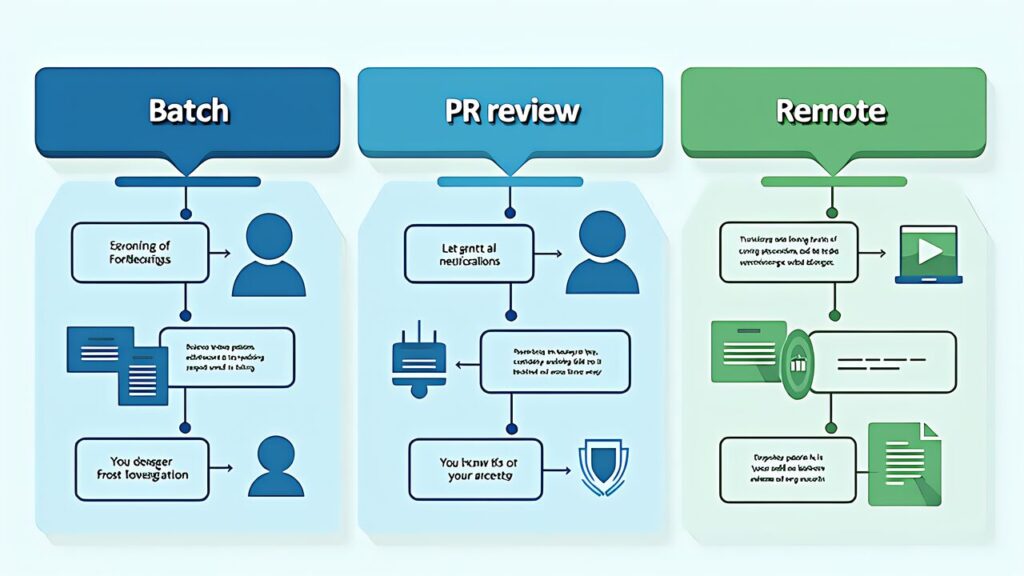
Here are practical examples applying the Claude Code 2026 spring update to software development tasks for 3D printing businesses.
Suppose you need to migrate hundreds of pages of content to a new design system when renovating a 3D printing service website.
The procedure is as follows.
/tui to switch to full-screen modeWork that would previously require an engineer to sit for a full day can be compressed to about 30 minutes of actual intervention time.
When receiving pull requests from internal or external engineers, run /ultrareview to catch potential bugs before human review. This is especially effective for complex logic changes and security-sensitive code. The multi-perspective review catches issues that a single-pass review tends to miss.
/ultrareview The security perspective checks are particularly valuable, as they catch issues that are hard to spot without specialized expertise. Having /ultrareview detect these automatically is a major practical advantage.
Start a task to raise the entire repository’s test coverage to 80% from home on the weekend, then issue additional instructions from the office on weekdays.
This pattern is also useful for individual developers running side projects in parallel with their main job.For Claude Code fundamentals, refer to our Claude Code Introduction as well.

It’s worth understanding practical patterns combining the new features with other tools.
Call Claude Code from GitHub Actions to automatically run /ultrareview when pull requests are created. With task budgets managing execution costs, there’s no worry about CI/CD cost explosions.
The spring 2026 improvements expanded MCP-compatible servers, making the following integrations easier.
These make “integration into organizational workflows” — previously difficult with Claude Code alone — suddenly realistic.
The Claude Design introduced in Claude Design creates a natural workflow where design specs created there are passed to Claude Code for implementation. Having design → implementation → review all completed within the Claude brand is powerful from a consistency standpoint.

Most of the Claude Code 2026 spring update features are included in Claude Pro/Max subscriptions at no additional charge. However, running auto mode and long-running tasks increases API consumption, so setting task budgets is important.
Recommended cost management patterns:
Pricing tables make sense once you understand how foundation-model applications actually consume tokens.

 ポチップ
ポチップ
Here we explain each feature of the Claude Code 2026 spring update at the configuration file level. Use this as reference when deploying in production environments.
The claude.json configuration example for enabling auto mode is as follows.
___CODE_8___
approvalPolicy has start_only (approve at start only), periodic (approve at regular intervals), milestone (approve at milestones) — three options. For individual developers, start_only is recommended; for team operations, milestone is recommended.
Internally, xhigh has the following balance adjustments.
This balance makes it optimized for the middle ground of tasks where “high lacks accuracy but max is too slow and costly.” Multi-file changes and test design are prime examples.
/ultrareview internally runs the following sub-processes in parallel.
These independently analyze the code, and a final integration agent consolidates the results with priority rankings. Claude Opus 4.7’s “1/3 reduction in tool errors” is what makes this multi-agent architecture practical.
Task budgets have the following configuration structure.
___CODE_15___
on_exceed has escalate (notify human), halt (stop immediately), summarize (summarize and stop) — three options. For production use, escalate is safest, but for overnight batches, halt is easier to handle.
To evaluate the Claude Code 2026 spring update’s capabilities relatively, here’s a comparison with major CLI coding agents.
Codex CLI runs GPT-5.4 as of 2026. In benchmarks, Claude Code has about a 7-point lead on SWE-bench Pro. Codex CLI’s strength is tight integration with the GitHub ecosystem, while Claude Code’s advantage is its superior multi-step reliability and auto mode.
A viable choice if you prioritize Google Cloud integration. You can use Gemini 3.1 Pro via Vertex AI. However, autonomous execution features like auto mode aren’t as mature as the Claude Code 2026 spring update.
Open-source CLI agents like Aider have advantages in cost management and transparency. On the other hand, the Claude Code 2026 spring update is overwhelmingly more polished as a commercial product. Aider for learning, Claude Code for business operations is a rational division.
When running powerful features like auto mode and Remote Control in production, security design is unavoidable. Here we outline the security mechanisms and recommended operations provided by the Claude Code 2026 spring update.
Remote Control is protected by authentication tokens. Token management best practices are as follows.
Claude Code Enterprise and above records all command execution history in audit logs. Regularly reviewing logs enables detection of unintended changes or permission violations.
When running Claude Code in production, it’s important to restrict accessible resources (DB servers, cloud APIs, external services) at the network level. Define boundaries clearly with firewall rules and VPC design.
Here are design patterns for operating the Claude Code 2026 spring update across multi-person teams.
Allocating features based on team member roles reduces waste.
Team/Enterprise plans allow session sharing across the team. This enables smoother reviews and handoffs.
Key points for shared operations are as follows.
When onboarding new members, the following steps are effective for Claude Code proficiency.
medium setting to get familiar with basic operationsGradual unlocking prevents excessive dependency and misuse.
The Claude Code 2026 spring update is positioned as the foundation for further evolution from mid-2026 onward. Here’s a predicted roadmap based on official information and industry observations.
Multi-agent coordination within Claude Code, visual editing UI integration, more advanced task budgets features, and deeper IDE integration are expected. The spring 2026 update establishes the infrastructure for these next-generation features.
Given these evolution directions, building proficiency now with foundational features like auto mode, task budgets, and MCP is the fastest route to maximizing the benefits of subsequent updates.
The Claude Code 2026 spring update consists of eight major improvements: auto mode release, xhigh effort as default, /ultrareview, /tui, mobile notifications, smart resume, Remote Control, and task budgets. Each is useful individually, but combined they create an environment where “individual developers can achieve productivity rivaling large development organizations.”
The significance of auto mode being released to Max subscribers is particularly profound, making the work style of “submit on the weekend, check on Monday” a reality. For users like 3D printing businesses who juggle development alongside their main business, this change becomes a direct weapon for scaling business size.
However, powerful features like auto mode and Remote Control can only be used safely when paired with safety nets like task budgets and /ultrareview. Rather than viewing the new features individually, designing operations as “delegation + audit” pairs is the key to maximizing the Claude Code 2026 spring update.
Agent Skills provides a thorough practical guide to Agent Skills. We’ll dive deep into how to build agents specialized for specific tasks by combining them with Claude Code.
For the complete feature list, CLI options, and configuration file specifications of the Claude Code 2026 spring update, please refer to the official Anthropic documentation (https://docs.anthropic.com/). Release notes and feature improvement history are regularly published on the Anthropic official news page (https://www.anthropic.com/news). MCP-compatible server lists and configuration examples are also consolidated within the official documentation for use as primary reference during implementation.
For readers searching “Claude Code release notes April 2026” or “Claude Code changelog April 2026,” this section gathers the verified monthly updates into a single chronological view. All entries below are confirmed from Anthropic’s official documentation and news pages.
--auto flag or in interactive session via /auto./review with deeper analysis. Catches subtle bugs, suggests architectural improvements, and produces a structured report with severity levels (critical / major / minor / nit).--effort xhigh. Use selectively because token cost roughly doubles compared to default.claude mcp list/add/remove commands for managing Model Context Protocol servers. Replaces hand-edited ~/.claude/mcp.json.Anthropic publishes Claude Code changelog entries at docs.anthropic.com (Claude Code section) and anthropic.com/news. For the GitHub-tracked CLI version, see the CHANGELOG.md in the @anthropic-ai/claude-code npm package. This article will be updated each month with verified entries from those primary sources.