3D Scanning Beginner Guide 2026 — Photogrammetry vs Structured Light vs LiDAR vs Gaussian Splatting
swiftwand swiftwand.ai
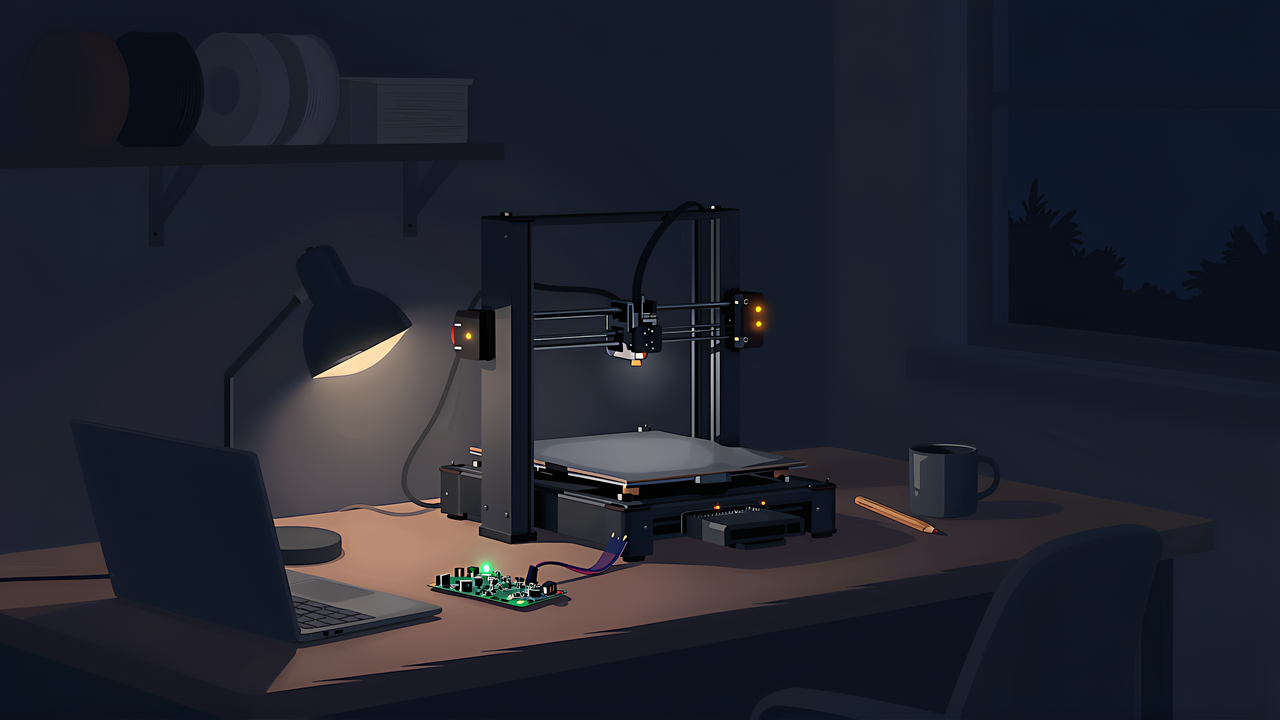
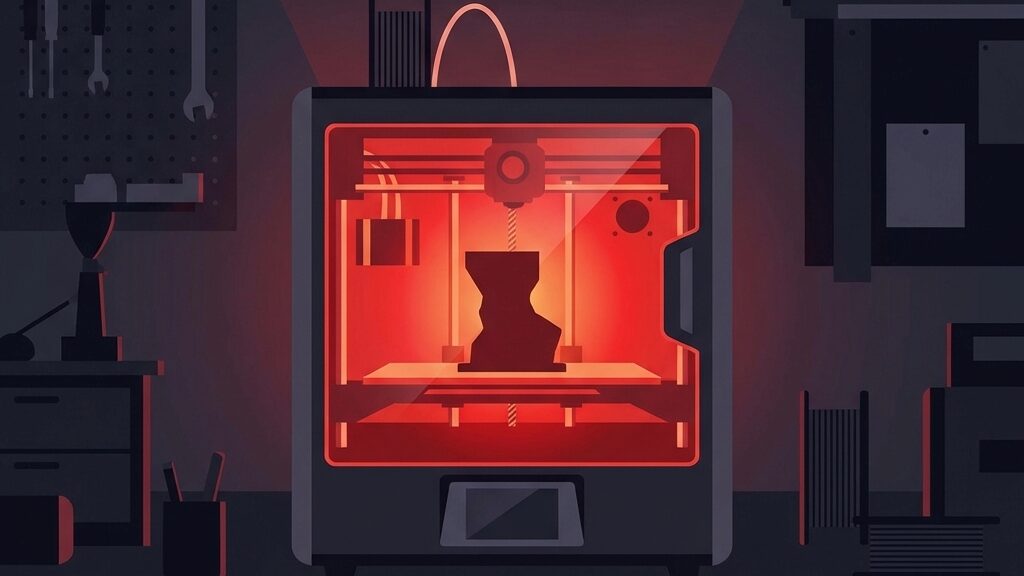
You start a long print at night and go to bed. In the morning the printer has been sitting for hours, paused where the filament ran out. Or a heater fault occurred mid-print and the firmware shut everything down long ago. One look at the printer state during the night would have let you act sooner, but nobody can sit in front of the screen for every print.
This article contains affiliate links. As an Amazon Associate, we earn from qualifying purchases.
Most of these events show up in the printer state: nozzle and bed temperatures and their targets, progress, print status, and error messages. On a printer running Klipper with Moonraker (setups using Mainsail or Fluidd, for example), the Moonraker API returns these values as JSON. Hand that JSON to an AI, have it choose between continue, notify, stop, and cannot judge, and you get a system that only alerts you when a person needs to look.
We use a decision model for that choice: a model that writes no text and returns an answer and probabilities for typed questions (see our Jev explainer for how Jev works). Three caveats up front. First, the state JSON here was handcrafted from field names in Moonraker’s documentation; it is not data from a real printer, including our own Bambu Lab P1S. Second, we show the results of running six examples on a local Nimble 9B and claude -p. We revised the examples twice and report one run on the final versions: an illustration, not a measurement. Third, nothing was sent to Jev; its API accepts the same question shape, but we do not know how it would answer.
Mid-print problems come in two kinds. One is the part itself failing: a tangle of filament, shifted layers, the part coming off the plate. The other is the printer side: a pause for filament runout, a firmware shutdown after a heater fault, progress that stops moving. The first needs a camera; the second is already in values the printer holds. People still check the screen because deciding whether a value can be ignored is their job, and that usually means combining several values and their recent changes.
You can automate this with rules, but each new case makes the rules longer, and free-text firmware messages are hard to cover with rules. Passing the JSON to an AI and having it pick from fixed options is the alternative, and a decision model returns probabilities you can branch on directly. The conclusion, though, comes first: much of the checking belongs in rules before the model, stopping belongs to the printer’s own safety features, and the model’s job is to help decide when to notify a person.
State values cannot show a collapsing part, so point a camera at the printer as well. A USB webcam with a tripod mount can sit wherever it gets a clear view of the bed.
Camera-based failure detection already exists, built into printers or added on. On Klipper and Moonraker, Obico connects as a Moonraker plugin and finds failures in images during the print. Cameras see the shape of the part; state JSON does not. A part can come off the plate while temperatures and progress look normal, and a changed target temperature, a firmware shutdown, or a displayed message may be invisible in a photo. The two cover each other’s blind spots. This article deals with state, which is text, so even a text-only decision model like Jev can read it. Images go to an image detector or a model that reads images.
Moonraker is a Python 3 web server that exposes an API for talking to Klipper; both are GPL-3.0 open source. The API is offered over HTTP and JSON-RPC. To read state, use the JSON-RPC method printer.objects.query or HTTP POST /printer/objects/query with the objects and fields you want. The HTTP response wraps everything in result, containing eventtime and a status object per printer object. Subscriptions (printer.objects.subscribe) push changes but need a persistent Websocket or Unix socket; for polling at intervals, repeated queries are enough.
| Object | Field | Type | Meaning |
|---|---|---|---|
| extruder | temperature / target | float (°C) | Current and target nozzle temperature |
| extruder | power | float (0–1) | Heater output |
| extruder | can_extrude | bool | At or above the minimum extrusion temperature (default 170 °C) |
| heater_bed | temperature / target / power | float | Bed temperature, target, and output |
| print_stats | state | string | standby, printing, paused, complete, error, or cancelled |
| print_stats | message | string | Message set by Klipper (empty if none) |
| print_stats | print_duration | float (s) | Print time excluding pauses |
| print_stats | filament_used | float (mm) | Filament used in this print |
| print_stats | info.total_layer / current_layer | int or null | Layer counts |
| virtual_sdcard | progress | float (0–1) | Progress estimated from file position |
| virtual_sdcard | is_active | bool | Whether a file is being processed |
| display_status | progress | float (0–1) | Progress sent by M73 |
| display_status | message | string | Message set by M117 |
| webhooks | state / state_message | string | Klipper state (ready, startup, shutdown, error) and description |
We checked these against Klipper’s Status Reference. Moonraker’s Printer Objects page notes it covers a subset of objects and is current as of Klipper v0.12.0-430; Klipper’s latest release is 0.13.0 (April 11, 2025), and we found no conflicts. Do not use idle_timeout.state to tell whether a print is running: it reports Printing even for manual commands. Use print_stats.state.
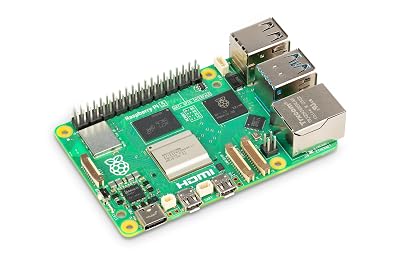
virtual_sdcard.progress is described as a percentage but ranges 0.0–1.0, and it is an estimate from file size and read position.display_status.progress comes from M73 and falls back to the virtual_sdcard value if no M73 arrives for 5 seconds.display_status exists only with [display] or [display_status] in printer.cfg, and layer counts are null unless the slicer emits SET_PRINT_STATS_INFO. Design so that a missing field is never read as “no problem.”eventtime is not wall-clock time. It is Klipper’s monotonic clock: differences give elapsed seconds, but it is not a date.If you want a Klipper and Moonraker host of your own, a Raspberry Pi 5 is a common choice: it runs Klipper, Moonraker, and a web interface such as Mainsail on one board.
A single snapshot does not say whether progress at 0.62 is moving, whether a bed at 55 °C with a target of 0 is cooling or was always cool, or how long a paused state has lasted. So each example passes three snapshots taken 60 seconds apart, oldest first, as an array. Three snapshots show whether progress grows, which way temperatures move, and when the state changed; eventtime differences confirm the interval. Sixty seconds and three snapshots are our choices, not documented recommendations. Jev allows 64k tokens per request (32k for the state plus the longest question); a local Ollama request without images must stay under 64 KiB and fit the loaded context, since input is not truncated. Jev’s rate limit, 80 requests per second as of October 7, 2026 and subject to change, is far beyond one printer polled once a minute.
The action question is a choice with four options; the severity question is a score with Normal, Minor, Serious, and Critical. Choice suits more than two branches: a noul cannot separate notify from stop and returns no confidence, while a choice returns every option’s probability plus confidence. Confidence shows how concentrated the distribution is, not how likely the answer is to be right.
{
  "model": "nimble",
  "state": "(array of three status snapshots, 60 s apart, as a JSON string)",
  "questions": {
    "action": {
      "type": "choice",
      "instructions": "Three snapshots of a 3D printer’s status, 60 seconds apart, are given (oldest first). What should the operator do now?",
      "criteria": {
        "continue": "The print is running normally; do nothing",
        "notify": "Something needs a person to look at it, but the print should not be stopped automatically",
        "stop": "The print should be stopped",
        "cannot_judge": "The status is missing fields needed to decide"
      }
    },
    "risk": {
      "type": "score",
      "instructions": "How serious is the situation?",
      "criteria": ["Normal", "Minor", "Serious", "Critical"]
    }
  }
}
cannot_judge exists because Moonraker silently drops missing fields. The same shape works with Jev: change the endpoint and model name and add an API key. Confidence formulas differ by provider, though (TypeSafe’s choice confidence measures how far the top probability is from an even split; Ollama’s uses entropy), so re-measure confidence thresholds when you switch.
The base example is a normal print. One snapshot, shortened:
{
  "eventtime": 1000.0,
  "status": {
    "extruder": {"temperature": 215.0, "target": 215.0, "power": 0.42, "can_extrude": true},
    "heater_bed": {"temperature": 60.0, "target": 60.0, "power": 0.3},
    "print_stats": {"state": "printing", "message": "", "print_duration": 2400.0, "filament_used": 3200.0,
      "info": {"total_layer": 120, "current_layer": 42}},
    "virtual_sdcard": {"progress": 0.35, "is_active": true},
    "display_status": {"progress": 0.35, "message": ""},
    "webhooks": {"state": "ready", "state_message": "Printer is ready"}
  }
}
Over three snapshots, progress goes 0.35 → 0.354 → 0.358, print_duration 2400 → 2460 → 2520 s, and filament_used 3200 → 3240 → 3280 mm. The values are placeholders, not recommendations for any material or printer. The other five examples change only a few values.
| Example | What changed | Intended answer |
|---|---|---|
| normal | Nothing; temperatures on target, progress rising | continue |
| paused_with_message | From snapshot 2, print_stats.state paused and display message “Filament runout”; progress 0.498 → 0.5 → 0.5 | notify |
| progress_stalled | Progress fixed at 0.62 and filament_used at 5,100 mm; only print_duration grows | notify |
| bed_target_zero_mid_print | Still printing, but bed target 0 from snapshot 2 (60 → 55 → 48 °C) | stop |
| already_shutdown | From snapshot 2, webhooks.state shutdown, print_stats.state error, targets 0 (nozzle 215 → 150 → 120 °C, bed 60 → 58 → 55 °C) | notify |
| missing_progress_fields | virtual_sdcard and display_status removed in all three | cannot_judge |
In already_shutdown we put “Heater extruder not heating at expected rate” in print_stats.message, the form of message Klipper’s heater check produces; in Klipper’s source that text goes into webhooks.state_message as the shutdown reason, so the example differs from real JSON there. Klipper also stops heater output on shutdown without rewriting targets, so real targets may stay at their old values. The intended answers are our design choices, not ground truth: continue means printing, within ±5 °C of target (the default hysteresis of Klipper’s heater check), and progress rising; notify means paused, a non-empty message, or stalled progress; stop is reserved for problems the printer’s safety features do not stop, here a bed target set to 0 mid-print; a shutdown is already stopped, so notify; and missing progress fields means cannot judge. Whether a zeroed bed target should stop the print is debatable.
We ran these on October 7, 2026. Nimble 9B, Bespoke Labs’ 9B decision model, was called through /v1/systemone on Ollama 0.35.1 for Windows. For comparison, claude -p ran Claude Sonnet 5.5 (logged as claude-sonnet-5-5) in a minimal setup with no tools, MCP, or settings files, answering the same questions in text with probabilities as JSON. After revising the pause and shutdown examples twice, we ran all six three times; the chosen answers never changed. The table shows one run of the final examples.
| Example | Intended | Nimble 9B (answer / top probability / confidence) | claude -p (answer / top probability) |
|---|---|---|---|
| normal | continue | continue / 0.97 / 0.89 | continue / 0.93 |
| paused_with_message | notify | stop / 0.62 / 0.40 | notify / 0.93 |
| progress_stalled | notify | continue / 0.85 / 0.61 | notify / 0.58 |
| bed_target_zero_mid_print | stop | continue / 0.85 / 0.61 | notify / 0.70 |
| already_shutdown | notify | stop / 0.94 / 0.79 | stop / 0.58 |
| missing_progress_fields | cannot_judge | continue / 0.95 / 0.83 | continue / 0.86 |
claude -p’s probabilities are numbers written in its reply, and it returns no confidence. The severity score was asked too, but only the action choice is shown.
Both models said continue for the normal case. For the pause, claude -p said notify while Nimble said stop, with its lowest top probability (0.62) and confidence (0.40) of the six: a hesitant answer. The stalled progress and zeroed bed target cases only show up across three snapshots; Nimble said continue for both, claude -p said notify for both, and neither chose stop for the bed case. For the shutdown, both said stop, perhaps reading the error text because no “already stopped” option existed; we did not check why. The printer had already stopped, so a stop answer has nothing left to stop; what is needed is a notification. For the missing fields, both said continue rather than cannot judge. Only virtual_sdcard and display_status were removed while print_duration and filament_used kept rising, so continue is not unreasonable, but the missing fields did not show up in the answer. Nimble also put 0.94 and 0.95 on answers that differed from the intended ones, so in this run a high probability did not indicate agreement with the design.
All six of our examples could have been handled by rules. What remains for the model is the hard-to-codify part, such as reading M117 display messages or Klipper messages in print_stats.message and judging whether to notify. Whether that works can only be tested with the messages your own printer produces.
Moonraker offers POST /printer/print/pause, POST /printer/print/cancel, and an emergency stop that puts the printer into shutdown. We do not recommend calling these automatically when the model says stop: in our run, wrong answers sometimes carried high probabilities, and a stop answer came back for a printer that had already stopped. Notify a person and let them decide; use the probability to set urgency, for example a sound alert for a high stop probability and a normal notification for notify. Set thresholds only after checking how well probabilities match on your printer.
A decision model does not replace the printer’s safety features. Two Klipper mechanisms handle temperature faults. The first is the heater check (verify_heater), enabled automatically for every heater. It catches heaters that fall behind: when the temperature is below the target band it accumulates the difference as error, and once the total reaches 120 by default it declares a fault. The band (hysteresis) defaults to 5 °C, and the heating check time defaults to 20 seconds for the extruder and 60 seconds for the bed. On a fault it reports something like “Heater extruder not heating at expected rate” and shuts Klipper down. The second is min_temp and max_temp, enforced on the microcontroller, which shuts down if the temperature leaves that range. These have no defaults and must be set per printer; since the heater check counts only temperatures below target, overheating is covered here.
Order matters. When a safety feature trips, Klipper shuts down, and only then does Moonraker report webhooks.state as shutdown. By the time a model reads that JSON, the printer has already stopped; the model never stops anything ahead of the safety features. Klipper’s configuration checks also say that if the temperature keeps rising without a heating command, remove power from the printer. The last resort is cutting power physically, not an AI answer, and adding a decision model does not make unattended printing safe. Its role is to notify a person about events the safety features do not stop: a pause waiting for attention, stalled progress, a rewritten target.
Bambu Lab printers do not run Moonraker, so none of the above APIs apply. Their state is published over MQTT, and two official statements need to be read together. In a January 20, 2025 blog post, Bambu Lab said it would let X1, P1, A1, and A1 mini owners keep MQTT, live video, and FTP open, which became Developer Mode. The same post says the protocol is not officially supported, so no customer support is provided for this mode, and users assume full responsibility for their network security. The wiki says Developer Mode works in LAN mode without connecting to Bambu Cloud.
The wiki also lists MQTT status pushes for tools like Home Assistant as unaffected by the authorization system. Both statements hold: you can read the status, but the protocol is undocumented and unsupported. That is why we did not use Bambu’s MQTT field names here. If you try it, verify the fields yourself and apply the same design: send three snapshots, check missing fields and fixed values with rules first, and keep answers as notifications. Bambu Lab also offers Bambu Local Server, which we do not cover.
Before adding a decision model, capture your printer’s state JSON a few times and write down the checks that rules can handle. What remains is a candidate for the model. Treat its answers as notifications at first, and measure how well its probabilities hold up. For cost-based thresholds, see the threshold article.