Slicer Plugins Arrive in OrcaSlicer 2.5 and PrusaSlicer 3.0 — What Changed in the Two Test Builds and What Is Still Open
swiftwand swiftwand.ai
Multicolor printing throws material away every time the color changes. On a printer that swaps filament through a single nozzle, there is the flush that pushes out the previous color. Printers with multiple nozzles or tools also pile material onto a prime tower to steady the extrusion after a switch. Neither stays in the finished part. How much that amount differs between printers, though, cannot be learned by lining up the makers’ official figures, because each maker produced its numbers with a model and conditions of its own choosing.
This article contains affiliate links. As an Amazon Associate, we earn from qualifying purchases.
So, to get a like-for-like view of multicolor purge waste, we sliced the same models with the official profiles of seven printers and compared them. We split three shapes of our own into 2, 4 and 8 colors, and sliced them for the P1S + AMS, H2D, H2C and H3C with the Bambu Studio 2.9.1 CLI, and for the Prusa XL 5T, CORE One INDX 8T and Snapmaker U1 with the OrcaSlicer 2.5.1 CLI. Then, from the G-code and the slicers’ totals, we counted how much material and estimated time were added compared with a single color, and how many swaps there were. All values are slicer estimates; we did not print on real machines and did not weigh any material. Each condition was run once.
Here are the results first. In this run, the shape with every color in every layer opened up a large gap between printers. The P1S, which swaps through one nozzle, added 146.28 g at 8 colors compared with one color, most of it flush. The H3C, whose profile has nine nozzles, added 18.38 g at the same 8 colors, and most of that increase was prime tower. With the shape split by height and the nameplate whose colors appear only in the top few layers, the added material was small on every printer. The number of swaps (T commands in the G-code) was also the same on every printer we sliced. What differed between printers was the number of swaps that involved a flush.
In this article, designs with multiple nozzles or tools are collectively called multi-tool. Even among multi-tool designs, what happens at a color change differs from printer to printer. We sorted out the overall picture of the approaches in What Changed in Multi-Tool 3D Printers — Nozzle Switching, Hotend Swaps and Tool Changing, Sorted Out from the H3C’s Nine Tools (published 2026-11-23). Here we line up only the approaches of the seven printers compared. Every nozzle or tool count is the value written in the slicer profile.
| Printer | Slicer | How colors are changed | Nozzles or tools (profile) |
|---|---|---|---|
| P1S + AMS | Bambu Studio 2.9.1 | Single-nozzle switching (one nozzle swaps filament) | 1 |
| H2D | Bambu Studio 2.9.1 | Switches between the left and right nozzles | 2 |
| H2C | Bambu Studio 2.9.1 | One nozzle on the left, plus hotend swapping on the right | 1 + 6 |
| H3C | Bambu Studio 2.9.1 | Tool changing (nine nozzles on one extruder; a setting that treats hotends as extruders) | 9 |
| Prusa XL 5T | OrcaSlicer 2.5.1 | Tool changing | 5 |
| CORE One INDX 8T | OrcaSlicer 2.5.1 | Tool changing | 8 |
| Snapmaker U1 | OrcaSlicer 2.5.1 | Tool changing | 4 |
The discarded material splits into two kinds. One is flush: the amount pushed out when a different color goes into the same nozzle, until the previous color no longer mixes in. The other is the prime tower, a tower built beside the model. Besides the material that steadies the extrusion after a switch, the tower keeps being built on layers with no swap, and that is included too. This article writes the two separately and uses “purge (flush + prime tower)” only when adding them together.
We also keep two counts apart. The “number of swaps” is the number of T commands written in the G-code. T commands inside the machine start and end G-code, and the special commands on Bambu printers (T255, T1000, T1100), are not counted. The other, a “swap with flush,” is a swap where the destination nozzle previously held a different filament. For this we use the filament_change_times value in the result.json written by the Bambu Studio CLI. By its counting rule, a swap that loads filament into an empty nozzle for the first time is not included. Keeping the two apart lets us tell when there are many swaps but zero swaps with flush.
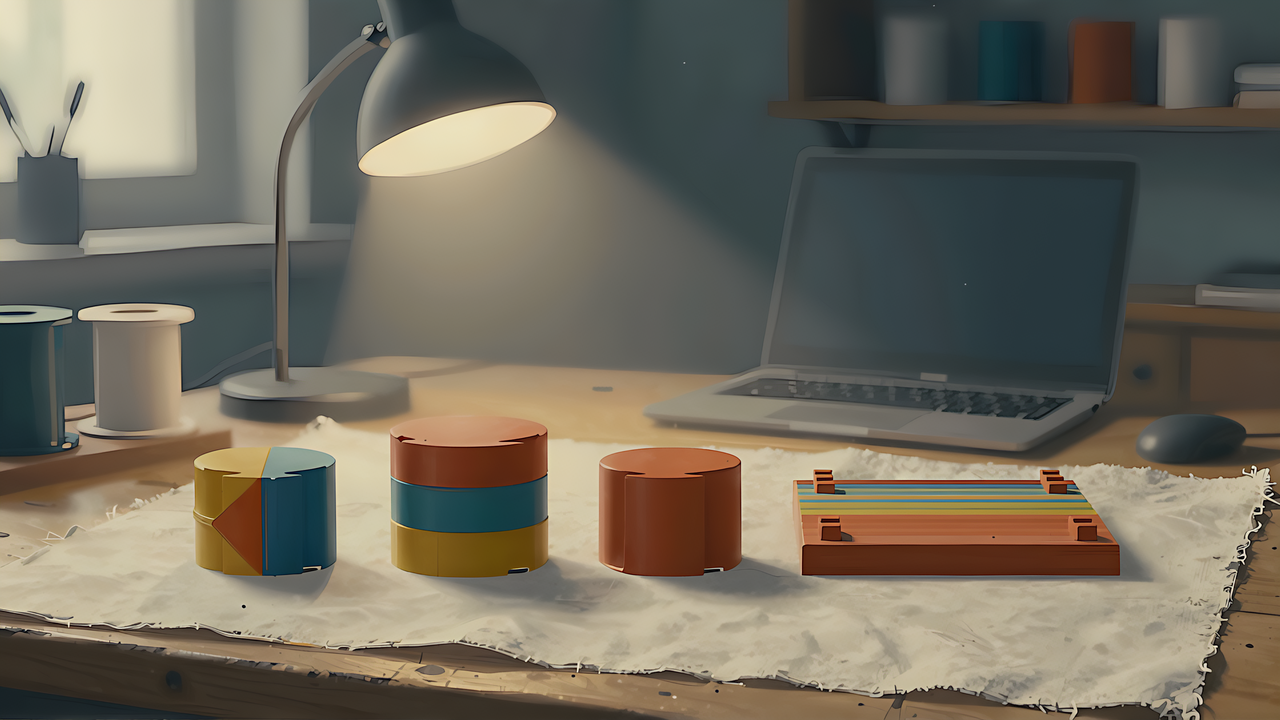
The models were three shapes of our own, each split into 2, 4 and 8 colors. N is the number of colors.
We chose these three because, even with the same number of colors, the number of swaps changes a great deal with how the colors are arranged within a layer. A is the toughest shape, with colors side by side in the same layer. By contrast, B never has two colors in the same layer, and C has colors side by side only in the top few layers. The color order was fixed by script. From the first color on, it was #FFFFFF (white), #000000 (black), #C12E1F (red), #0A2989 (navy), #F4EE2A (yellow), #00AE42 (green), #FF6A13 (orange) and #5E43B7 (purple); 2 and 4 colors used the first two and the first four. Colors were assigned to the parts in this order: for A, counterclockwise from the positive X direction as seen from above; for B, from the bottom; and for C, the base as the first color and then the strips from the smaller-X side. Bambu Studio calculates flush volumes from color combinations, so changing the colors would change the results.
Grams are the slicer’s totals, converted using each profile’s density, as they are. The Bambu PLA Basic profile’s density is 1.26 g/cm³, and the Generic PLA profiles on the three Orca printers use 1.24 g/cm³. However, the Bambu PLA Basic technical data sheet (V3.0) gives the density as 1.24 g/cm³, which differs from the profile. We do not judge which is right here; read the grams as slicer totals.
The material profile also affects the prime tower amount. In Bambu Studio, the prime volume to the tower is 30 mm³ for Bambu PLA Basic and 45 mm³ for Generic PLA. In addition, the amount for a hotend swap is 30 mm³ for Bambu PLA Basic on the H2C and 60 mm³ for the others. So even on the same printer, changing the material profile changes the tower amount.
The added material and added time are the multicolor slice values minus the values from slicing the same shape in a single color. Even though each slicer writes its totals differently, subtraction allows a like-for-like comparison within the same shape. Also, because changing the number of colors changes the number of strips on shape C, the single-color slice uses a different amount of material too. The single-color totals for shape C on the four Bambu printers were 5.23–6.01 g. For that reason, we sliced the same shape in one color for each color count and subtracted it.
These are the lines we read.
Bambu Studio 2.9.1 (G-code header, and result.json in the output folder)
; total estimated time: …   estimated time (includes preparation time)
; total filament weight [g] : …   grams per filament
M620 S[n]A … M621 S[n]A   start and end of one swap
"filament_change_times"   number of swaps with flush

OrcaSlicer 2.5.1 (end of the G-code)
; estimated printing time (normal mode) = …
; filament used [g] = …
; total filament change = [n]
The OrcaSlicer CLI does not write result.json on Windows (in the source, that step runs only on Linux). So for the three Orca printers, the counts, amounts and times were all read from the G-code.
The P1S was sliced assuming an AMS. The Bambu Studio CLI does not check the number of AMS units, so it will slice 8 colors, but using 8 colors on a real machine requires two AMS units. The XL 5T (five tools) and U1 (four tools) were not sliced at 8 colors, because the color count exceeds the number of tools. The tables mark these combinations as “not run.”
The P1S profile used in this article corresponds to the printer sold as a combo with an AMS; the Combo below includes one AMS for four colors.
The values in the table are grams: the multicolor slice total minus the single-color slice total for the same shape.
| Shape | Colors | P1S + AMS | H2D | H2C | H3C |
|---|---|---|---|---|---|
| A, vertical split | 2 | 30.46 | 3.76 | 3.76 | 3.19 |
| A, vertical split | 4 | 74.63 | 50.64 | 10.55 | 7.99 |
| A, vertical split | 8 | 146.28 | 118.68 | 40.24 | 18.38 |
| B, height split | 2 | 1.08 | 0.71 | 0.72 | 0.74 |
| B, height split | 4 | 2.34 | 1.53 | 1.1 | 1.06 |
| B, height split | 8 | 4.69 | 3.74 | 2.57 | 1.27 |
| C, nameplate | 2 | 0.74 | 0.34 | 0.34 | 0.42 |
| C, nameplate | 4 | 5.42 | 3.19 | 1.36 | 1.18 |
| C, nameplate | 8 | 12.95 | 11.42 | 6.83 | 2.7 |
Start with shape A at 2 colors. The P1S added 30.46 g, while the H2D, H2C and H3C added 3.19–3.76 g. With 2 colors, the H2D can put one color in each of its left and right nozzles, and the H2C and H3C can also put one color in each of two separate nozzles. Bambu Studio sets the flush amount from the pair formed with the filament previously in the destination nozzle. If the same color is simply coming back to that nozzle, the flush is 0. The P1S, by contrast, has only one nozzle, so it pushes out the previous color on every swap.
At 4 colors, the H2D’s increase jumped to 50.64 g. With only two nozzles, colors have to be swapped inside one of them. The H2C, at 10.55 g, and the H3C, at 7.99 g, are still within their nozzle counts. At 8 colors, the H2C also rose to 40.24 g, because its profile has one nozzle on the left and six on the right, and 8 colors exceed that. The H3C has eight tools for 1.75mm, so at 8 colors each tool gets one color, and it added 18.38 g. Note, however, that in this run the H3C was sliced with all nine tools as ordinary (Standard) nozzles, and the first color was placed on the eighth tool, which in the default configuration is the one for 2.85mm TPU.
Putting the P1S at 8 colors next to its single color shows the size of the difference. Shape A in one color is a 5.52 g print; in 8 colors the total was estimated at 151.8 g. Of that, the model category is 7.504 g, and most of the rest is flush and prime tower (the breakdown is shown in a later section).
A word on how the flush amount changes with color. Bambu Studio builds a flush table (mm³) for each color pair and multiplies those values by the flush multiplier. There are two ways the table values are obtained: a formula based on the color difference, and color-pair data selected by the printer profile (nozzle_flush_dataset). Both are capped at 900 mm³. For filament pairs with measured values, the larger of the computed value and the measured value is used. Furthermore, when a value is taken from this table, the pair used is the one with the filament previously in the destination nozzle. So on the four Bambu printers, the flush depends both on the color combination and on which nozzle holds what.
Again, these are grams: the multicolor total minus the same shape in one color.
| Shape | Colors | Prusa XL 5T | CORE One INDX 8T | Snapmaker U1 |
|---|---|---|---|---|
| A, vertical split | 2 | 3.81 | 1.51 | 3.74 |
| A, vertical split | 4 | 11.37 | 4.02 | 10.27 |
| A, vertical split | 8 | Not run | 8.61 | Not run |
| B, height split | 2 | 0.85 | 0.02 | 0.81 |
| B, height split | 4 | 1.35 | 0.05 | 1.14 |
| B, height split | 8 | Not run | 0.11 | Not run |
| C, nameplate | 2 | 0.49 | 0.02 | 0.49 |
| C, nameplate | 4 | 1.74 | 0.21 | 1.42 |
| C, nameplate | 8 | Not run | 0.6 | Not run |
The XL 5T and U1 came out close: 11.37 g and 10.27 g for shape A at 4 colors, and 1.35 g and 1.14 g for shape B at 4 colors. OrcaSlicer 2.5.1’s default tower (Type 2) does not use the flush table on toolchangers that are not single-nozzle multi-material machines. Instead, it puts a fixed amount (prime_volume) onto the tower on every swap. The XL 5T does not set this value, so it uses the default of 45 mm³, and the U1 uses 45 mm³. Because the amount does not depend on the color combination, the same number of swaps gives a similar increase.
The CORE One INDX 8T added 4.02 g for shape A at 4 colors and only 8.61 g even at 8 colors. In this version of OrcaSlicer, the INDX process has the prime tower disabled by default. Instead, priming is done inside the swap G-code. In other words, it is not that no material is thrown away; the 8.61 g increase includes this priming. Note that the tower can be disabled in the settings on other printers too. What can be said here is that in the defaults of this version’s Orca profile, the INDX 8T’s tower is disabled.
Because the slicers decide the amounts differently, comparisons across slicers stay at the level of trends. With that said, in this run the INDX 8T had the smallest added material of all the printers sliced, for every combination of shape and color count. For shapes B and C at 2 colors it was 0.02 g.
The three Orca printers were sliced with Generic PLA profiles, which is the kind of profile you would pick for a third-party PLA like the one below.

To see what the added material consisted of, we split the multicolor G-code for shape A into regions and counted each one. Flush is the positive extrusion from FLUSH_START to FLUSH_END (VFLUSH_START to VFLUSH_END on the H2D, H2C and H3C). Prime tower and model are the positive extrusions with XY movement in their respective regions. Other is what remains after subtracting those three from the total, and it stayed within ±0.02 g on all seven printers.
The meaning of the flush region differs by printer. On the P1S, the flush is actual extrusion (G1) written in the G-code. The swap G-code on the H2D, H2C and H3C, however, writes the flush as lines used only for the totals (;VG1). The same length is also written into the swap command (M620.10), and the actual extrusion is performed by the printer. The slicer’s gram totals include this ;VG1 amount, so the flush column for these three printers is “the flush as estimated by the slicer.”
Four printers in Bambu Studio 2.9.1 (g):
| Printer | Colors | Flush | Prime tower | Model | Other | Total |
|---|---|---|---|---|---|---|
| P1S + AMS | 2 | 27.204 | 2.684 | 6.086 | 0.006 | 35.98 |
| P1S + AMS | 4 | 66.599 | 6.894 | 6.659 | -0.002 | 80.15 |
| P1S + AMS | 8 | 128.803 | 15.489 | 7.504 | 0.004 | 151.8 |
| H2D | 2 | 0.0 | 3.197 | 6.021 | 0.002 | 9.22 |
| H2D | 4 | 42.012 | 7.501 | 6.593 | -0.006 | 56.1 |
| H2D | 8 | 99.805 | 16.891 | 7.438 | 0.006 | 124.14 |
| H2C | 2 | 0.0 | 3.197 | 6.021 | 0.002 | 9.22 |
| H2C | 4 | 0.0 | 9.414 | 6.593 | 0.003 | 16.01 |
| H2C | 8 | 16.002 | 22.264 | 7.438 | -0.004 | 45.7 |
| H3C | 2 | 0.0 | 2.629 | 6.021 | 0.0 | 8.65 |
| H3C | 4 | 0.0 | 6.875 | 6.594 | -0.009 | 13.46 |
| H3C | 8 | 0.0 | 16.394 | 7.438 | 0.008 | 23.84 |
Two printers in OrcaSlicer 2.5.1 (g):
| Printer | Colors | Flush | Prime tower | Model | Other | Total |
|---|---|---|---|---|---|---|
| Prusa XL 5T | 2 | 0.0 | 3.06 | 6.425 | 0.005 | 9.49 |
| Prusa XL 5T | 4 | 0.0 | 9.892 | 7.159 | -0.001 | 17.05 |
| Snapmaker U1 | 2 | 0.0 | 3.063 | 6.222 | 0.005 | 9.29 |
| Snapmaker U1 | 4 | 0.0 | 9.006 | 6.823 | -0.009 | 15.82 |
The CORE One INDX 8T is not in the table. Its tower is disabled, and the priming inside the swap command gets counted in the model category. Listing a breakdown would make it look as if the priming were 0.
For the P1S, and for the H2D at 4 and 8 colors, most of the added material was flush. The P1S at 8 colors had 128.803 g of flush against 15.489 g of prime tower, and the H2D at 8 colors had 99.805 g against 16.891 g. The H2D at 2 colors had zero flush, and the prime tower at 3.197 g was the main part. Once the colors exceeded its nozzle count, the H2D shifted to an increase close to that of the P1S.
The H2C at 8 colors looks a little different. Flush, which was 0 at 2 and 4 colors, appeared at 16.002 g, but the prime tower, at 22.264 g, was larger. Swaps happened only for the colors beyond the nozzle count, and that flush was added on top. So the accurate reading for the H2C at 8 colors is that flush was added, not that flush made up most of it.
For the H3C, XL 5T and U1, and for the H2C at 2 and 4 colors, most of the increase was prime tower: 16.394 g for the H3C at 8 colors, 9.892 g for the XL 5T at 4 colors and 9.006 g for the U1 at 4 colors. The G-code of the XL 5T and U1 has no flush regions at all. Even on tool-changing printers, some material is still thrown away, and the tower is at the center of it.
The H3C’s flush was 0 at every color count for shape A. Its swaps with flush were also 0 in every combination.
One more point: going multicolor also increased the model category itself. For shape A at 8 colors, the model category was 7.504 g on the P1S, 7.438 g on the H2D, 7.438 g on the H2C and 7.438 g on the H3C, all larger than the single-color totals (5.46–5.52 g). In other words, the “added material” includes not just purge that gets thrown away but also an increase that stays in the printed part. We did not count what that increase consists of.
For shape B at 8 colors, the added material was 4.69 g on the P1S, 3.74 g on the H2D, 2.57 g on the H2C, 1.27 g on the H3C and 0.11 g on the INDX 8T. Compared with 146.28 g on the P1S and 118.68 g on the H2D for shape A at 8 colors, even the largest, the P1S, stays at 4.69 g. The number of swaps is also very different: 350 swaps for shape A at 8 colors, but only 7 for shape B at 8 colors.
Shape C at 8 colors falls in between. The added material was 12.95 g on the P1S, 11.42 g on the H2D, 6.83 g on the H2C, 2.7 g on the H3C and 0.6 g on the INDX 8T, with 31 swaps. The strip layers on top of the base have several colors side by side, so swaps increase only there. Even so, the amounts are small compared with shape A at 8 colors.
With these two shapes, the differences between printers also shrank. For shape B at 8 colors, the spread runs only from 4.69 g on the P1S to 0.11 g on the INDX 8T. For shape C at 8 colors, it runs from 12.95 g on the P1S to 0.6 g on the INDX 8T. Compared with shape A at 8 colors, where the P1S at 146.28 g sat next to the H3C at 18.38 g, the size of the gap is completely different.
What this run shows is that, even with the same number of colors, multicolor purge waste changes a great deal with how the colors are arranged within each layer. With the nameplate shape, which puts colors on top of a base, every printer stayed at 12.95 g or less even at 8 colors. Conversely, with shape A, where many colors share every layer, the added material grew sharply on the printer that swaps through one nozzle and in combinations with more colors than nozzles. These results, however, come from three simple shapes of our own, and the color arrangement of real models differs from one model to the next.
Here are the number of swaps and the number of swaps with flush side by side. For the four Bambu printers, the number of swaps is the count of swap-start command lines (M620 S[n]A) outside the start and end G-code, which equals the number of T commands. For the three Orca printers, it is the total filament change value at the end of the G-code.
| Shape | Colors | Number of swaps (same on all printers sliced) | P1S + AMS swaps with flush | H2D swaps with flush | H2C swaps with flush | H3C swaps with flush |
|---|---|---|---|---|---|---|
| A, vertical split | 2 | 50 | 50 | 0 | 0 | 0 |
| A, vertical split | 4 | 150 | 150 | 100 | 0 | 0 |
| A, vertical split | 8 | 350 | 350 | 300 | 50 | 0 |
| B, height split | 2 | 1 | 1 | 0 | 0 | 0 |
| B, height split | 4 | 3 | 3 | 2 | 0 | 0 |
| B, height split | 8 | 7 | 7 | 6 | 3 | 0 |
| C, nameplate | 2 | 1 | 1 | 0 | 0 | 0 |
| C, nameplate | 4 | 11 | 11 | 6 | 0 | 0 |
| C, nameplate | 8 | 31 | 31 | 26 | 11 | 0 |
For a given shape and color count, the number of swaps was the same on every printer sliced. The XL 5T and U1 were not run at 8 colors, so the 8-color rows are values for five printers. With these shapes, which color changes to which in which layer is set by the model and the color order, and it can be read as not changing between printers.
What differed was how many of those swaps involved a flush. The P1S matched the number of swaps in every combination: with only one nozzle, every swap is a swap with flush. The H2D had 0 at 2 colors, with swaps with flush appearing from 4 colors up. The H2C had swaps with flush only at 8 colors: 50 for shape A, 3 for shape B and 11 for shape C. The H3C had 0 in every combination.
This table lines up well with the breakdown in the previous section. For the P1S and for the H2D at 4 and 8 colors, where swaps with flush were frequent, most of the added material was flush. In combinations with zero swaps with flush, the prime tower was at the center of the added material. Of the same 350 swaps, all 350 pushed out the previous color on the P1S, and none did on the H3C. In this run, what tracked the amount of flush was the number of swaps with flush, not the number of swaps.
The three Orca printers have no column for swaps with flush. The Windows CLI does not produce result.json, and in this run the color count was at or below the number of tools, on the assumption of one color per tool.
The counts in this section came from scanning the G-code line by line for T commands and swap markers. If you want to run the same tally on your own G-code, this book covers the Python basics for that kind of text processing.

 ポチップ

Time was also calculated as the multicolor estimate minus the single-color estimate for the same shape. The time tables, however, need more care to read than the material tables, because what gets added to the estimate differs by slicer and by printer profile.
Four printers in Bambu Studio 2.9.1 (added time):
| Shape | Colors | P1S + AMS | H2D | H2C | H3C |
|---|---|---|---|---|---|
| A, vertical split | 2 | 1h 39m 38s | 17m 45s | 16m 25s | 8m 36s |
| A, vertical split | 4 | 4h 39m 1s | 3h 8m 39s | 1h 29m 39s | 24m 32s |
| A, vertical split | 8 | 10h 18m 58s | 8h 37m 52s | 4h 28m 25s | 56m 19s |
| B, height split | 2 | 3m 24s | 2m 17s | 2m 4s | 1m 51s |
| B, height split | 4 | 7m 28s | 5m 30s | 3m 56s | 3m 45s |
| B, height split | 8 | 15m 17s | 13m 4s | 9m 5s | 7m 8s |
| C, nameplate | 2 | 2m 47s | 1m 43s | 1m 28s | 1m 38s |
| C, nameplate | 4 | 21m 15s | 13m 16s | 7m 55s | 4m 52s |
| C, nameplate | 8 | 56m 14s | 46m 58s | 30m 20s | 11m 6s |
Three printers in OrcaSlicer 2.5.1 (added time):
| Shape | Colors | Prusa XL 5T | CORE One INDX 8T | Snapmaker U1 |
|---|---|---|---|---|
| A, vertical split | 2 | 8m 1s | 14m 19s | 14m 9s |
| A, vertical split | 4 | 35m 35s | 47m 39s | 45m 36s |
| A, vertical split | 8 | Not run | 1h 52m 17s | Not run |
| B, height split | 2 | 2m 52s | 0m 26s | 2m 15s |
| B, height split | 4 | 4m 0s | 1m 20s | 3m 15s |
| B, height split | 8 | Not run | 3m 7s | Not run |
| C, nameplate | 2 | 1m 52s | 0m 27s | 1m 24s |
| C, nameplate | 4 | 6m 19s | 3m 41s | 5m 4s |
| C, nameplate | 8 | Not run | 10m 24s | Not run |
Bambu Studio 2.9.1’s estimation code (GCodeProcessor.cpp) adds two kinds of time at a swap. One is the extruder change time, added when the extruder changes. The profile values are 0 seconds for the P1S, 5.6 seconds for the H2D, 5 seconds for the H2C and 4 seconds for the H3C. The H3C is set up to treat hotends as extruders, so these 4 seconds are added on every tool change.
The other is the filament load and unload time, added when the filament in the destination nozzle changes and when the hotend changes within an extruder (the right side of the H2C). The load/unload values are 29/28 seconds for the P1S, 26/26 seconds for the H2D, 15/15 seconds for the H2C and 15/28 seconds for the H3C.
The hotend change time (machine_hotend_change_time) is 0 seconds on all four printers, and the time spent waiting for temperature (M109) is not added. In addition, the swap G-code on the H2D, H2C and H3C contains SYNC lines, which add 5 seconds to the estimate for every 125mm of flushed length (rounded up), and on the H2D and H2C also add time to make up for heating and cooling. The P1S swap G-code has no SYNC lines, and its flush time is estimated from the extrusion moves written in the G-code.
Bambu Studio’s setting descriptions call the change and load/unload times “For statistics only.” They are not measurements of how long the machine actually takes. Also, the total estimated time in the header includes the preparation time.
OrcaSlicer 2.5.1 adds a fixed profile value (machine_tool_change_time) for each swap. The value is unset, and so 0 seconds, on the XL 5T, 12.5 seconds on the INDX 8T and 5 seconds on the U1. The Orca estimate does not add heater temperature waits either.
This difference directly affects how the tables read. For shape A at 4 colors, for example, the XL 5T’s added time is 35m 35s, shorter than the U1 at 45m 36s and the INDX 8T at 47m 39s. But the XL 5T counts each swap as 0 seconds, so the difference cannot be read as the XL 5T having a faster tool change. Likewise, the difference between the P1S at 10h 18m 58s and the H3C at 56m 19s for 8 colors is a difference between estimates that add things such as configured load/unload times, not a difference in real machine time.
Single-color estimates also vary considerably by printer. For shape A in one color, the four Bambu printers came in at 12m 35s–13m 56s, the XL 5T at 17m 43s–17m 47s, the INDX 8T at 14m 49s–14m 53s and the U1 at 10m 44s. Because even single-color times differ this much, we compare after subtracting the same shape in one color instead of lining up raw times. Even so, differences after subtraction can only be read as what the estimate came to, not as differences in actual time.

On material thrown away in multicolor printing, the makers publish official figures, and third-party reviews also give amounts. Their conditions all differ, though, and they are not on the same scale as this article’s slicer estimates. So we put them in separate tables, as quotations.
Makers’ official figures (original wording and the conditions given with them):
| Printer | Official figure (original wording) | Conditions given | Source |
|---|---|---|---|
| CORE One+ (Gen 2) + INDX | “Only 13 milligrams of material to fully prime.” | The same bullet also says “Priming outside print area, with real print backpressure analog.” and “1/5th of previous best in class!” What it is compared with is not stated | Prusa blog (2026-08-20) |
| CORE One+ (Gen 2) + INDX | “No waste/prime tower as the tool is pre-primed fully” | — | Same as above |
| H3C | “0.038g Low Purge” (the Japanese official store says 38mg low purge) | A value from internal testing under optimal conditions. Actual amounts vary with print settings and filament type | Bambu Lab product page, Japanese official store |
| H3C | “with minimal waste” | No figure given | PR Newswire English original (2026-11-03) |
| H2C | “When printing with fewer than seven filaments, the purge cleaning cycle can be completely eliminated during filament changes” | Does not include the purge when a new filament is first loaded into a hotend (product page note) | Bambu Lab blog, H2C product page |
| H2C | With the Geminaraptor model, purge and prime tower waste of 532g on the H2C, 3032g on the H2D and 3917g on the H2S | Calculated in Bambu Studio; version and settings not stated. Assumes six hotends of the same diameter and all corresponding AMS units in use | H2C product page |
Third-party review (secondary source):
| Subject | What the review says (original wording) | Relation to the official figure |
|---|---|---|
| H3C | “Around 15 mm of filament is extruded onto the tower with every change, which is roughly 50 mg.” and “almost 200 g over the 4,000+ changes of Majora’s Mask” | Disagrees with the official 0.038g (internal testing, optimal conditions). The review is an observation over about 400 hours of use |
| CORE One INDX (as written in the review) | “The INDX primes around 10 mg per change” | Disagrees with the official 13 mg |
Both come from the CNC Kitchen review “Bambu Lab H3C Review: Finally the Toolchanger We Wanted” (2026-11-03).
The official and third-party values disagree for both the H3C and INDX. The H3C’s official figure comes from internal testing under optimal conditions and is not stated to be per swap, while the review’s value is an observation over long use. INDX’s official 13 mg is written as the amount needed to “fully prime,” and it is not stated to be per swap either. We do not judge which is correct here.
These numbers are also not set against the values in this article’s tables. This article’s values are differences between estimates from slicing our own shapes, so the models and the way of counting are different. The Snapmaker U1 product page also makes an official claim about reducing waste, but what it is compared with and what it counts as waste differ from this article’s method, so we do not quote that figure here.
To check the same thing with your own model, split the sliced G-code into regions and look at flush and prime tower separately. The total added material alone does not tell you whether you are throwing material away in swaps or on the tower. Settings to trim flush volumes and to send purge into the printed part are covered step by step in Multi-material slicing in practice 2026 — settings for purge, supports and material boundaries (published 2026-07-04). Slicing with the Bambu Studio CLI and counting estimated time and material is covered in Turning AI-drawn patterns into surface texture for 3D prints — making height images, and counting seams and print time (published 2026-10-31). An example of exporting the same file through the CLIs of several slicers and comparing the results is in Does an “AI-generated” label in 3MF metadata survive the slicer? Re-saving in Bambu Studio, OrcaSlicer and PrusaSlicer and diffing the results (published 2026-11-13).