Two Technologies Reshaping 3D Printing in 2026: Image-to-3D AI and Belt Printers
swiftwand swiftwand.ai
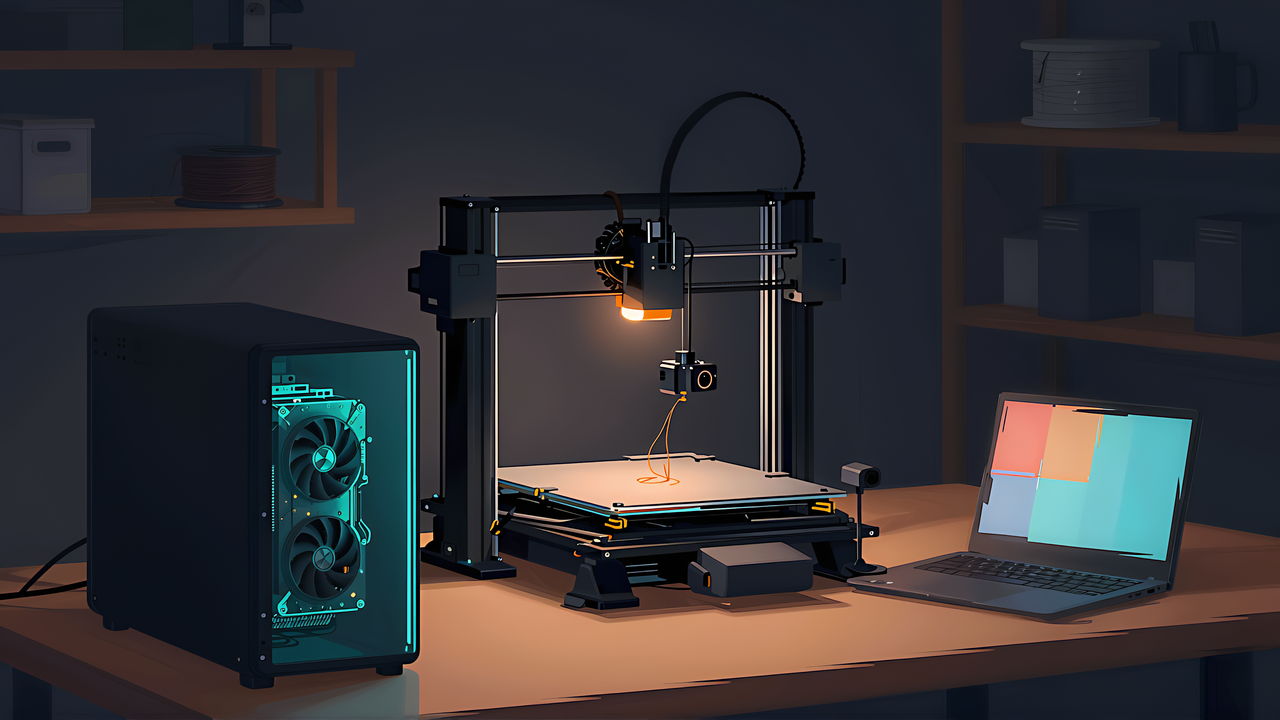
You start a long print at night and find a tangle of filament on the plate in the morning. Catching a failure early saves material and time, which is why many people point a camera at their printer. Until now, though, classifying 3D print defects from photos has mostly meant training a detector on collected defect images, and few individuals have hundreds of defect photos from their own printer.
This article contains affiliate links. As an Amazon Associate, we earn from qualifying purchases.
Between September and October 2026, several vendors released decision models: models that write no text and return only answers and probabilities for typed questions. TypeSafe’s Jev reads only text, but Cloudflare’s Clef-flash reads images, its weights are distributed under Apache 2.0, and it runs on a local GPU. No training is needed: describe the defect types in the question and the model classifies the photo.
We had a local Clef-flash and, for comparison, claude -p (Claude Sonnet 5.5) classify 50 defect photos from a public dataset, taken on the printer during printing, into five types. Correct answers: 25 for Clef-flash and 41 for claude -p. The bigger gap was in probability quality. Of the 21 answers where Clef-flash’s top probability was 0.8 or higher, only 10 were correct, so in this run a high probability was no sign of a correct answer; claude -p got 16 of 18 such answers right. We also describe how Clef-flash failed on the Windows build of Ollama and how we worked around it with the Linux build in Docker.
The dataset we used comes from a study that trained a detector. Hu WenJing and colleagues at Hangzhou Dianzi University published a system that detects and reports FFF (also called FDM) defects in real time in The International Journal of Advanced Manufacturing Technology in 2024. They produced defects on purpose, collected photos, and trained a YOLOv8 model with a lightweight detection head. According to the abstract, the improved model reached an mAP50 of 97.5 percent, with 18.1 percent more FPS and 32.9 percent fewer GFLOPs.
That 97.5 percent is an object-detection metric for a model trained on this data. Our accuracy figures below are the share of photos where an untrained model picked the right one of five types: a different metric under different conditions, so the two cannot be ranked against each other. Training leaves work with the user: collect photos from your own printer and camera angle, label them, train, and re-evaluate. Training can push accuracy far, but printers that rarely fail produce few training images.
To build your own set of labeled photos, mount a camera that sees the whole bed. An autofocus camera module for Raspberry Pi is a common way to capture the print area at close range.

 ポチップ
With a decision model you send the state to judge (a photo or text), plus the question and option descriptions. Here the question was “which of these five defects does the photo show?” with an English description of each, and the answer was five probabilities. No training photos are needed, and rewriting the question turns the same model into a different classifier.
Jev is a decision model too, but text only: TypeSafe’s docs say “No image, audio, or video input” and ask you to convert such input into text or structured fields first. Cloudflare’s Clef announcement names Jev’s text-only classification as a difference from its own models. So we used Clef-flash, a 9B model announced on October 1, 2026, fine-tuned from Qwen3.5-9B, with Apache 2.0 weights on Hugging Face; Ollama 0.35.1 and later accept images for it. The larger Clef (27B) also exists, but we used only Clef-flash. Cloudflare says Clef follows the same API shape as Jev, but confidence formulas differ by provider (TypeSafe’s choice confidence uses the gap between the top probability and an even split; Ollama’s uses entropy), so re-measure thresholds when switching. Running locally means camera images never leave your network.
Vendor numbers need care. Cloudflare reports a median latency of 38.8 ms for Clef-flash in its own evaluation without stating the environment, which differs from our setup, and the evaluation table on the Hugging Face model card has no item explicitly labeled image classification. Whether it works on 3D print defect photos is something to test yourself.
Through Ollama, Clef-flash returns a confidence value with the probabilities. Ollama’s docs define it as how concentrated the distribution is: 1 − H(p)/ln(N), where H(p) is the entropy and N the number of options, so it is 1 when all probability is on one option and 0 when spread evenly. The docs say “Not calibrated correctness.” Whether probabilities match outcomes can only be checked with photos whose answers you know, so alongside accuracy we report the multiclass Brier score and accuracy for answers with a top probability of 0.8 or more versus below 0.8.
The photos come from the FDM 3D Printing Defect Dataset published by Hu and colleagues, MIT licensed and released on Kaggle in October 2024. We used the copy bundled in March 2026 with the Hugging Face benchmark ppak10/Additive-Manufacturing-Benchmark (which its card says grew out of a Carnegie Mellon University graduate course), downloaded without logging in. All photos were taken by the dataset authors, who created the defects on purpose; we did not print or photograph anything. We link to the source rather than reproduce photos.
| Class | Defect | Images |
|---|---|---|
| Cracking | Layers crack or split | 472 |
| Layer_shifting | Upper layers shifted sideways partway up | 364 |
| Off_platform | Part has come loose from or moved on the plate | 91 |
| Stringing | Thin strands of plastic between parts | 447 |
| Warping | Corners or edges lift off the plate | 538 |
The Kaggle description says 427 Cracking images, but that does not add up to the stated 1,912 total; counting the Hugging Face files gave 472 and a total of 1,912, so 472 appears correct. The paper abstract describes real-time detection during printing, and the Hugging Face card says defects were induced during printing. In seven photos we inspected (one per class plus an augmented pair), the nozzle and fan shroud were directly above the part, still on the plate, shot from the side, so we treat these as photos taken on the printer during (or right after) printing. The paper is paywalled, so we could not confirm the printer, camera, or shooting conditions. Ten photos we checked were all 3072×2048.
We drew 10 photos per class with random seed 20261012, 50 in total. With equal classes, random guessing gets one in five right on average, which is the baseline. Photos were resized to a 1024 px long edge and sent one at a time to both models, without file or folder names (the dataset’s file names do not contain class names anyway). We resized because Claude 4.7 and later models automatically downscale images above a 2576 px long edge or 4,784 visual tokens (28×28-pixel patches), while Ollama’s docs do not say whether Clef-flash resizes internally.
The dataset includes 81 augmented images (file names ending in _aug), which we did not exclude, so 2 of the 50 were augmented: a horizontally flipped Stringing photo and a brightened Layer_shifting photo. Their originals were not in the sample, so no photo appears twice, but we also report results for the 48 non-augmented photos.
{
  "model": "clef-flash",
  "state": "A photo of an FDM 3D print taken at the printer.",
  "questions": {
    "defect": {
      "type": "choice",
      "instructions": "This photo shows an FDM 3D print with exactly one kind of defect. Which defect does it show?",
      "criteria": {
        "Cracking": "Cracks or splits between layers of the printed part",
        "Layer_shifting": "Layers are offset sideways from the layers below, partway up the part",
        "Off_platform": "The part has come loose from the build plate or moved on it",
        "Stringing": "Thin strands or wisps of plastic stretched across or between parts of the print",
        "Warping": "Corners or edges have lifted or curled up away from the build plate"
      }
    }
  },
  "images": ["(JPEG as a base64 string)"]
}
claude -p got the same question and descriptions as text (without the state sentence; system prompt “You are a careful assistant.”) and returned its choice and five probabilities as JSON, asked to give honest estimates summing to 1. Replies that did not sum to 1 were normalized. It ran in Claude Code non-interactive mode with no tools, MCP, or settings files, using –model sonnet (logged as claude-sonnet-5-5).
| Item | Clef-flash | claude -p |
|---|---|---|
| Model | clef-flash (Ollama default tag, Q8_0) | Claude Sonnet 5.5 |
| Where it ran | Local RTX 5070 Ti (16,303 MiB), Linux build of Ollama 0.35.1 in Docker | Anthropic API (Claude Code non-interactive) |
| Input | One 1024 px JPEG in images (base64) | Same JPEG as a base64 image block |
| Probabilities | Five probabilities from the model | Numbers written in the reply (normalized) |
| Runs | Once per image | Once per image |
Each condition ran once on October 7, 2026. The 48-photo rows exclude the two augmented images. Correctness is based on the type each model chose; claude -p had four replies where the chosen type differed from its highest-probability type (see below).
| Model | Photos | Correct | Brier (multiclass, 0–2) | Top probability ≥ 0.8 (correct/total) | Median time per photo | Cost |
|---|---|---|---|---|---|---|
| Clef-flash (local Ollama) | 50 | 25 (50.0%) | 0.751 | 10/21 | 1,486 ms | 0 (local) |
| Clef-flash (local Ollama) | 48 | 24 (50.0%) | 0.769 | 9/20 | 1,475 ms | 0 (local) |
| claude -p (Sonnet 5.5) | 50 | 41 (82.0%) | 0.379 | 16/18 | 6,156 ms | $1.213 |
| claude -p (Sonnet 5.5) | 48 | 39 (81.3%) | 0.394 | 14/16 | 6,088 ms | $1.165 |
Clef-flash was right half the time and claude -p 82 percent. Random guessing gets one in five, so the untrained Clef-flash beat chance, but it still missed half. Excluding the augmented images barely changed either figure.
The multiclass Brier score adds up, for each photo, the squared differences between each type’s probability and 1 for the correct type or 0 otherwise, then averages over photos. Always putting probability 1 on the right answer scores 0; always putting it on a wrong answer scores 2. scikit-learn’s brier_score_loss also returns the 0–2 scale for multiclass and halves binary scores to 0–1, so check the scale when comparing. Spreading 0.2 across all five types gives (1−0.2)² + 4×0.2² = 0.64 + 0.16 = 0.8, which with balanced classes is the “knows nothing” baseline. Clef-flash’s 0.751 is barely below it; claude -p’s 0.379 shows it put fairly high probability on the right type.
The Brier score mixes calibration (do probabilities match how often answers are right) with discrimination (does the model give higher probability to photos it gets right). scikit-learn notes this limit. Answering 0.2 everywhere scores 0.8, yet those probabilities are perfectly calibrated (each type labeled 0.2 is right one time in five); what is missing is discrimination. Being near 0.8 only says the improvement over that answer is small; to see how probabilities miss, bin them by size and compare with observed accuracy, as below.
Clef-flash took a median 1,486 ms per photo on the local GPU; claude -p took 6,156 ms over an API including CLI startup, so the difference is not a model speed comparison. claude -p reported $1.213 for 50 photos; Clef-flash had no API cost (electricity not counted).
| Correct class | Clef-flash correct | claude -p correct | Main confusions |
|---|---|---|---|
| Cracking | 6/10 | 10/10 | Clef-flash: Layer_shifting 3, Stringing 1 |
| Layer_shifting | 4/10 | 8/10 | Both: Stringing (Clef-flash 6, claude -p 2) |
| Off_platform | 0/10 | 5/10 | Both: Stringing (Clef-flash 10, claude -p 5) |
| Stringing | 10/10 | 10/10 | None |
| Warping | 5/10 | 8/10 | Clef-flash: Layer_shifting 4, Off_platform 1; claude -p: Cracking 2 |
Clef-flash answered Stringing for 27 of 50 photos. Its perfect score on Stringing is the flip side of that bias: answer Stringing often enough and you rarely miss real stringing. It also labeled all 10 Off_platform photos as Stringing, and 6 of 10 Layer_shifting photos. Judging a model as “strong on this defect” from one class’s score would be misleading. claude -p’s errors leaned the same way, calling 5 Off_platform and 2 Layer_shifting photos Stringing, plus 2 Warping photos Cracking.
Moreover, in 4 of the 5 Off_platform photos claude -p got right, the probabilities it wrote favored Stringing (0.6–0.75 versus 0.2–0.3 for Off_platform). Counting by highest probability, claude -p drops from 41 to 37 correct (74 percent) and to 1 of 10 for Off_platform. For Clef-flash the chosen type and highest-probability type matched in all 50.
One possible reason: in the Off_platform photo we inspected, tangled filament sat below the nozzle. After a part comes loose, the nozzle keeps extruding, and the tangled strands can be more visible than the detached part. Our Stringing description (“thin strands or wisps of plastic stretched across or between parts of the print”) fits such photos too. We checked only one photo, so this is not a conclusion; adding something like “filament tangled around a detached part” to the description might reduce the confusion, but we did not test it.
Stringing was where the model’s answers piled up, but it is also a common real defect. Moisture in the filament is one cause, and drying the spool before printing often reduces it.
If defect classification is going to drive monitoring, what matters as much as accuracy is whether high-probability answers are the right ones; thresholds for alerts or stops depend on it. Clef-flash had 21 answers with a top probability of 0.8 or more, and 10 were correct. Its average top probability was 0.654 when right and 0.641 when wrong, nearly identical, so in this run its probabilities did not separate hits from misses. claude -p had 18 such answers and 16 were correct (14 of 16 on the 48 photos). Its probabilities are numbers it wrote, not computed for all options at once, so this may not hold for other photos or questions.
| Model | Top probability | Count | Mean top probability | Highest-probability type correct |
|---|---|---|---|---|
| Clef-flash | below 0.8 | 29 | 0.444 | 15 (52%) |
| Clef-flash | 0.8 or more | 21 | 0.929 | 10 (48%) |
| claude -p | below 0.8 | 32 | 0.626 | 21 (66%) |
| claude -p | 0.8 or more | 18 | 0.896 | 16 (89%) |
Clef-flash put an average of 0.929 on its 0.8-plus answers but got fewer than half right, so its probabilities far exceeded its hit rate, and its 0.8-plus answers were no more accurate than the rest. claude -p’s means (0.896 and 0.626) were close to its hit rates (89 and 66 percent). Its below-0.8 group includes the four replies where choice and top probability disagreed; counted by choice, it has 25 correct. With 18 to 32 answers per bin, finer bins would be too small to read.
Even when connected to stopping, a decision model does not replace the printer’s safety features such as thermal runaway protection. Treat image judgments as an aid for notifying a person. Text information like temperatures and progress can go to a text decision model such as Jev and camera images to a local Clef-flash; since Clef follows the Jev API shape, questions and responses stay consistent. For the text side, see the printer state article.
Clef-flash is available from the Ollama library, but decision models are not used interactively like ollama run. The model page says decision models are not in the Ollama CLI yet and points to HTTP /v1/systemone or TypeSafe’s Python SDK pointed at Ollama. Image rules from Ollama’s docs:
images as base64 strings; URLs and data URLs are not accepted.The largest original photo is about 7.2 MB in base64, well under 32 MiB; we resized only to keep inputs consistent. Responses include the choice, the five probabilities, confidence, and input tokens including the image. Log the probabilities, not just the choice, so thresholds can be revisited later.
On our Windows PC, every Clef-flash request to /v1/systemone on Ollama 0.35.1 failed with “Clef: non-finite logit” (HTTP 500), even with the example from Ollama’s docs. The same symptom is reported as issue #18769. The fix, PR #18777, was merged on October 7, 2026, but no release containing it was out that day, and we have not verified it. The docs list no per-OS support, and the text-only Nimble 9B (Ollama build) did work on the same Windows install. As a workaround we ran the Linux build of Ollama 0.35.1 in Docker Desktop with the GPU attached, sharing the model folder already downloaded on Windows, and Clef-flash worked on the same GPU. Two caveats: the first call, including model load from the shared Windows folder, took 125.9 seconds (later calls were fast because the model stayed resident), and after testing the Docker Desktop process disappeared and the container became unreachable, for reasons we could not determine. For continuous monitoring, add a way to notice when the container goes down.
Ollama’s clef-flash default tag (Q8_0) is a 10 GB model plus a 918 MB image projector. File size is not VRAM, so we measured: on an RTX 5070 Ti (16,303 MiB) with desktop apps using 2,279 MiB, usage rose to 15,391 MiB after loading. The model took 13,112 MiB, about 80 percent of a 16 GB card, and for image models the projector must be included in estimates. Ollama has no tag smaller than Q8_0 for clef-flash; ggml-org distributes a Q4_K_M GGUF (6.49 GB), which we did not try. Median time per photo was 1,486 ms.
Without a local GPU, clef-flash is available on Cloudflare Workers AI at $0.09 per 1M input tokens. Images are limited to 4 per request, 4 MiB and 16 megapixels each, 8 MiB decoded in total, and 13 MiB per request. 142 originals in this dataset exceed 4 MiB and need resizing. With Workers AI, or any general chat AI over an API, your camera photos leave your network.
If you are new to running language models on your own hardware, a hands-on LLM book helps with the basics before you set up Ollama for decision models.
Still, two things come through from these 50 photos: a local model with only a written question classified defects well above chance, and a high probability was not always a sign of a correct answer.
Without training on photos, writing a question is enough to build a classifier. Before using its probabilities for alerts or stops, count on labeled photos from your own printer whether higher probabilities really are right more often. To turn those probabilities into stop decisions, see the threshold article.