Luma Ray3 HDR Video Generation Complete Guide: Cinematic Footage, Color Grading, Monetization (2026 Edition)
swiftwand swiftwand.ai
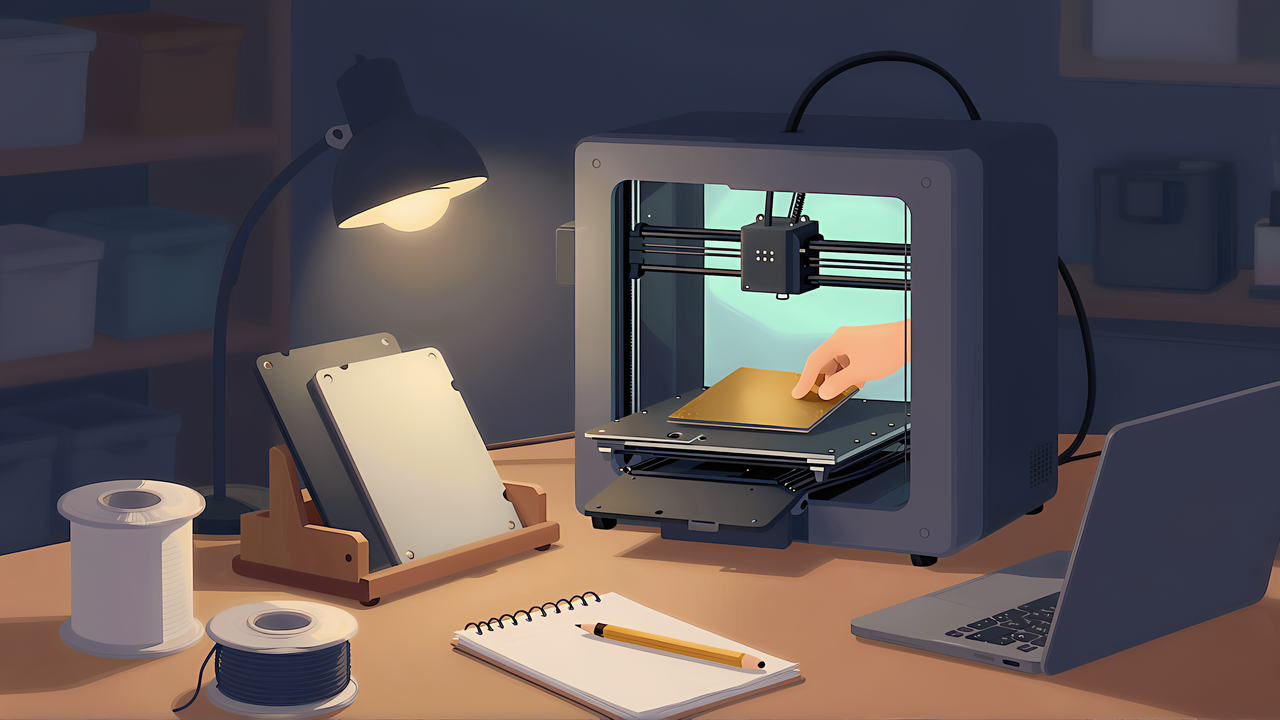
You switch the filament to ABS but leave the Cool Plate from your last PLA print. A request arrives for a shared printer: “PLA Basic at 260 °C nozzle.” Slicer setting mix-ups usually happen right after a filament change, or when settings arrive as text from someone else. Bambu Studio stops some of these on its own, but not all of them, and settings written in a message cannot be checked until someone types them into the slicer.
This article contains affiliate links. As an Amazon Associate, we earn from qualifying purchases.
So we tested whether AI can catch slicer setting mix-ups. We built the answer key from Bambu Studio’s official profiles (the main GitHub repository at commit da8b44e) for a Bambu Lab P1S with a 0.4 mm nozzle and prepared 42 combinations across nine filaments. Each was sent three ways, as JSON with recommended values, as a Japanese request with recommended values, and as a Japanese request alone, for 126 cases judged by a local Nimble 9B and claude -p. Nimble 9B is a decision model: it writes no text and returns answers and probabilities for predefined questions.
The short version: with recommended values supplied, claude -p got all 42 right on both “may this print start?” and “what is the problem?” Nimble got “what is the problem?” right in 38 and 39 of 42, just over 90 percent. Without recommended values, Nimble fell to 17 of 42 (40.5 percent), but its average confidence, which measures how concentrated the answer is, also fell to 0.066, signaling that it did not know. The other notable result: Nimble’s two answers about the same state often disagreed, naming the nozzle temperature as the problem while also saying the print could start.
We did not use TypeSafe’s Jev, which Ollama and Cloudflare use as their reference point (see our Jev explainer). Ollama’s /v1/systemone follows the Jev API, so the same questions could be sent to Jev, but every number here comes from one run each of Nimble and claude -p.
Bambu Studio’s official profiles list a recommended nozzle temperature range per filament and a bed temperature per build plate. For a P1S with a 0.4 mm nozzle, PLA Basic defaults to 220 °C with a range of 190–240 °C, while ABS defaults to 270 °C with a range of 240–280 °C. The ranges touch only at 240 °C.
Plates differ even more. PLA Basic has 0 for the Engineering Plate, and ABS has 0 for the Cool Plate and Cool Plate SuperTack. That 0 does not mean “not recommended” but “not supported,” and Bambu Studio refuses to slice. Mix-ups fall into three groups:
The first two happen inside Bambu Studio, which catches some of them. The third happens outside it; if the person typing the request into the slicer misses the error, it goes straight in. That third case is where AI reading is most worth trying. We limit the scope to one filament per print and four items: filament, nozzle temperature, bed temperature, and plate.
The jump from PLA to high-temperature filaments such as ABS and ASA is where temperature and plate get left behind. With a third-party ASA, start from the generic profile in your slicer and compare its values with the spool label.
Reading the source at the same commit, Bambu Studio’s checks fall into four levels of strength.
| Check | How Bambu Studio handles it | Where in the source |
|---|---|---|
| Bed temperature for the chosen plate is 0 | Error; slicing stops | src/libslic3r/Print.cpp |
| Nozzle temperature outside the recommended range | Warning dialog when you edit the value in filament settings; slicing continues, and nothing is checked at slice or send time | src/slic3r/GUI/ConfigManipulation.cpp, Tab.cpp |
| Nozzle hardness below what the filament requires | Warning on the send screen, only if the printer reports its nozzle type | src/slic3r/GUI/SelectMachine.cpp |
| Bed temperature at or above the profile’s softening temperature | Only a note in the setting description | src/libslic3r/PrintConfig.cpp |
The Engineering Plate setting says “Value 0 means the filament does not support to print on the Engineering Plate,” and the pre-slice check returns “Plate %d: %s does not support filament %s.” Editing the nozzle temperature out of range shows “Nozzle may be blocked when the temperature is out of recommended range.” and asks you to confirm, after which you can proceed. That check runs only when you edit the value; presets or 3MF files with out-of-range values are not checked at slice or send time.
Filaments also specify a minimum nozzle hardness: “Minimum HRC of nozzle required to print the filament. Zero means no checking of nozzle’s HRC.” Carbon-fiber PLA-CF, PETG-CF, and PA6-CF require 40. Bambu Studio’s nozzle data lists stainless steel at HRC 20 and hardened steel at 55. The profile value temperature_vitrification (shown as Softening temperature) only triggers advice to open the door or remove the top glass; it is not the material property from Bambu’s technical data sheet (PLA Basic: 45 °C in the profile versus a 60 °C glass transition and 57 °C Vicat softening point in the TDS). We found no check that a non-zero bed temperature suits the filament.
In short, the zero-plate check and the nozzle range are rule-based checks Bambu Studio already performs, the latter only on edit. Neither needs AI. What Bambu Studio never sees is the setting before it reaches the slicer: the text request.
The source is the official profile set in bambulab/BambuStudio on GitHub, the main (non-fork) repository under AGPL-3.0; its README says Bambu Studio is based on PrusaSlicer. Because master changes, we pinned commit da8b44e (September 28, 2026). Compared with the latest stable release, v02.08.02.61 (August 21, 2026), temperatures, plates, and nozzle hardness were identical; only some filament price fields differed.
Profiles inherit from parent files through inherits, and the closest file to the child wins. Reading only a parent can mislead: the general PETG file sets the Engineering Plate to 0, but the PETG HF base file overrides it to 70. Every value below is the final inherited value. Machine-specific files store temperatures as pairs for the Direct Drive Standard and High Flow hotends; we used the first (Standard). PETG Basic, ASA, PLA-CF, PETG-CF, and PA6-CF have no P1S-specific file, so we used the X1C files whose compatible printers include “Bambu Lab P1S 0.4 nozzle.”
| Filament | Nozzle range | Default | Cool | Engineering | Smooth PEI | Textured PEI | SuperTack | HRC | Softening |
|---|---|---|---|---|---|---|---|---|---|
| PLA Basic | 190–240 | 220 | 35 | 0 | 55 | 55 | 45 | 3 | 45 |
| PETG HF | 230–270 | 245 | 0* | 70 | 70 | 70 | 70 | 3 | 70 |
| PETG Basic | 230–270 | 255 | 0* | 70 | 70 | 70 | 70 | 3 | 60 |
| ABS | 240–280 | 270 | 0 | 90 | 90 | 90 | 0 | 3 | 100 |
| ASA | 240–280 | 270 | 0 | 100 | 100 | 100 | 0 | 3 | 100 |
| TPU 95A HF | 200–250 | 230 | 30* | 30 | 35 | 35 | 0 | 3 | 30 |
| PLA-CF | 210–250 | 230 | 45 | 0 | 55 | 55 | 50 | 40 | 45 |
| PETG-CF | 240–270 | 255 | 0* | 70 | 70 | 70 | 70 | 40 | 70 |
| PA6-CF | 260–300 | 275 | 0 | 100 | 100 | 100 | 0 | 40 | 170 |
All temperatures are in °C; 0 means the plate is not supported. Rows marked * were excluded from the questions. Bambu’s technical data sheets and Japanese store pages disagree with the profiles in places: nozzle ranges (the TDS upper limit is 10 °C lower for all five filaments we checked, and TPU 95A HF’s lower limit is 20 °C higher), Cool Plate support, and PLA Basic bed temperature (55 °C on PEI plates in the profile, 35–45 °C in the TDS). We did not decide which is right; the key is fixed to the profiles. Combinations where plate support or nozzle range differ between sources were excluded, and nozzle errors were placed outside the profile range. The PLA Basic bed temperature difference was not excluded.
The answer key covers a Bambu Lab P1S with a 0.4 mm nozzle. If you run the same printer, you can use the table directly to check your own settings.
| Combination type | How it was built | Count | Correct answer (start? / problem) |
|---|---|---|---|
| No problem, Textured PEI | Default nozzle, profile bed value | 9 | yes / none |
| No problem, Smooth PEI | Same | 9 | yes / none |
| Nozzle too cold | 20 °C below the range, Textured PEI | 9 | no / nozzle_temperature |
| Nozzle too hot | 20 °C above the range, Textured PEI | 9 | no / nozzle_temperature |
| Unsupported plate | Plate with value 0, default nozzle, Textured PEI bed value | 6 | no / plate |
Every state specified “0.4 mm hardened steel” so that nozzle hardness never became the issue. Seven of nine filaments have a bed temperature at or above their softening value in the no-problem cases, yet Bambu Studio raises neither error nor warning, so those were treated as no problem. The three ways of sending were JSON with a line of recommended values (json_ref), a Japanese request with the same line (text_ref), and the Japanese request alone (text_noref). The recommended line marked zero plates with “0 = not supported.”
{
  "printer": "Bambu Lab P1S",
  "nozzle": "0.4 mm hardened steel",
  "filament": "Bambu PLA Basic",
  "nozzle_temperature": 260,
  "bed_temperature": 55,
  "plate": "Textured PEI Plate"
}
Bambu Studio profile for this filament: nozzle 190-240 C; bed temperature by plate: Cool Plate 35 C, Engineering Plate 0 C (0 = not supported), Smooth PEI Plate 55 C, Textured PEI Plate 55 C, Cool Plate SuperTack 45 C.
Two questions were asked at once: a noul (“Can this print start with these settings without a settings problem for this filament?”) and a choice (“Which setting is the problem, if any?”) with none, nozzle_temperature, plate, and bed_temperature. Only choice answers carry confidence, so confidence is compared for that question only.
| Item | Nimble 9B | claude -p |
|---|---|---|
| Model | Ollama build of Bespoke-Nimble-9B (Apache 2.0), text only | Claude Sonnet 5.5 |
| Where it ran | Local RTX 5070 Ti (16,303 MiB), Ollama 0.35.1 for Windows | Anthropic API via Claude Code non-interactive mode, minimal setup |
| Start? | “Yes” if probability ≥ 0.5 | Same |
| Problem | Chosen option vs key | Same |
| Runs | Once per case (October 7, 2026) | Once per case |
| Model | Input | Start? (noul) | Problem (choice) | Avg confidence (choice) | Median time |
|---|---|---|---|---|---|
| Nimble 9B | JSON + recommended | 33/42 (78.6%) | 38/42 (90.5%) | 0.777 | 2,758 ms |
| Nimble 9B | Request + recommended | 24/42 (57.1%) | 39/42 (92.9%) | 0.716 | 2,754 ms |
| Nimble 9B | Request only | 18/42 (42.9%) | 17/42 (40.5%) | 0.066 | 2,633 ms |
| claude -p | JSON + recommended | 42/42 (100.0%) | 42/42 (100.0%) | — | 4,741 ms |
| claude -p | Request + recommended | 42/42 (100.0%) | 42/42 (100.0%) | — | 4,935 ms |
| claude -p | Request only | 34/42 (81.0%) | 34/42 (81.0%) | — | 6,686 ms |
By combination type (start / problem correct):
| Type (count) | Nimble: JSON + rec. | Nimble: request + rec. | Nimble: request only | claude -p: request only |
|---|---|---|---|---|
| No problem, Textured PEI (9) | 9/9 | 9/9 | 9/1 | 9/9 |
| No problem, Smooth PEI (9) | 9/9 | 9/9 | 9/2 | 6/6 |
| Nozzle too cold (9) | 9/9 | 0/9 | 0/6 | 9/9 |
| Nozzle too hot (9) | 0/9 | 0/9 | 0/7 | 7/7 |
| Unsupported plate (6) | 6/2 | 6/3 | 0/1 | 3/3 |
With recommended values, claude -p answered both questions correctly for all 42 combinations whether it got JSON or a Japanese request: compare the number with the range and spot the plate marked “0 = not supported.” Nimble named the nozzle temperature correctly in all 18 nozzle cases and answered none for all 18 no-problem cases in both formats. Its misses were unsupported plates, where it chose plate in only 2 and 3 of 6 and picked bed_temperature otherwise. Because those cases used the Textured PEI bed value, bed_temperature is also defensible, and its “start?” answer was “no” in all six. It did not miss that something was wrong; it named a different setting.
Times are not comparable: Nimble ran on a local GPU (2.6–2.8 s), claude -p over an API including CLI startup (4.7–6.7 s). claude -p reported $2.678 for all 126 cases; Nimble had no API cost.
Given only the Japanese request, Nimble got the problem right for 17 of 42, and answered none for only 3 of 18 no-problem cases. On “start?” it scored 18 of 42, but every one of those was a no-problem case: it said “start” for all 42 combinations. Used as a gate, that question would have let every mix-up through.
Average choice confidence, however, dropped to 0.066, against 0.777 and 0.716 with recommended values: the probabilities were spread almost evenly. Confidence measures concentration, not correctness, and Ollama’s docs say so. Still, in this run it fell sharply when information was missing; if your own tests show the same, low confidence is a usable signal for routing to a person. noul answers have no confidence, so the “yes” probability itself is the signal: 0.546 to 0.685 here, versus 0.806 to 0.904 for no-problem cases with recommended values. But in 27 nozzle-error cases with recommended values Nimble still said “yes” at 0.679 to 0.976, so a high probability does not mean correctness.
claude -p fell to 34 of 42 without recommended values: it caught all cold nozzles but missed 2 of 9 hot ones, flagged 3 good Smooth PEI cases, and found 3 of 6 unsupported plates. Plate support in Bambu Studio is defined by the profile, and a model’s general knowledge need not match it. Since the profiles are public, always send the recommended values.
Nimble’s most striking behavior was disagreement between two questions about the same state. With JSON and recommended values, it named nozzle_temperature for all 9 too-hot cases yet answered “start” for all 9. With the Japanese request and recommended values, the same happened for all 18 nozzle errors. In the other direction, for unsupported plates it said “no” to starting in all 6 but picked plate in only 2. claude -p’s counts matched across the two questions in every format.
We tried only one wording of the noul question, so we cannot tell whether the cause is the wording or how the model handles noul questions. Two practical lessons follow: do not use the “start?” noul alone as the gate (the choice question was more accurate here), and treat disagreement between the two answers as a reason for a person to look. We did not test that second idea.
Zero plates and nozzle ranges can be checked by comparing with the profile, and Bambu Studio already does both (the range only when a value is edited). Doing the same in your own code takes a few lines:
def find_problems(setting, profile):
    problems = []
    bed = profile["bed_temperature_by_plate"][setting["plate"]]
    if bed == 0:
        problems.append("plate")  # plate not supported
    low, high = profile["nozzle_temperature_range"]
    if not low <= setting["nozzle_temperature"] <= high:
        problems.append("nozzle_temperature")  # outside range
    return problems
A rule gives the same answer every time, needs no probability, costs nothing, and does not wait for an API. In our run Nimble passed nozzle errors on the “start?” question even with the range supplied, and TypeSafe itself says Jev is weak at numerical precision and recommends keeping computation in code.
Rules struggle where the input is messy. Requests abbreviate filament names and use local plate names; Bambu Lab’s Japanese store, for example, uses different names from the English labels in Bambu Studio, so string matching breaks. That reading step fits a choice question well: “which of these five plates is this?” or “which of these nine filaments?” returns a value aligned with the profile, plus probability and confidence to flag uncertain requests. Our request texts were templated, so real requests with abbreviations and typos need separate testing.
Steps 1 and 3 were not tested here; we measured an AI doing reading and checking together.
Handing the reading step to a model while keeping checks in rules means writing a little code that calls a language model. A hands-on guide to working with LLMs in code is a good starting point.
Start with the rules: comparing against the profile is deterministic and free. If you accept settings as text, let a decision model do the reading, always attach recommended values, and route low-confidence or conflicting cases to a person, after counting how well that works on your own requests. For printer-side checks during a print, see the printer state article.