Text-to-CAD Guide 2026: Functional Parts Generative Meshes Cannot Make
swiftwand swiftwand.ai
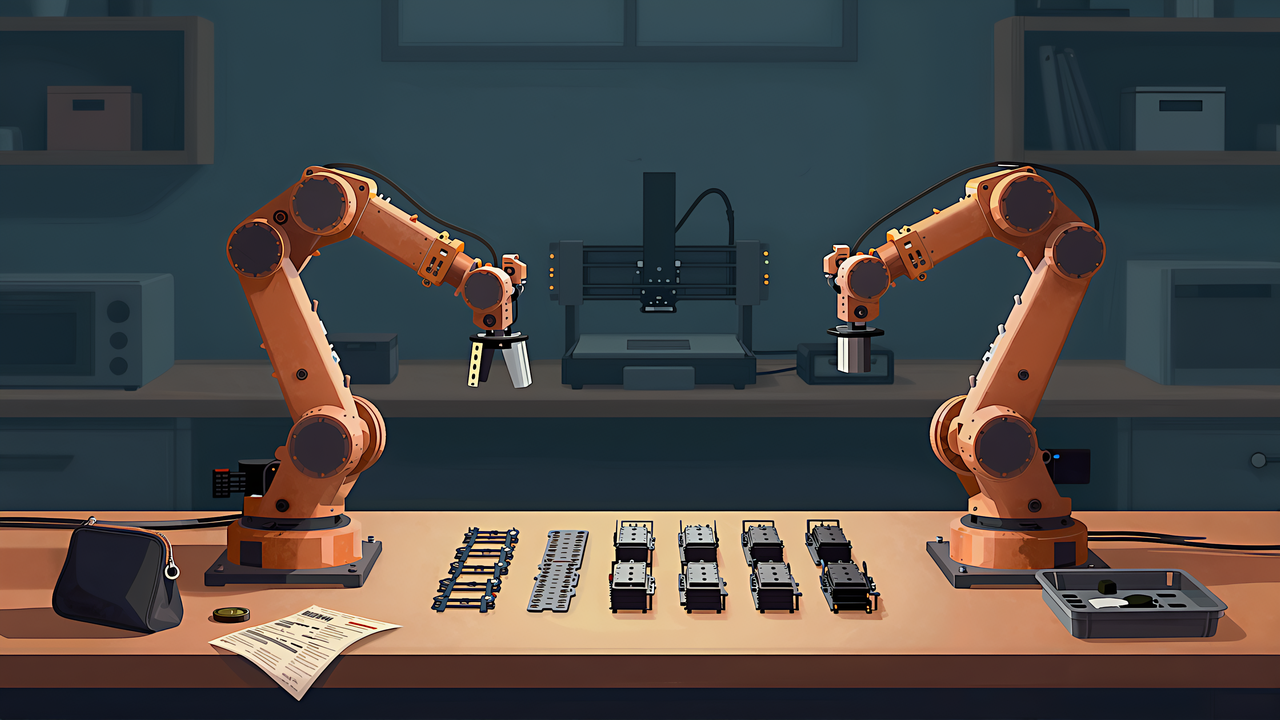
You will keep running into the phrase: a robot arm you can build for a hundred dollars. Open the bill of materials and it does not say that.
This article contains affiliate links. As an Amazon Associate, we earn from qualifying purchases.
The repository that publishes the design lists the follower arm — the one that moves — at USD 121.94, or JPY 24,414. And collecting training data requires two arms, not one, so the figure that matters is the pair: USD 229.88, or JPY 44,530 (both checked 2 September 2026). A hundred dollars is not a dishonest headline, but it is not the total on your shopping list either.
Starting with money is deliberate, because getting this wrong derails the whole plan. You budget for one arm, get to the data collection stage, and discover you need a second. That is the most expensive order to fail in.
This article reads the SO-101 parts list from the perspective of someone who will print the structural components, and then gets into the printing decisions that follow from that. This site has not assembled the hardware, so what follows is an organised reading of the official repository and build guide, not a build report.
Why two? The answer is in how teaching works. You physically move the leader arm through the task, the follower mirrors it, and the pair of trajectories becomes a training episode. The second arm is not a luxury, it is the data collection device.
And the two are not identical. The follower needs the torque to lift things. The leader needs the opposite — light enough that a human can move it for an hour without fatigue. That difference in requirement lands directly on the servo configuration.
The elegant part of the SO-101 design is that both arms come out of almost the same parts. The official documentation says the leader and follower are nearly identical in off-the-shelf components, with the motors being the difference. The structural parts print the same way; only the gripper and the handle change. Building two sounds like double the work, but it is barely more to learn.
You can build one first and add the second later. The catch is that the servos use different gear ratios per joint, which makes it easy to order the wrong part number on the second pass. Buying the set together is safer.
The useful thing about this parts list is that it ships with USD, EUR, RMB and JPY columns from the start. You do not have to guess an exchange rate.
| Configuration | USD | JPY |
|---|---|---|
| Pair (follower plus leader) | 229.88 | 44,530 |
| Follower only | 121.94 | 24,414 |
The main line items: twelve servos at USD 13.89 each, two motor control boards at 10.60, two power supplies at 10.00, plus a USB cable, a table clamp and a screwdriver.
One caution. Unit prices differ by region. The power supply is USD 10.00 in the US listing but 15.7 EUR in the euro column, relatively more expensive. Converting the US subtotals yourself will not reproduce the local column. If you want a total, read the column for your own currency directly.
And note what the total excludes: filament, a camera, and shipping or customs if you import. Camera modules start around USD 12 as a separate item, and a vision-conditioned model needs one.
The servos on the bill of materials, and the camera it does not include, as sold on Amazon.com.
The repository gives the print settings rather than leaving them to you. PLA+ material, a 0.4mm nozzle at 0.2mm layer height (or 0.6mm at 0.4mm), 15 per cent infill, supports everywhere except slopes above 45 degrees.
Then the one that is easy to skip: there should be no supports in the screw holes with horizontal axes. Get that wrong and you cannot fix it after assembly.
What the official settings do not cover is material behaviour beyond PLA+. PLA+ is stiff and easy to print, and it is also the material that softens in a hot car or a summer window. A structure that will hold a pose under load all day is not really what it is designed for. Material trade-offs are covered in the print strength article, and the fit between printed parts and metal hardware — servo horns especially — is exactly where tolerance design earns its keep.
The published STL files come pre-arranged for two bed sizes: 220mm by 220mm (Ender dimensions) and 205mm by 250mm (Prusa and UP). Each file holds one arm. If your machine matches neither, you rearrange them yourself — and if you are rearranging, place parts with layer orientation in mind. For running the whole set as one job, the batching approach in planning the batch applies directly.
The build uses two screw sizes: M2 by 6mm and M3 by 6mm. The smaller M2 fixes the servos; M3 joins structural parts and secures the motor horns.
The step that catches people is setting the servo IDs one at a time. Every servo ships with ID 1, so daisy-chaining them straight out of the box means no communication at all. The official procedure has you connect exactly one servo to the board, write its ID and baud rate, and repeat six times. The settings go to non-volatile memory, so it is a one-time job.
The stumbling blocks are listed officially too: check the power supply, the cable between computer and board, and the three-pin cable between board and servo. With a Waveshare board, set the jumper to the B position. The guide even mentions that the power cable tends to come loose while you are handling the board, which is the kind of note that only gets written after it has happened to someone.
The standard build runs on 5V. If you need more torque there is a 12V servo variant — 30 kg.cm versus 16.5 kg.cm — but choosing it means also replacing the power supply with a 12V unit rated at 5A or more. The official documentation is explicit about this. Changing one and not the other is not a configuration that works, so decide which you are building before you order.
If sourcing individual parts is not appealing, several vendors sell kits. Read what is in them. One listing is USD 249.90, which covers servos, the control board and cables — and states that 3D printed parts and cameras are not included. The printed parts are 29.90 and the camera 12 as separate items.
Compare that against the parts list total and the arithmetic is straightforward: if you own a printer, printing the structure is the cheaper path and it also means a broken part is a reprint rather than a reorder. That is the concrete advantage a printer gives you in this hobby.
With the arms built, the next question is what to record with them. That is the teleoperation and data collection article. For the wider picture of which models run on this hardware, see robot foundation models in 2026.