Claude 101 Deep Dive 2026 — How to Start the Right Conversation with AI
swiftwand swiftwand.ai
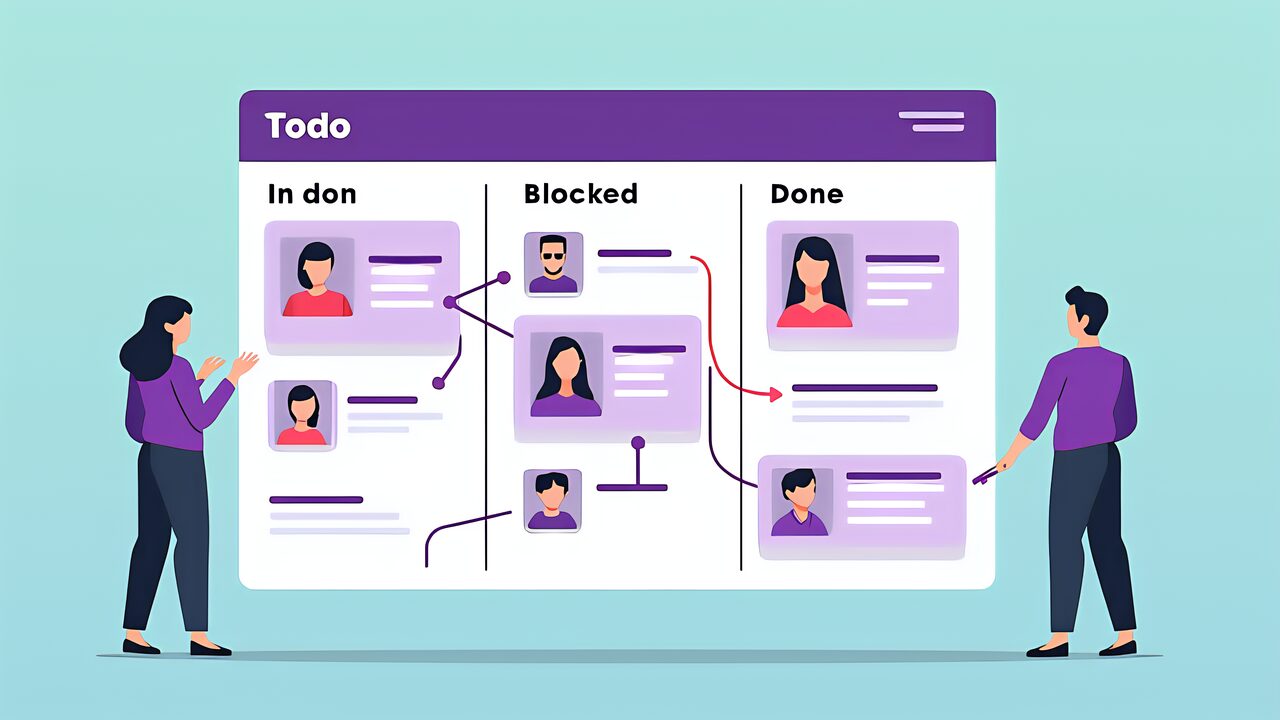
With the arrival of Claude Cowork 2026 Desktop, the way Claude is used has clearly shifted from “ask and answer” interactive mode to “delegate entire tasks” collaborative mode. Rolled out to all Claude Pro users on January 16, 2026, the Cowork feature reached General Availability (GA) for the Desktop version in April, enabling autonomous execution of multi-step tasks, research file organization, and multi-document processing.
The value of Claude Cowork 2026 Desktop lies in the “continuous work companionship” that cannot be achieved through a single chat conversation. Operating as a native macOS/Windows app, it can handle OS-level file systems, Google Workspace integration, and Analytics API extensions beyond web browser limitations. Incorporating Claude Cowork 2026 Desktop into your workflow fundamentally changes how you approach work.

Claude Cowork is the “multi-step task autonomous execution” feature that Anthropic gradually rolled out to all Claude Pro users in January 2026, officially released as Desktop GA in April. While also available on the web version, the Desktop version differs fundamentally in the following ways.
First, native OS integration. It can directly access macOS/Windows file systems, handling local design files, customer databases, accounting software exports, and more. There are no web browser sandbox restrictions.
Second, persistent workflows. The Desktop version runs continuously in the background, capable of executing long-running tasks (hours to days). It’s not bound by web session timeouts.
Third, integration with other apps. The Desktop version can utilize OS notifications, clipboard, and inter-application APIs, naturally connecting with Slack and email clients.
The name “Cowork (co-work)” in Claude Cowork 2026 Desktop emphasizes “working as a colleague” rather than being a mere assistant. Instead of receiving and returning tasks, it proactively advances tasks while maintaining business context. This is the decisive differentiator from traditional chat-based AI.
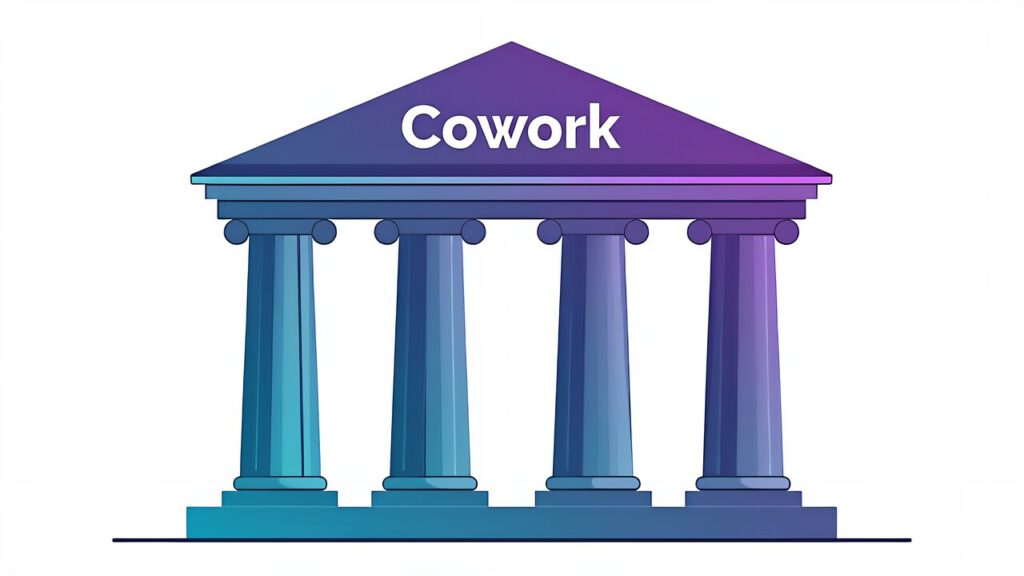
Claude Cowork’s features can be broadly categorized into four pillars.
Traditional Claude excelled at processing that completed in a single conversation turn. Cowork greatly expands this, enabling autonomous progression of “complex tasks spanning 5-50 steps.” For example, the request “Extract customers with high reorder rates from last week’s order data, then draft a new product announcement email for those customers” becomes a 4-5 step task of data loading → analysis → customer extraction → email composition, and Cowork progresses through all steps without user intervention.
A feature for organizing and classifying scattered research materials, customer inquiry histories, and internal documents across sources. It handles PDFs, Word, Excel, images, audio files, and more uniformly, performing tagging, relevance analysis, and summary generation. For 3D printing businesses, it excels at organizing prototyping logs, failure cases, and customer feedback.
A feature that simultaneously reads 10-100 documents and extracts cross-cutting insights. It discovers trends and contradictions invisible when reading individual documents. For example, cross-analyzing 100 print failure reports from the past year to extract patterns like “failures concentrate in specific temperature ranges with specific filaments.”
A feature for coordinating projects involving multiple stakeholders, tasks, and deadlines. It manages tasks from a Gantt chart-like perspective, identifies bottlenecks, and prepares draft communications to stakeholders. For 3D printing businesses, it suits overviewing progress and priorities across multiple parallel customer projects.

In conjunction with the 2026 Cowork Desktop GA, integration with the Analytics API has been strengthened. The Analytics API is the official interface for aggregating and analyzing Claude’s past task execution history, user interaction patterns, tool types used, and more.
Using the Analytics API, you can quantify Cowork session execution patterns. For example, dashboards can show metrics like “how many times Claude executed web searches in the past 30 days” or “what is the average processing time for tasks involving file writing.”
Key metrics for 3D printing business operators to focus on with the Analytics API include:
These metrics directly connect to discovering workflow bottlenecks and extracting automation candidates. Rather than using Claude Cowork 2026 Desktop as a mere tool, it’s important to adopt the mindset of leveraging it as material for business improvement.
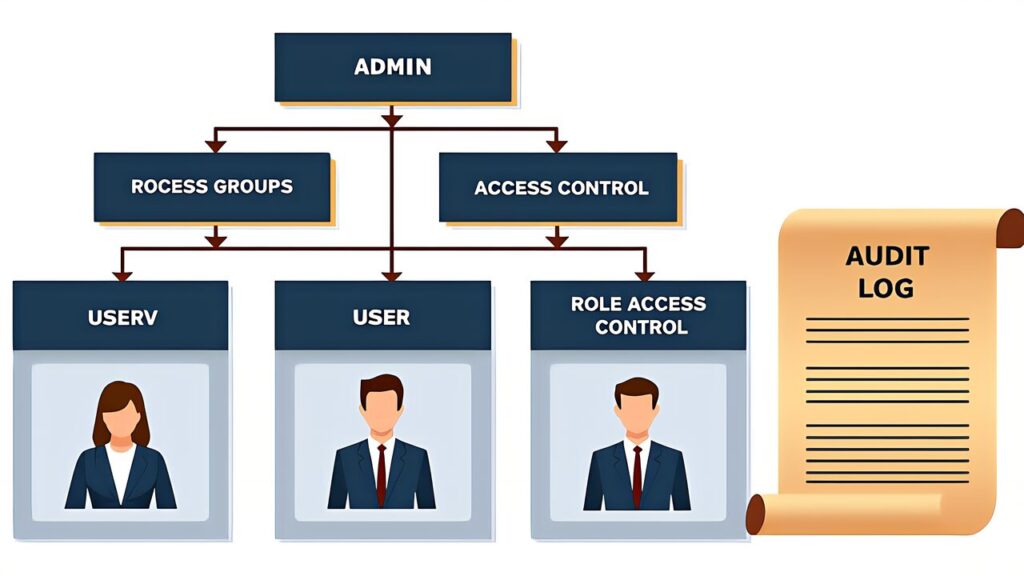
Claude Cowork Desktop’s enterprise features provide administrator controls designed for deployment in large and mid-sized companies.
Administrators can classify users within the organization into purpose-based groups from the dashboard. For example, assign different Claude permissions to “Design Team,” “Sales Team,” and “Accounting Team” respectively — CAD-related Skills and large context capacity for the design team, customer data access and email composition features for the sales team, and accounting data access and audit trail recording for the accounting team.
Beyond the standard Admin/User dichotomy, organization-specific roles can be defined. For example, a “Design Lead” role could have all design-related functions plus permission to view all team members’ Cowork sessions.
Usage can be controlled on a feature-by-feature basis. For example, web search can be disabled in departments handling confidential information to reduce information leakage risk, while other departments can actively use web search — enabling flexible operations.
All Cowork sessions are recorded in audit logs for later verification. Claude Cowork 2026 Desktop is designed to be easily adopted even by organizations with compliance requirements such as GDPR, HIPAA, and SOC2.

As a practical implementation example, let’s examine custom order management for a 3D printing business.
Custom orders from customers typically arrive through multiple channels: email, web forms, social media DMs, etc. Cowork Desktop monitors each channel, and when a new order is detected, automates the following processes.
This entire process typically takes 30-60 minutes per order, but when delegated to Cowork Desktop, human intervention is only needed for final confirmation.
Cowork Desktop periodically (e.g., every Monday) analyzes inventory data and outputs the following.
This enables a transition from experience-based inventory management to data-driven inventory optimization.
First-response automation for common inquiries (delivery times, pricing, supported filaments, file formats). Cowork Desktop learns from past response history and generates replies while adjusting tone for each customer. It also includes the judgment to escalate complex technical questions or complaints to humans.
Claude Cowork 2026 Desktop is deeply integrated with macOS/Windows native capabilities.
You can designate desktop folders (e.g., ~/Projects/3D/) as Cowork’s working area. Cowork monitors file changes in that folder, enabling reactive processing like automatically running cost estimates when a new STL is added.
On macOS, Option+Space; on Windows, Alt+Space — hotkeys for instantly invoking Cowork. The ability to toss tasks in seconds while working significantly impacts adoption into daily workflow.
When long-running tasks complete, users are notified via the OS notification center. This delivers the experience of Cowork sessions running in the background functioning as “another colleague.”
Information copied to the clipboard can be immediately incorporated by Cowork as context. Simply copy order details from a customer email and tell Cowork “process this” — the subsequent automated processing runs.
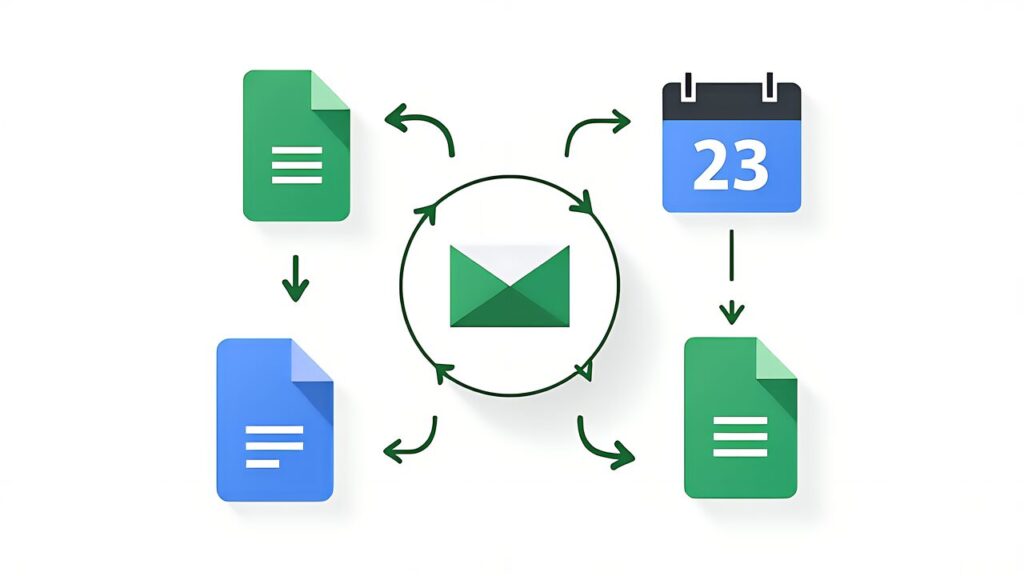
As an important extension of Claude Cowork 2026 Desktop, there is integration with Google Workspace (Docs/Gmail).
Cowork can directly read and write Google Docs documents. For example, with the request “Add this week’s changes to the specification Doc I created last week,” Cowork identifies the relevant Doc and writes the differences. Notifications to co-editors are sent automatically.
Automatic email classification, important email summarization, and draft creation are possible. For customer inquiry emails, Cowork references product information and past response history to prepare drafts, and users simply review before sending.
Deadlines and meetings are read from Calendar and reflected in task prioritization. With the request “Prioritize projects due this Friday,” Cowork references Calendar and automatically organizes the schedule.

When deploying Claude Cowork 2026 Desktop for business, security considerations are essential.
When Cowork calls external APIs (web search, Google Workspace integration, Analytics API), built-in mechanisms clearly indicate which data is sent externally. This design suppresses the risk of confidential data leaking unintentionally.
Some processes (file analysis, code generation) can be configured to complete locally. Since they’re not sent to Anthropic’s servers, highly confidential data can be handled more easily. However, fully local execution has limited functionality.
Google Workspace integration authenticates via OAuth 2.0, with tokens stored securely. Users can configure permissions granularly, such as “view email only, no sending allowed.”
In the enterprise version, all operations are recorded in audit logs. Who executed what task and when is traceable, making it effective for compliance.
Customer design files (STL/STEP) are intellectual property, and sending them unrestricted to external APIs is risky. When using Claude Cowork 2026 Desktop, clarify the handling policy for design files and use local execution settings as needed. It’s also worth considering including an “AI processing” clause in customer contracts.

The implementation approach for Claude Cowork 2026 Desktop varies significantly by organization size. Let’s outline optimal implementation steps for sole proprietors, small teams, and SMEs respectively.
Sole proprietors complete basic setup simply by subscribing to Claude Pro and installing the Desktop app. The first two weeks should focus on observing existing business operations. While showing Cowork your daily tasks, have dialogues like “How would you approach this task?” Cowork learns business patterns and gradually begins proposing tasks autonomously.
From week three, attempt automation focused on the single most time-consuming task. While candidates are plentiful — email responses, invoice creation, inventory checks — tasks that are “frequent and semi-structured in judgment” are optimal. Rather than aiming for full automation, start with a “human-in-the-loop” setup where Cowork creates drafts and you do final review.
After one month of operation, automated tasks stabilize. By creating a cycle of expanding to the next task, you can reach a state where 70-80% of major operations are processed through Cowork within six months.
Teams of 5 or fewer should consider the Claude for Teams plan. A collection of individual subscriptions makes it difficult to share Skills within the team or maintain unified operations.
In the first week, all team members install the Desktop app and start with personal use. Simultaneously, establish weekly meetings to share Cowork usage examples. Best practices naturally propagate among members.
In weeks 2-3, unify team-common tasks (e.g., weekly reports, project progress management) through Cowork. This is where Agent Teams first comes into play. Try a configuration where the team leader acts as the lead agent and members act as specialist agents.
After one month, a significant portion of team operations proceeds through Cowork. At this stage, formalize and document operational rules (which tasks to automate, which tasks remain human-handled).
SMEs (20-100 employees) should consider Claude Enterprise. This is the scale where administrator features, audit logs, and SSO integration become seriously necessary.
Proceed with implementation department by department. First, the IT department or business improvement department operates as a pilot for 4-6 weeks, creating effect measurements and a draft of operational rules.
After pilot success, expand to 1-2 adjacent departments. Convert department-specific operations into Skills and organize cross-department shareable Skills. Administrators monitor company-wide usage from the dashboard, detecting overuse or inappropriate use early.
Full company-wide deployment takes 3-6 months. During this process, cross-department business standardization and organizational structure reviews naturally progress. The deployment of Claude Cowork 2026 Desktop should be positioned not as mere tool adoption but as management-level business reform.
The return on investment (ROI) of Claude Cowork 2026 Desktop cannot be captured by simple time savings alone.
Direct time reduction is the most easily measurable metric. If a task that previously took 30 minutes now completes in 10, there’s a 20-minute savings. Multiplying the monthly task count by time saved calculates monthly time savings.
Converting to labor costs, multiply saved time by hourly rate to monetize. Comparing this cost with Claude Cowork’s subscription fee visualizes ROI on a multi-month basis.
Error reduction effects are also quantifiable. If the frequency of human errors (misdirected emails, estimate calculation mistakes, etc.) decreases, the correction costs are also reduced.
Qualitative effects are harder to measure but generate value exceeding quantitative effects over the long term.
Business visualization is a byproduct effect of Cowork. In the process of explaining business workflows to Cowork, you’re forced to articulate “why this procedure is necessary.” As a result, visualization and improvement of entire business processes advance.
Knowledge organization is also an important effect. Business history accumulated in Cowork, Skills, and project progress become organizational intellectual assets. This reduces the risk of losing individually-dependent knowledge due to resignations or transfers.
Employee satisfaction improvement is also notable. With Cowork handling repetitive tasks, humans can focus on creative and judgment-based work. This often leads to improved long-term retention rates.
Effect measurement starts with baseline measurement before Cowork implementation. Measure each task’s required time, error occurrence rate, and workers’ subjective satisfaction through surveys.
Re-measure the same metrics at 1 month, 3 months, and 6 months post-implementation. Visualizing changes provides reporting material for management and helps maintain the operations team’s motivation.
By leveraging the Analytics API, Cowork-side quantitative metrics (task processing count, average processing time, success rate) can be automatically collected. Combining with human-side subjective metrics enables multidimensional effect measurement.
The applications of Claude Cowork 2026 Desktop are not limited to 3D printing businesses. Referencing examples from other industries provides application hints for your own industry.
Cowork handles information gathering, document creation, and client report preparation. Accumulate past project assets in Cowork, creating a system where similar cases can be instantly referenced for new projects. Consultants can focus on high-value analysis based on materials prepared by Cowork.
Cowork handles product description generation, price comparison research, and customer review analysis. Cowork proposes seasonal product procurement decisions based on historical data, with humans making final decisions.
Cowork handles quality control reports, production plan adjustments, and supplier communication coordination. Integrated analysis of multiple factory operating conditions and bottleneck visualization are effective uses.
Cowork handles contract draft creation, case law research, and first-response tax consultation answers. Given the highly confidential nature of this industry, combining local execution options with enterprise management features is essential.
Cowork handles teaching material creation, student progress monitoring, and individual tutoring assistance. Instructors can focus on essential face-to-face teaching based on foundational materials prepared by Cowork.
What’s common across all industries is the basic structure of “delegating repetitive tasks to Cowork while humans focus on judgment and relationship building.” Claude Cowork 2026 Desktop is a versatile platform applicable regardless of industry.
Claude Cowork 2026 Desktop reaches its true potential when used alongside the Web version. Understand the characteristics of both and use them appropriately.
Long-running background task execution is overwhelmingly advantageous on the Desktop version. The Web version’s session ends when the browser tab closes, but the Desktop version runs persistently, allowing you to confidently delegate tasks lasting hours to days.
Scenarios requiring OS-level file integration also favor the Desktop version. For tasks requiring direct access to the OS file system — local design files, customer databases, accounting software exports — Desktop is the only choice.
Receiving results via the notification center is also a Desktop strength. Task completions running in the background are received through OS-native notifications. You won’t miss results even while working on other things.
Temporary consultations or one-off tasks are well-served by the Web version. When accessing from a different PC or while away, being able to use it instantly with just a browser is the Web version’s strength.
Inviting others via shared links also favors the Web version. When you want to show a specific Cowork session to other users, it can be instantly shared via URL.
Administrative monitoring tasks are also easier on the Web version. Multi-user usage dashboards are easier to overview through a web interface.
In practice, using the Desktop version for personal tasks and the Web version for team sharing and collaboration is realistic. Logging in with the same Claude account synchronizes Cowork history and Skills across both environments.
Claude Cowork 2026 Desktop’s feature set is being progressively expanded with mobile support and offline mode.
Mobile support enables Cowork access via iOS/Android apps. However, it doesn’t offer full Desktop-level functionality, primarily centering on “checking existing Cowork sessions,” “short task instructions,” and “receiving results.” It’s sufficient for light management tasks while away, but serious business processing is designed for Desktop.
Offline mode is a mechanism enabling minimum functionality even in unstable network environments. It operates using only pre-downloaded Skills and local processing, syncing with the cloud after connection recovery. However, Cowork’s core features (multi-step execution, web search, Google Workspace integration) require being online. Full offline operation is not currently anticipated.
Mobile and offline support will continue to be expanded throughout 2026, with offline fallback processing expected to be particularly strengthened.
Let’s organize common problems and solutions encountered during Claude Cowork 2026 Desktop operations.
When long-running tasks stop unexpectedly, multiple causes are possible. First, momentary network disconnection. The Desktop app auto-reconnects, but some tasks may not be resumable. As a countermeasure, design important tasks to periodically save progress.
Second, authentication token expiration. With Google Workspace integration and similar services, token renewal may be needed every few hours. As a countermeasure, verify authentication status before launching long-running tasks.
Third, reaching resource limits. Automatic shutdown occurs when Claude’s usage quota (token count, execution time) is reached. As a countermeasure, review plan selection and upgrade to Claude Max or Enterprise as needed.
When Cowork behaves differently than expected, instruction ambiguity is often the cause. Instead of “process it nicely,” aim for specificity like “extract Y items from X file in Z format.”
When past Cowork session history grows long, it may malfunction by being pulled toward old context. Periodically switching to a new session to reset context is effective.
When Cowork’s processing speed is slower than expected, context size may have grown too large. Heavy file references and long conversation histories compress the context.
Countermeasures include removing unnecessary file references, archiving old conversation history, and using Skills to streamline routine processes.
Delays or inconsistencies in data synchronization may occur between the Desktop version and the Web or mobile versions. Normally synchronized automatically, but manual sync may rarely be needed.
Countermeasures include explicitly saving important sessions, checking sync indicators, and contacting support if inconsistencies persist.
Let’s organize success patterns for enterprise deployment of Claude Cowork 2026 Desktop.
A pattern where the initial deployment department is clearly limited, and success in that department becomes the basis for lateral expansion. IT departments, customer support, and marketing departments are often chosen as initial targets, as their business processes are relatively standardized and Cowork’s effects are easily measured.
Run operations in this department for 3-6 months, accumulating ROI track records and operational know-how. When expanding to adjacent departments, the performance data becomes powerful persuasion material.
A pattern where deployment is focused on a specific use case (e.g., customer inquiry response) across the entire company. The more standardized the business process is company-wide, the greater the scale benefits.
Initially, a pilot team of about 10 people perfects the use case and establishes operational rules. Then the same use case is deployed to all employees handling it. As a result, both standardization and automation of the entire business process are achieved simultaneously, rather than automating individual tasks.
A pattern where only Cowork’s basic features (multi-step execution, file organization) are deployed company-wide initially, with new features (Agent Teams integration, Analytics API utilization, Enterprise management features) added every 3 months.
This approach has the advantage of gradually advancing capabilities while observing the organization’s change adaptability. Learning costs can be absorbed at each stage, preventing deployment fatigue.
The common success factors across all three patterns are four points: “management commitment,” “active involvement of on-site leaders,” “regular effect measurement,” and “continuous improvement of operational rules.”
Management provides budget and authority, on-site leaders take the initiative in daily operations, effect measurement visualizes ROI, and operational rules are continuously improved. When all four elements are in place, deployment projects achieve long-term adoption. Conversely, if even one is missing, the risk of deployment stalling increases.
Claude Cowork 2026 Desktop should be seen not as just a new AI tool feature, but as an opportunity to redesign business processes. The four pillars — multi-step autonomous execution, research file organization, cross-document analysis, and complex project coordination — bring deep changes that touch the backbone of operations across many industries, including 3D printing businesses.
The key to implementation is starting with one business process rather than delegating everything at once. Automate custom order management first, build success experience, then expand to inventory analysis and customer response. Using the Analytics API for effect measurement and running improvement cycles with data accelerates adoption.
The previous Agent Teams vs Subagents Complete Comparison 2026 covered coordination patterns that are also utilized within Cowork. Beginners should solidify their foundation with Claude Complete Beginner’s Guide 2026 before returning to this article for deeper understanding. The series finale is Claude 2026 Spring Complete Roadmap, which covers an integrated utilization roadmap for all features.
Official documentation can be found at docs.anthropic.com and the Claude Desktop official download page. Since Cowork features will continue to be expanded throughout 2026, we strongly recommend tracking the latest information from official sources.