CCA Exam Prep D3: Claude Code Configuration and Workflows to Master 20%
swiftwand swiftwand.ai
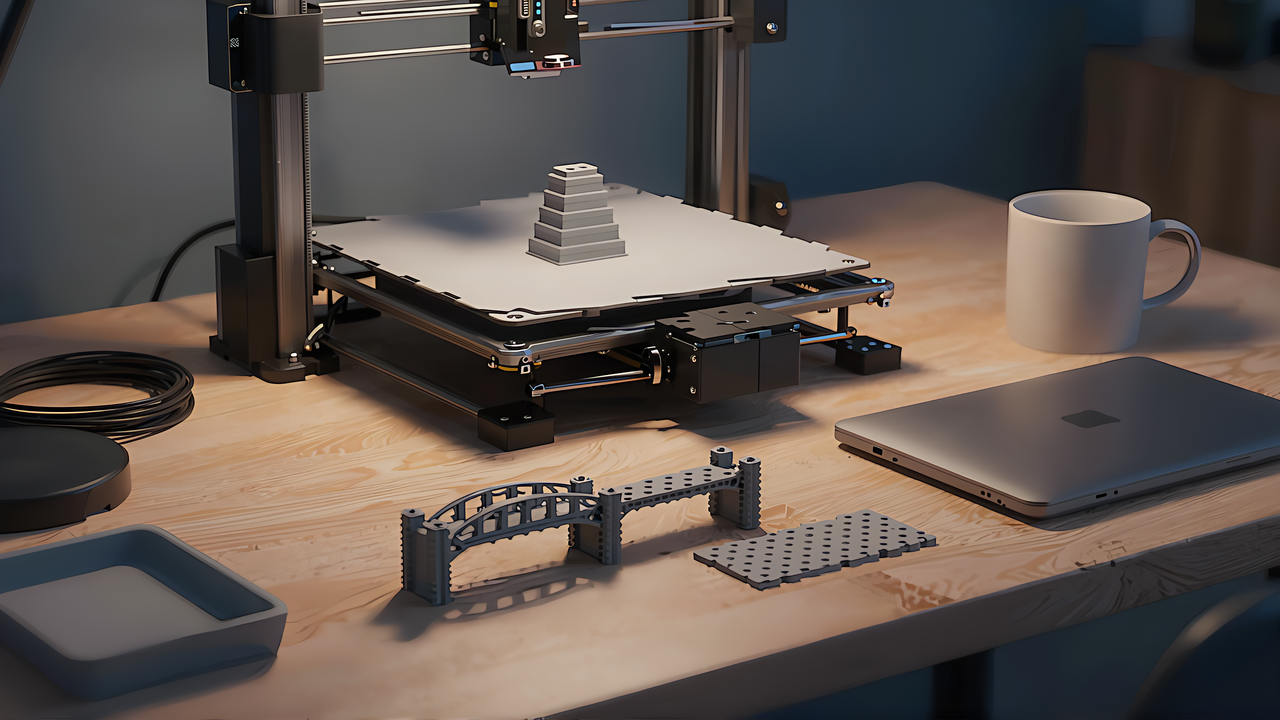
Calibration prints for 3D printing — temperature towers, retraction test towers — have long been something you either downloaded as someone else’s STL or assembled in a tool outside the slicer. PrusaSlicer 3.0 pulls part of that into the slicer itself, with a mechanism that generates calibration shapes from Lua code. Because it is code, you can also have AI draft it instead of writing it by hand. This article records how we had Claude (claude -p) write three calibration shapes as PrusaSlicer Lua plugins — a bridge test, a tolerance test and a height-marker column — and then, without running the code, checked it against API definitions built from the source.
This article contains affiliate links. As an Amazon Associate, we earn from qualifying purchases.
The conclusion first. The version is 3.0.0-alpha12 (a pre-release published on 2026-09-21). With no documents at all, the AI assumed functions that look plausible but do not exist, in all three tasks. When we gave it an API definition (a reference document) rebuilt from the alpha12 source, the checker found zero errors in the same three tasks. However, the plugins were never run inside PrusaSlicer. What we checked was Lua syntax plus function names, arguments, call style and table keys — and the checker is our own. So “zero errors” means “zero errors found by our own checker”, and it does miss things (one example below). Each condition was run once, so read what follows as “this is what happened in this run”.
First, a precise definition. A PrusaSlicer Lua plugin is extra code that the slicer loads and runs internally. It is a different mechanism from post-processing scripts, which hand the exported G-code to an external program for rewriting — and post-processing scripts are not yet available in the 3.0 alpha. What this article covers is the side that adds objects to the project before slicing.
A plugin lives in a folder called a bundle. If the folder has no manifest.json, PrusaSlicer will not load it as a plugin. The manifest requires seven fields — id, name, version, author, license, min_slicer_version and required_apis — and five more, such as description and category, are optional. The only key allowed in required_apis is project.plugin, where you write the minimum API version you need. Every .lua file in the folder is read, but only a file that has a global table named info and a global function named execute becomes the plugin itself. If either is missing, loading fails, and declaring info or execute as local means they cannot be looked up by name (this is from reading the source, not from running it).
The contents of info follow rules too. info.type can only be project.plugin. info.menu is a path separated by “/” that decides where the menu item appears. Each user input (params) has name, label, type and default; if label is omitted, name is used. In the source, type is one of four values — string, float, int and bool — and anything else ends in an error. Every run creates a fresh Lua state, registers api, reads the file and calls execute. execute receives one table, whose keys are the names from params. In other words, a plugin has the shape “describe the inputs in info, then build objects in execute from the values it receives”.
There is a set way to place and reload plugins as well. Put the bundle folder in the designated location and reload it with Plugins -> Rescan in the menu. To create a bundle from scratch, the CLI command plugin init copies a template, and the default license it suggests is BSD-3-Clause. The marketplace for publishing is still in preparation. Put differently, the tools to make, place and reload a plugin are all there, but the place to distribute it is not ready yet. This article only covers the step before that: writing code and holding it up against a reference.
The security model is a sandbox. Reading the source, only four standard Lua libraries are opened — base, table, math and string — and dofile, loadfile and load are removed. Libraries that reach outside, such as os and io, are never opened in the first place. The require used to read files is replaced as well, so it can only follow “name.lua” files in the same folder as the plugin. In this article we keep the sandbox to two points: there is no os or io, and only files in the same folder can be read. The bundled Lua is 5.4.8, with its build hash pinned in the source. lua.org has newer releases such as 5.4.9 and the 5.5 series, but PrusaSlicer bundles 5.4.8. The bridge between C++ and Lua is sol2 v3.5.0.
Licenses matter too. PrusaSlicer itself is AGPL v3, and the bundled calibration bundle we use as a model below declares AGPL-3.0-only in its manifest. Lua itself is MIT-licensed. Incidentally, built-in calibration shapes only arrived with the 3.0 alpha, and the official release notes admit that “PrusaSlicer itself stayed a bit behind on this front.” SuperSlicer and others have had them for a long time, so calling this “a first” or “PrusaSlicer only” would be wrong. The official blog also describes current plugins as follows: “The API currently revolves mainly around adding something new to the scene, rather than being able to manipulate what is already there.” It states plainly that “The Lua API is now experimental and it is subject to change.” So everything here needs to be read with the version and date attached.
3.0.0-alpha11 (published 2026-09-01) ships two calibration shapes: a Temperature Tower and a Flow Tower. Both are distributed as Lua plugins rather than compiled into the source, under resources/lua/com.prusa3d.slicer.calibration/. As the model for the AI tasks we used this temperature tower (temp_tower.lua). We picked it because it lines up the three basic API operations plainly: creating an object, rewriting settings and inserting G-code.
The skeleton of the temperature tower is two things: the global table info and the global function execute. info holds the title, the menu position and the inputs the user fills in. The defaults are a minimum of 190 °C, a maximum of 230 °C and 5 steps, and the input type is integer (int).
info = {
  title = "Temperature Tower",
  menu  = "Calibration/Temperature Tower",
  params = {
    {name = "min_temp", label = "Min Temperature", type = "int", default = 190},
    {name = "max_temp", label = "Max Temperature", type = "int", default = 230},
    {name = "steps",    label = "Num Steps",       type = "int", default = 5},
  },
}
(Quoted from temp_tower.lua. AGPL-3.0-only. The full file is on GitHub.)
The temperature of each step drops from the maximum by a fixed increment. The increment is (max − min) ÷ (steps − 1), so with the defaults it is 10 °C, and the lower steps are hotter. The tower shape is loaded from a bundled STL. The number on each step is made with emboss_text and carved out of the tower as a negative volume (VolumeType.Negative). The font is found with get_font from part of its name, and the default font is returned if nothing matches. Then a temperature-changing G-code is inserted at the height of each step boundary.
local gcode = "M104 S" .. rounded_temp
api.project:insert_layer_custom_gcode(api.project:current_bed(), z + layer_height, gcode)
api.project:insert_layer_custom_gcode, used here, inserts an arbitrary G-code string at a given height (print_z). The temperature tower implements “change the temperature by height” without altering the object, just by inserting G-code. Before inserting, it calls clear_layer_custom_steps to remove existing insertions so nothing ends up doubled. It also rewrites print settings such as infill density, putting values into a config box as in bed:print_presets():set(“fill_density”, “15%”). Rewriting settings, carving the object and inserting G-code — all three operations sit together in one file.
The other one, the Flow Tower, is a tower for finding the upper limit of volumetric flow (mm^3/s). Its defaults are 1–25 mm^3/s in 15 steps, and it changes the outer wall speed by height using Modifier volumes. The shape is built from a bundled SVG, and the nozzle diameter is read from the printer information. Where the temperature tower makes its steps by inserting G-code, the Flow Tower makes them by stacking Modifier volumes. The purpose and the means differ, but both are the classic calibration form of “a single tower with conditions that change by height”. The Flow Tower also loads a shared module (note_badge) with require, showing that a plugin may be split across several files. That shared module has no info, so it is not registered as a plugin in its own right.
The temperature tower is a shape worth printing once whenever you start using a new filament. An easy-to-handle PLA is the best place to begin.
The premise first. We do not operate the PrusaSlicer GUI, so the plugins we had written were never executed inside the slicer. We cannot say “the shape came out” or “it worked”. Instead, we prepared two things and compared statically.
The first is a reference table. The functions, types and enums exposed to Lua are registered in ProjectApi.cpp in the source (the sequence of api[“name”] = …, new_usertype and new_enum). We took this file at the pinned alpha12 commit, turned it back into reference stubs using the same rules the official docs generator uses, and extracted the functions, types and setting names. There are 32 exposed functions — 17 global api functions and 15 methods on objects such as api.project — plus 9 types and 1 enum. Object-creating functions (make_cube, make_cylinder and so on), api.project:add_object for adding to the project, api.project:insert_layer_custom_gcode for inserting G-code, and emboss_text for carving text are all on the list. Setting names were taken from definitions in other files (ConfigDefsFDM.cpp and ConfigCommon.cpp), along with which box each name belongs to (Print, Printer, Filament, Object, Volume and so on), because each setting can only live in certain boxes.
The second is the checker. It parses the code with the Python parser luaparser (a version that supports Lua 5.4 grammar) and checks: (1) whether the info table and the execute function have the required shape; (2) whether each api.<name> exists and the argument count is in range; (3) whether each api.project:<method> exists; (4) whether the table keys passed to add_object or emboss_text are ones the source reads; and (5) whether the code uses globals that the sandbox does not open (os, io, package, debug and so on, plus the removed dofile, loadfile and load). With no Lua interpreter at hand, the syntax check is also done on the Python side, matched to the 5.4 grammar PrusaSlicer uses. Mistakes such as passing positional arguments to a function that takes a table, or mixing up dot and colon calls, are also caught by this comparison.
We checked whether the checker can be trusted with controls. Run against the four bundled files (temperature tower, Flow Tower, shared module and template), it reported 0 errors. Run against control code with eight deliberately planted errors, it caught all eight. Only after confirming that it neither misses errors on one side nor over-warns on the other did we move on to the real tasks.
We prepared three tasks, none of which overlaps with the bundled plugins. A task that you could pass by copying the model verbatim would not show the effect of giving documents.
The three tasks were also chosen to be well-understood calibration shapes. The bridge test shows how much an unsupported plate sags. Bridges droop when the temperature is too high or the speed too fast, so the common advice is to lower speed and flow for bridge sections only. The tolerance test lets you push a shaft or pin into holes of gradually changing diameter to find the boundary between tight and loose, reading the gap between design size and actual size in one print. The height-marker column checks whether a display G-code lands at the intended height. It is the same “change something by height” mechanism the temperature tower uses at its step boundaries, cut down to just inserting text. For each, the required API can be explained as an extension of the temperature and Flow towers, yet none can be solved by copying the model.
For each task, we split how documents were given into three conditions: “no documents”, “reference (the API definition rebuilt from the alpha12 source)”, and “reference + bundled (the temperature and Flow towers)”. The AI was claude -p in all cases. Nine runs in total cost $0.441. In every condition the working folder was outside the home directory so that no extra settings were loaded.
A tolerance test only means something once you measure the holes. To read the gap between design and actual size quickly, a caliper helps.
The results split cleanly by condition.
| Task | Condition | Errors found | Mistakes in this run |
|---|---|---|---|
| Bridge test | No documents | 3 | api.log, api.add_object, building a Mesh directly |
| Bridge test | Reference (API definition) | 0 | None |
| Bridge test | Reference + bundled | 0 | None |
| Tolerance test | No documents | 2 | Building a Mesh directly, api.add_object |
| Tolerance test | Reference (API definition) | 0 | None |
| Tolerance test | Reference + bundled | 0 | None |
| Height-marker column | No documents | 3 | Mesh, api.add_object, api.add_custom_gcode |
| Height-marker column | Reference (API definition) | 0 | None |
| Height-marker column | Reference + bundled | 0 | None |
All three no-document tasks made the same kinds of mistakes: trying to build the mesh directly, adding to the plate with a function that does not exist, and inserting G-code with a function that does not exist. Specifically, it assumed calls like these.
-- Calls the AI assumed with no documents; none exist (from this run)
local m = Mesh.new(verts, faces)     -- correct: build it with api.make_cube and similar
api.add_object(m, "bridge")          -- correct: api.project:add_object{ mesh = m }
api.add_custom_gcode(z, "M117 20mm") -- correct: api.project:insert_layer_custom_gcode(bed, z, gcode)
Each one is a name that plausibly exists in some other library, and they read naturally. The AI assumed the mesh type could be built directly with a constructor like Mesh.new, and wrote adding to the plate and inserting G-code as short, tidy names. The real API builds meshes with functions such as api.make_cube, adds them by passing a table to api.project:add_object, and inserts G-code by passing a height and a string to api.project:insert_layer_custom_gcode. Both the names and the calling conventions drifted a little from what the AI guessed.
What is interesting is that the AI explicitly flagged these as assumptions, adding “please check the API”. It did not confidently fabricate; it wrote “this is probably how it works” with a disclaimer, and that guess did not match the reference. In other words, the problem is less “the AI lies” than “there is no correct definition at hand”.
All six runs with the reference had zero errors found across the three tasks. Adding the bundled plugins did not change that. The number of API calls varied by task — the height-marker column reached 16 call sites in the reference + bundled condition — but no errors appeared even as the count grew.
This “0”, however, is the count from our own checker, and it misses things. In fact, the tolerance test code declared the plugin information table as local info (a local variable). PrusaSlicer’s real loader requires this table as a global info, so it is actually non-compliant. The checker did not catch it and stayed at 0. The checker also does not verify whether setting names exist, whether values passed to settings are among the allowed enums, or whether a call like api.project.add_object uses a dot instead of a colon. All we can say is that, within the range of this home-made checker, giving the reference brought the errors found to 0. There was a tendency for the gap between having and not having documents to grow as tasks got more complex and calls multiplied, but with one run per condition we do not generalize it into a probability.
Here is the trap. Knowing that “a reference lets the AI write correct code” does not mean you can simply hand it the official reference. The “reference” we gave in this experiment was not a document the project published, but an API definition rebuilt from the alpha12 source. The reason is that the official reference and the source disagree.
The only official API reference is a zip attached to the alpha11 release (PrusaSlicer-LuaApiReference-3.0.0-alpha11.zip); the alpha12 release has none. According to the timestamps inside the zip, the static HTML is from 2026-09-02, while the stub files meant for AI and editors are from 2026-07-07 — the stubs are older. These old stubs describe emboss_text with positional arguments, emboss_text(font, text, depth), and do not list functions such as printer_config or nozzle_diameter. In the alpha12 source, emboss_text takes a single table, and printer_config is registered. Indeed, the alpha12 release notes say “Lua API: added missing BedInstRef:printer_config() documentation stub for the HwPrinterConfig class” and “Lua API: emboss_text now correctly passes the depth and font attribute”. The documentation and the implementation move separately. A user has also reported that printer_config, used by the bundled Flow Tower, is missing from the stubs.
There is also a sentence about AI inside this zip. A page explaining IDE setup says: “Note: You can also use these .lua files to let your AI agent learn the Prusa Slicer Plugin API.” The idea is the same as this article. But if the document you hand over is old, the AI traces the old argument shapes. Because they read naturally, a person is unlikely to notice even if the old emboss_text(font, text, depth) gets written. So if you give the official zip to an AI, you need to add a note that “this version is old and partly disagrees with the source”.
Let us also sort out where the official documents are. The bundled Plugin_API.md points to the reference with a link, but that link (prusa.io/ps-plugins/) only leads back to a section of the same document, not to a published reference site (as of 2026-10-20). We found no plugin pages in the Prusa help articles or the GitHub wiki either. On top of that, the table in Plugin_API.md does not list string as a params type and omits one of the optional manifest fields. The source accepts both, so relying on the document alone means believing that usable things are unusable. In short, the most reliable primary source right now is the source code itself. That is why this experiment built its reference from the source.
Giving the reference makes the errors found disappear, but that does not mean “any way of writing it is safe”. Some mistakes rarely show up at runtime. Here are four points a person should look at after handing the work to AI.
First, the arguments of shape functions. api.make_cube(width, height, depth) is in x, y, z order and extends from the corner at the origin. The thing to watch is that the second argument, height, is the Y direction and the third, depth, is the Z direction; read “height” as Z and the orientation breaks. The first argument of api.make_cylinder is the radius, not the diameter. If you think of hole sizes as diameters, you must halve them. Mistakes of meaning like these are syntactically correct and slip through static comparison, so only a visual review catches them.
Second, call syntax. Functions on the global api are called with a dot; methods on api.project are called with a colon. Writing api.project.add_object{…} with a dot means the object itself is not passed as the first argument, which is a calling error. Conversely, calling a function with a colon, as in api:make_cube(…), is also wrong. The difference between dot and colon is easy to miss if you are not used to Lua, and the AI mixes them up depending on the condition.
Third, setting names and where they live. box:set(name, value), which writes a setting into a box, does not stop when given a setting name that does not exist or a box it cannot be placed in. Reading the source, an unknown name simply does nothing, and for volume and object settings it only logs the name it could not find. For example, if you try to build a stringing test and handle retract_length, in the 3.0 source this setting lives in Print and can only be overridden in Tool and Filament — not in Object or Volume. So “changing retraction length per pillar or per height” by overriding settings is not possible with the current API. There is a separate route, though: inserting a firmware command by height with insert_layer_custom_gcode (for example, Marlin’s M207 changes retraction length when firmware retraction is enabled). Whether that works as intended depends on the firmware, and we did not test it, so we separate the two: “not possible by overriding settings; the G-code insertion route is untested”. The 2.x help article explains setting retraction under “Printer Settings -> Extruder 1”, but that is the 2.x interface, and we have not confirmed where it appears in the 3.0 interface. Either way, since set silently lets these through, you cannot say “run it and the error will be obvious”. These are mistakes that only static comparison finds.
Fourth, enum values. VolumeType should be specified by name (VolumeType.Negative and so on). The annotations and the source disagree on the number of values, so avoid writing raw numbers. Likewise, the bundled Flow Tower passes “none” for brim_type, but that value is not in the source’s list of enum values (no_brim, outer_only, inner_only, outer_and_inner). This is not something we can call a bug — we did not run it, and the same spot also sets brim width to 0 — only the fact that “a value not in the source’s list is being passed”. Model code can contain such mismatches too, so even when you add the bundled plugins to the reference, you cannot take that part at face value.
Let us separate what this run can and cannot say, starting with what it cannot. The plugins were not run inside PrusaSlicer, so nothing about the correctness of the shapes or whether they print was confirmed. The check was syntax and comparison only. Each condition was run once, and we report no probabilities such as accuracy rates. The API is officially labelled experimental and may change before the stable release. So read the numbers as belonging to this run as of 2026-10-20.
With that said, what helps when you have AI write PrusaSlicer Lua plugins is clear. The key is that the newer an API is, the less the AI’s built-in knowledge keeps up. With no documents, the AI assumed function names that read naturally, and they were wrong. The moment we gave it an API definition built from the source, the errors found disappeared. So the practical order is this. First, pin the version and build a list of functions, types and setting names from that version’s source. Next, give it to the AI and have it write. Finally, compare the generated code mechanically against the same list, and have a person look at mistakes of meaning such as argument orientation and call syntax. If you use the official reference, first check that it is not from an older version.
This connects directly to having AI judge slicer settings (Having AI catch slicer setting mix-ups — testing material, temperature and plate combinations against official profiles (published 2026-10-14)). What matters is whether you can turn the part you hand to AI into something verifiable. Things with a single correct answer, such as setting names and arguments, can be compared mechanically against a list built from the source. For readers who want a broader view of how slicers and AI relate, the piece on how AI is entering slicing (AI slicer revolution 2026 — the era of neural networks rewriting G-code (published 2026-04-02)) is worth reading alongside this. PrusaSlicer Lua plugins are an example of that relationship moving one step from “optimizing G-code” to “writing the extension code itself”. Calibration shapes were a good subject for testing that step: there is a model to follow, the right answer is written in the source, and the AI’s knowledge has not caught up yet. When the stable release ships, we will redo the API definition and the results in this article.
Giving the AI the right documents and rules, then checking the output, is the same discipline whether the code is a slicer plugin or anything else. For a deeper look at shaping what you feed a model, this book is a good companion.