Claude Code Learned to Run an Organization This Summer — Hierarchical Agents and Cost Attribution for Teams
swiftwand swiftwand.ai
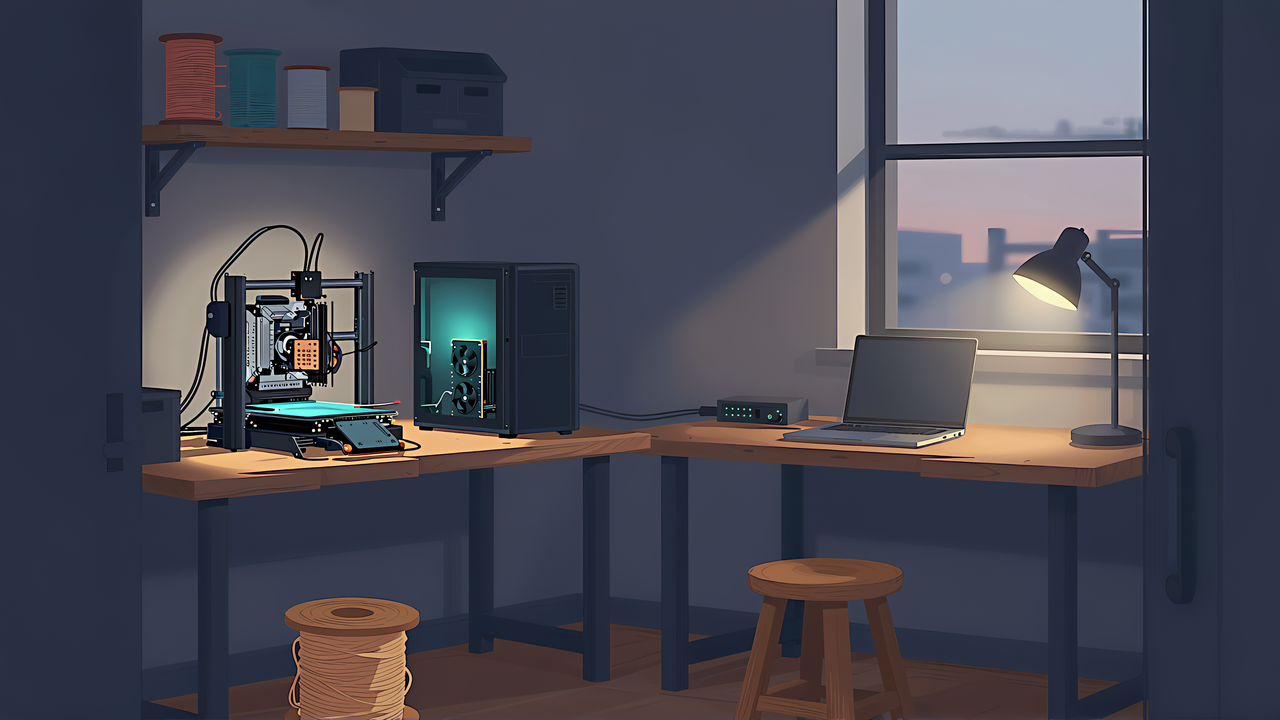
When you add an AI that judges “may this print start?” or “should this print stop?” to a 3D printing workflow, the first question is not how smart the model is but where it runs. Do you sign up for TypeSafe’s Jev API, use OpenAI or Cloudflare, or run a model of the same type on your own GPU? Prices are on each vendor’s pricing page, image support on the model pages, and data retention in the terms and data pages. The VRAM you need to run locally is written nowhere.
This article contains affiliate links. As an Amazon Associate, we earn from qualifying purchases.
We call a model that writes no text and returns answers and probabilities for typed questions a decision model. This guide compares five places to run one. Three APIs: Jev, OpenAI’s Decisions API (model gpt-6-luna, public beta), and Cloudflare Workers AI clef-flash. Two local runtimes: Ollama and llama.cpp, running Cloudflare’s Clef-flash and Bespoke Labs’ Nimble 9B (Ollama build). We compare input types, data handling, cost, limits, licenses, local VRAM and speed, and setup effort, then map each 3D printing step (file licenses, slicer settings, printer state, camera images, the stop decision) to a choice you can look up.
Our position: we did not run the Jev API, OpenAI’s Decisions API, or Workers AI. API costs are estimates from official input prices multiplied by token counts from our local models. Local VRAM and timing were measured on our RTX 5070 Ti on October 7, 2026, once per model, with per-call times as the median of five requests. Read every number with those conditions attached.
Options multiplied within about three weeks from mid-September to early October 2026. Jev launched in early access on September 15; Ollama added the decision endpoint /v1/systemone in 0.35 (released September 28, UTC); Cloudflare released Clef and Clef-flash on October 1; llama.cpp added the same endpoint to its server on October 2; and OpenAI released the Decisions API as a public beta on October 6. How these fit together is in our Jev explainer.
Each vendor leads with its strengths: Cloudflare with image input, Ollama with local execution, TypeSafe with calibration. The questions that matter in a print shop are elsewhere:
No vendor answers the last one. The Hugging Face model card and Ollama page for Clef-flash and Nimble list no VRAM requirement; Clef-flash’s reference implementation was tested on a single H200 and Nimble’s (v2) measured on an H100 80GB, neither of which helps with a home GPU. Prices are tricky too: all three APIs list only input prices per 1M tokens, but tokenizers differ by model, and the token count per call depends on your content and questions. A list of unit prices does not tell you what 1,000 calls cost, so we estimate per step from our own token counts.
Input type and data handling are hard constraints; if a model cannot read images, its price is irrelevant for image checks, and photos that cannot leave cannot go to even the fastest API. Cost and GPU are trade-offs among the candidates that pass. Check Japanese or other non-English text early: TypeSafe says Jev is trained mainly on English and handles CJK text less well. If you send Japanese notes or descriptions, compare with local models and other APIs on your own content.
Deciding between a hosted API and running models yourself is a recurring choice when building with AI. A book on engineering applications with foundation models lays out those trade-offs, along with evaluation and deployment.

 ポチップ
ポチップValues from each vendor’s official pages, checked on October 7, 2026.
| Item | Jev | OpenAI Decisions API | Workers AI clef-flash | Ollama (local) | llama.cpp (local) |
|---|---|---|---|---|---|
| Status (Oct 7) | Early access | Public beta; gpt-6-luna only | Released Oct 1 | Endpoint in 0.35.0; Clef in 0.35.1 | Endpoint Oct 2; Clef images Oct 5 |
| Input price per 1M tokens | $0.042 | $0.10 | $0.09 | Free (your GPU and power) | Free (same) |
| Output price | Free | Not charged | Not listed | — | — |
| Images | Not supported | Base64 data URLs only | Data URL or base64 object, up to 4; no remote URLs | Clef only; base64 (no data URLs) | Clef: data URLs only |
| Questions per request | No documented cap | Not in guide | 1–64 | 1–64 | — |
| choice options | Up to 255 | Not in guide | 2–255 | Model-dependent (Nimble 2–26) | Model-dependent (Clef 255) |
| score levels | 2–10 | Not in guide | 2–10 | 2–26 | 2–10 |
| Length limit | 64k tokens per request (32k for state plus longest question) | Not in guide | 65,536-token context; long state is truncated | 64 KiB without images, 32 MiB with; never truncated, errors if over context (Nimble 8,192 tokens) | Clef evaluates the whole input at once; it must fit –ubatch-size (default 512) |
| Rate limit | 80 req/s and 100k tokens/s (may change) | Not in guide | 300 req/min by default for its task type | Your GPU | Your GPU |
Charging only for input is not unique to Jev: OpenAI states it charges only for input tokens, and the Workers AI price list shows only an input price. By input price, Jev is cheapest, then Workers AI clef-flash, then OpenAI, which adds regional processing premiums and long-context multipliers and may change during the beta.
Image handling differs even in packaging. OpenAI accepts only base64 data URLs. Workers AI takes a base64 data URL or an object with content_type and base64, but no remote URLs, with up to 4 images per request, 4 MiB and 16 megapixels each, 8 MiB decoded in total, and 13 MiB per request. Local Ollama takes plain base64 strings but rejects data URLs, while llama.cpp accepts only data URLs. The same photo needs different wrapping per runtime.
Long input is handled differently too. Workers AI clef-flash truncates long text state to fit; Ollama never truncates and returns an error if input does not fit the loaded context. Nimble 9B’s context is 8,192 tokens, so long G-code or logs will be rejected. To avoid both silent truncation and failed calls, extract only what you need before sending. Context figures need care: Jev lists both 64k per request and 32k for state plus the longest question, so quoting one changes the meaning; Clef-flash is 65,536 tokens on Workers AI, while the Ollama page shows 256K in one place and 64K in its description. We use 65,536.
| Item | Jev | OpenAI Decisions API | Workers AI clef-flash | Ollama (local) | llama.cpp (local) |
|---|---|---|---|---|---|
| Training on your data | No | No | No | Stays local | Stays local |
| Retention | Standard period not stated; ZDR for enterprise | Up to 30 days for abuse monitoring; ZDR for approved customers | Not stored per the Clef announcement | Ollama does not see local prompts | — |
| Model weights | Not distributed | Not distributed | Apache 2.0 on Hugging Face | Clef-flash and nimble: Apache 2.0 | Clef-flash Apache 2.0; Nimble GGUF is v3 (non-commercial) |
| Software license | — | — | — | MIT | MIT |
| API shape | System One API | Different (predicate, question array) | Same as Jev | Same as Jev | Same as Jev (TypeSafe-compatible) |
| Payment | Prepaid credits (expire within 12 months unless the order says otherwise) | Pay as you go; new accounts prepay (credits expire after 1 year) | 10,000 Neurons/day free; paid plan from $5/month | Free | Free |
All three APIs say they do not train on your data; storage is where they differ. OpenAI keeps /v1/decisions data for up to 30 days for abuse monitoring, with zero data retention (ZDR) for eligible, approved customers, and lets qualifying customers choose data residency in the US or Europe (EEA and Switzerland); non-US regions need extra approval and carry a price premium. TypeSafe offers ZDR to enterprises but does not state a retention period for standard plans, and its data processing agreement says data is kept “as long as necessary.” Cloudflare’s Clef announcement says it does not read, store, or train on requests and responses (except when using its fine-tuning service). Local runtimes never send data out: Ollama’s FAQ says it does not see your prompts or data when running locally, and local requests need no API key.
The license trap is Nimble’s version. Ollama’s nimble combines the Bespoke-Nimble-9B LoRA with Qwen3.5-9B, both Apache 2.0, but Bespoke Labs’ v3 is CC BY-NC 4.0 and not for commercial use, and the Nimble GGUF ggml-org distributes for llama.cpp is v3. If you sell prints or use it at work, do not assume “Nimble is Apache 2.0” without checking the version; we use only the Ollama build.
Payment models differ as well. Jev uses prepaid credits that, per its customer agreement, expire within 12 months of purchase unless the order says otherwise; no sign-up credit amount is documented, and promotional credits are at TypeSafe’s discretion. OpenAI’s new API accounts also prepay, with credits expiring after a year. Workers AI includes 10,000 Neurons per day free across all Workers AI use, even on the Workers Free plan; spent only on clef-flash input, that is about 1.22 million tokens a day. Beyond that you need Workers Paid, from $5 a month. Jev billing can also be routed through Vercel’s AI Gateway.
We multiplied the median input tokens per call by 1,000, divided by one million, and multiplied by the input price. Token counts are medians of usage.input_tokens returned by Nimble 9B and Clef-flash in our local runs on October 7, 2026. Big caveat: both are Qwen3.5-based, and Jev or OpenAI may count tokens differently. Ollama’s docs also say models that score questions one at a time re-count the shared context per question, while Jev reads the state once and evaluates all questions in parallel, so the same content can count differently. Treat the table as orders of magnitude, not bills.
| Check | Tokens counted by | Median input tokens (cases) | Jev | Workers AI clef-flash | OpenAI gpt-6-luna | claude -p (measured, cases) |
|---|---|---|---|---|---|---|
| License text (4 noul) | Nimble 9B | 1,624 (35) | $0.0682 | $0.1462 | $0.1624 | $21.53 (35) |
| Slicer settings (1 noul + 1 choice) | Nimble 9B | 758 (126) | $0.0318 | $0.0682 | $0.0758 | $21.25 (126) |
| Printer state JSON × 3 (1 choice + 1 score) | Nimble 9B | 1,884 (6) | $0.0791 | $0.1696 | $0.1884 | $25.37 (6) |
| One camera image (1 choice) | Clef-flash | 948 (50) | — (no image input) | $0.0853 | $0.0948 | $24.26 (50) |
The claude -p column is measured, not estimated: Claude Sonnet 5.5 through Claude Code’s non-interactive mode in a minimal setup, average logged cost per call × 1,000. It reflects Claude Code overhead and may differ from calling the Claude API directly; we did not record token breakdowns. For printer state, tokens come from the final examples and cost from the first run. After revisions, four calls that repeated a recent input dropped to $0.0035–0.0057 each (apparently prompt caching), averaging $11.73 per 1,000 over six. claude -p costs swing with whether the same input was just sent.
Free tiers and minimum charges matter more than per-call prices. At 948 tokens per image, the Workers AI free tier covers roughly 1,290 image checks a day; once a minute around the clock is 1,440, slightly over, and that counts input only since output is not priced. Moving to the paid plan costs at least $5 a month, far more than the per-call charges. Jev credits expire within 12 months, so buy small amounts if usage is light.
Setup: RTX 5070 Ti (16,303 MiB), Ollama 0.35.1. We measured VRAM with no model loaded, then after loading, and took the difference as the model’s share, re-measuring the baseline each time because desktop apps share the GPU. Text checks used one noul question; image checks one 1024 px JPEG. After loading, we sent five requests each and took the median.
| Model | Runtime | Quant | VRAM without model | After load | Model share | Peak share | First call (incl. load) | Text call median | Image call median |
|---|---|---|---|---|---|---|---|---|---|
| Clef-flash | Linux build of Ollama 0.35.1 in Docker | Q8_0 | 2,279 MiB | 15,391 MiB | 13,112 MiB | 13,115 MiB | 125.9 s | 330 ms | 689 ms |
| Nimble 9B (Ollama build) | Ollama 0.35.1 for Windows | Q8_0 | 3,899 MiB | 12,852 MiB | 8,953 MiB | 9,244 MiB | 16.9 s | 2,197 ms | — (text only) |
Clef-flash alone used 13,112 MiB; with the desktop it reached 15,391 MiB, leaving only 912 MiB on a 16,303 MiB card, so nothing else GPU-heavy can run alongside it. Nimble 9B used 8,953 MiB. Together they need 22,065 MiB, which does not fit, so using both means unloading one and paying the first-load time again. Do not compare the two timings: Clef-flash ran under Linux in Docker (it failed on Windows, see below) and Nimble on Windows, so 330 ms versus 2,197 ms is not a model speed difference, and VRAM was also measured in different environments. Even the same model varies by run: in other articles Nimble took 2.6–2.9 s per call with two to four questions, and Clef-flash took a median 1,486 ms per image in the defect test versus 689 ms here; we did not isolate why. Vendor speeds are not local guides either: Ollama says Nimble answers in under 100 ms on an M5 Max MacBook Pro, and Cloudflare’s benchmark reports median latencies of 38.8 ms for Clef-flash and 524.1 ms for Jev.
File size is not VRAM: Ollama lists the clef-flash default tag at 11–12 GB, but it occupied 13,112 MiB loaded. Smaller quantizations exist but we did not test them: Ollama’s nimble has a q4_K_M tag (5.6 GB), Ollama has no q4 tag for clef-flash, and ggml-org distributes a Q4_K_M GGUF (6.49 GB) for llama.cpp. Quantization can change probabilities: a llama.cpp issue reports Clef (27B) at Q8_0 collapsing toward uniform probabilities while BF16 works, unresolved as of October 7, 2026. No such report exists for Clef-flash, but if probabilities spread almost evenly across options locally, suspect quantization.
On our Windows PC, every Clef-flash request to /v1/systemone on Ollama 0.35.1 failed with “Clef: non-finite logit,” reported as issue #18769. The fix (PR #18777) was merged on October 7, 2026, but no release contained it that day; the latest, 0.40.0, does not. Nimble 9B worked on the same Windows build, and the docs list no per-OS support. Official Windows requirements are Windows 10 22H2 or later and, for NVIDIA GPUs, driver 551.61 or later. We worked around it by running the Linux build of Ollama 0.35.1 in Docker Desktop with the GPU attached and the downloaded model folder shared. The cost: a 125.9-second first call while loading from the shared Windows folder, and after testing the Docker Desktop process vanished and the container became unreachable, cause unknown. For always-on monitoring, add a way to notice a dead container. Ollama 0.40.0 also makes MLX the default on Apple silicon Macs, with decision models running on MLX; whether they run on MLX (CUDA) on Windows is not documented, and we did not test it.
llama.cpp exposes the same /v1/systemone, but support is brand new: the endpoint landed on October 2, 2026, Clef text support on October 3, and Clef image input on October 5, so earlier builds cannot pass images to Clef. We did not test llama.cpp. ggml-org distributes Clef-flash GGUFs at 6.49 GB (Q4_K_M), 9.66 GB (Q8_0), and 18.2 GB (BF16); as of October 7, 2026 the repository contains no separate image projector file. The Hugging Face page shows a one-line command that downloads and starts the server:
llama serve -hf ggml-org/Clef-Flash-GGUF:Q4_K_MFour of the five runtimes, all but OpenAI, accept the Jev API shape. Ollama’s nimble page says its endpoint follows TypeSafe’s Jev API; Cloudflare says existing Jev integrations move to Clef by changing the endpoint and model name; llama.cpp calls its API a TypeSafe-compatible System One API; and TypeSafe’s Python SDK can point at Ollama. Confidence formulas still differ (TypeSafe per question type, Ollama from entropy), so re-measure confidence thresholds when switching.
| Runtime | Endpoint | Model name | Same shape as Jev? |
|---|---|---|---|
| Jev | TypeSafe POST /v1/systemone | jev-1.13.0 (alias jev-latest) | Reference |
| Workers AI | Workers binding (env.AI.run) or REST API | @cf/cloudflare/clef-flash | Yes (change endpoint and model) |
| Ollama | Local /v1/systemone (default port 11434) | nimble, clef-flash | Yes |
| llama.cpp | llama-server /v1/systemone | Loaded model | Yes (TypeSafe-compatible) |
| OpenAI | POST /v1/decisions | gpt-6-luna | No |
OpenAI differs in input names, question layout (an array), and type names (its yes/no type is predicate), so Jev code cannot be pointed at it unchanged. Here the common shape is the Jev API, not the OpenAI-compatible API; Ollama’s OpenAI-compatible API does not support log probabilities as of October 7, 2026, so decision probabilities come from /v1/systemone. Same shape does not mean same behavior: limits, truncation, image packaging, and token counting differ by runtime. Text-only checks move by changing endpoint and model name; image checks need per-runtime image handling.
If running models on your own hardware is new to you, a practical book on working with large language models in code covers the basics you need before wiring up a local decision endpoint.
| Step | What you send | Input | Data | First choice | Next choice | Do not leave to the model |
|---|---|---|---|---|---|---|
| File licenses | License name, terms, creator notes | Text | Public text, fine to send | Jev or local Nimble 9B | Workers AI, OpenAI | Final decision on use (read the terms, ask the creator) |
| Slicer settings | Filament, nozzle and bed temperature, plate, recommended values as JSON | Text | Keep local if tied to a client’s design | Local Nimble 9B | Jev | Range checks on numbers (use rules and the slicer) |
| Printer state | Temperatures, targets, progress, errors as JSON | Text | Frequent calls; a dropped connection stops checks | Local Nimble 9B (resident) | Jev | Missing-field checks, stopping, safety features |
| Camera images | Photos | Image | Shows your workshop | Local Clef-flash | Workers AI clef-flash, OpenAI (beta) | — (Jev cannot read images) |
| Stop decision | Probabilities from the steps above | — | — | Threshold in your code | — | Automatic stopping without checking calibration |
First choices follow our order (input type, data, cost, local GPU) and assume you test on your own labeled examples first.
License names and terms are public text and mostly in English, which suits Jev; at about $0.07 per 1,000 checks, cost is no issue, and a local Nimble 9B works too. In our license test, Nimble 9B (Ollama build) answered 43 of 46 scored questions correctly with clauses attached, Brier 0.055 (0–1 scale). But for creator add-ons in four ambiguous cases it returned 0.006, 0.005, 0.097, and 0.968, never a middle value, so routing middle probabilities to a person did not work for Nimble; claude -p returned 0.62–0.85 on the same four. License checks are not legal advice: the model narrows what a person reads, and the final call comes from the terms and the creator.
Settings travel as JSON. Your own are usually fine to send; settings tied to a client’s design belong locally. Rule-based checks go to rules: Bambu Studio stops slicing on a zero bed temperature (plate unsupported) and warns when you edit a nozzle temperature out of range (it does not stop slicing or re-check at slice or send time). If you do use a decision model, attach the recommended values. In our settings test, Nimble 9B named the problem correctly for 38 of 42 with recommended values in JSON, 17 without them, with average confidence 0.066; and with a Japanese request plus recommended values, its choice named the nozzle temperature in all 18 nozzle cases while its noul said “start” for all 18. The answer flipped with how the question was asked.
State JSON is text any runtime can read. What sets this step apart is volume: polling once a minute reaches 1,000 calls in about 16.7 hours, yet the Jev estimate for three-snapshot checks is only about $0.08 per 1,000, and one printer never approaches Jev’s 80 requests per second or Workers AI’s default 300 per minute. What matters is that a dropped connection stops the checks and that state leaves your network, so a resident local model is easier: Nimble 9B took 8,953 MiB and a median 2,197 ms per text call here, plenty for once a minute. In our printer state article we built example JSON from Moonraker’s documented fields and had Nimble 9B and claude -p choose continue, notify, stop, or cannot judge. That was an illustration, and its intended answers were our design, not ground truth. With progress fields removed, both said continue; other fields were still rising, so that is not unreasonable, which is exactly why missing fields should be caught by rules before calling the model. A decision model does not replace safety features such as thermal runaway protection: do not stop prints automatically from its answer; notify a person or require confirmation.
Jev cannot read images, so the choices are a local Clef-flash, Workers AI clef-flash, or OpenAI’s Decisions API. Camera photos show your workshop; to keep them in-house, use a local Clef-flash, which here took 13,112 MiB and a median 689 ms per image (Linux build in Docker). Remember it failed on Ollama for Windows. If photos may leave, Workers AI accepts up to 4 MiB per image, so resize large photos, and OpenAI is in beta. Both estimate at $0.085–0.095 per 1,000 images. On accuracy, in our defect test Clef-flash classified 25 of 50 public-dataset photos correctly and claude -p 41. Clef-flash gave its 21 answers at a top probability of 0.8 or more an average of 0.929 but got 10 right, far above its hit rate, with a multiclass Brier of 0.751 (0–2 scale), barely better than the 0.8 of spreading 0.2 across five types. Check calibration by binning probabilities and comparing with hit rates, not by Brier alone. Running locally and having usable probabilities are separate questions.
This step is not about where the model runs. A decision model returns probabilities, and your code decides where to stop; our threshold article derives thresholds from the cost of a wrong stop and a missed failure. Two points touch runtime choice: the threshold formula assumes accurate probabilities, so check them on your own labeled examples whichever runtime you use; and per-call API charges can be added to expected loss, though at under $0.20 per 1,000 calls they are small next to material losses.
On October 7, 2026, we ran four kinds of checks (license text, slicer settings, printer state, and camera images) on local decision models and claude -p, once per condition. Jev was not included. The numbers are small and do not generalize, but they show what to know before choosing a runtime.
The takeaway is that checking calibration comes before choosing API or local. TypeSafe says Jev is calibrated, but that is a vendor claim; llama.cpp says its probabilities are not guaranteed calibrated on your data, and Ollama says confidence is not calibrated correctness. The check is the same everywhere:
Because four runtimes share the Jev shape, you can keep text examples within every runtime’s limits and send them to local Nimble 9B or Clef-flash, Workers AI, and Jev by changing only the endpoint and model name, then compare which probabilities hold up for your step on the same scale. Image examples cannot go to Jev or Nimble 9B and need per-runtime packaging elsewhere, and confidence thresholds must be re-checked per runtime. At well under $1 per 1,000 calls on decision model APIs, the comparison itself costs almost nothing.
The choice of runtime is not permanent. OpenAI’s API is in beta, llama.cpp support is brand new, and the Windows Ollama fix was merged on October 7 but not yet released that day. If you write against the Jev API shape, moving text checks is a matter of changing the endpoint and model name (image handling and confidence thresholds need rechecking per runtime). Start by picking one decision in your workflow, gathering labeled examples, and measuring how well a local model’s probabilities hold up.