What Changed in Multi-Tool 3D Printers — Nozzle Switching, Hotend Swaps and Tool Changing, Sorted Out from the H3C’s Nine Tools
swiftwand swiftwand.ai
When you start multicolor 3D printing, the first question is the method. Is a single-nozzle printer that swaps filament through an AMS enough, do you want a machine with two nozzles side by side, or should you go as far as a printer that changes whole tools with the material loaded? The answer depends on how many colors you want to print, which materials you want to mix, and how often you will repeat the same multicolor print. Printer comparison tables, however, are laid out one machine per column, which makes them hard to read from a reader’s starting point, such as “I want to print a four-color PLA nameplate” or “I want to mix in TPU.”
This article contains affiliate links. As an Amazon Associate, we earn from qualifying purchases.
So this article builds reverse-lookup tables that start from your conditions and point to a method: one for color count, one for materials, and a summary for print volume. The only sources are the figures in six articles this site published between November 23 and 28, 2026, and statements in each maker’s official store pages and documents; no new numbers are added. This site does not own any of the printers listed here and has not printed on them. The figures for wasted material and time are slicer estimates from slicing our own models in Bambu Studio 2.9.1 and OrcaSlicer 2.5.1. Prices, availability and timelines are as displayed on November 16, 2026.
Here are the three key points up front.
First, some shared vocabulary. The methods are grouped by what changes when the material changes. The grouping and how each printer works are covered in What actually changed in multi-tool 3D printers — sorting out filament swaps, hotend swaps and tool changes, starting from the nine tools of the H3C (published 2026-11-23), so here we only give the table and the definitions. That article used five groups, including the Creality K3 approach; this one compares the four groups without the K3. What that article called “left-and-right dual nozzles” is simply called “dual nozzle” here.
| Method | What changes when the material changes | Printers covered here | Number of nozzles or tools |
|---|---|---|---|
| Filament swap (one nozzle) | Only the filament (the same single nozzle) | Bambu Lab P1S + AMS, A1 and A2 series + AMS lite, Prusa MMU3 | One nozzle |
| Dual nozzle | The nozzle that prints (left or right) | Bambu Lab H2D | Two nozzles |
| Hotend swap | The right-side hotend | Bambu Lab H2C (Vortek) | One on the left + six on the right |
| Tool change | The whole tool, with its material | Bambu Lab H3C, Prusa CORE One+ (Gen 2) + INDX, Prusa XL, Snapmaker U1 | H3C has nine; INDX has four or eight; XL has up to five; U1 has four |
An AMS is Bambu Lab’s automatic filament feeding unit. The Bambu Lab X2D also has two nozzles, but its right nozzle is designed mainly for supports, so it is not in this article’s tables. For the Prusa XL, the second-generation XL+ has been on sale since August 2026. The “tool changer” in the title refers to the “tool change” method in the table, and the rest of this article always says “tool change.” The H2C swaps the right-side hotend rather than a tool, so it is not counted as a tool change machine.
Next, the terms for wasted material and counts.
There is also the Creality K3, which swaps a set of nozzle, hotend and filament tube. However, as of November 16, 2026 its store listing showed pre-orders only, and this site has not taken slicer estimates for it, so it is not in the tables.
The logic for choosing a method by color count is simple. If each material can sit on its own nozzle or tool, no in-nozzle swap ever happens. For the colors that do not fit, the hardware forces two or more materials into some nozzle, and that nozzle has to swap. With a filament swap machine, which has only one nozzle, even two colors mean in-nozzle swaps.
The table uses the following terms. “No in-nozzle swap” means that at that color count you can load the colors so that no in-nozzle swap occurs. It does not mean nothing is wasted: the prime tower and the extrusion after a tool change still remain. “Exceeds” means it goes beyond the official limit, and “not verified” means we have checked it neither in official documents nor in a slicer.
| Colors | Filament swap (one nozzle) | Dual nozzle (H2D) | Hotend swap (H2C) | Tool change |
|---|---|---|---|---|
| 2 | In-nozzle swaps (within the limit for P1S + AMS, AMS lite and MMU3) | No in-nozzle swap | No in-nozzle swap | No in-nozzle swap (all four printers) |
| 4 | In-nozzle swaps. This is the AMS lite limit | In-nozzle swaps (depends on the number of AMS units) | No in-nozzle swap | No in-nozzle swap (all four printers) |
| 5 | In-nozzle swaps. This is the MMU3 limit; AMS lite exceeds it | In-nozzle swaps | No in-nozzle swap | No in-nozzle swap on H3C, INDX 8-tool and XL (5-tool configuration). INDX 4-tool and U1 exceed their tool count (not verified) |
| 8 | P1S + AMS: in-nozzle swaps (add an AMS). AMS lite and MMU3 exceed | In-nozzle swaps (add an AMS) | In-nozzle swaps (add an AMS) | No in-nozzle swap on H3C and INDX 8-tool. XL and U1 exceed their tool count (not verified) |
| 9-16 | P1S + AMS: in-nozzle swaps up to 16 colors. The others exceed | In-nozzle swaps (add an AMS) | In-nozzle swaps | H3C: in-nozzle swaps in the standard configuration (inside tool 1). INDX, XL and U1 not verified |
| 17-32 | Exceeds | In-nozzle swaps (up to 25, with every AMS connected to one side) | In-nozzle swaps (up to 24) | H3C: up to 24, with in-nozzle swaps. Others not verified |
The filament swap column is filled in from each maker’s official store limits. Bambu Lab’s official Japan store says the P1S can “connect up to four AMS units for 16-color multicolor printing.” To connect several units to the X1 and P1 series, you use the AMS Hub. The A1 and A2 series can connect only one AMS lite, for up to four colors. As of November 16, 2026, the AMS lite was being sold as clearance while stock lasts, and the store says it has been discontinued (checked on November 26, 2026).
With the AMS Hub for the A1 series (SA013), an A1 series printer can connect up to four AMS units such as the AMS 2 Pro. It cannot be combined with the AMS lite, though, and the store text does not state the color count in that setup. Prusa’s MMU3 handles up to five filaments. The eight-color row for the P1S says “add an AMS” because the AMS included with the P1S AMS 2 Combo is not enough for eight colors; the calculation in Calculating the break-even of multi-tool printers on material cost — how many prints it takes for the waste savings of the H2D, H2C and H3C to repay their price difference (published 2026-11-28) also added one AMS 2 Pro.
One number is easy to misread. The “up to 24 colors” on the AMS 2 Pro store page is for a configuration of four AMS 2 Pro units plus eight AMS HT units. The official store FAQ quoted in the next section confirms that the H2D can connect that configuration. Whether the P1S or A1 can use it was not verified in this article, so do not read it as the limit for the P1S or A1.
With two colors, the dual-nozzle H2D can put one color on each side, so no in-nozzle swap occurs. With three or more, the hardware forces the AMS to feed a different material into one of the nozzles, and that nozzle has to swap. On the upper limit, the H2D FAQ on the official Japan store says you can connect up to four AMS 2 Pro units and eight AMS HT units, for a total of 12 units and 24 slots. It then gives, as the most extreme example, connecting every AMS to one hotend and using an external spool holder on the other, for up to 25 colors. The 17-32 row of the table uses this configuration, and the in-nozzle swaps happen in the nozzle connected to the AMS units.
There is, however, a condition on the number of AMS units. The same H2D store page describes a one-to-one mapping between AMS units and nozzles: filament loaded in an AMS can only be printed from the nozzle that AMS is connected to. So with a single AMS, one extruder is limited to one color from an external spool, and an assignment of two colors per side cannot be printed without adding an AMS. That is what “depends on the number of AMS units” and “add an AMS” mean in the table. The same page also says that connecting two or more AMS units (including AMS 2 Pro and AMS HT) requires the 4-in-1 PTFE Adapter (FAZ013-N).
The hotend-swap H2C has one hotend on the left and up to six on the right. Bambu’s blog says it can print up to seven colors or materials in one job without purging the nozzle. The same post, however, also says the purge between swaps can be eliminated entirely for fewer than seven filaments, so the treatment of exactly seven is inconsistent. For that reason the table has no six-color or seven-color rows. On the upper limit, the same blog says that combined with an AMS it can handle up to 24 filaments. The H2C FAQ on the official Japan store gives a configuration with two AMS 2 Pro units feeding the right hotend and an AMS HT feeding the left, and lists a module that switches filament paths between left and right as a future plan (expected in 2026). Connecting three or more AMS units to the H2C also requires the 4-in-1 PTFE Adapter (FAZ013-N).
In the tool change column, the number of tools differs by machine. The standard H3C configuration has nine tools: eight for 1.75mm filament and one flexible-filament tool for 2.85mm. So with 1.75mm PLA alone, up to eight colors can each sit on their own tool. Beyond that, connecting an AMS to tool 1 takes you up to 24. Only tool 1 accepts multiple materials, though, so that is where in-nozzle swaps happen.
The INDX has four or eight tools, the Prusa XL up to five, and the U1 four. The XL in the table is the five-tool configuration. How these three machines handle more colors than they have tools was not verified in this article. In the article published on 2026-11-24, too, the XL and U1 were not sliced at eight colors, because the colors exceeded the number of tools.
Finally, there is also a color limit on the slicer side. According to the Bambu Studio 2.9.1 release notes, a single project can handle up to 32 filaments, and blended (mixed-color) filaments do not count toward that number.
When you want to mix materials, check before the color count whether that material can pass through that method’s feed path. On Bambu machines, the first condition is which materials the AMS accepts.
| Material | Filament swap (one nozzle) | Dual nozzle (H2D) | Hotend swap (H2C) | Tool change |
|---|---|---|---|---|
| Multiple colors of the same material (PLA) | Yes | Yes | Yes | Yes |
| AMS-compatible TPU (TPU 68D) | Supported by both AMS and AMS lite. MMU3 not verified | Not verified | Yes (the official store’s multi-material example uses TPU for AMS) | Not verified |
| Generic TPU and high-speed TPU 95A | The AMS 2 Pro and AMS lite pages list generic TPU and “TPU 95A” as unsupported, and the high-speed TPU 95A page says no AMS series supports it. The AMS HT lists generic TPU and “TPU 95A” as supported only when using the bypass output port (no automatic feeding; load by hand). MMU3 not verified | Not verified | Not verified | The H3C 2.85mm flexible tool is for 2.85mm filament only; 1.75mm generic TPU and high-speed TPU 95A not verified. INDX lists TPU in its official material list. XL and U1 not verified |
| PVA (water-soluble support) | Supported by every AMS series when dry. Pair it with PLA. MMU3 not verified | Not verified | Not verified | INDX lists PVA in its official material list. H3C, XL and U1 not verified |
| Support for PLA/PETG (removed by hand; not water-soluble) | Supported by every AMS series. MMU3 not verified | Not verified | Not verified | Not verified |
| Mixing high-temperature and low-temperature materials | P1S, A1 and A2: Bambu Studio shows a warning (see text). MMU3 not verified | Same as left (machines sliced in Bambu Studio) | Same as left | H3C: same as left. INDX, XL and U1 not verified |
Multiple colors of the same material can be printed with every method. In the article published on 2026-11-24, all seven printers were sliced with multicolor PLA. The H2D and H2C also print multicolor through a connected AMS, but whether the materials that can pass through the AMS differ by machine was not verified in this article. For the H2C, the official Japan store’s multi-material example shows a robot model with joints printed in TPU for AMS and the body in PLA. So only the AMS-compatible TPU is marked “Yes” for the H2C, and the other TPU and PVA rows in those two columns are marked “not verified.”
TPU needs careful wording. On Bambu’s official Japan store, the only TPU that the AMS 2 Pro and AMS lite accept is the AMS-compatible TPU (TPU 68D, sold in English as TPU for AMS). The AMS 2 Pro and AMS lite pages list generic TPU and “TPU 95A” as unsupported. The page for the softer high-speed TPU 95A (TPU 95A HF) also says no AMS series supports it. The AMS HT page, however, lists generic TPU and “TPU 95A” as supported filaments, but only when the bypass output port is used, so the pages do not agree with each other. On top of that, according to the AMS HT FAQ, automatic feeding and automatic rewinding are not available with TPU, and you feed the filament to the extruder by hand. The AMS HT then works only as a dry box; it does not switch to TPU automatically in the middle of a print. If all you remember is “TPU works in the AMS,” you may end up running soft TPU through an AMS. In addition, TPU 68D does not support the 0.2 mm nozzle.
If you want to mix in soft TPU, apart from the hand-loaded bypass output port of the AMS HT, the sources behind this article support only two things. First, the H3C comes standard with one 2.85mm flexible-filament tool, and the only 2.85mm filament Bambu currently sells is 75A TPU. The press release says it can print TPU as soft as 75A. However, the official store FAQ describes this tool as dedicated to 2.85mm flexible filament, while the high-speed TPU 95A is a 1.75mm product. How the H3C would feed a soft 1.75mm TPU was not verified in this article. Second, the INDX includes TPU and TPE in Prusa’s official material list (whether TPU profiles are provided was not verified). How the H2D, H2C, XL and U1 feed filament without going through an AMS was not verified in this article.
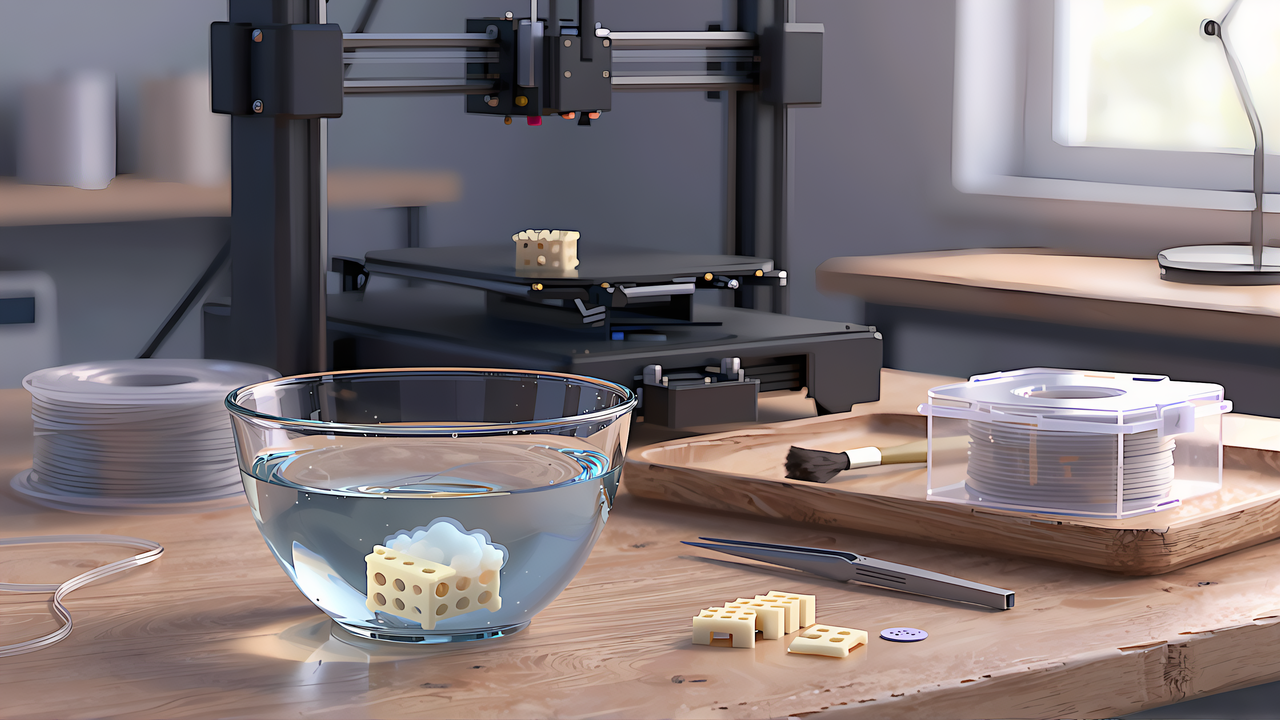
Water-soluble supports are not exclusive to tool change machines. Bambu’s PVA is a water-soluble support material, and the store says it can be used in the AMS and AMS lite when dry, listing it as compatible with every AMS series. Drying before use is recommended. For the 0.2 mm nozzle, the notes on the PVA page say it is unsupported while the comparison table on the same page says all sizes are supported; since the wording conflicts, it is safest to avoid the 0.2 mm nozzle. We only state PLA as the partner material, because the store pages disagree about pairing PVA with PETG. Bambu Studio 2.9.1 also changed PVA retraction into one continuous move instead of one broken up partway.
The confusing one is Support for PLA/PETG. Despite the name, it is not water-soluble: it is formulated to bond weakly to PLA and PETG and is removed by hand without tools. In the store’s comparison table as well, PVA is the only one marked “Yes” on the water-soluble row. If you want supports that dissolve in water, choose PVA; if peeling them off by hand is fine, choose Support for PLA/PETG.
When mixing high-temperature and low-temperature materials, Bambu Studio sorts filaments into classes. PLA, PETG, TPU, PVA and similar are low-temperature, while ABS, ASA, PC, PA and similar are high-temperature, and putting both in the same print makes the material sync screen show a warning with a link to the Wiki. Version 2.9.1 removed the confirmation that stopped you at the plate level. So it is neither “cannot be mixed” nor “mix freely”; read it as a combination that triggers a warning. The INDX is officially said by Prusa to print PLA, PETG, ABS, ASA, PC and more, but the conditions for mixing them were not verified in this article.
PVA for water-soluble supports works in an AMS as long as it is kept dry. For a PVA spool from Amazon.com, this is one option.

 ポチップ
If you print the same multicolor job many times, the differences in wasted material and time start to matter. Here we summarize the results of the four articles published on 2026-11-24, 11-25, 11-27 and 11-28, together with their conditions. All of them are slicer estimates from our own models, with one run per condition (the only exception is the assignment comparison in the 2026-11-25 article, with three runs per AI proposal and two runs per printer for the automatic assignment). The four Bambu printers were sliced in Bambu Studio 2.9.1 and the other three in OrcaSlicer 2.5.1. Different slicers decide the amounts differently and add different things to their estimates, so comparisons across slicers only show trends.
In How much material does multicolor printing waste on each printer? — slicing the same models with seven printer profiles and counting purges and changes (published 2026-11-24), we split three shapes of our own into 2, 4 and 8 colors and sliced them with the official profiles of seven printers. Shape A is a cylinder 40mm in diameter and 10mm tall, divided into equal wedges from the center, so every color appears on every layer. Shape B is the same cylinder divided into equal slices along its height, and shape C is a nameplate with bands on an 80 x 30 x 2mm base, multicolored only in the top few layers. The values in the table are the material added compared with slicing in one color (g), including the extra from the part being split into more regions.
Four printers in Bambu Studio 2.9.1 (8 colors, g):
| Shape | Change count | P1S + AMS | H2D | H2C | H3C |
|---|---|---|---|---|---|
| A vertical split | 350 | 146.28 | 118.68 | 40.24 | 18.38 |
| B height split | 7 | 4.69 | 3.74 | 2.57 | 1.27 |
| C nameplate | 31 | 12.95 | 11.42 | 6.83 | 2.7 |
On shape A, the gap between methods opened wide. Of the 146.28 g for the P1S, the flush accounted for 128.803 g. The 18.38 g for the H3C, on the other hand, was mostly the prime tower (16.394 g). Even with tool changes the purge does not disappear; its center of gravity moves to the tower. On shapes B and C, by contrast, the added material was small on every printer, at most 12.95 g even with eight colors.
For the same shape and color count, the change count was the same on every printer we sliced. What differed was the number of in-nozzle swaps. For shape A in eight colors, out of 350 changes, the in-nozzle swaps were 350 on the P1S, 300 on the H2D, 50 on the H2C and 0 on the H3C. The H2D had zero flush for shape A in two colors, but its added material jumped to 50.64 g at four colors. In this run, once the colors exceeded the number of nozzles, it switched to an increase close to that of filament swapping (P1S).
Among the three printers in OrcaSlicer 2.5.1, the CORE One INDX 8T had the smallest added material for every combination of shape and color count (8.61 g for shape A in eight colors). Note, however, that in this version of OrcaSlicer the INDX profile disables the prime tower by default and primes inside the change G-code. That does not mean nothing is wasted.
The time estimates also diverged widely on shape A. The estimated time added at eight colors compared with one color was 10h 18m 58s for the P1S and 56m 19s for the H3C. But Bambu Studio’s estimate adds fixed values from the profile at each change (such as extruder switching time and filament load and unload time), and those values differ by printer. This gap is a gap between estimates and cannot be read as a difference in the actual time on real machines.
When there are more colors than nozzles, which color goes on which nozzle (the filament assignment) changes the wasted material. In Can you leave filament assignment to AI? — comparing waste and time against the slicer’s automatic assignment on a 12-color model with more colors than nozzles (published 2026-11-25), we sliced a 12-color model of our own, a cylinder 40mm in diameter and 12mm tall divided into 3 tiers x 4 wedges, with the H2D, H2C and H3C profiles using the Bambu Studio 2.9.1 CLI. There were four assignments: the slicer’s automatic one (Auto For Flush), a hand-made baseline, a proposal from claude -p, and a proposal from gemma4:12b, with three runs per condition for the AI proposals.
In this run, the automatic assignment used the least material on all three printers. The total material (including the part itself) was 61.92 g on the H2D, 20.86 g on the H2C and 27.32 g on the H3C. On the H3C, every assignment had the same 42 in-nozzle swaps, yet the material differed by up to 10.16 g, because which color pairs are swapped changes the amount of each flush. On the H2C, meanwhile, the hand-made baseline had an estimated time 5 minutes 50 seconds shorter, so the better assignment depended on whether you want to minimize material or time.
If you compare methods for multicolor 3D printing with many colors, first slice with the slicer’s automatic assignment and use that estimate as the baseline. If you let an AI work out the assignment, give it the flush amount for each color pair and check its proposal with a script before slicing. Whether an AI proposal can match the automatic one once it has those amounts was not tested in this run.
On tool change machines, the standby temperature that cools idle tools and the preheat that warms the next tool in advance both affect the wait after a change. In Tool changer standby temperature and preheat do not show up in the estimate — changing the settings in OrcaSlicer 2.5 and reading the temperature-wait commands with AI (published 2026-11-27), we used the OrcaSlicer 2.5.1 CLI with the official profiles of the Prusa XL 5T, CORE One INDX 8T and Snapmaker U1, and sliced four-color shape A (150 changes) while changing one setting at a time.
In this run, no matter how the standby temperature and preheat were changed, the estimated time stayed at 53m 18s for the XL 5T, 1h 2m 30s for the INDX 8T and 56m 20s for the U1. The only thing that changed was the number of lines of M109, which waits until the temperature is reached, and M104, which does not wait. What the estimate added was a fixed value per change; setting it to 0 shortened the INDX 8T to 31m 3s and the U1 to 43m 50s.
In other words, comparing tool change machines by their slicer time estimates tells you nothing about how fast they change or how long they wait. What you can compare is the commands and values written in the G-code; the actual wait can only be observed on a real machine.
The article published on 2026-11-28 took the single-nozzle P1S AMS 2 Combo as the baseline and divided the price difference to the H2D AMS Combo, H2C AMS Combo and H3C Combo by the material cost saved per print. Prices are tax-inclusive from the official Japan store (as of November 16, 2026), and the added material comes from the estimates for the three shapes above. The choice of shape, color count and configuration, and the material unit price (set from the price of 1kg of PLA on the same store), are this site’s assumptions. With a more expensive material, the count would drop.
At pre-sale prices, even for shape A, which has the most changes, the break-even counts were 942 to 5,270 prints. The lowest, 942 prints, was the H3C Combo at eight colors. The H2D and H2C at eight colors were left out of the calculation, because their configurations do not have enough AMS 2 Pro units and we did not verify how many to add on which side. For shapes B and C the counts were 11,753 to 449,089, and at two colors all three printers exceeded 250,000. The estimated time saved per print, on the other hand, was large for shape A, at 1h 22m 42s to 9h 22m 16s. Time, however, was not converted into money.
In the column calculated at sale prices, the H2D and H3C swapped places for four colors on shapes B and C. But that H2D row used the slicer’s assignment of two colors per side, and under the H2D store description cited above (AMS and nozzle one-to-one), this loading needs one more AMS. Comparing with the extra AMS added, the order does not swap in either column. The break-even ranking changes not only with the price column but also with the configuration assumptions.
What these assumptions support is that material savings alone are unlikely to decide which machine to buy. You will also need to weigh the difference in estimated time and the number of colors and materials each machine handles.
This article does not list prices. On November 16, 2026, Bambu Lab’s official Japan store was in the middle of a sale and prices were moving. Tax-inclusive yen prices and the before-and-during-sale comparison are collected in the article published on 2026-11-28. How to choose a printer by budget band is covered in 3D Printer Buyer’s Guide, Second Half of 2026 — choosing next-generation printers by budget and use (published 2026-07-05). That article, however, treats the H2C as the same type of machine as the CORE One + INDX, which differs from this article’s grouping (the H2C is a hotend swap). INDX availability has also changed since then.
Availability needs to be read with announcement, pre-order, general sale and shipping kept apart. The status shown on each maker’s official pages as of November 16, 2026 is below. It is taken from the table in the article published on 2026-11-23, limited to the printers covered here, with the AMS lite added.
| Printer or kit | Method | Status (as of November 16, 2026) |
|---|---|---|
| Bambu Lab P1S | Filament swap (one nozzle) | On sale |
| Bambu Lab AMS lite (for the A1 and A2 series) | Filament swap (one nozzle) | Clearance sale while stock lasts. Discontinued |
| Bambu Lab H2D | Dual nozzle | On sale |
| Bambu Lab H2C | Hotend swap | On sale. Sales continue after the H3C launch (official store FAQ) |
| Bambu Lab H3C | Tool change | In general sale (launched November 3, 2026) |
| INDX conversion kit (Prusa version) | Tool change | The August 20, 2026 blog post announced the start of shipping. If you order now, shipping is expected after February 2027 |
| Prusa CORE One+ (Gen 2) with Bondtech INDX | Tool change | Orders accepted since August 20, 2026 (expected shipping not verified) |
| Prusa XL+ | Tool change | On sale |
| Snapmaker U1 | Tool change | On sale (US store) |
What the table shows is that even within the tool change method, the expected time from order to delivery differs by machine. Some, like the INDX conversion kit, can be ordered but are expected to ship after February 2027. And if you plan to start with four colors on an A1 or A2 series printer using the AMS lite, check first that the AMS lite is only sold while stock lasts.
If you want a multicolor setup you can get right away, the P1S bundled with an AMS is the readily available option on Amazon.com.
Mixed nozzle diameters, using nozzles of different sizes within a single print, also bear on whether to choose the dual-nozzle H2D. As of November 16, 2026, the latest stable Bambu Studio was 2.9.1, released on November 3, 2026. Its release notes say the H3C is the first to support mixed nozzle diameters and that other printers will be announced through official notices. In other words, mixed nozzle diameters were not available on the H2D at that point.
The timeline comes from Bambu’s announcement on November 3, 2026. According to the official blog, the H2D without the Filament Track Switch was expected in November 2026, and the H2C and X2D in February 2027. With the Filament Track Switch, the H2D was expected in February 2027, and the H2C and X2D in March 2027. A post on the official forum the same day was more specific than the blog, putting the H2D without the Filament Track Switch at “Late November 2026.” All of these are expectations, not confirmed dates. As of November 16, 2026, there was no follow-up from Bambu in that forum thread.
(Update, November 2026) Since then, Bambu Studio 2.9.2, released on November 24, 2026, started offering mixed nozzle diameters on the H2D. The release notes say mixed nozzles are supported on the H2D, including with the Filament Track Switch, and that the H2C, X2D and others will be supported by the dates in the official notice. The statements marked “as of November 16, 2026” in this article describe the situation before that. This site has not re-sliced on the H2D, so whether the difference in the next paragraph also appears on the H2D has not been verified.
So whether mixed nozzle diameters are available on the H2D when you read this, please check the Bambu Studio release list. What mixing changes was compared by slicing with the H3C profile in What changed with mixed nozzle diameters? — comparing Bambu Studio 2.9.1’s per-region mixing with per-line-type mixing by slicing (published 2026-11-26). In slicer estimates from one model of our own, one run per condition, per-region mixing that sends only the fine details to a 0.2mm nozzle had an estimated time of 15m 51s, about 45% of slicing with only the 0.2mm nozzle (35m 36s). Whether the H2D shows the same difference cannot be checked until the feature is available.
OrcaSlicer 2.5 does let the left and right nozzles of the H2D and X2D have different diameters. However, as far as we read the source code in the 2026-11-26 article, nozzles of different diameters share the layer height at the same Z height. Read that as a different mechanism from Bambu Studio 2.9.1 on the H3C, which varies layer height by region at the same Z height.
From the tables and summaries so far, we narrow down the method for each reader condition. Everything here follows from the color count and material tables above and from the articles published between November 23 and 28, 2026, and the numbers are based on estimates for our own shapes.
With two colors, the H2D can put one color on each side, so no in-nozzle swap occurs. For shape A in two colors, the material added compared with one color was 30.46 g on the P1S versus 3.76 g on the H2D. At four colors, though, the H2D jumped to 50.64 g. So if many of your prints go beyond two colors, there are fewer situations where a dual nozzle avoids swaps.
For prints such as logos and nameplates that are multicolored only in the top few layers, the gap between methods was small in this run. For shape C in four colors, the added material was 5.42 g on the P1S and 1.18 g on the H3C. The break-even count at pre-sale prices for shape C in four colors was also 30,265 to 44,993 prints (the 44,993-print H2D figure used an assignment of two colors per side; adding one AMS 2 Pro makes it 55,419). Under these conditions, starting with filament swapping (P1S + AMS, or the A1 and A2 series + AMS lite; only P1S + AMS was sliced) leaves only a small gap in material. Keep in mind that the AMS lite tops out at four colors and is sold only while stock lasts.
For prints with many colors on every layer, filament swapping showed a large increase in wasted material and estimated time (74.63 g on the P1S for shape A in four colors). What matters here is whether the color count fits within the number of nozzles or tools. At four colors, the added material for shape A was 10.55 g on the H2C and 7.99 g on the H3C. At eight colors, the H3C, with eight tools for 1.75mm filament, and the 8-tool INDX can put one color on each tool.
Even so, in this site’s calculation under its assumptions, recovering the machine price difference through material cost alone took at least 942 prints, even for shape A. Material savings are unlikely to be the deciding factor, and you will also need to weigh the difference in estimated time and the number of colors and materials each machine handles.
At nine colors or more, P1S + AMS (up to 16 colors), the H2D (up to 25 colors in the most extreme configuration given in the official store FAQ), and the H2C and H3C (up to 24) all swap inside some nozzle (for the H3C, in the standard configuration). On the H3C, swaps happen only inside tool 1. Here, which color goes on which nozzle matters more than the method. In the run with the 12-color model, the slicer’s automatic assignment used the least material on all three printers, so start by comparing against an estimate sliced with the automatic assignment.
If the filament goes through an AMS 2 Pro or AMS lite, the only usable TPU is the AMS-compatible TPU 68D. To mix in generic TPU or high-speed TPU 95A, you need a path that bypasses those two (for the AMS HT bypass output port, see the materials section above). What the sources behind this article confirm goes only as far as the H3C 2.85mm flexible tool (for 2.85mm filament only, so it cannot be used with the 1.75mm high-speed TPU 95A) and the INDX official material list. How other printers feed filament without an AMS was not verified.
PVA works in every AMS series as long as it is dry. Water-soluble supports are not exclusive to tool change machines. Pair it with PLA, and avoid the 0.2 mm nozzle (the PVA page contradicts itself on this). If the methods differ, it would be in the material and time wasted on swaps between PVA and PLA, but the article published on 2026-11-24 sliced PLA only, so those amounts are not among this article’s sources. If peeling supports off by hand is fine, the non-soluble Support for PLA/PETG also works in every AMS series.
If you want to mix nozzle diameters, as of November 16, 2026 the H3C is the printer Bambu Studio supports, and the H2D was still only planned. If you mix high-temperature and low-temperature materials, Bambu Studio treats that as a combination that triggers a warning. If you want to choose by change speed, keep two points in mind: the makers’ official change times are not consistent about what they include (article published on 2026-11-23), and in the OrcaSlicer 2.5.1 estimates the time did not move when standby temperature and preheat were changed, while a fixed value was added per change (article published on 2026-11-27).
Whichever method you choose, PVA and TPU only feed reliably when they are dry. A filament dryer box that can also feed while it dries is a practical companion for multicolor work.
To decide the method for your own multicolor 3D printing, pick one model you print often and start by looking at how many colors share the same layer. If only the top few layers are multicolored, the gap in material between methods was small in these estimates. If many colors appear on every layer, match the color count to the number of nozzles or tools. Then slice it in multicolor and in one color with the profiles of the printers you want to compare, subtract, and compare the added material and estimated time. General steps for setting up purge and supports in a slicer are collected in Multi-Material Slicing in Practice 2026 — settings for purge, supports and material boundaries (published 2026-07-04).